00197197-02-IM SetupCenter 5.1.pdf - 第60页
Installation Software Installation Setup Center 60 Installation Manual SIPLACE Setup Center 5.1 Step 2 ► Enter the information required to be connected with the SQL Server and database in the Select SQL- Server dialog bo…
Installation
Setup Center Software Installation
Installation Manual SIPLACE Setup Center 5.1 59
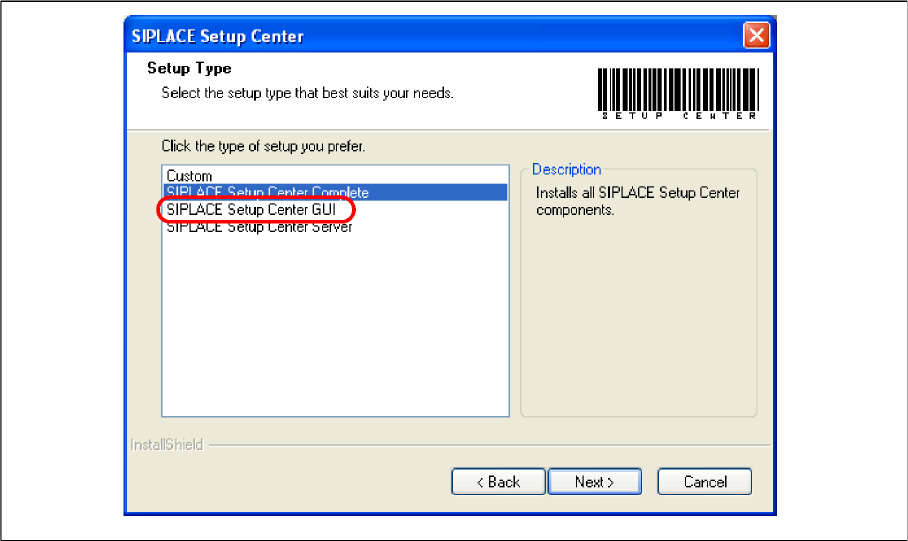
Setup Type – SIPLACE Setup Center GUI
This setup type will install the GUI application of SIPLACE Setup Center. It is used to setup up a client
system while the database is located on a remote system.
Step 1
► Run through the steps in chapter "General Settings".
► Select the SIPLACE Setup Center GUI setup type.
► Click Next.
Installation
Software Installation Setup Center
60 Installation Manual SIPLACE Setup Center 5.1
Step 2
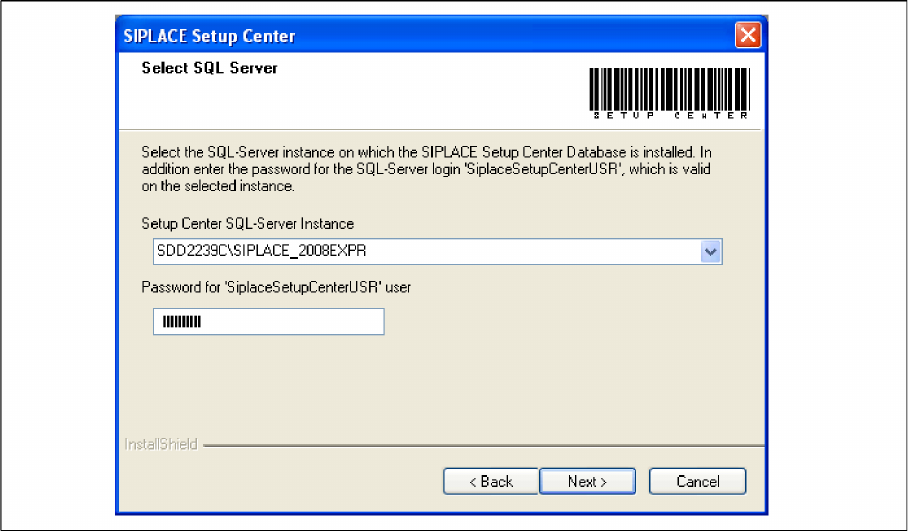
► Enter the information required to be connected with the SQL Server and database in the Select SQL-
Server dialog box.
► Choose your SQL Server Instance from the pull-down menu.
► Enter the Password for the SQL Server user "SiplaceSetupCenterUSR". The default password is al
-
ready entered.
► Click Next.
Installation
Setup Center Software Installation
Installation Manual SIPLACE Setup Center 5.1 61
Step 3
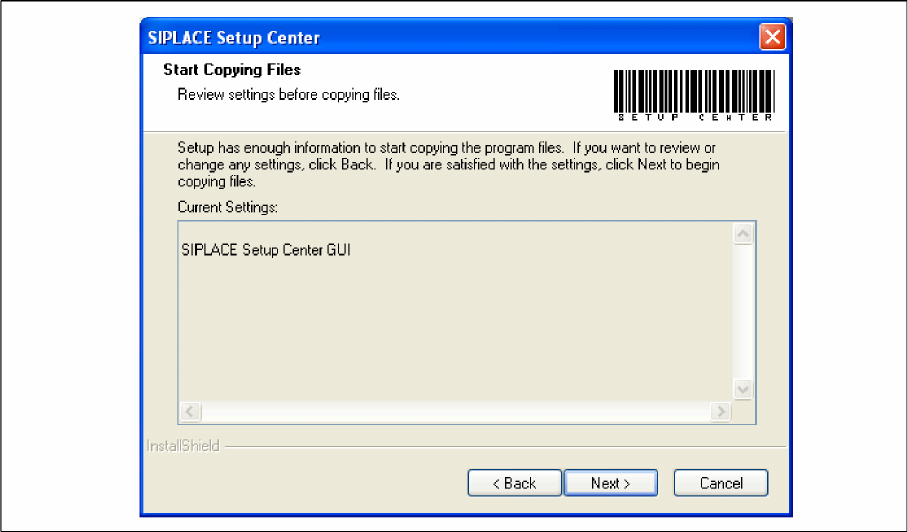
► The Start Copying Files dialog box gives you a chance to check the information again, which you
have entered during the previous steps.
► Click Next if you accept all the information entered so far.
► If you want to alter one or more details, click the Back button until you get back to the dialog box in
question.
► There, enter your changes and click Next to continue as usual.