00197197-02-IM SetupCenter 5.1.pdf - 第49页
Installation Setup Center Software Installation Installation Manual SIPLACE Setup Center 5.1 49 Step 3 ► Read the license agreement of ASM Assembly Systems GmbH & Co. KG relating t o use of this soft - ware. "So…
Installation
Software Installation Setup Center
48 Installation Manual SIPLACE Setup Center 5.1
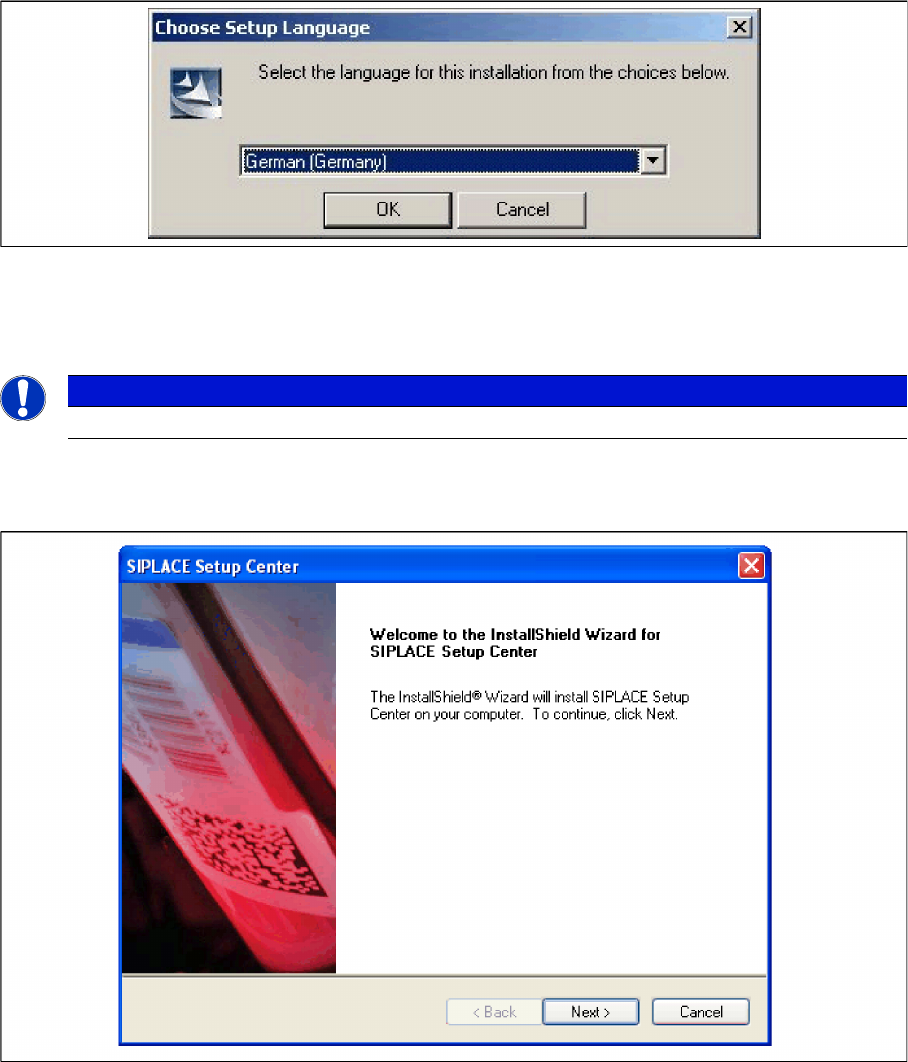
► This starts the user-controlled installation of SIPLACE Setup Center; you are prompted to select the
installation language.
"Choose setup language" dialog box
► Select the language you want.
► Click OK.
Step 2
► The Installation Wizard will guide you through the program setup process.
InstallShield Wizard box for SIPLACE Setup Center
► Click Next.
NOTICE
This decision only relates to the language used during the installation routine!
Installation
Setup Center Software Installation
Installation Manual SIPLACE Setup Center 5.1 49
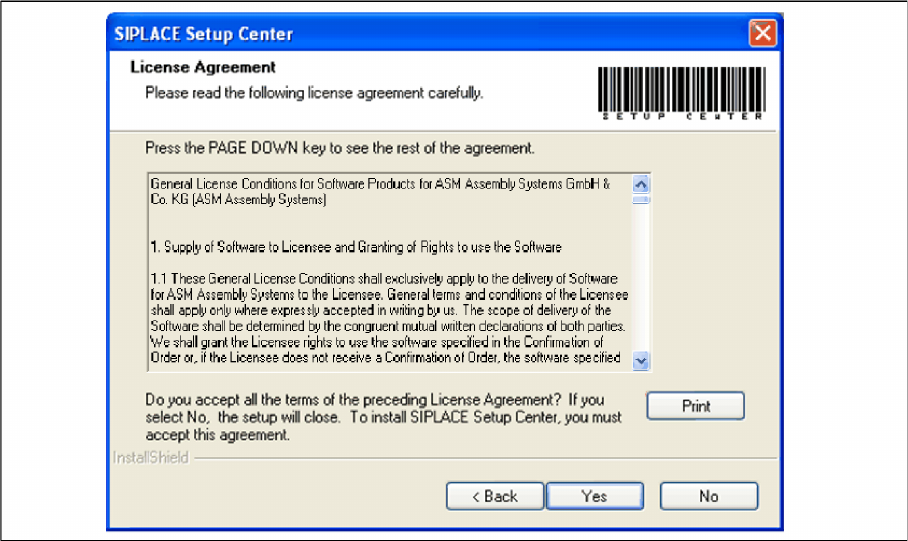
Step 3
► Read the license agreement of ASM Assembly Systems GmbH & Co. KG relating to use of this soft
-
ware.
"Software License Agreement" dialog box
► The installation routine continues if you click the Yes button to accept the license agreement.
► Click No to cancel the installation.
► Click Print to print the License Agreement on the default printer of the PC.
Installation
Software Installation Setup Center
50 Installation Manual SIPLACE Setup Center 5.1
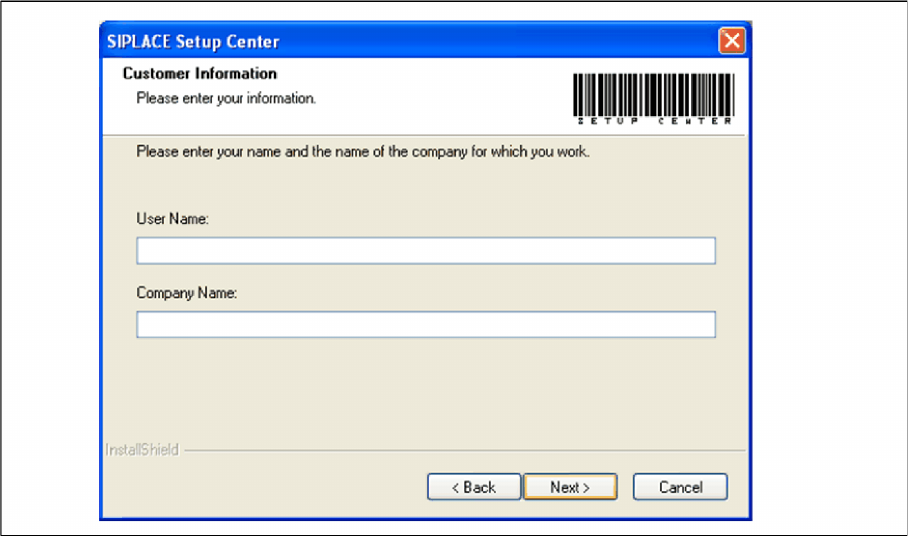
Step 4
► Enter your User Name and Company Name in the Customer Information dialog box. Both boxes
must be filled in before the installation process can be continued.
"Customer Information" dialog box
► Click Next.