00197197-02-IM SetupCenter 5.1.pdf - 第65页
Installation Setup Center Software Installation Installation Manual SIPLACE Setup Center 5.1 65 Step 3 ► Enter the information required to be connected with the SQL Server and database in the Select SQL- Server dialog bo…
Installation
Software Installation Setup Center
64 Installation Manual SIPLACE Setup Center 5.1
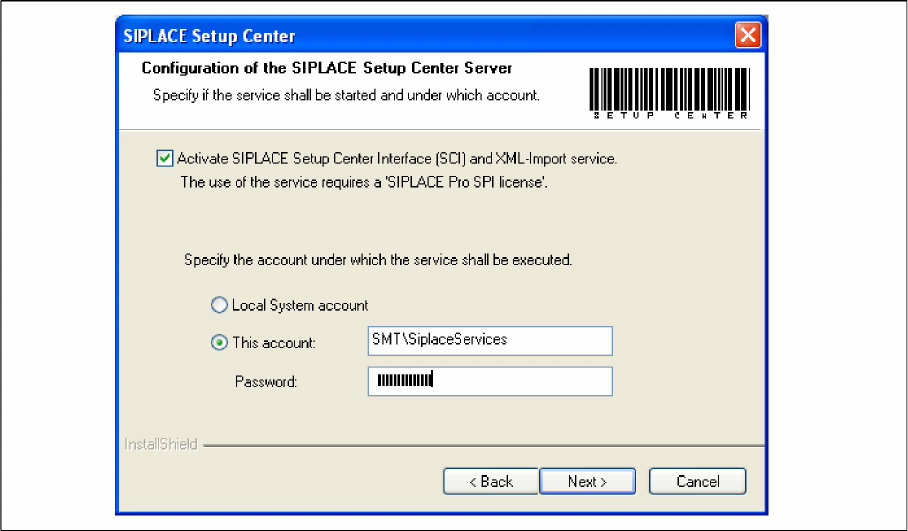
Step 2
► Tick the checkbox if the SIPLACE Setup Center Service is to be started.
► Select the account from which the Service is to be started (local system or a customer-specific ac
-
count).
► Click Next.
Installation
Setup Center Software Installation
Installation Manual SIPLACE Setup Center 5.1 65
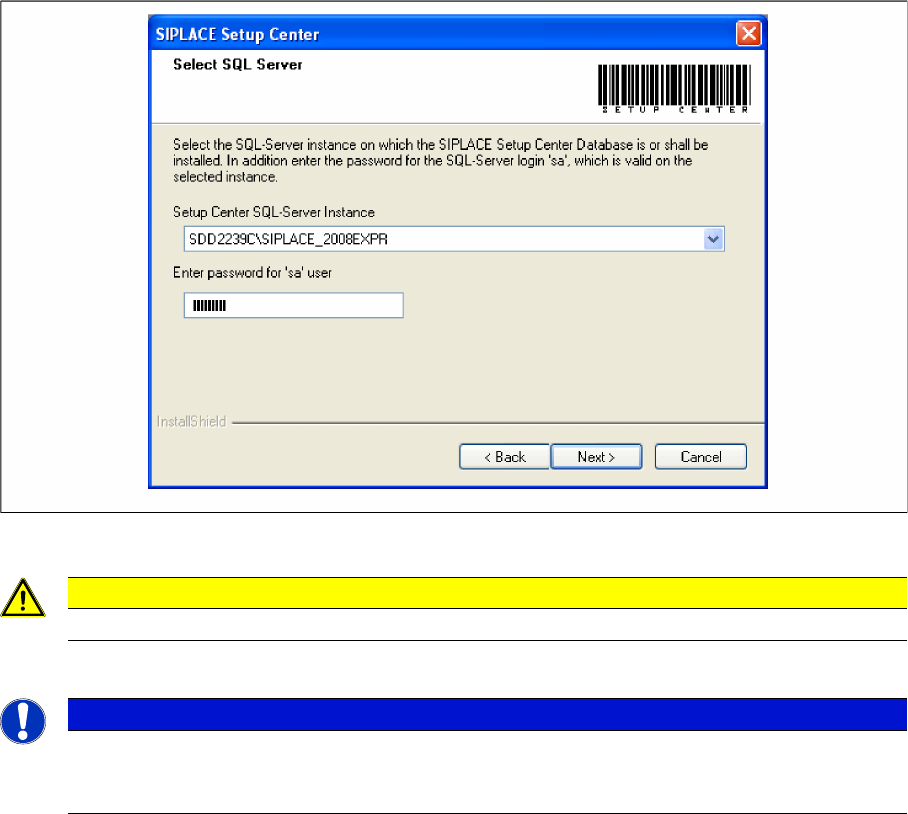
Step 3
► Enter the information required to be connected with the SQL Server and database in the Select SQL-
Server dialog box.
► Choose your SQL Server Instance from the pull-down menu.
► Enter the Password for the SQL Server user "sa", i.e. the SQL server system administrator.
► Click Next.
CAUTION
Only the SQL Server Instances on the local computer are selectable.
NOTICE
This password is empty if SQL Server has been freshly installed. In this case, erase the dis
-
played default password. Subsequently, a window will open, prompting you to change this
password. You may accept the SIPLACE Service default password or choose one of your own.
Installation
Software Installation Setup Center
66 Installation Manual SIPLACE Setup Center 5.1
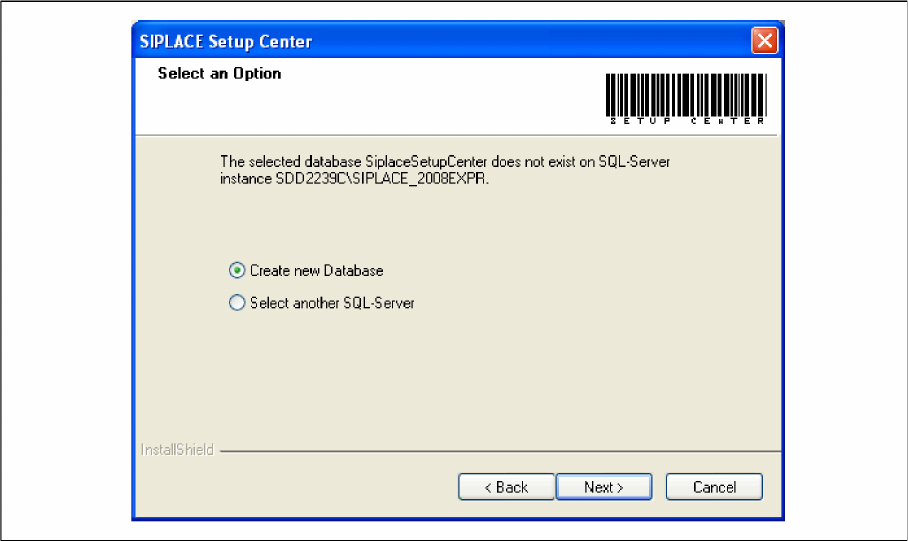
Step 3a
The following dialog appears, in case no database with the name SiplaceSetupCenter exists:
► Choose Select another SQL Server you return to the previous dialog.
► Click Next to create a new database.