M7_ServiceManual_e.pdf - 第13页
1 Installation 1-5 Installing the Mounter Do not touch terminals of electric com ponents when the power is on to prevent electric shock and m achine damage. Make sure to ground the mount er to prevent electric shock. Not…
1 Installation
1-4
Production Line
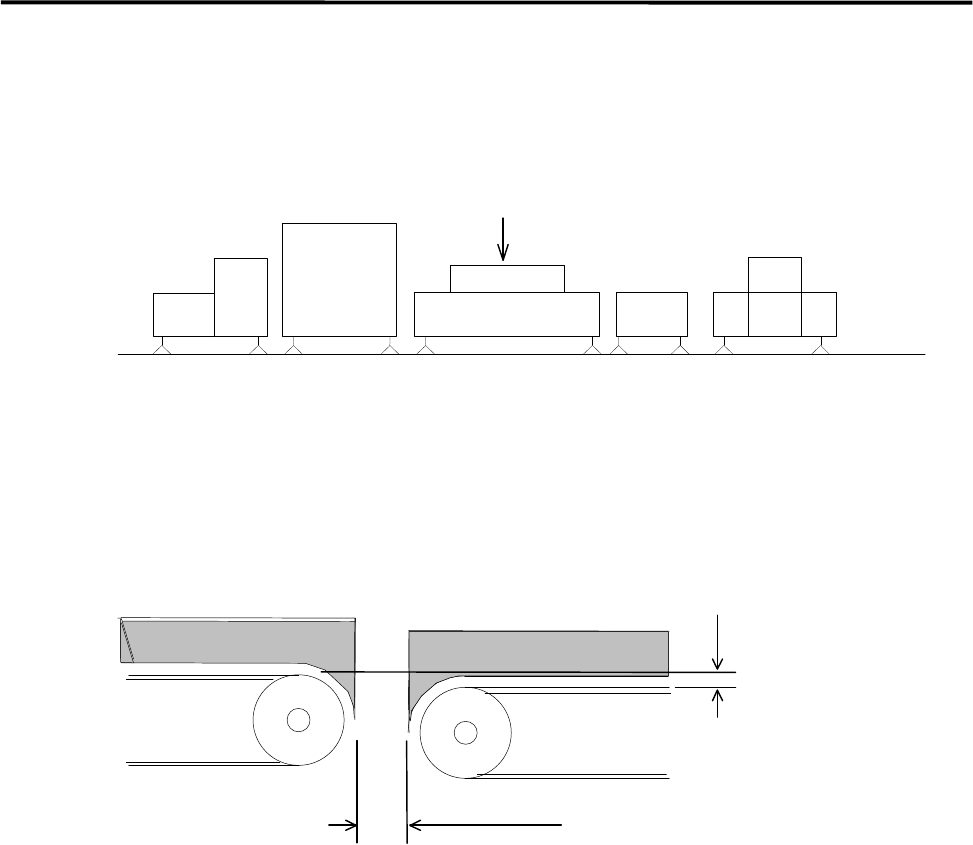
To align your assembly line, first install the heaviest unit. Then install peripheral units using the first unit as
a reference.
Reference
Loader Mounter Reflow Oven Conveyor Unloader
To transfer the PCB (printed circuit board) smoothly, clearance between units are quite important. Be sure
that the clearance between units is 5 mm or less as below figure shows. Adjust the height of the downstream
unit a little lower (0-0.5 mm) so that the PCB is transferred smoothly.
0 - 0.5mm
5mm or less
Downstream Upstream
1 Installation
1-5
Installing the Mounter
Do not touch terminals of electric components when the power is on to prevent electric shock and machine
damage.
Make sure to ground the mounter to prevent electric shock.
Note on Installation
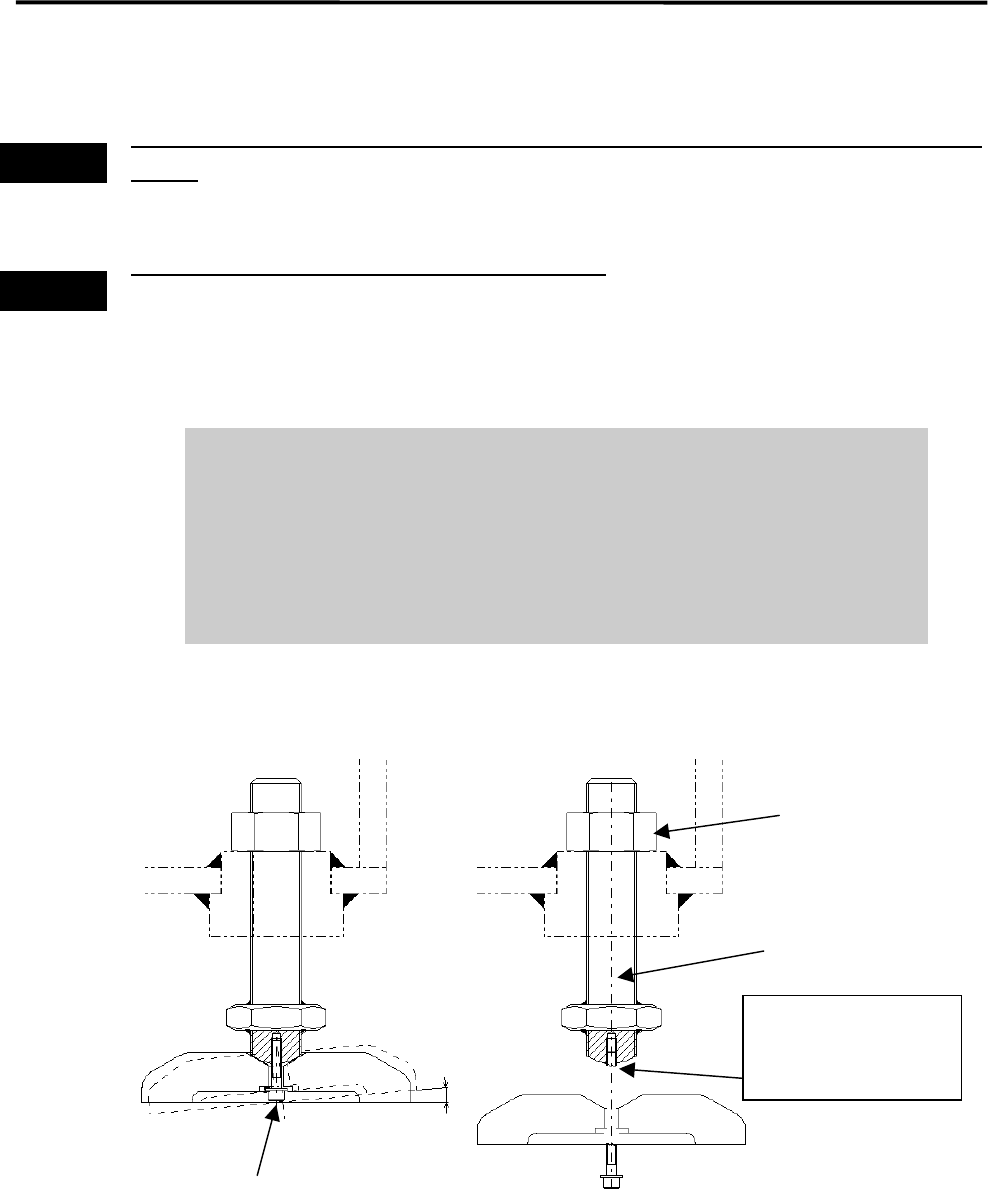
It is normal that the adjust foot can be slightly inclined (within 2-degree range).
Do not tighten the bolt forcedly trying to fix the foot.
When you move and/or install the mounter, be careful not to apply excessive
force on the adjust foot. This may cause the screw of the adjust foot to break.
When placing the mounter on the floor, be sure that the mounter is kept
horizontal.
Warning
Warning
2°
If excessive force is
applied, the screw may
break at this point.
Mounting Screw
Nut
Adjust foot
1 Installation
1-6
ACTION:
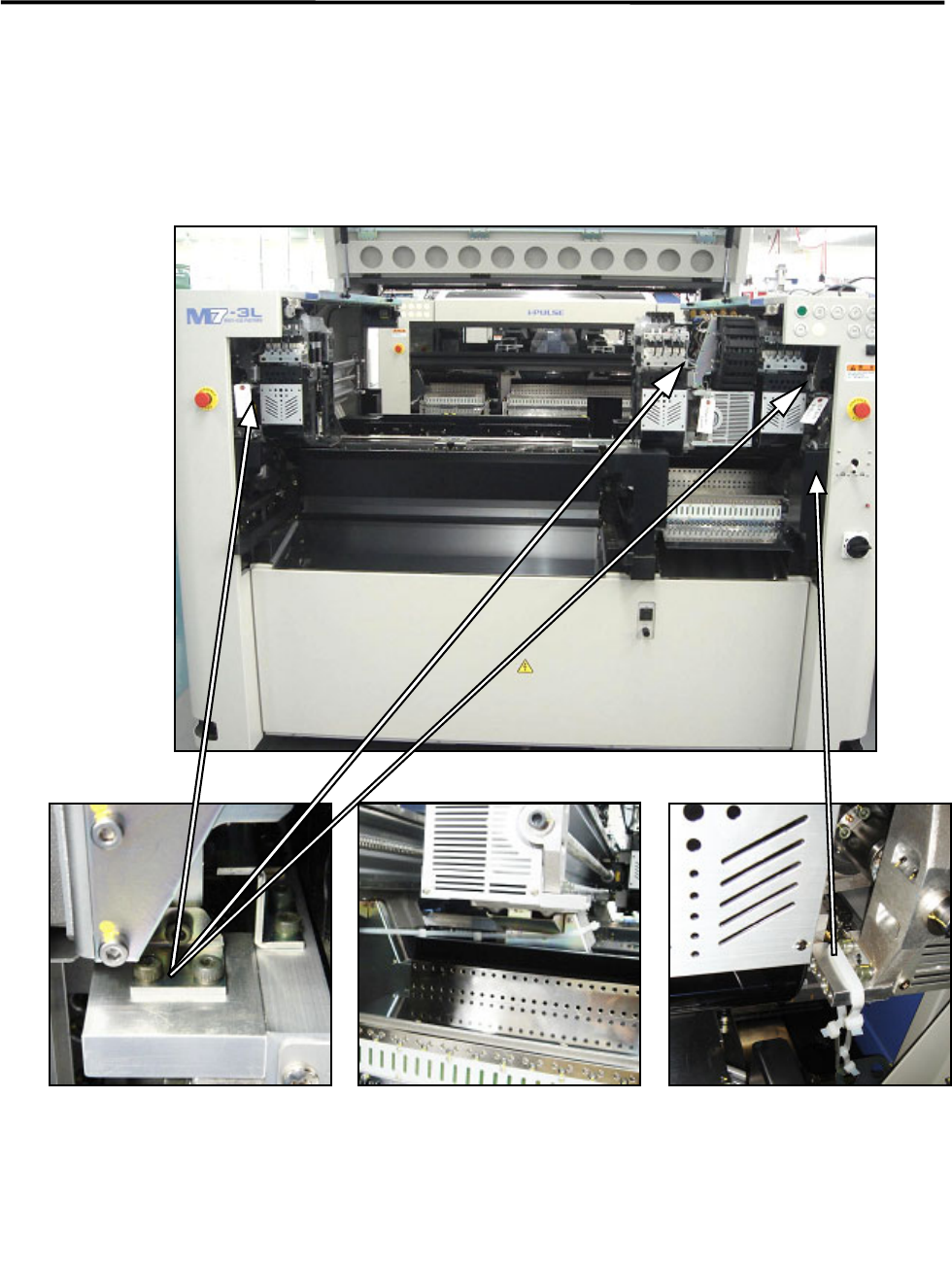
① Locate the mounter to the specified place.
② Remove the followings: the bolt, metal fittings, and the nylon ties that fasten Beams that prevent to
move during transportation. Check to see that the X beams and heads can move to the Y direction
manually.
NOTE: Keep the removed metal fittings in case of moving the mounter for future reinstallation.
Nylon ties (Rear side)
Rear of the center beam
Metal fitting
on each head
Nylon tie (Front side)
Both at the left and right sides
The warning tag with “Remove
this.”
Only the center beam of M7-3S/3L is
fixed at the rear side