M7_ServiceManual_e.pdf - 第71页
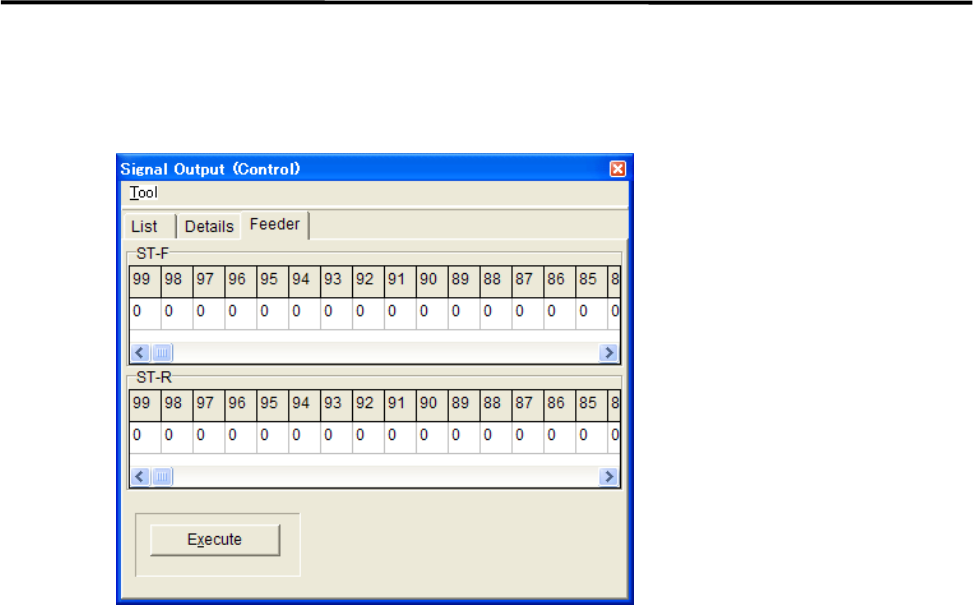
4 Electrical Section 4-7 ■ Feeder tab This tab allows you to operate th e tape feeders set in the front and rear feed er banks. Action: ① Scroll left or right to display the desired feeder num ber. ② Click “ 0 ” of the d…
4 Electrical Section
4-6
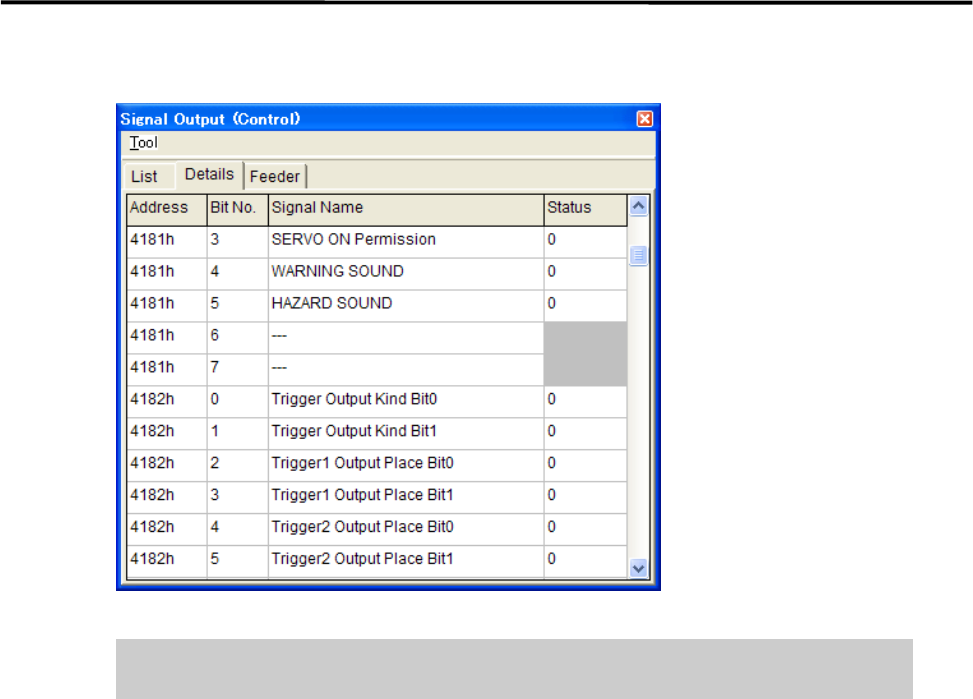
■ Details tab
The signal output operation allows an actuator to move. Make sure non-operators
keep a safe distance from the mounter before starting the operation.
Action:
① Click the cell corresponding to the desired actuator.
② The actuator is turned on or off and the display changes accordingly.
4 Electrical Section
4-7
■ Feeder tab
This tab allows you to operate the tape feeders set in the front and rear feeder banks.
Action:
① Scroll left or right to display the desired feeder number.
② Click “0” of the desired feeder number “0” switches to “1”.
③ Click <Execute> button allows the feeder for one feeder indexing.
4 Electrical Section
4-8
Serial I/O
■ Serial I/O List
Device No. DO/DI M7-3L M7-2L M7-3S Communication
Device1 DO control
Device2 DI monitor
Head A Head A Head A HIO_A
Device3 DO control
Device4 DI monitor
Head B Head B Head B HIO_B
Device5 DO control
Device6 DI monitor
Front Operation Front Operation Front Operation SWG6 (F)
Device7 DO control
Device8 DI monitor
Rear Operation Rear Operation SWG6 (R)
Device9 DO control
Device10 DI monitor
Conveyor Conveyor Conveyor CIO
Device11 DO control
Device12 DI monitor
MXR
Device15 DO control
Device16 DI monitor
Head C Head C HIO_C
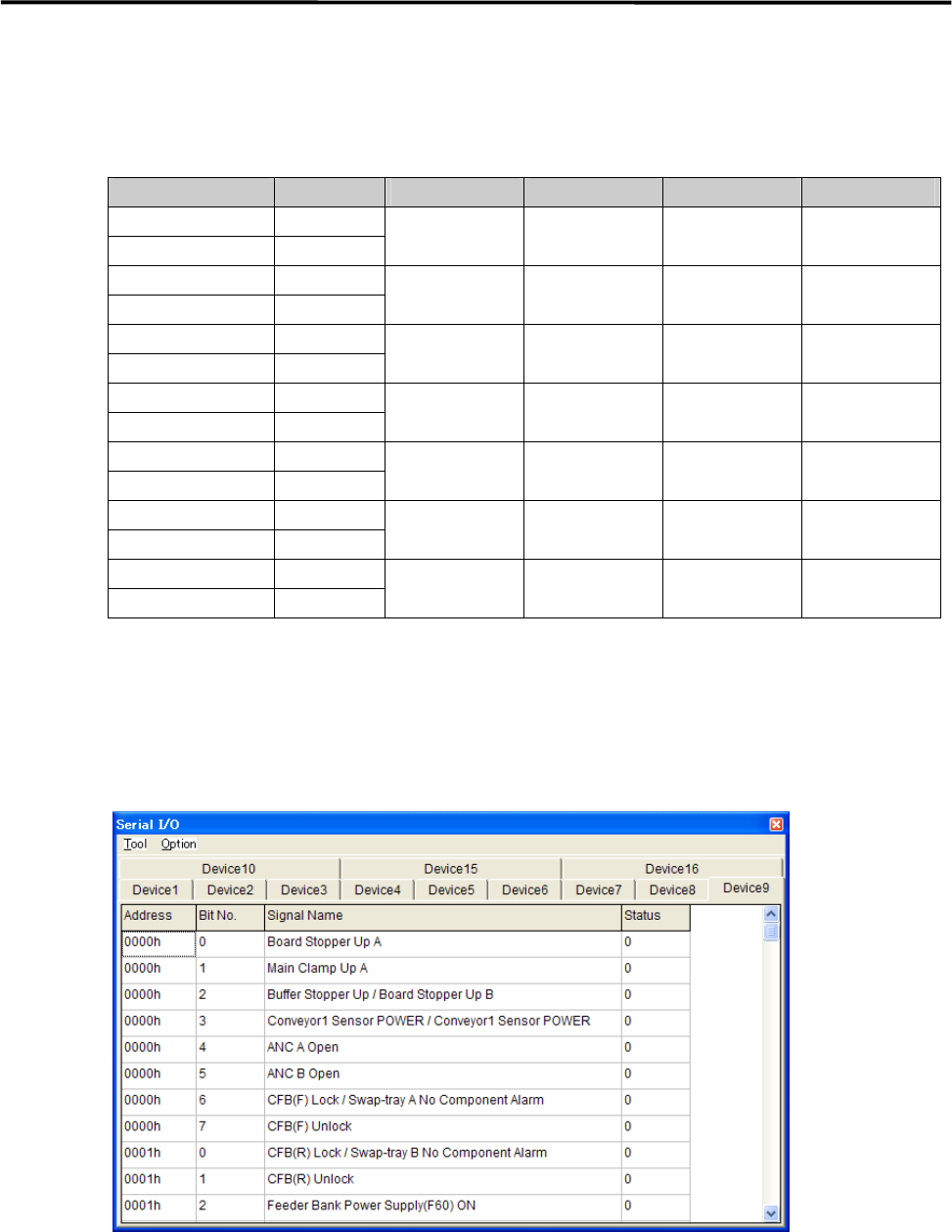
Action:
① Click the cell corresponding to the desired actuator.
② At the same time you click the cell, the display changes 1(On) or 0(Off), and the actuator moves
accordingly.
Example:
■ Moving Up and Down the Board Stopper
① Select Manual> Signal I/O to open [Serial I/O] window.
② Select [Device9] tab.
③ Click [State] of [Board Stopper Up A] cell, Status changes “0” to “1” and the board stopper lifts. At this
time, confirm that State of [Board Stopper Up A (0002h)] in [Device10] switches from “0” to “1”.
To move down the board stopper, click [State] of [Board Stopper Up A] in [Device9]. And State changes
“1” to “0”. At this time, State of [Board Stopper Up A (0002h)] in [Device10] switches from “1” to “0”.