Eaton 9155 8-15 kVA.pdf - 第24页
UPS 8 – 15 kV A, 230V 50/60 Hz output User ’ s Guide 1 022403 Revision D 24 6. Sof tw ar e and connectivity The softw are Suite CD-ROM that is bundled with the UPS contains softw are distributions and documentation in CD…
UPS 8 – 15 kVA, 230V 50/60 Hz output
User’s Guide
1022403
Revision D
23
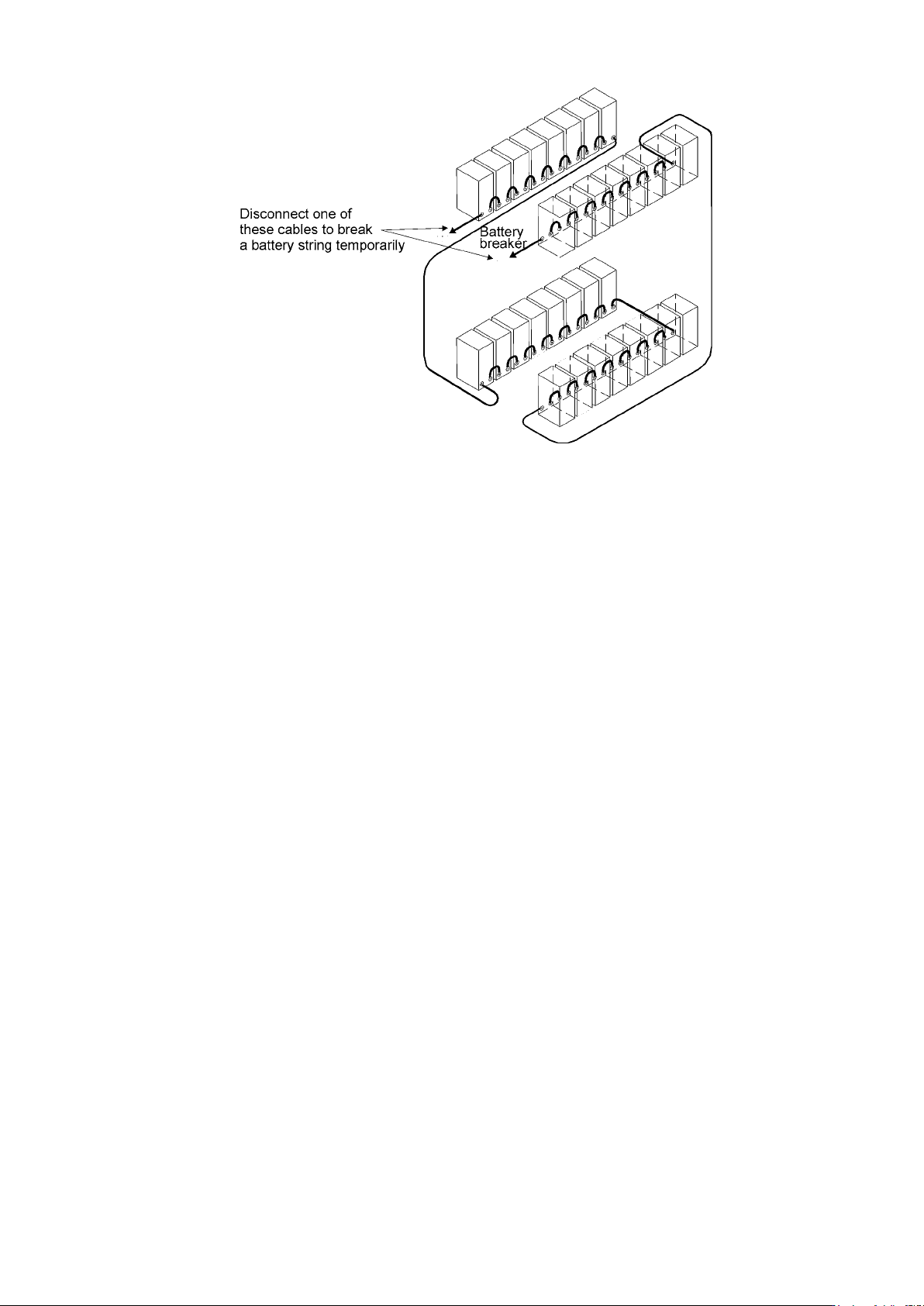
Figure 25. To minimise safety risk remove + or - cable from battery string before connecting UPS and
EBCs.
UPS 8 – 15 kVA, 230V 50/60 Hz output
User’s Guide
1022403
Revision D
24
6. Software and connectivity
The software Suite CD-ROM that is bundled with the UPS contains software distributions and
documentation in CD format. Furthermore, the comprehensive connectivity option portfolio
includes Web/SNMP adapters for networked environments, Modem card for 24/7 remote
monitoring, ModBus/Jbus card for building management system integration, relay interface
cards for industrial and facilities use and RS-232 cards for serial communication to one or
multiple computers.
Communication cables
It is recommended that the control cables and power cables be installed on separate trays.
Where control cables will cross power cables make sure they are arranged at an angle as near
to 90 degrees as possible.
All control cables shall preferably be shielded. If the shield is grounded, this shall take place on
only one end of the cable.
The procedure for connecting the control cables is the following:
1. Remove the front cover by lifting the cover from the bottom outwards by releasing the
retaining clip. It’s located in the bottom part of the bezel.
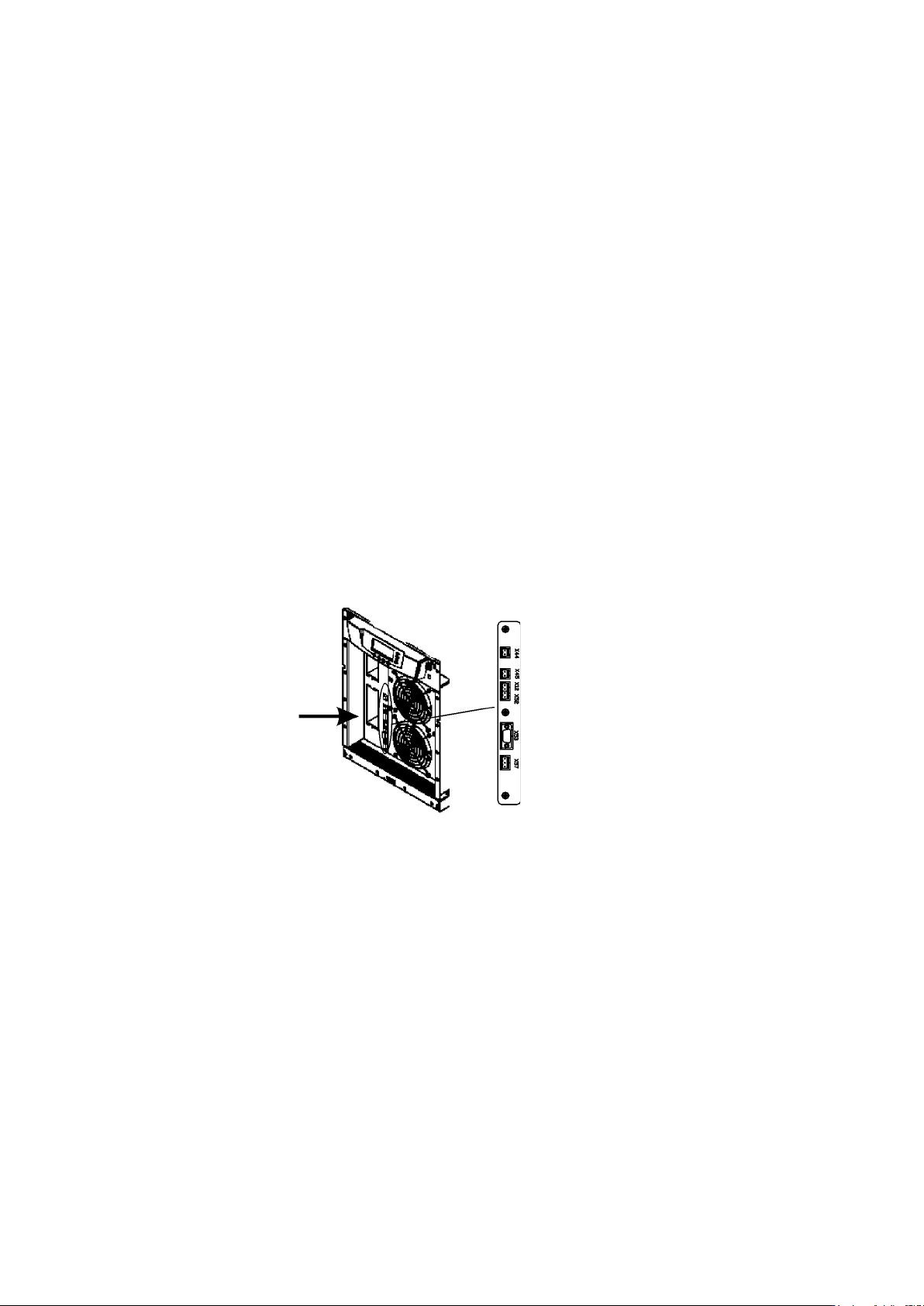
2. Locate the control terminal or XSlot module where you want to install the communications
cable.
Figure 26. Location of control cable terminals: Signal inputs (X44 & X45); EPO (NC (X12) & NO (X52));
RS-232 (X53); Relay output (X57).
Connection to the standard RS-232 port (X53)
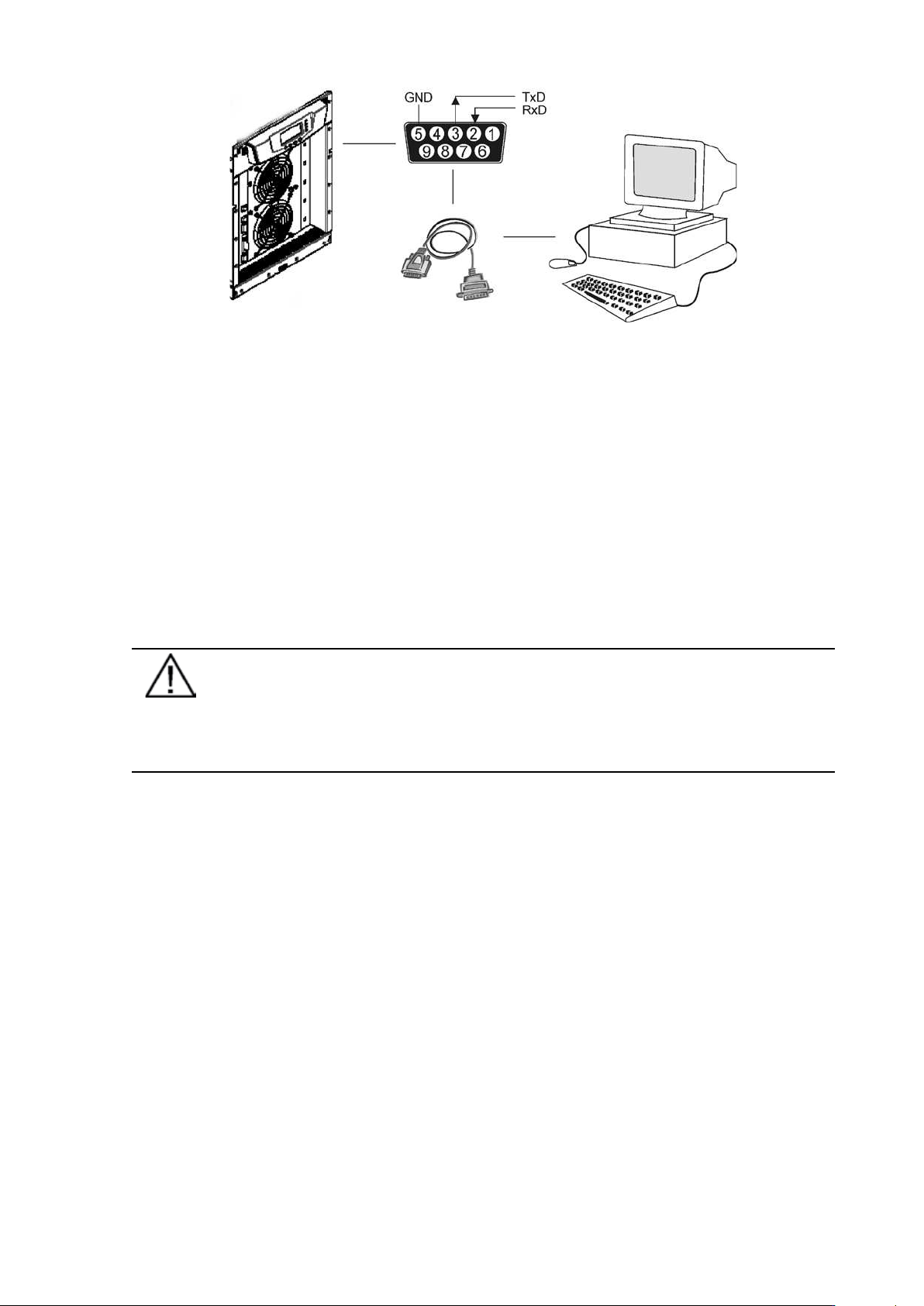
The standard RS-232 interface uses 9-pin female D-sub connector. It shall be used with the
delivered cable for a computer or external modem connection. The data is transmitted with XCP
protocol that includes status and meters information about the UPS. The RS-232 port has the
following format:
• Communication speed 19200 bps*
• Data bits 8
• Parity None
• Stop bits 1
• Handshake None
* Communication speed can be changed via LCD menu
UPS 8 – 15 kVA, 230V 50/60 Hz output
User’s Guide
1022403
Revision D
25
Figure 27. Identification of the interface port pins.
LanSafe software
The LanSafe software shuts down computers and whole networks in case of an extended power
failure. It provides basic monitoring, data logging, notification and event actions for a single
UPS solution. The software is bundled free of charge in Software Suite CD.
The connection procedure for the RS-232 interface port is following:
1. Connect the RS-232 communication cable to the computer.
2. Connect the RS-232 communication cable to the serial interface on the UPS.
3. Run the UPS software installation disk (Software Suite CD) on the computer.
Note!
If communication does not work choose the correct baud rate from the LCD menu
Please refer to the optional software manuals for appropriate bit rate
settings.
External control connections
The UPS has an input/output interface for direct communication with your computer system.
It is located behind the front bezel of the UPS unit. The cables connected to these terminals
should be connected to cable clips.
Input and output terminals have a functional isolation from terminal to terminal. They are
connected to the chassis through individual 1 M resistors.