Eaton 9155 8-15 kVA.pdf - 第39页
UPS 8 – 15 kV A, 230V 50/60 Hz output User ’ s Guide 1 022403 Revision D 39 8. T urn OFF the S2 switc h to disconnect UPS bypass input: 9. Rem ou nt th e lo ck in g p la te of t he S1 -3 switc hes to the position to prev…
UPS 8 – 15 kVA, 230V 50/60 Hz output
User’s Guide
1022403
Revision D
38
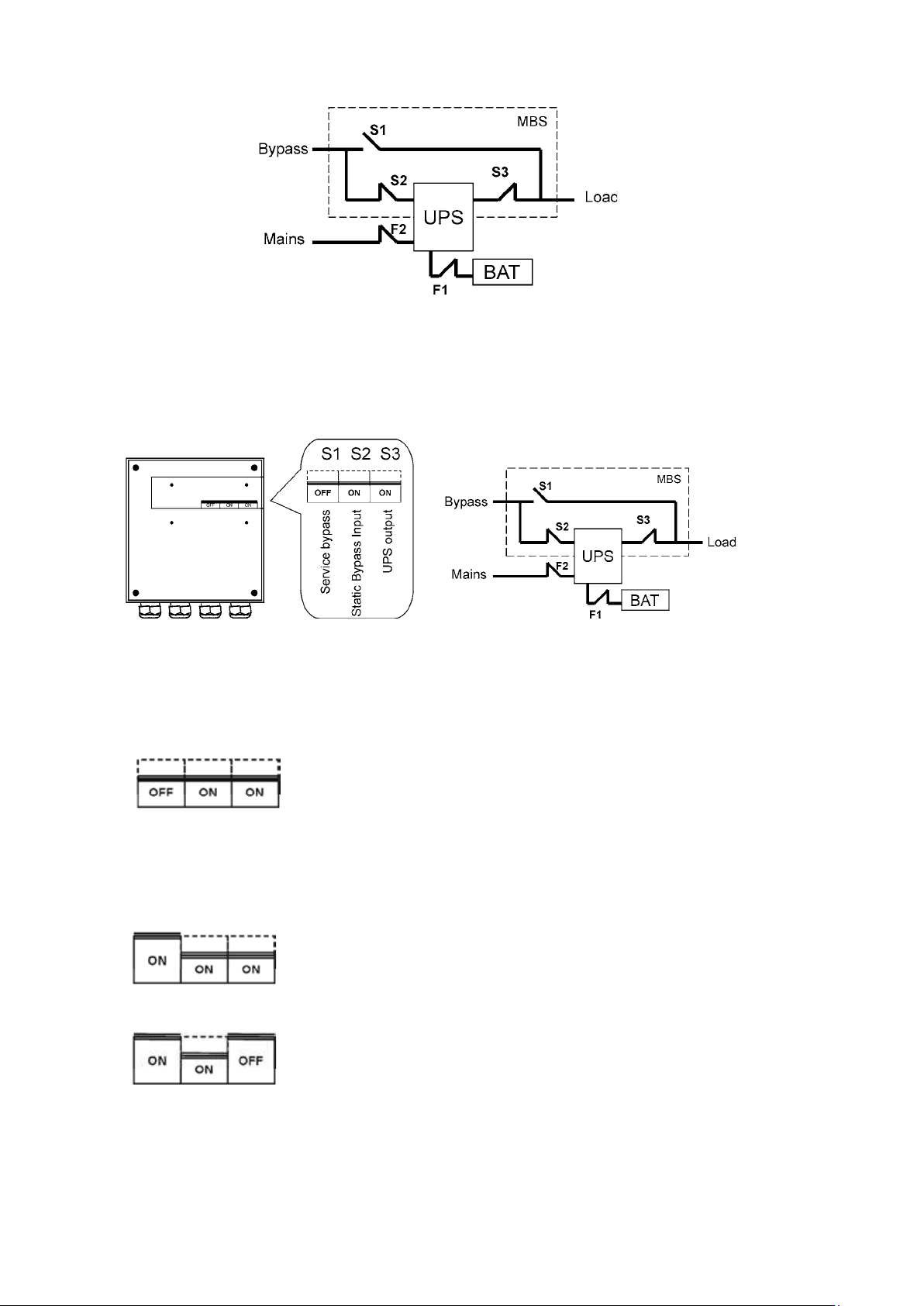
Figure 39. The normal positions of the three MBS switches.
Turn UPS from normal mode to mechanical bypass
The procedure to turn the UPS to mechanical bypass switch is described below.
Figure 40. The normal (UPS supplying the load) positions of the three MBS switches.
No break transfer from normal mode to Service Bypass:
1. The normal start position should be following:
2. Use LCD to turn the UPS on internal static bypass mode. Remember to verify the transfer
before proceeding the next step.
3. Remove the locking plate of the S1-3 switches.
4. Turn ON the S1 switch to bypass UPS:
5. Turn OFF the S3 switch to disconnect UPS output:
6. Use LCD to turn UPS OFF.
7. Turn
F1 battery breakers and F2 input to OFF position.
UPS 8 – 15 kVA, 230V 50/60 Hz output
User’s Guide
1022403
Revision D
39
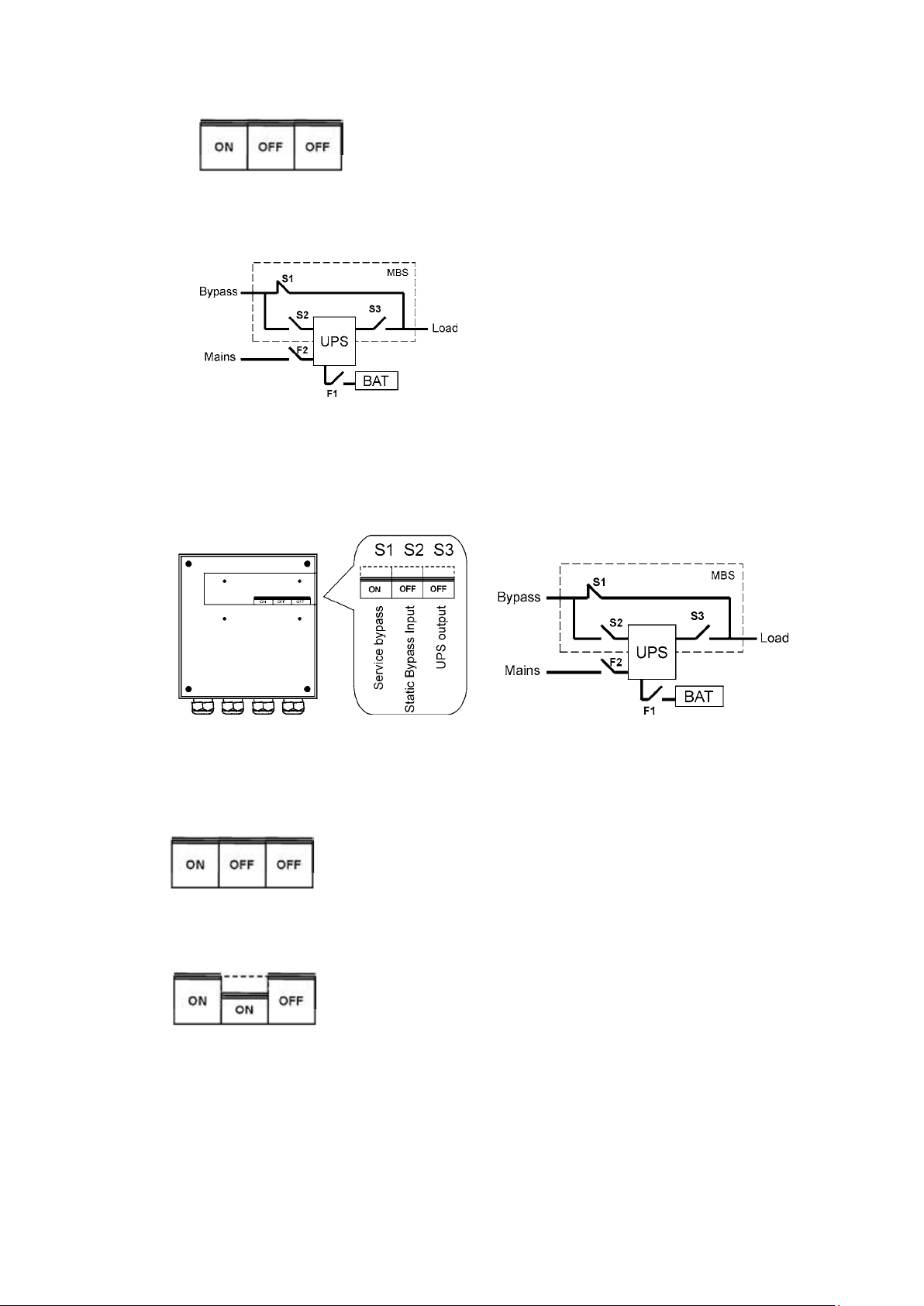
8. Turn OFF the S2 switch to disconnect UPS bypass input:
9. Remount the locking plate of the S1-3 switches to the position to prevent the use of them.
10. UPS is now in the mechanical bypass mode, see below:
Turn UPS from mechanical bypass to normal mode
The procedure to turn the UPS back to normal mode is described below.
Figure 41. The service (bypass supplying the load) positions of the three MBS switches.
No break transfer from Mechanical Bypass to normal mode:
1. The normal start position should be following:
2. Remove the locking plate of the S1-3 switches.
3. Turn ON S2 switch to connect bypass input to UPS:
4. Turn the F1 battery and F2 input breakers to ON position.
5. Use LCD to “Turn UPS on” and wait until fully started.
- Make sure the UPS is not displaying alarms or notices alarm with the green LED lit.
- You may verify the output voltage from the meters screen of the LCD.
6. Use LCD to transfer the UPS to internal static bypass. Remember to verify the transfer
before proceeding the next step.
UPS 8 – 15 kVA, 230V 50/60 Hz output
User’s Guide
1022403
Revision D
40
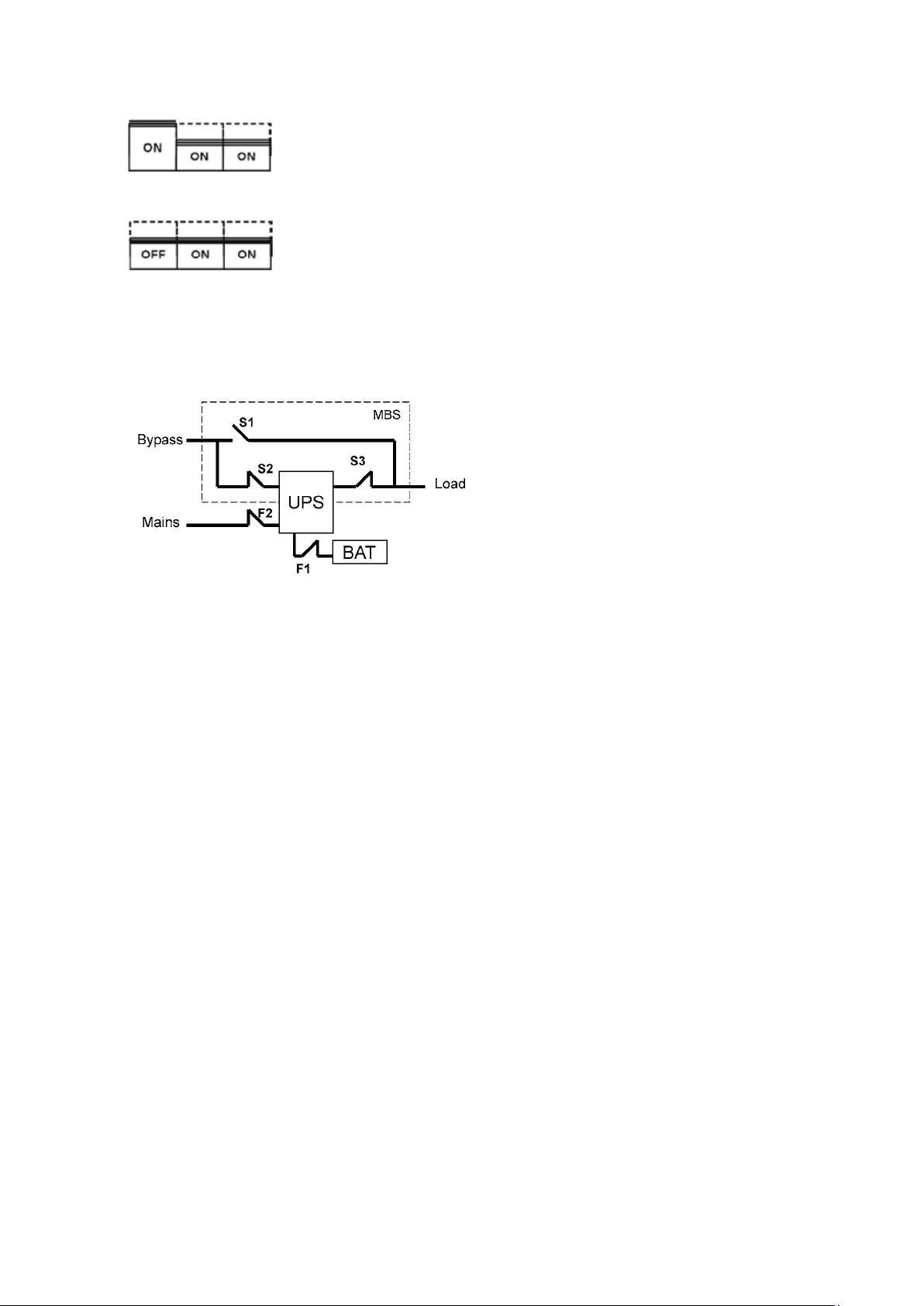
7. Turn ON S3 switch to connect UPS output to load:
8. Turn OFF S1 switch to disconnect bypass output:
9. Use LCD to transfer the UPS to normal mode.
10. Remount the locking plate of the S1-3 swiches to the position to prevent the use of them.
11. UPS is now in Normal mode, see below: