00195398-0103-AI-01005Paket_DE_EN.pdf - 第65页
Asse mb ly In st ruct i on s 0100 5- Pac ket Edi t io n 12 /200 7 65 3.7. 2.5 As signing the Feeder Æ S elect the "Fee der" tab. Æ Use t he "Add" button to select the feeder type "3 x 8mm S 01005…
Assembly Instructions 01005-Packet
Edition 12/2007
64
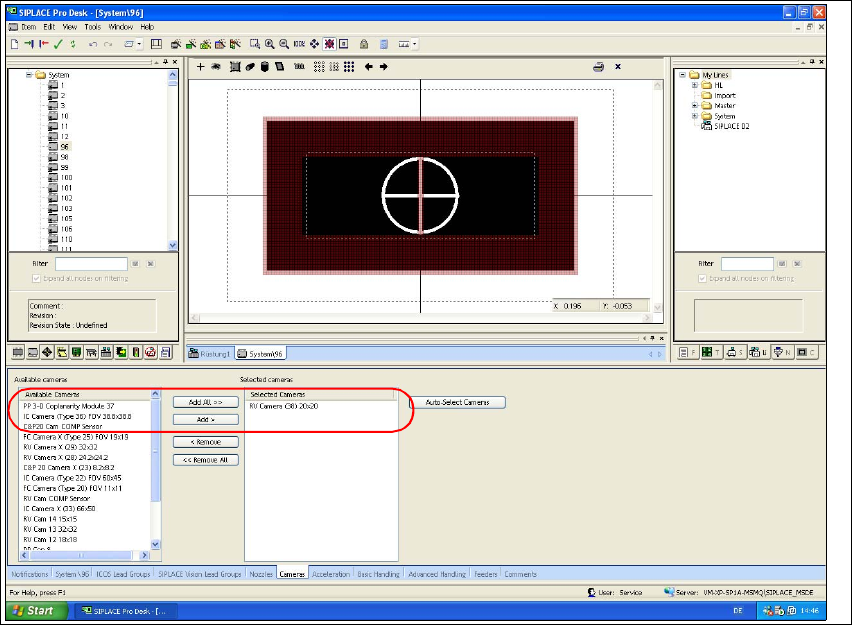
3.7.2.4 Assigning the Camera
Æ Select the "Cameras" tab.
Æ Select from the list of the available cameras the "RV Camera (38) 20x20" type and use the
"Hinzufügen >" button to add this entry to the list of the selected cameras.
Fig. 40 SIPLACE Pro "component shape editor" - "cameras" tab
Assembly Instructions 01005-Packet
Edition 12/2007
65
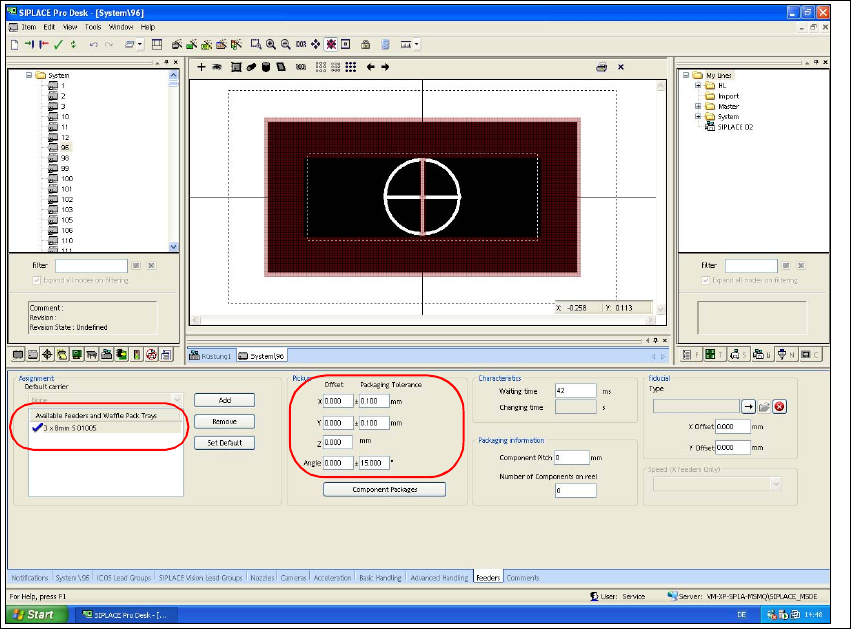
3.7.2.5 Assigning the Feeder
Æ Select the "Feeder" tab.
Æ Use the "Add" button to select the feeder type "3 x 8mm S 01005" from the feeder type list.
Æ Check the values for packing tolerance (+/- 0,1 mm) and angle (15°).
Fig. 41 SIPLACE Pro "component shape editor" - "feeder" tab
Assembly Instructions 01005-Packet
Edition 12/2007
66
3.8 Configurations at the Station Software
3.8.1 Enabling Feeder Position Recognition
NOTE:
The feeder position recognition option must be enabled for placement with 01005 components. If
this is not the case, component pickup reliability may suffer.
Feeder position recognition can only be enabled or disabled from users with operating level ’Line
Engineer’ or higher. 3
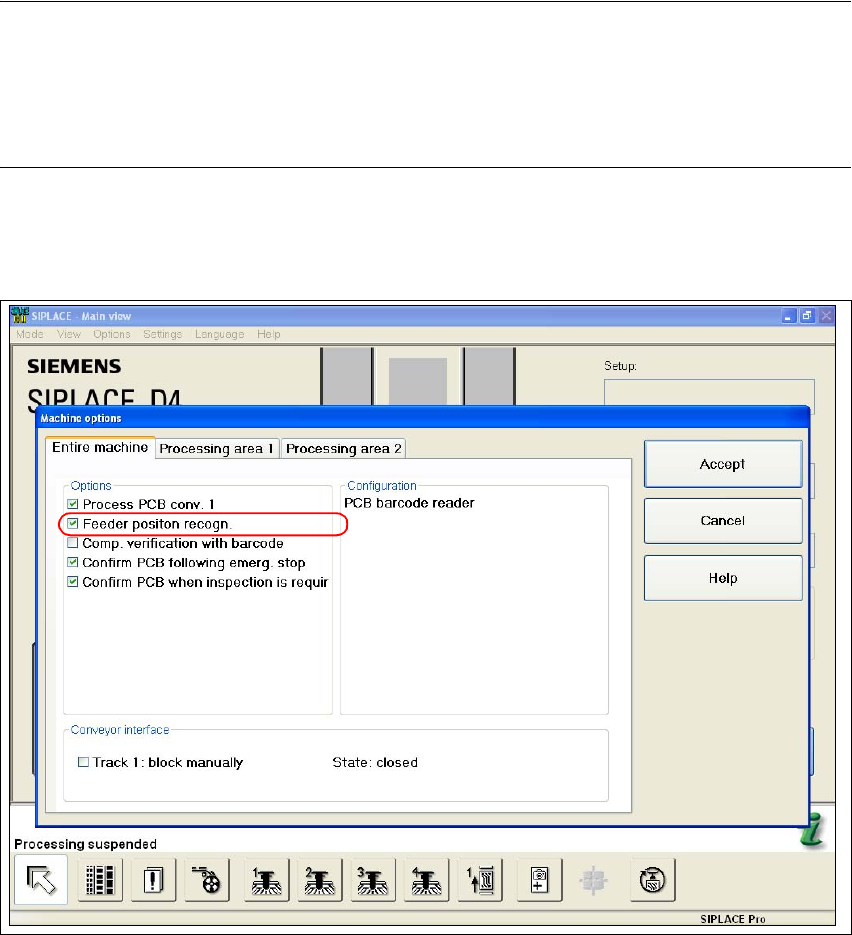
Æ Select the function "Machine Options" from the main view of the station software.
Æ Select the "Entire Machine" tab.
Fig. 42 Stations software "machine options - entire machine"
Æ Enable the checkbox "Feeder Position Recognition".
Æ Confirm with "Accept".