00195398-0103-AI-01005Paket_DE_EN.pdf - 第67页
Asse mb ly In st ruct i on s 0100 5- Pac ket Edi t io n 12 /200 7 67 3.9 Final T asks and V erifi cation 3.9. 1 V erifiy ing th e Calcu lated P ick up Positi on at t he S t atio n Æ Stop t he placemen t process. Æ S elec…
Assembly Instructions 01005-Packet
Edition 12/2007
66
3.8 Configurations at the Station Software
3.8.1 Enabling Feeder Position Recognition
NOTE:
The feeder position recognition option must be enabled for placement with 01005 components. If
this is not the case, component pickup reliability may suffer.
Feeder position recognition can only be enabled or disabled from users with operating level ’Line
Engineer’ or higher. 3
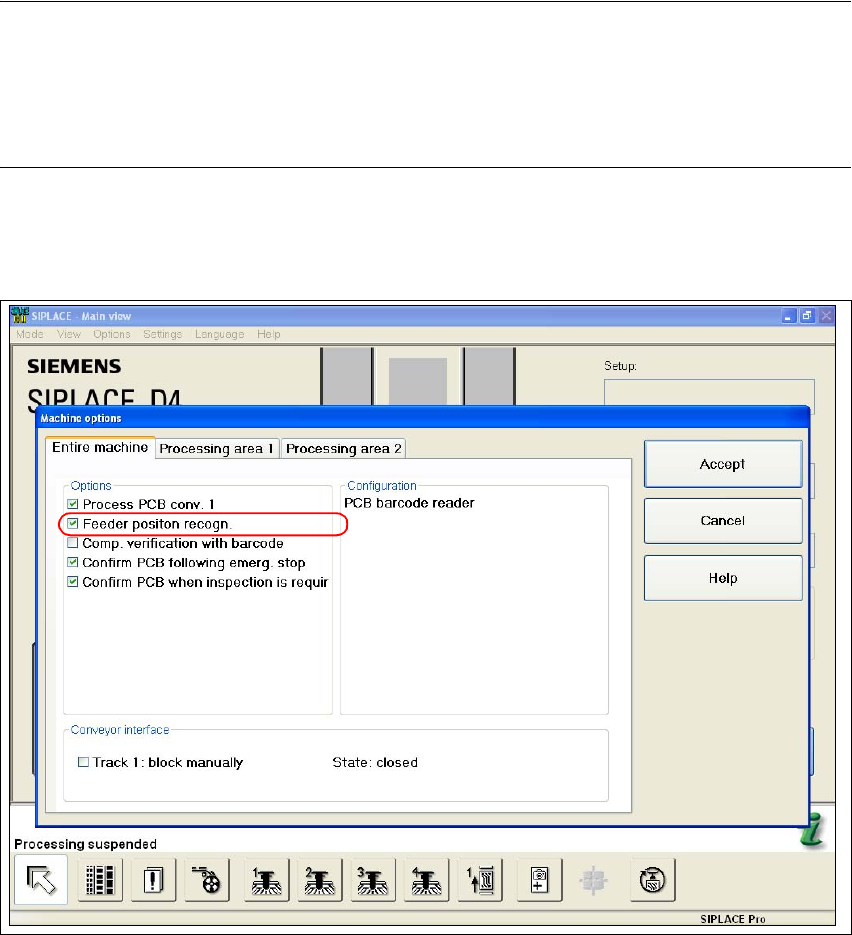
Æ Select the function "Machine Options" from the main view of the station software.
Æ Select the "Entire Machine" tab.
Fig. 42 Stations software "machine options - entire machine"
Æ Enable the checkbox "Feeder Position Recognition".
Æ Confirm with "Accept".
Assembly Instructions 01005-Packet
Edition 12/2007
67
3.9 Final Tasks and Verification
3.9.1 Verifiying the Calculated Pickup Position at the Station
Æ Stop the placement process.
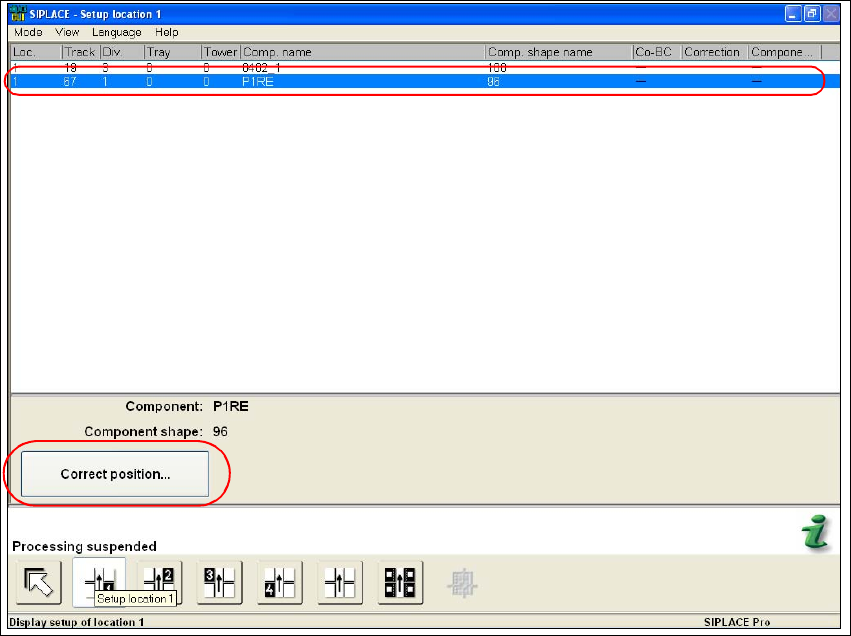
Æ Select the "Setup location" function in the main view of the stations software.
Æ Highlight in the list the feeder with the desired component.
Fig. 43 Stations software "Setup Location"
Æ Execute the "Correct position..." function.
Assembly Instructions 01005-Packet
Edition 12/2007
68
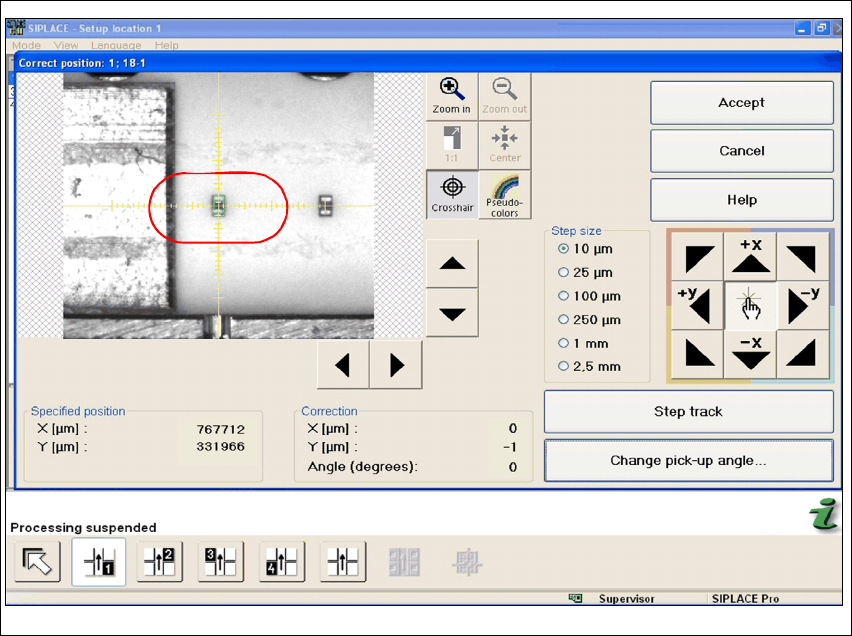
Fig. 44 Stations software "Correct Position"
Æ Use the cross-hair to check the component position. If necessary, correct the position with the
help of Teach.