00197622-02_IM_OIS_SIS_12.1_DE_EN.pdf - 第27页
SIPLACE OIS V12.1 / Insta llation Manual Ausgabe 05/2015 Edition 27 3.5 Re m oving the pro gram (Uninsta ll ing ) Th e Rem ove option removes all the installed com ponents, incl uding all the corre sponding entries in th…
SIPLACE OIS V12.1 / Installation Manual Ausgabe 05/2015 Edition
26
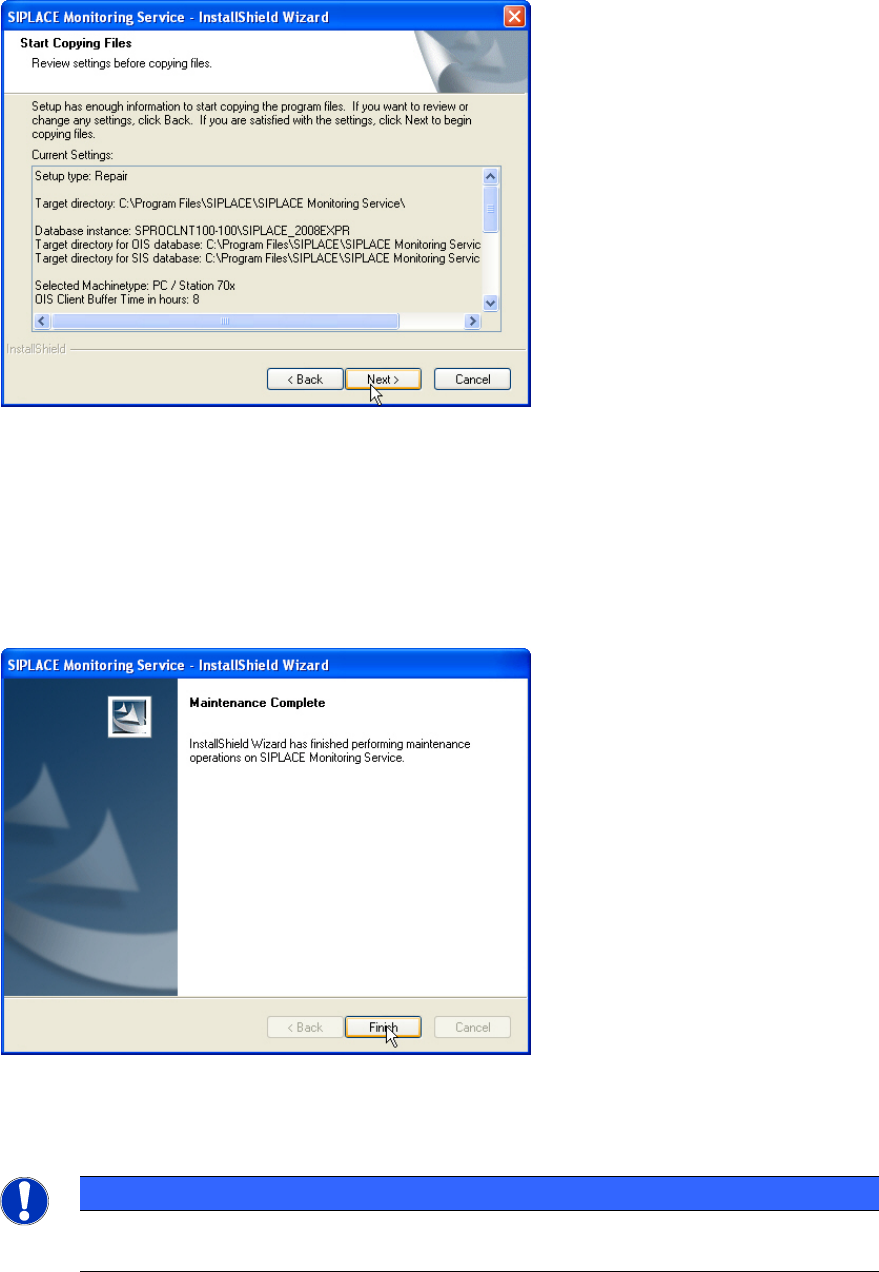
Thereafter the following dialog box is opened.
Figure 3-31: Reviewing settings
This shows a summary of the settings and entries you have made so far.
► Check the settings.
► If you wish to change your entries, click < Back to return to the appropriate dialog.
► Click Next > to start the repairing process.
Once the repairing process has been completed, the following dialog box appears.
Figure 3-32: Finishing repairing
► Click Finish to complete the repairing process.
NOTICE
If this dialog box suggests rebooting the computer, you should do so, as the repairing is
only completed after a reboot.
SIPLACE OIS V12.1 / Installation Manual Ausgabe 05/2015 Edition
27
3.5 Removing the program (Uninstalling)
The Remove option removes all the installed components, including all the corresponding entries
in the Registry.
You have the option to keep or remove the database.
► Click the Windows Start button and select Settings and then Control Panel.
► Start the Add/Remove Programs dialog, by double-clicking on Add/Remove Programs.
► Select the program from the list (SIPLACE OIS / SIPLACE Monitoring Service) and click on
Change/Remove.
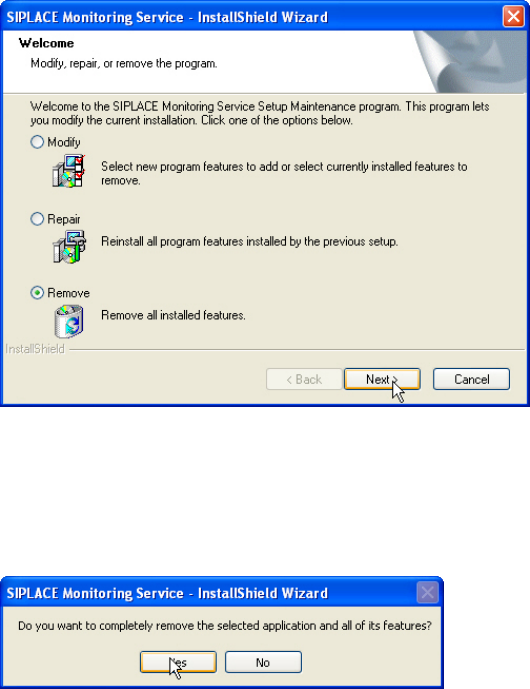
The setup program will start and display the following dialog box.
Figure 3-33: Removing program
► Select Remove.
► Click Next >.
The following request appears.
Figure 3-34: Request
► Respond to the request with Yes.
SIPLACE OIS V12.1 / Installation Manual Ausgabe 05/2015 Edition
28
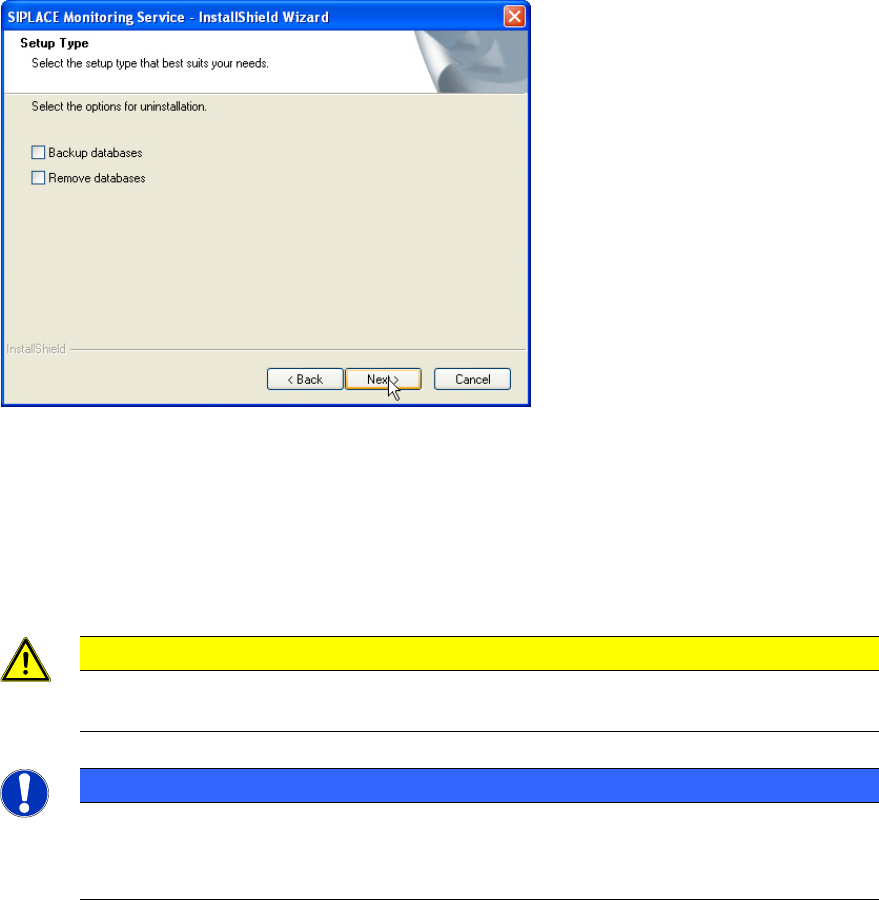
The following dialog box is opened if Monitoring Service is installed.
Figure 3-35: Backing up/removing databases
► Select Backup databases to keep the OIS/SIS databases.
or
► Select Remove databases to remove the OIS/SIS databases.
► Click Next >.
CAUTION
If you remove the databases, all the recipe and setup data of the OIS/SIS system are
lost!
NOTICE
Uninstalling options
Depending on the selected uninstalling options further dialog boxes might appear now
(e.g. Figure 3-29 and Figure 3-30).