00195488_Install_SQLExpress2005_manual.pdf - 第17页
Installation of SQL 2005 Express Edition 02/2011 US The following dialog appea rs: 2 17 / 54 Fig. 3-14: Install Prerequisites dialog → Click the button Install and wait until the prereq uisites are installed. The dialog …
Installation of SQL 2005 Express Edition 02/2011 US
16 / 54
→ Read the EULA.
→ Select the option “I accept the licensing terms and conditions”.
→ Click the Next > button.
Installation of SQL 2005 Express Edition 02/2011 US
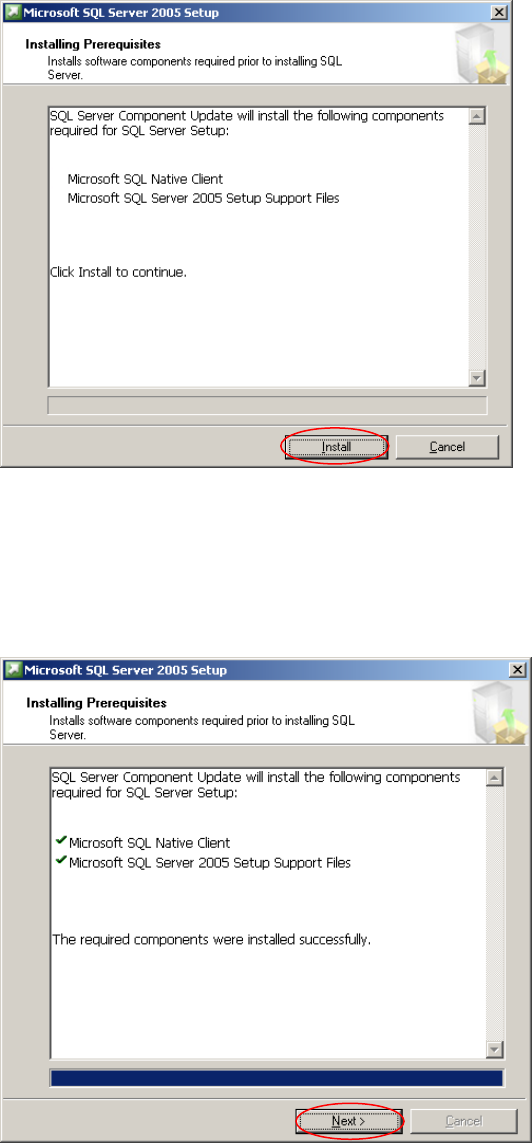
The following dialog appears:
2
17 / 54
Fig. 3-14: Install Prerequisites dialog
→ Click the button Install and wait until the prerequisites are installed.
The dialog now looks like this:
Fig. 3-15: Install Prerequisites dialog, completed
→ Click the button Next >.
Installation of SQL 2005 Express Edition 02/2011 US
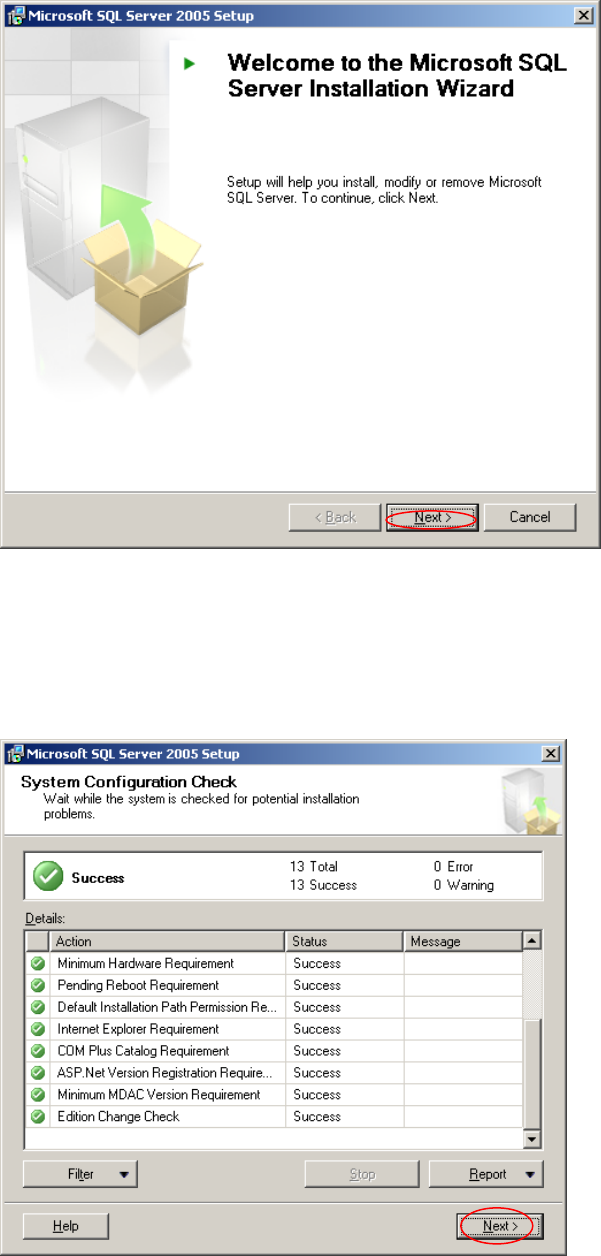
Wait until the following dialog appears:
18 / 54
Fig. 3-16: Welcome Dialog
→ Click the button Next >.
The following dialog appears:
Fig. 3-17: System Configuration Check
→ Check for possible errors.