00195488_Install_SQLExpress2005_manual.pdf - 第31页
Installation of SQL 2005 Express Edition 02/2011 US Fig. 3-33: Security warning → Click on “Run” to confirm the security warning. The following dialog is disp layed. Fig. 3-34: Welcome dialog → Click on “Next”. The follo…
Installation of SQL 2005 Express Edition 02/2011 US
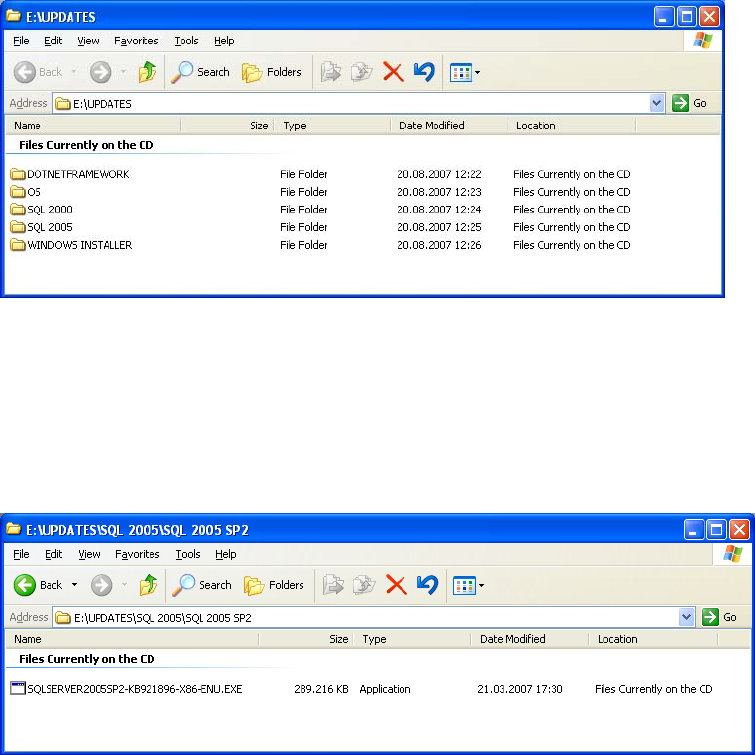
The following window is displayed.
Fig. 3-31: Updates directory
→ Browse through the directory structure.
→ Select the directory SQL 2005\SQL 2005 SP2.
The package with the service pack 2 for SQL 2005 is displayed.
Fig. 3-32: Directory Updates\SQL 2005\SQL 2005 SP2
→ Copy the executable file from the DVD to a temporary directory on your local drive.
→ Then start the installation program by double clicking the file.
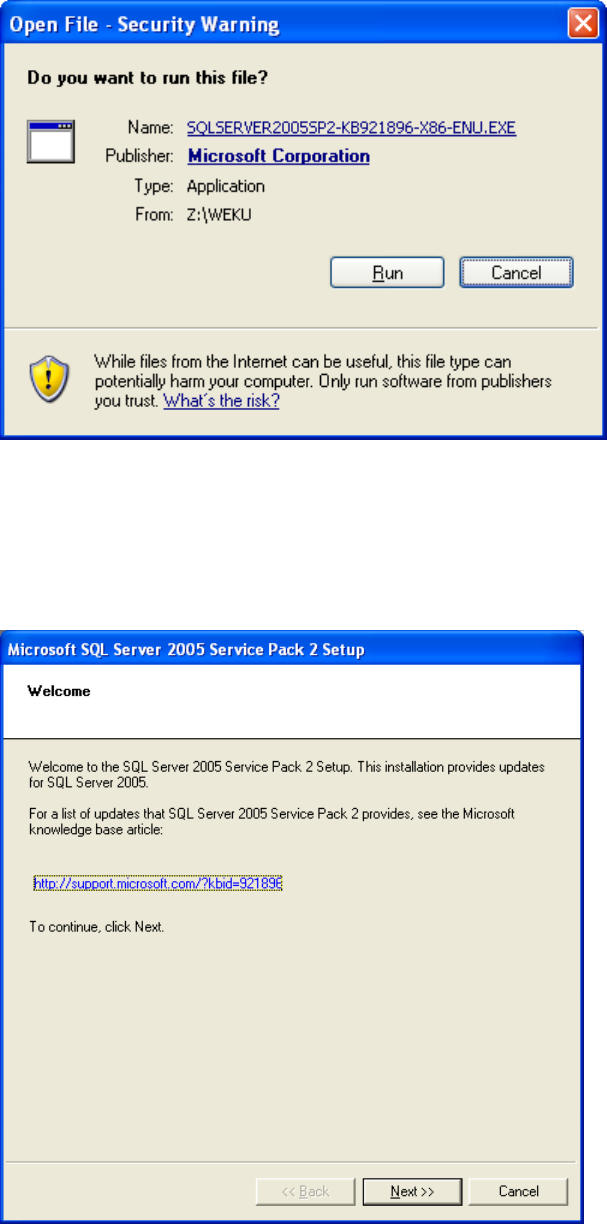
The following dialog is displayed.
30 / 54
Installation of SQL 2005 Express Edition 02/2011 US
Fig. 3-33: Security warning
→ Click on “Run” to confirm the security warning.
The following dialog is displayed.
Fig. 3-34: Welcome dialog
→ Click on “Next”.
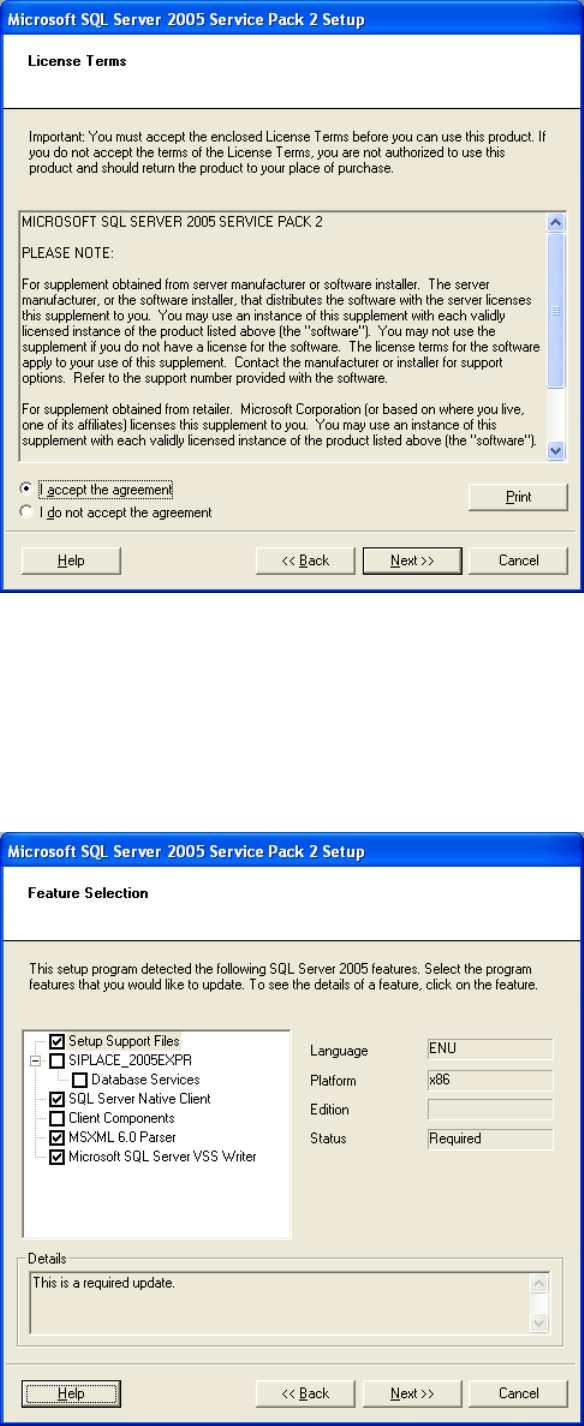
The following dialog is displayed.
31 / 54
Installation of SQL 2005 Express Edition 02/2011 US
Fig. 3-35: License agreement
→ Read the license terms.
→ Activate the option “I accept the agreement“.
→ Click on “Next”.
The following dialog is displayed.
32 / 54