00195488_Install_SQLExpress2005_manual.pdf - 第29页
Installation of SQL 2005 Express Edition 02/2011 US 3.3 Inst allation of Service Pack 2 for SQL Server 2005 E xpress (Up date) This chapter describe s the manual procedure to install the SP2 for SQL Server 2005 Express. …
Installation of SQL 2005 Express Edition 02/2011 US
28 / 54
Installation of SQL 2005 Express Edition 02/2011 US
3.3 Installation of Service Pack 2 for SQL Server 2005 Express (Update)
This chapter describes the manual procedure to install the SP2 for SQL Server 2005 Express.
The SP2 for SQL Server 2005 Express is required for SIPLACE Pro Version 5.1.
The installation of the SP2 includes the installation of SP1.
Note:
Before starting the update installation of the SP2 it is recommended to backup
the database.
The service pack 2 for the SQL Server 2005 Express is delivered on the SIPLACE Net Support Media
DVD as of version 1.3.
→ Insert the SIPLACE Net Support Media DVD into your drive.
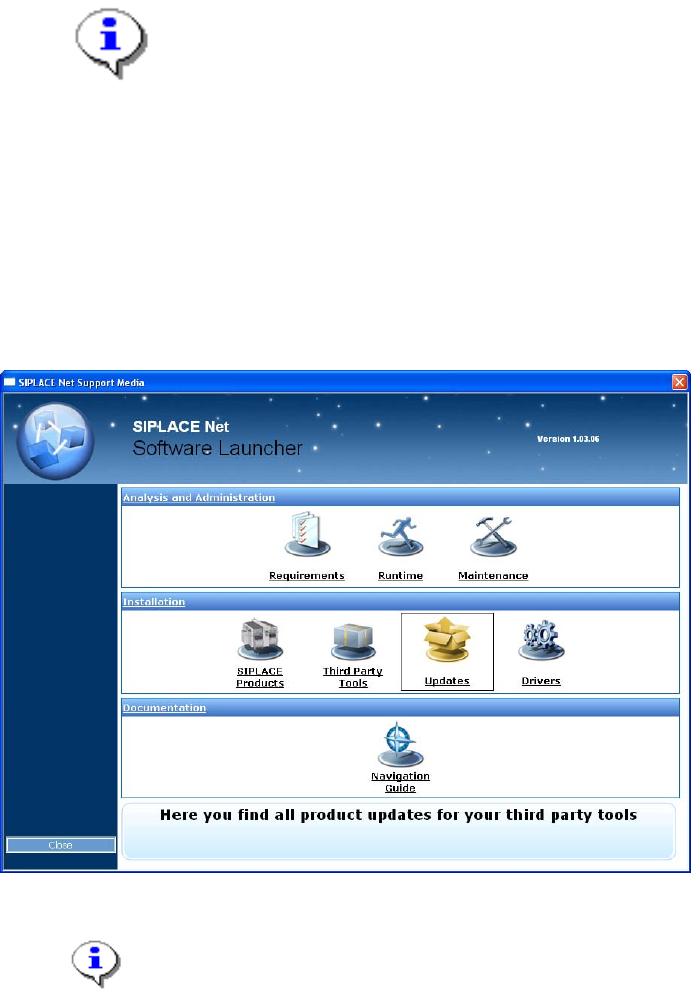
The Software Launcher is opened.
Fig. 3-30: Support Media Software Launcher
Note:
If the dialog is not displayed automatically, start your Windows Explorer, browse to
the file autorun.cmd on the DVD and double-click it.
→ Click on “Updates” to open the Updates directory.
29 / 54
Installation of SQL 2005 Express Edition 02/2011 US
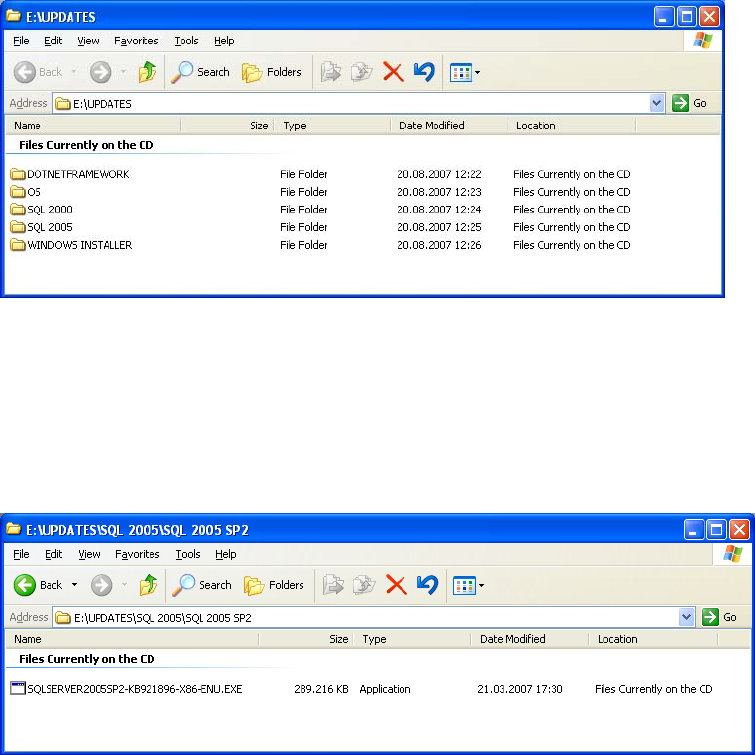
The following window is displayed.
Fig. 3-31: Updates directory
→ Browse through the directory structure.
→ Select the directory SQL 2005\SQL 2005 SP2.
The package with the service pack 2 for SQL 2005 is displayed.
Fig. 3-32: Directory Updates\SQL 2005\SQL 2005 SP2
→ Copy the executable file from the DVD to a temporary directory on your local drive.
→ Then start the installation program by double clicking the file.
The following dialog is displayed.
30 / 54