00195488_Install_SQLExpress2005_manual.pdf - 第34页
Installation of SQL 2005 Express Edition 02/2011 US The following dialog is disp layed. Fig. 3-37: Reporting settings → Do not activate the options for automatically e rror reporting. Mostly, t he database serve r is not…
Installation of SQL 2005 Express Edition 02/2011 US
33 / 54
Fig. 3-36: Feature selection
→ Click on “Next” to confirm the pre-set options.
Installation of SQL 2005 Express Edition 02/2011 US
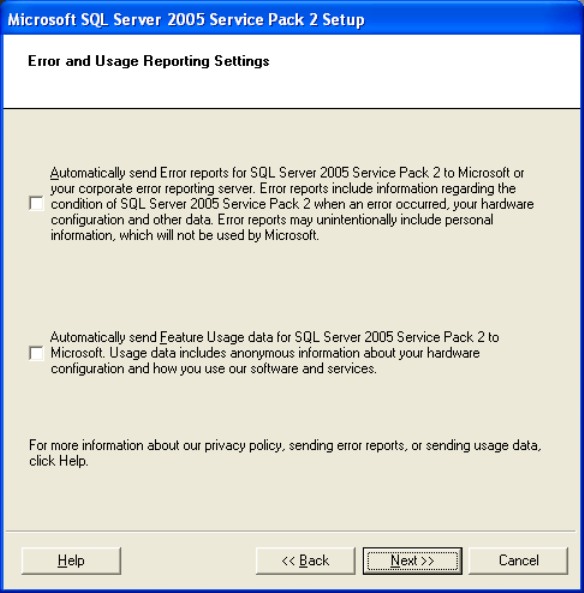
The following dialog is displayed.
Fig. 3-37: Reporting settings
→ Do not activate the options for automatically error reporting. Mostly, the database server is not
connected to the internet.
→ Click on “Next”.
34 / 54
Installation of SQL 2005 Express Edition 02/2011 US
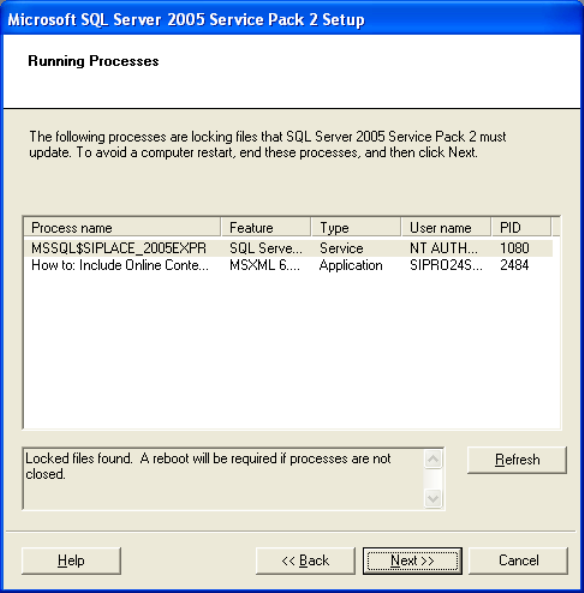
The following dialog is displayed.
Fig. 3-38: Locked files
→ Click on “Next” to end the locked files without restarting the computer.
The following dialog is displayed.
35 / 54