00195488_Install_SQLExpress2005_manual.pdf - 第45页
Installation of SQL 2005 Express Edition 02/2011 US Wait until setup completes. The following dialog a ppears: Fig. 3-52: Management Studio Ready to Install the Program Page → Click the button Finish 3.4.2 Needed Setting…
Installation of SQL 2005 Express Edition 02/2011 US
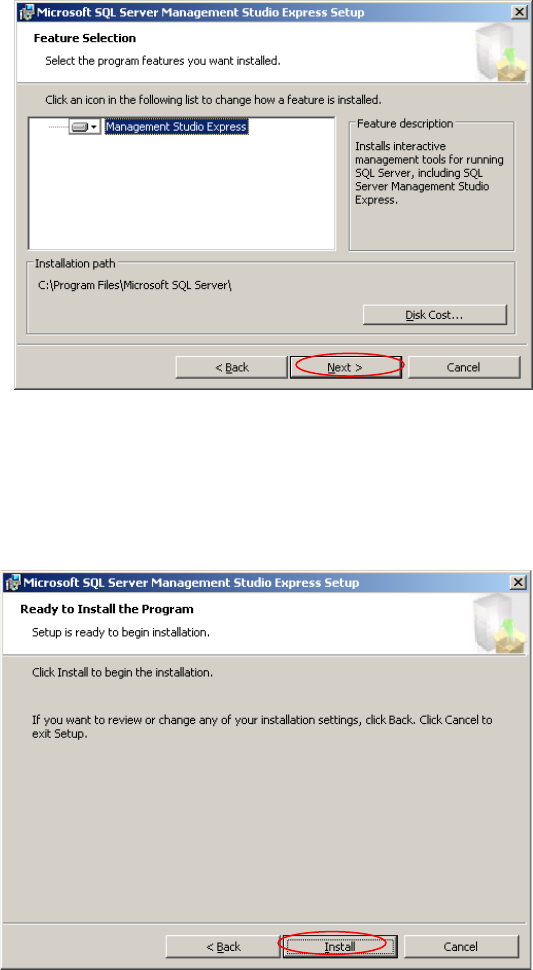
The following window appears:
Fig. 3-50: Management Studio Feature Selection Page
→ Leave the features selected
44 / 54
→ Click the button Next >
The following dialog appears:
Fig. 3-51: Management Studio Ready to Install the Program Page
→ Click the button Install
Installation of SQL 2005 Express Edition 02/2011 US
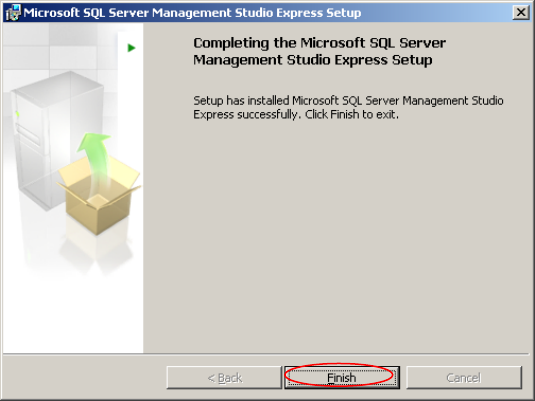
Wait until setup completes. The following dialog appears:
Fig. 3-52: Management Studio Ready to Install the Program Page
→ Click the button Finish
3.4.2 Needed Settings
After installation you have to ensure, that the option “Windows fibers” is not set:
→ Click Start – Programs – Microsoft SQL Server 2005– SQL Server Management Studio
Express
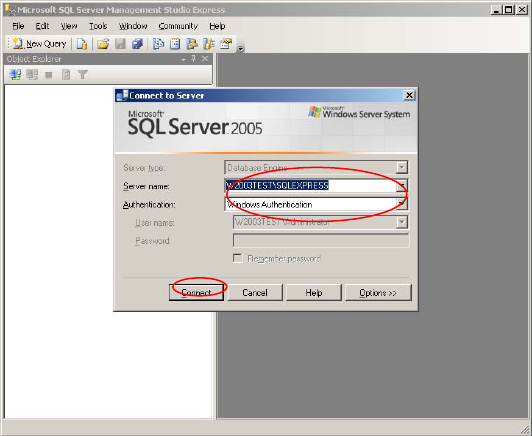
The following dialog appears:
45 / 54
Installation of SQL 2005 Express Edition 02/2011 US
Fig. 3-28: The "Connect to Server" dialog box of Management Studio
→ Select your Server- and Instance name and specify the Windows Authentication.
→ Click the Connect button
46 / 54