00195488_Install_SQLExpress2005_manual.pdf - 第8页
Installation of SQL 2005 Express Edition 02/2011 US An Explorer Window appears. → Navigate to the folder <DRIVE>:\T OOLS\DOTNETFRAMEWORK\<OS>\2.0 : Fig. 3-2: .Net Framework 2.0 Installation on Support Media 8…
Installation of SQL 2005 Express Edition 02/2011 US
7 / 54
→ Select “Third Party Tools”.
Installation of SQL 2005 Express Edition 02/2011 US
An Explorer Window appears.
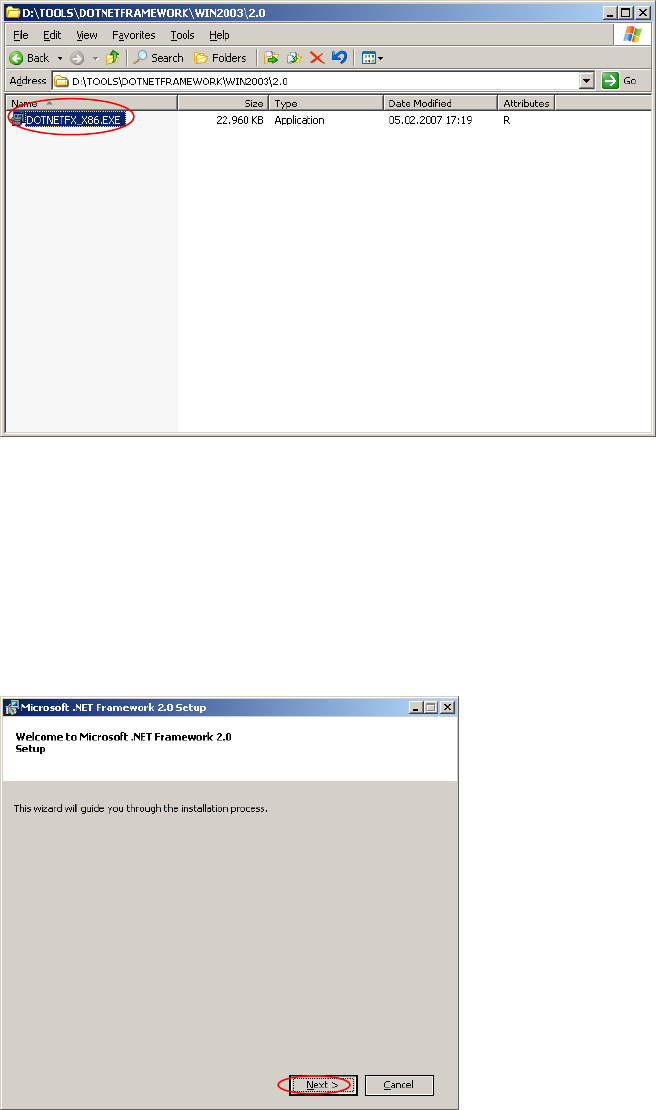
→ Navigate to the folder <DRIVE>:\TOOLS\DOTNETFRAMEWORK\<OS>\2.0 :
Fig. 3-2: .Net Framework 2.0 Installation on Support Media
8 / 54
→ Double-click Dotnetfx_x86.exe in the folder <DRIVE>:\TOOLS\DOTNETFRAMEWORK\<OS>\2.0
After a few seconds the following window appears:
Fig. 3-3: .Net Framework 2.0 Welcome dialog
→ Click the Next > button.
Installation of SQL 2005 Express Edition 02/2011 US
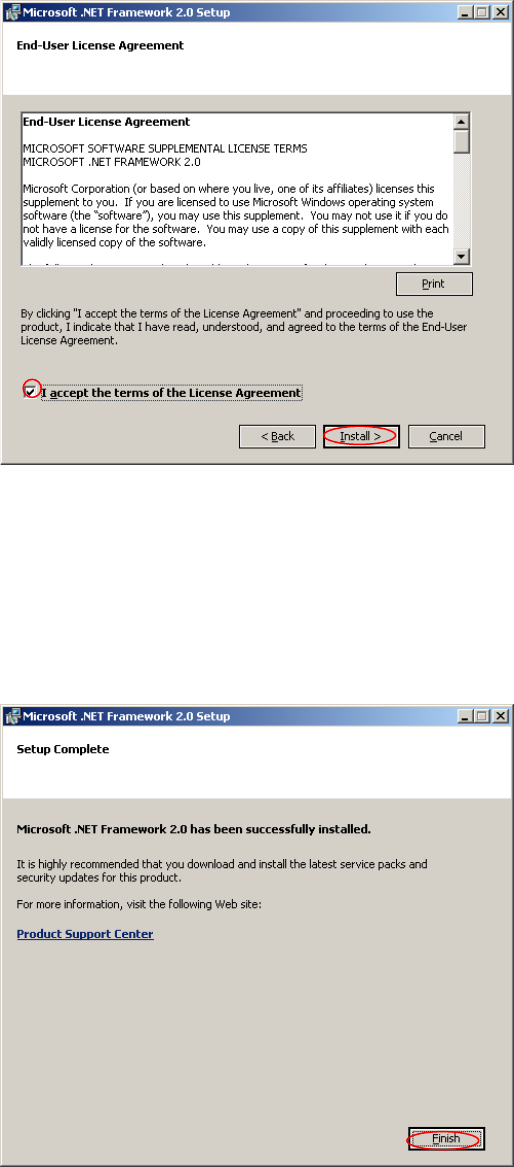
The following dialog appears:
Fig. 3-4: .Net Framework 2.0 EULA dialog
→ Read the EULA.
→ Activate the option “I accept the terms of the License Agreement”
→ Click the Install > button.
Wait until the .Net Framework setup completes. The following dialog appears:
Fig. 3-5: .Net Framework 2.0 Setup complete dialog
→ Click the Finish button.
9 / 54