00192216-01.pdf - 第65页
SIPLACE 80 S-20 / S-23HM/ F4 / F4-6 / F5 2 Retrof itting Instructions for Ceramic S ubstrate Centering Unit (Optional) 04/2000 Issue 2.6 Appendix: Cables and Circuit Drawings, Conversion P CB 65 $SSHQGL[ &DEOH …
2 Retrofitting Instructions for Ceramic Substrate Centering Unit (Optional) SIPLACE 80 S-20 / S-23HM/ F4 / F4-6 / F5
2.5 Reinstallation on PCB Centering Unit 04/2000 Issue
64
Å On the movable conveyor side, remove:
Å the rocker actuator (see Fig. 2.4.2 -> 6) from the holddown of the stationary conveyor side
(loosen 4 countersunk screws) and
Å the substrate guides (rail, thrust-piece holder and the "Guide, short": see Fig. 2.4.2 -> 5, 7,
8).
Å On the stationary conveyor side, remove the (substrate) "Guide rail, RH" (4 socket hex head
cap screws M3).
Å Place the 2 PCB rails (roller rails) on the stationary and movable conveyor side (Fig. 2.4.1 ->
6) and fasten them with the screws previously removed. Do not tighten the screws completely
yet.
Å Align the PCB guides with the aid of the adjustment plate that you push manually through the
conveyor, in parallel and in alignment inside the conveyor and to the next conveyor. Use
screws to fasten the PCB guides in the adjusted position.
Å Dismantle the "Slide unit, X-direction" from the lifting table (see Fig. 2.4.7). To do this, proceed
in the reverse sequence to that described for installation in Section 2.4.7.
Å Dismantle the lifting table plate (see Section 2.4.2). Loosen the pertinent cable ties and run the
free end of the proximity switch cable and the pneumatic hose back into the cable pit. Re-install
the lifting table plate.
Å 'HDFWLYDWHWKHFHUDPLFVXEVWUDWHFHQWHULQJXQLWLQWKH0$BGDWD
Å Check that the PCB is conveyed satisfactorily in an analog manner to that described in Section
2.4.13 and, if applicable, correct the adjustment of the PCB guide rails.
SIPLACE 80 S-20 / S-23HM/ F4 / F4-6 / F5 2 Retrofitting Instructions for Ceramic Substrate Centering Unit (Optional)
04/2000 Issue 2.6 Appendix: Cables and Circuit Drawings, Conversion PCB
65
$SSHQGL[ &DEOH VDQG&LUFXLW' UDZLQJV&RQYHU
VLRQ3&%
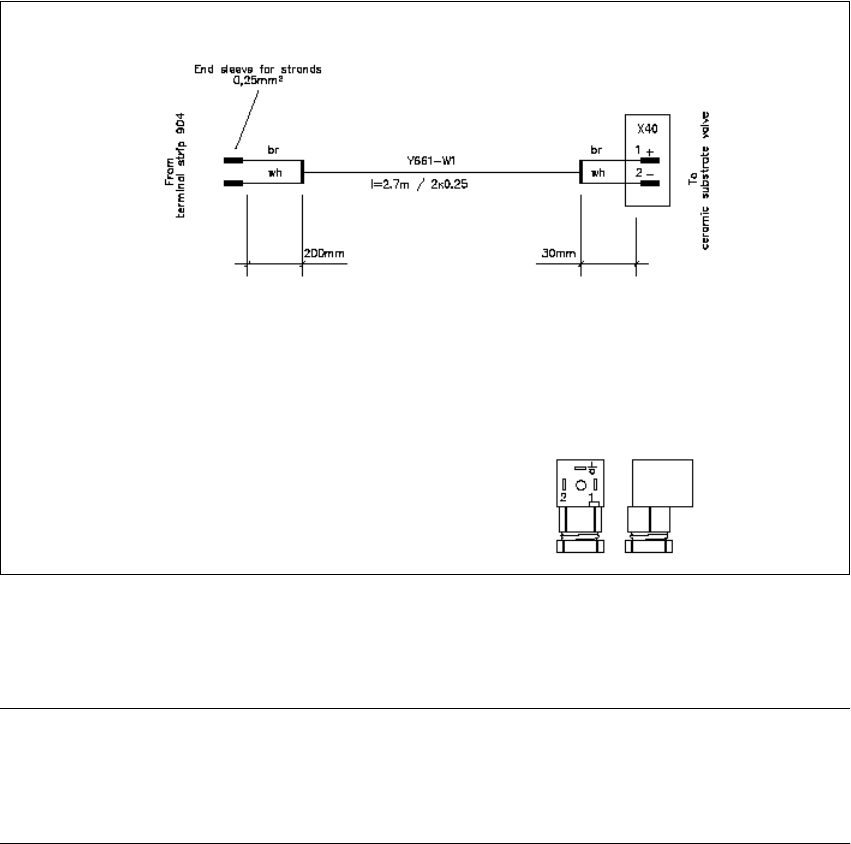
Fig. 2.6.1 Cable of Solenoid Vavle for SIPLACE 80 F4/F4-6/F5 and S20/S23HM
NOTE:
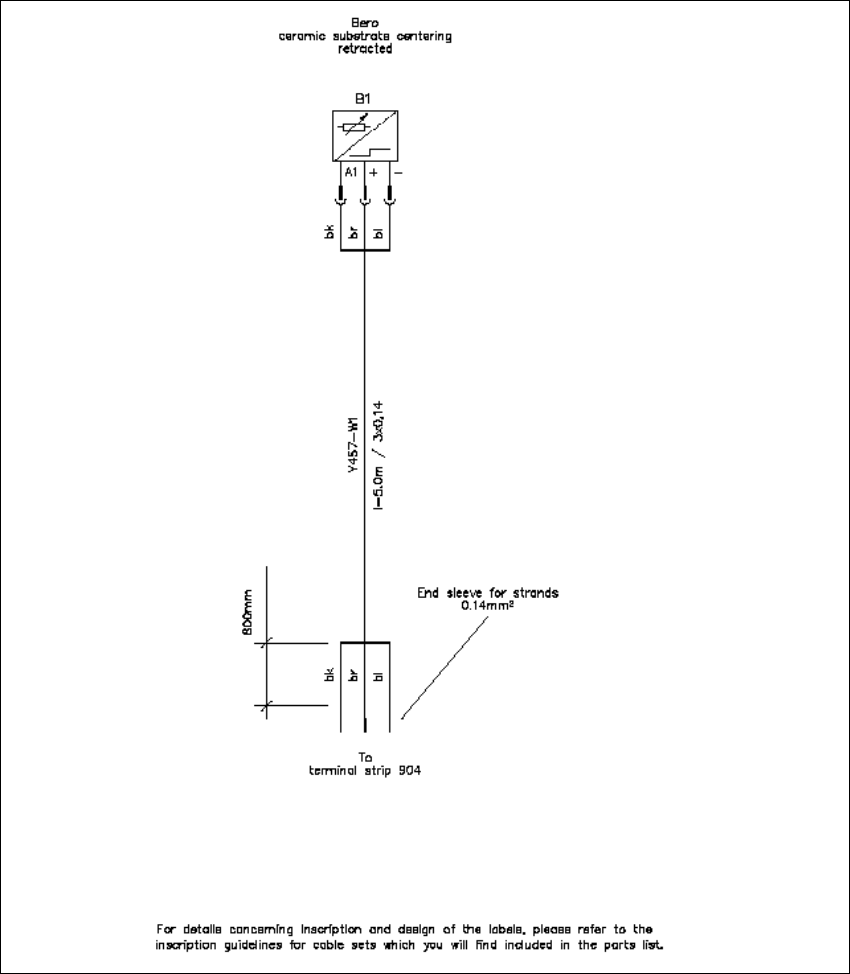
The connector sleeves of the solenoid valve and proximity switch cable are furnished for
the installation on the SIPLACE S-15 / F3. In all other instances, you must remove them and attach
AMPMODU contacts instead (details: see Section 2.4.5).
2 Retrofitting Instructions for Ceramic Substrate Centering Unit (Optional) SIPLACE 80 S-20 / S-23HM/ F4 / F4-6 / F5
2.6 Appendix: Cables and Circuit Drawings, Conversion PCB 04/2000 Issue
66
Fig. 2.6.2 Cable for Proximity Switch for SIPLACE 80 F4/F4-6/F5 and S20/S23HM