00194547-03.pdf - 第100页
Installationsanleitung Stationssoftw are Version 601.02 SP1 Ausgabe 10/2005 18 von 83 Abb. 4-3: TouchWare Properties – Registerkarte Multiple Monitors → Klicken Sie auf die Schaltfläche Map Touch Screens . Der Dialog &qu…
Installationsanleitung Stationssoftware Version 601.02 SP1 Ausgabe 10/2005
17 von 83
4.2.1.2 Kalibrieren des Touchscreens
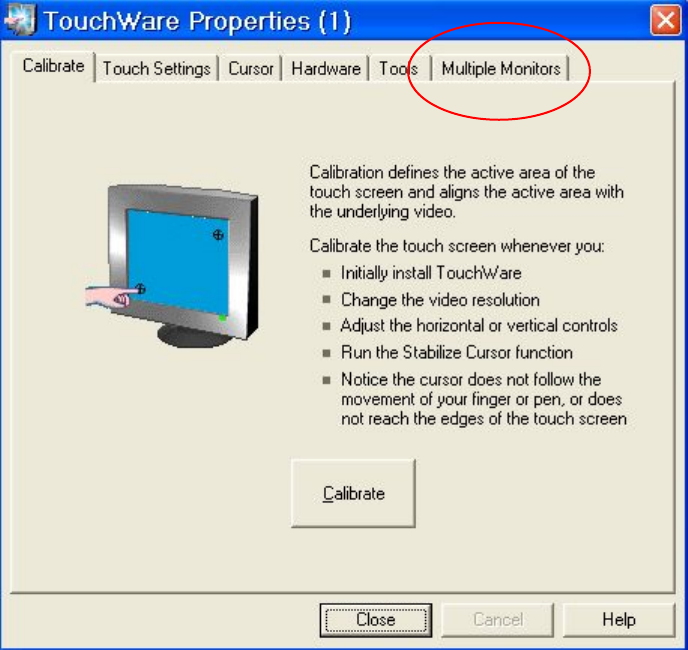
Wählen Sie Start Æ Settings Æ TouchWare, um das Programm TouchWare Properties zu
starten.
Abb. 4-2: TouchWare Properties
→ Öffnen Sie die Registerkarte Multiple Monitors.
Installationsanleitung Stationssoftware Version 601.02 SP1 Ausgabe 10/2005
18 von 83
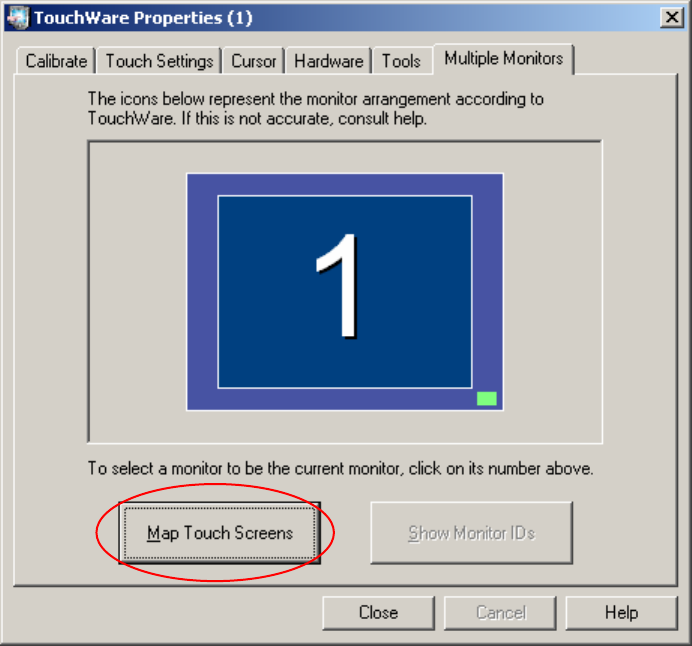
Abb. 4-3: TouchWare Properties – Registerkarte Multiple Monitors
→ Klicken Sie auf die Schaltfläche Map Touch Screens.
Der Dialog "Multiple Monitor Layout" wird angezeigt.
Installationsanleitung Stationssoftware Version 601.02 SP1 Ausgabe 10/2005
19 von 83
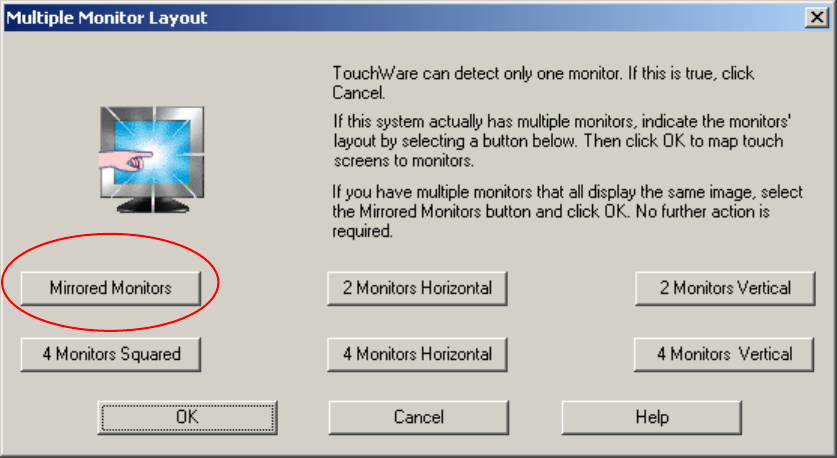
Abb. 4-4: Dialog "Multiple Monitor Layout"
→ Klicken Sie auf die Schaltfläche Mirrored Monitors.
→ Bestätigen Sie die Auswahl mit OK.
Die Touch Screens sind jetzt gemappt und die Registerkarte "Multiple Monitors" wird wieder
angezeigt.