00194547-03.pdf - 第26页
Installation Manual Station Software Version 601.02 SP1 Edition 10/2005 26 of 82 Language selection → Select the language which is to be used during the installation. You can choose between German (Germany) and English .…

Installation Manual Station Software Version 601.02 SP1 Edition 10/2005
25 of 82
4.2.3 Installing the station computer software and the additional programs
Note:
The installation requires approximately 30 minutes.
4.2.3.1 Installation program
→ Switch on the SIPLACE placement machine.
→ Log in to the station computer as the Administrator.
(Keep the Shift key pressed as soon as the XP logo appears)
Caution:
Any predecessor version already installed on the station computer must be uninstalled
before version 601.02 SP1 is installed (see section
4.3).
Note:
The C&P20 heads must be calibrated after the station software has been installed.
→ Put the installation CD in the CD-ROM drive. The CD is read automatically.
Note:
If autostart has been disabled for the CD ROM drive, you must start the installation
manually from the Windows Explorer.
→ Open the Explorer and start "setup.exe" under drive E by double clicking it.
A check is first carried out to determine whether a predecessor version of the 601.02 station
software is installed. If this is the case, a message to this effect is displayed and installation is
canceled.
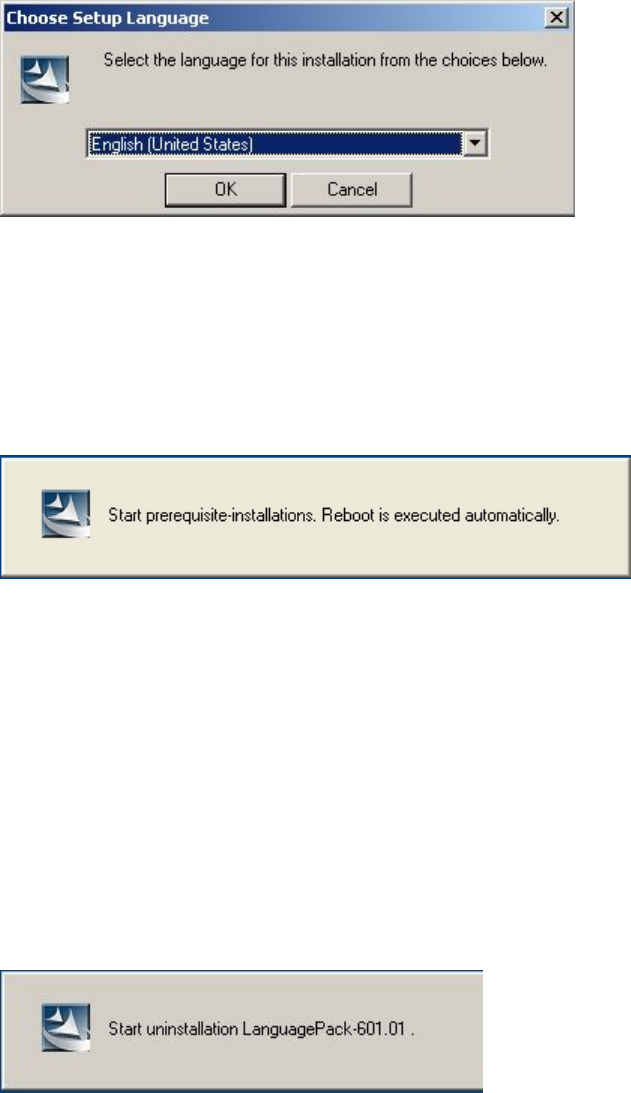
If no station software is found on the system, installation commences with language selection.
Installation Manual Station Software Version 601.02 SP1 Edition 10/2005
26 of 82
Language selection
→ Select the language which is to be used during the installation.
You can choose between German (Germany) and English.
Fig. 4-9: Language selection
→ Click the OK button.
Installing the system files
The necessary system files are installed if they are not already on the station computer. The station
computer is rebooted automatically after installation. You are automatically logged in as
administrator.
Uninstallation of Language Pack 601.01 (if installed)
If Language Pack 601.01 is still installed on the computer, uninstallation of the Language Pack is
started automatically.
Installation Manual Station Software Version 601.02 SP1 Edition 10/2005
27 of 82
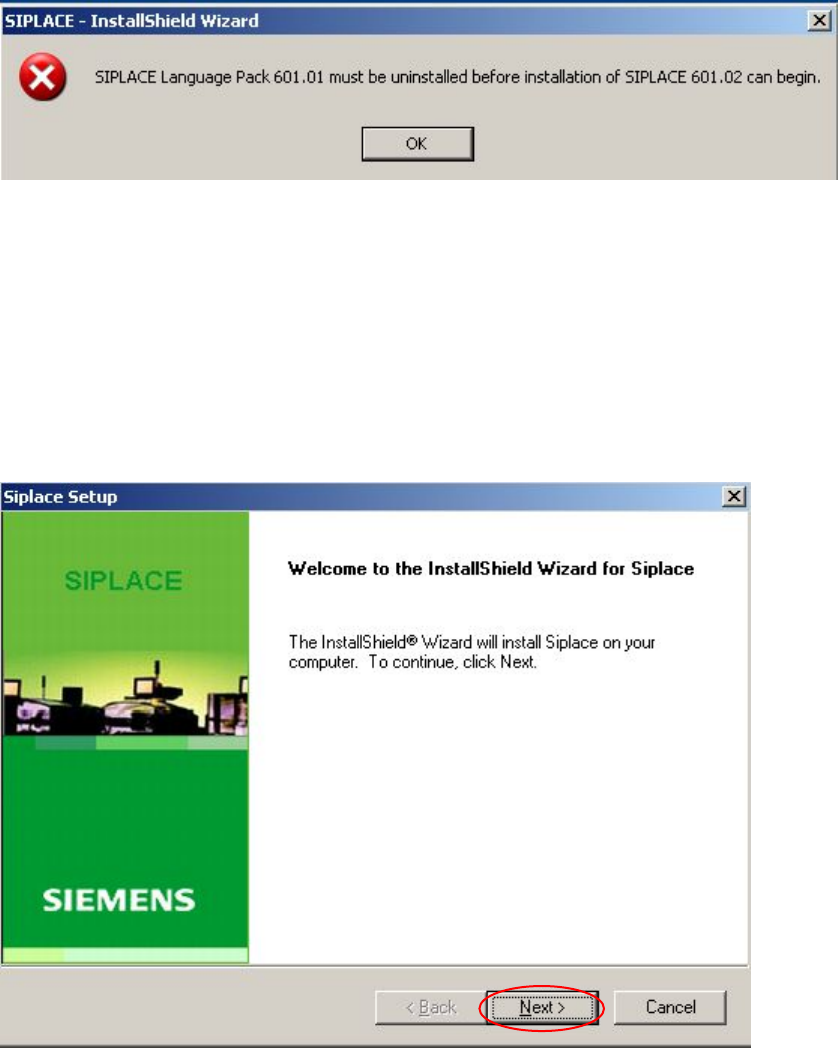
The following error message is issued if uninstallation of the Language Pack is canceled:
→ Click the OK button. Installation of the station computer software is terminated and must be
restarted.
Installation of the station computer software continues with the welcome screen.
Welcome screen
Fig. 4-10 Welcome screen
→ Click the Next button.