00194547-03.pdf - 第29页
Installation Manual Station Software Version 601.02 SP1 Edition 10/2005 29 of 82 Entering the Machine Identification Number (MID) Fig. 4-12: Entering the Machine Identification Number (MID) → In the text box, enter the 8…
Installation Manual Station Software Version 601.02 SP1 Edition 10/2005
28 of 82
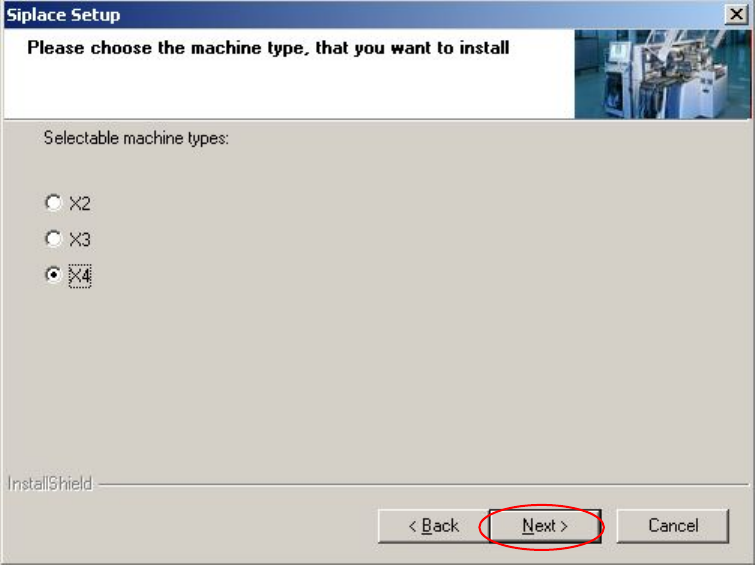
Selecting the machine type
Fig. 4-11 Selecting the machine type
→ Select the option for the machine type for which the software is to be configured.
→ Click the Next button.
Installation Manual Station Software Version 601.02 SP1 Edition 10/2005
29 of 82
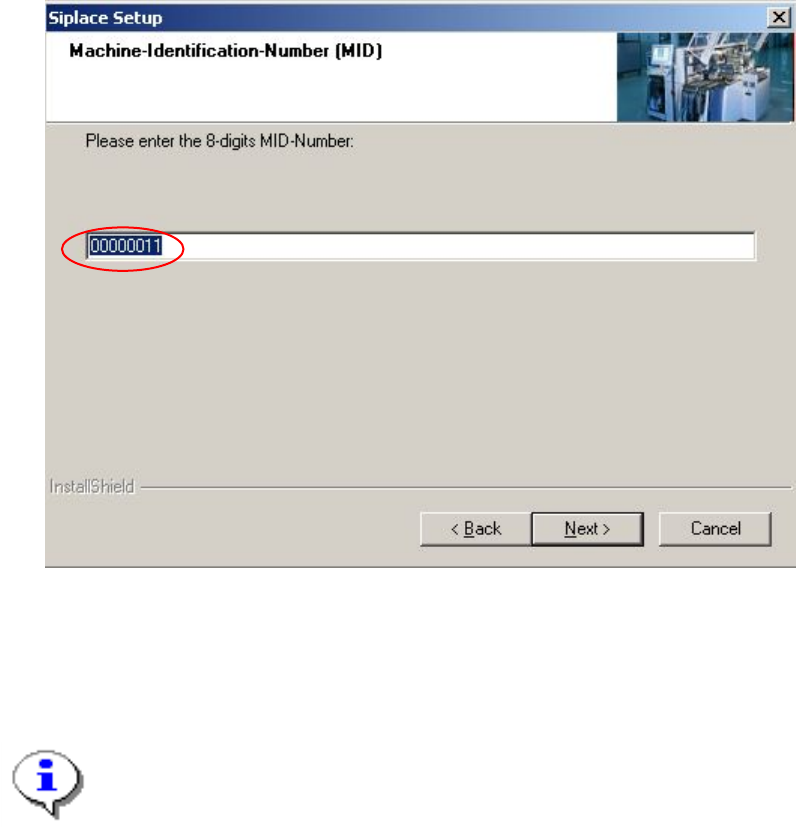
Entering the Machine Identification Number (MID)
Fig. 4-12: Entering the Machine Identification Number (MID)
→ In the text box, enter the 8-digit machine identification number.
Note:
You will find the MID on an adhesive label on the side of the protective covers directly below
the label for the number of the relevant location. The number following the dash after the MI
D
specifies the location and is not entered here (e.g. 00000001-2 stands for location 2).
→ Click the Next button.
Installation Manual Station Software Version 601.02 SP1 Edition 10/2005
30 of 82
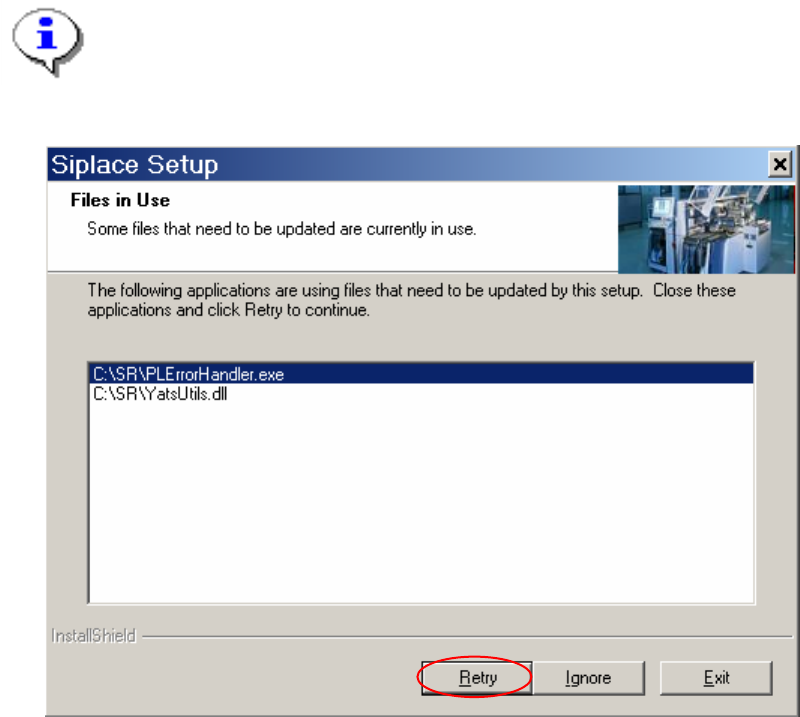
Note:
The following screen only appears if applications are open which use files which must be updat
e
during installation of SIPLACE.
Fig. 4-13: Open applications
→ Close the applications listed here and then click the Retry button.
The installation program now installs the additional programs on the station computer.