00194547-03.pdf - 第19页
Installation Manual Station Software Version 601.02 SP1 Edition 10/2005 19 of 82 Fig. 4-4: "Multiple M onitor Layout" dialog box → Click the Mirrored Monitors button. → Confirm your entry with OK . The touchscr…
Installation Manual Station Software Version 601.02 SP1 Edition 10/2005
18 of 82
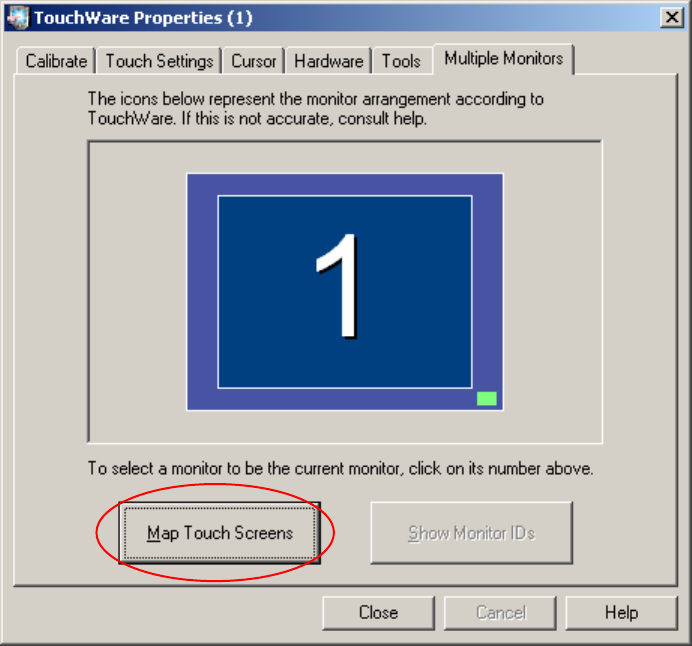
Fig. 4-3: TouchWare Properties – Multiple Monitors tab
→ Click the Map Touch Screens button.
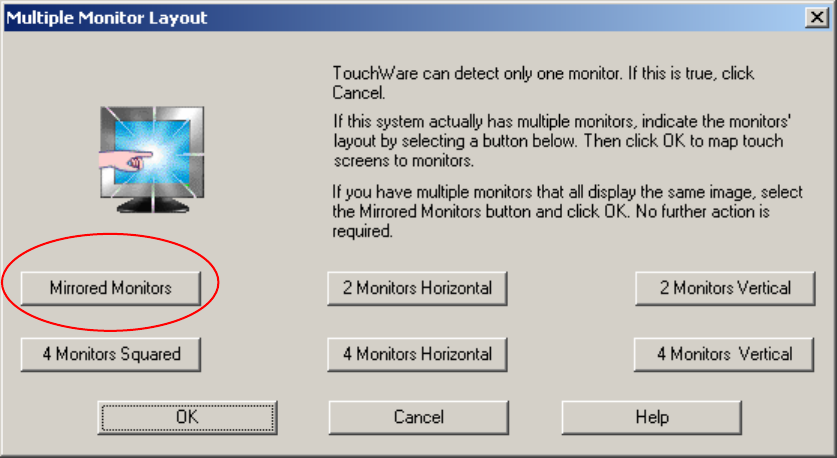
The "Multiple Monitor Layout" dialog box appears.
Installation Manual Station Software Version 601.02 SP1 Edition 10/2005
19 of 82
Fig. 4-4: "Multiple Monitor Layout" dialog box
→ Click the Mirrored Monitors button.
→ Confirm your entry with OK.
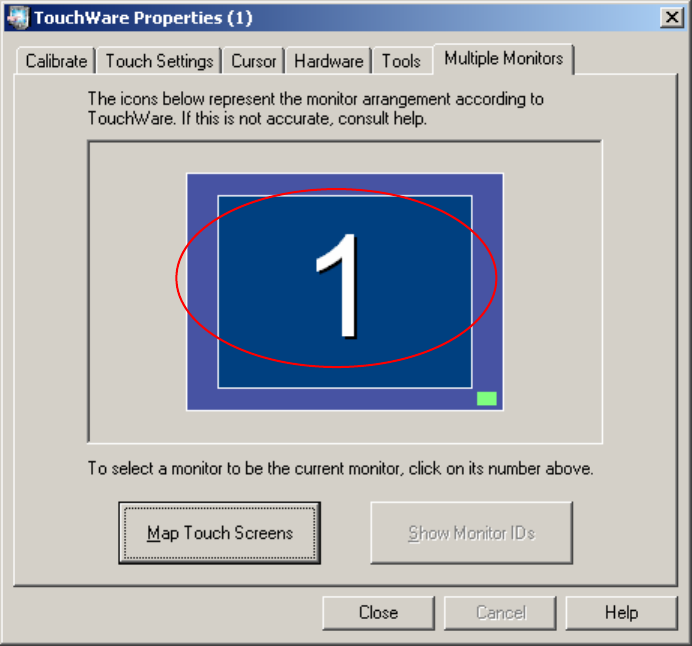
The touchscreens are now mapped and the "Multiple Monitors" tab is displayed again.
Installation Manual Station Software Version 601.02 SP1 Edition 10/2005
20 of 82
Fig. 4-5: TouchWare Properties – Multiple Monitors tab (example for Monitor 1)