00197193-01_IM_SIPLACE_EDM_2_0_EN.pdf - 第19页
EDM V2.0 / Installation Manual Ausgabe 04/2012 Edition 4.2.6 EDM Control Tool If you connect to the Line Server and edit the SIPLACE Pro data from any clien t, the change dialog box only appears on the remote client if y…
EDM V2.0 / Installation Manual Ausgabe 04/2012 Edition
4.2.4 EDM Line (Line Server)
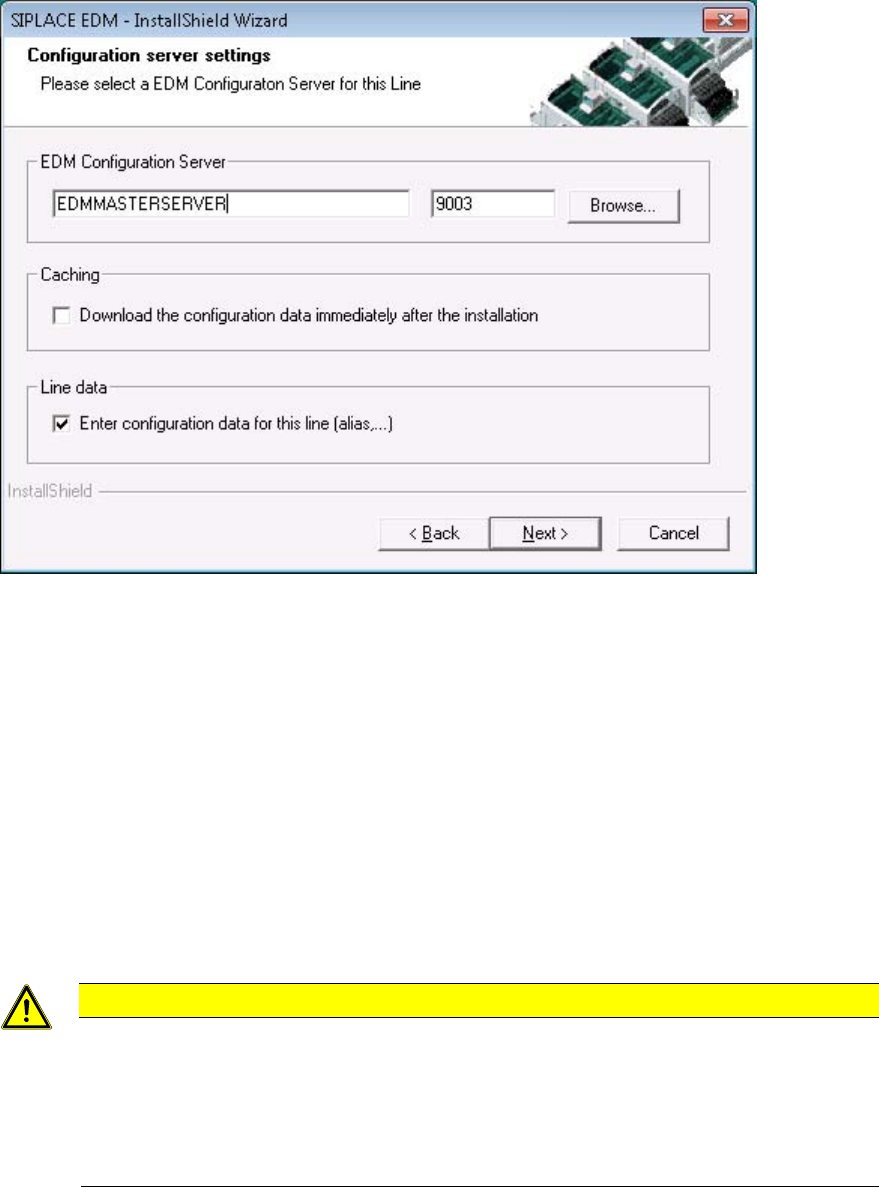
Figure 4-7: Selecting the Master Server
► Edit the host name of the configuration server, keeping the port setting (“9003”) to the default
value.
► If you would like to check the connection during the installation, mark the “Download the
configuration data immediately” checkbox to attempt to obtain a valid configuration immediately
after installation (in either case, the EDM applications will contact the configuration server on
startup).
► The “Enter configuration data” checkbox (recommended setting is “on”) allows you to edit some
basic settings of the EDM Line on finishing the setup (cf. 5.2.1.2).
► Confirm the selection with the Next button.
4.2.5 Clearing Pool
CAUTION
Before installing a Clearing Pool on your local PC that has access to a remote EDM
master you have to install SIPLACE Pro Desk (in “Client” configuration) on your local
system. The local SIPLACE Pro Desk installation needs access to the SPI instance of
the remote EDM Master.
Push mode will not work properly if this local installation cannot access the SIPLACE
Pro Server of the configured EDM Master.
► Confirm the selection with the Next button.
The SIPLACE EDM installation checks if it can connect to the specified server and if a Clearing
Pool database is present there.
18
EDM V2.0 / Installation Manual Ausgabe 04/2012 Edition
4.2.6 EDM Control Tool
If you connect to the Line Server and edit the SIPLACE Pro data from any client, the change dialog
box only appears on the remote client if you have also installed the EDM Control Tool on this
remote client.
► Select EDM Control Tool from the Custom Setup dialog.
The program is installed automatically.
4.2.7 Finishing the installation
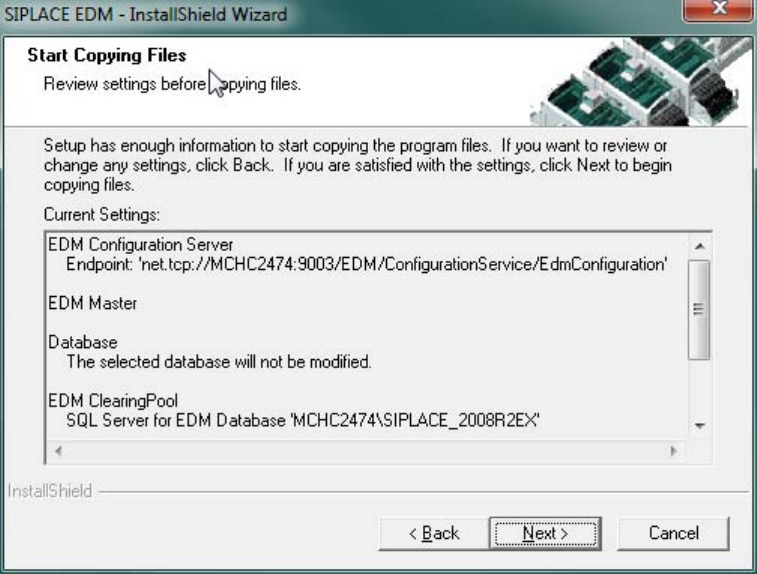
Preparation for the installation is now complete, the files for SIPLACE EDM can be copied and the
configuration can be carried out. The screen below shows a summary of the activities that need to
be carried out for installing a Master Server.
Figure 4-8: Finishing the installation
Depending on the chosen options, some configuration dialogs may be shown during the last steps
of the setup program.
19

EDM V2.0 / Installation Manual Ausgabe 04/2012 Edition
4.3 Upgrading from a previous version
4.3.1 Conditions / downward compatibility
Installing different versions of EDM on Master and Client should be avoided. If different versions of
SIPLACE Pro are used on the EDM Master and the EDM lines, some restrictions apply because
the format of the data transferred depends on the SIPLACE Pro version used. During an upgrade,
the Master Server, all Line Servers and all Clearing Pools must therefore be converted to EDM 2.0
(and thus to SIPLACE Pro 10.0).
EDM 2.0 can use all templates that were created for EDM 1.1 or later, as well as custom workflows
from EDM 1.1 or later.
Existing filter settings on the EDM Master are retained and updated, but it is recommended that
you manually inspect the converted file (it may be that your own custom changes have been
superseded by improvements to the default configuration).
4.3.2 Simultaneous upgrade over all lines
Where possible, production on all the lines to be upgraded should be suspended for the duration of
the upgrade. As soon as all the components have been converted, production can be restarted.
Perform the upgrade operation as follows:
1. Interrupt production on all the lines to be upgraded.
2. Transfer all notifications from the Line Servers to the Master Server.
3. Accept/reject all notifications in the Clearing Pool.
4. Close all EDM applications.
5. Install SIPLACE Pro and then the EDM Master Server (with Configuration Server) on the
Master Server.
6. Install SIPLACE Pro and then EDM Line Server on all lines. After installing an EDM Line
Server, the production on that EDM Line can be resumed immediately.
CAUTION
To avoid all notifications still in the Clearing Pool from being lost, the EDM database
must not be deleted.
7. Resume production.
Simultaneous upgrade across all the lines is to be preferred to a step-by-step upgrade of individual
lines (insofar as this is possible).
20