00197193-01_IM_SIPLACE_EDM_2_0_EN.pdf - 第29页
EDM V2.0 / Installation Manual Ausgabe 04/2012 Edition 5.3.5.1 General settings Figure 5-1: General settings for application templates The general settings include: ● Type of data transfer. Curr ently, you can only selec…
EDM V2.0 / Installation Manual Ausgabe 04/2012 Edition
► Click on the location item of the configuration item that should be different from the standard
settings, duplicate the file (“Windows-Copy”) and choose the copy as new location for that
configuration item.
► In the Roles tab, create an entry that points to the newly created configuration set and give the
Line (alias)name or Windows User to which the setting shall refer.
The first entry that matches the conditions (Line name or current Windows user) determines the
configuration set, which is sent to this EDM Client.
The “Default” role entry as the last entry in the Roles grid applies to all EDM Clients that do not
match the conditions of any previous entry.
5.3.4 Comment Categories
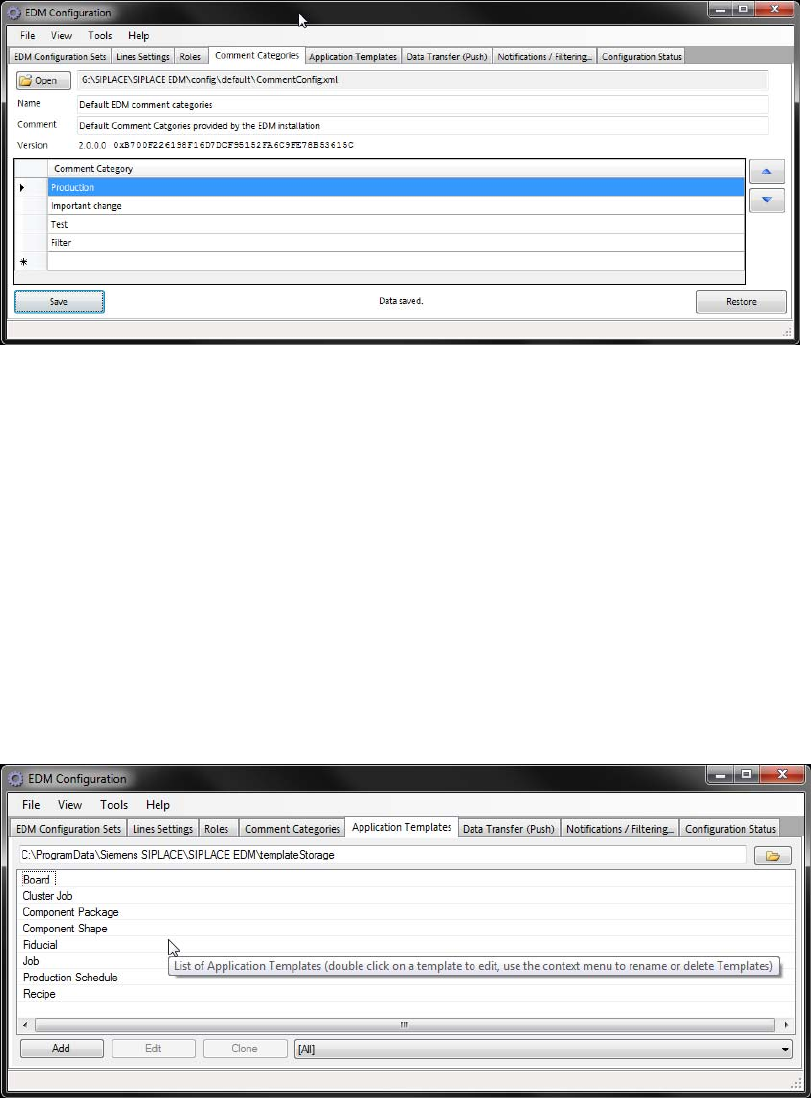
These comment categories are presented to a user on the EDM Clients in the comment dialog that
appears due to changes of SIPLACE Pro data.
► Double-click on an existing entry to change the category name.
► Double-click on the last line of the grid to add a new category.
► Select a line and press <DEL> to remove the selected entry.
► Change the order of the categories with the help of the arrow buttons next to the grid.
5.3.5 Application templates
The application templates depict the static part of the customer process that is related to the data.
They primarily define the object types to be transferred and whether or not they will be overwritten
on the EDM line during push or pull operation.
28
EDM V2.0 / Installation Manual Ausgabe 04/2012 Edition
5.3.5.1 General settings
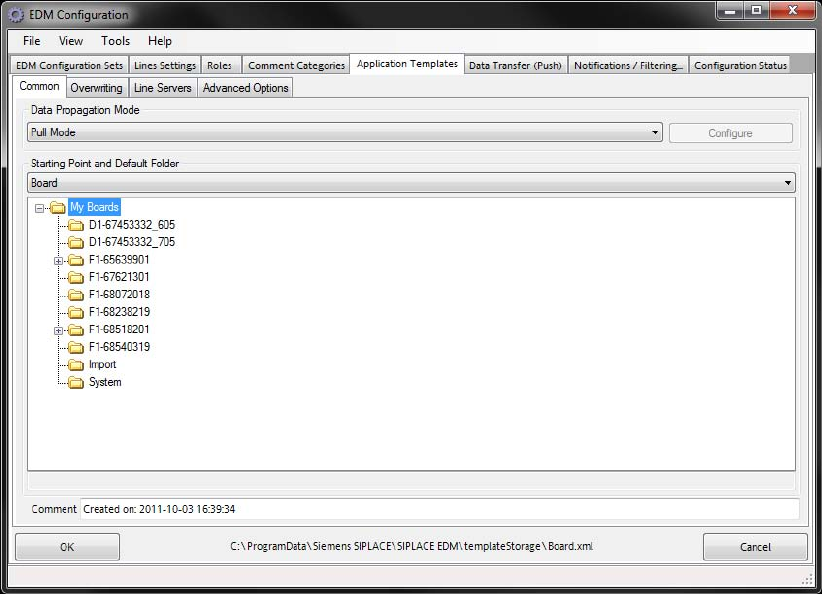
Figure 5-1: General settings for application templates
The general settings include:
● Type of data transfer. Currently, you can only select Pull Mode or Forced Pull Mode.
● Starting Point specifies the object type for which this template can be valid. A template can
only be valid for one object type at a time. However, it is possible to define more than one
template for an object type.
● Objects found in the Default folder and all its subfolders can be subsequently specified by the
line engineer for pulling and pushing from the master.
● An optional comment.
Pull mode
No additional settings can be specified for this type of data transfer between the Master Server and
Line Servers.
29
EDM V2.0 / Installation Manual Ausgabe 04/2012 Edition
Forced pull mode
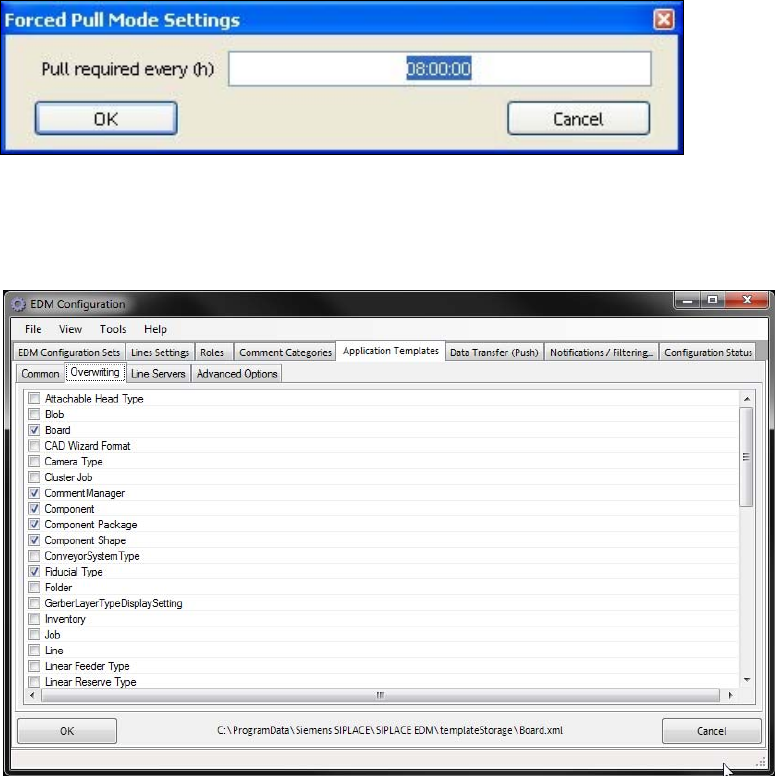
For this type of data transfer, the time after which the data preparation engineer will be notified that
no new data has been pulled for the line must be specified via Configure. The time is specified in
hours.
Figure 5-2: Forced pull mode configuration
5.3.5.2 Overwriting
Figure 5-3: Settings for overwriting object types
You can select the object types to be overwritten when the data is imported to the line here.
30