00197628-02_VD_SIPLACE_Pro_12.1_DE_EN.pdf - 第15页
SIPLACE Pro V12.1 / Softw are Version Descriptio n Ausgabe 05/2015 Edition 15 The exact number of pi ckups and component s with individual ba rcode fiducials is displayed in t he Reductions tab views of the Recipe Analy …
SIPLACE Pro V12.1 / Software Version Description Ausgabe 05/2015 Edition
14
The barcode fiducial data can also be transferred from the component shape or component to the
setup by using the Update Setup Feeder Data from Component Shapes or Update Setup
Feeder Data from Components functions.
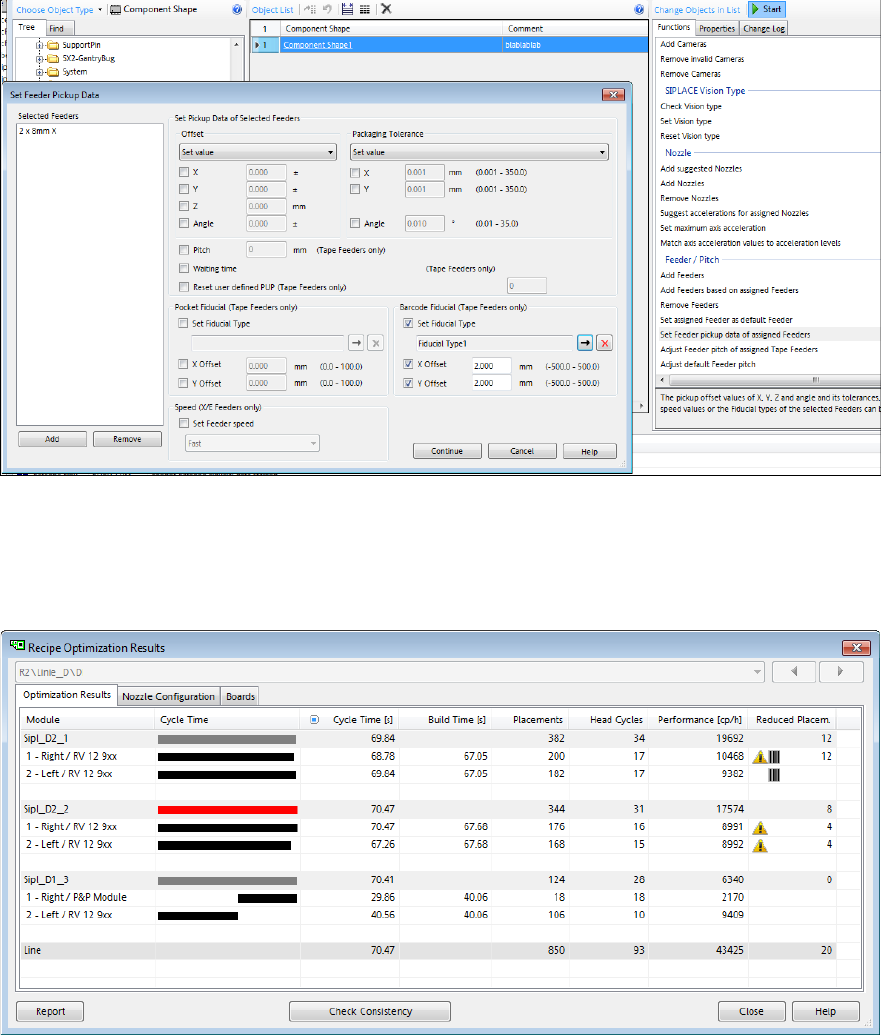
The Data Maintenance Tool has further been extended to define the individual barcode fiducial and
its offset to a set of component shapes or components in the Set Feeder Pickup Data dialog:
Figure 4-5: Setting feeder pickup data
The Recipe Optimization Results displays the yellow warning icon if a component with the
"Individual Barcode Fiducial" property is enabled. Additionally, a barcode icon is displayed if
components with individual barcode fiducials have been picked up. These pickups are not
contained in the Reduced Placements!
Figure 4-6: Recipe Optimization Results – Individual barcode enabled and component picked up
SIPLACE Pro V12.1 / Software Version Description Ausgabe 05/2015 Edition
15
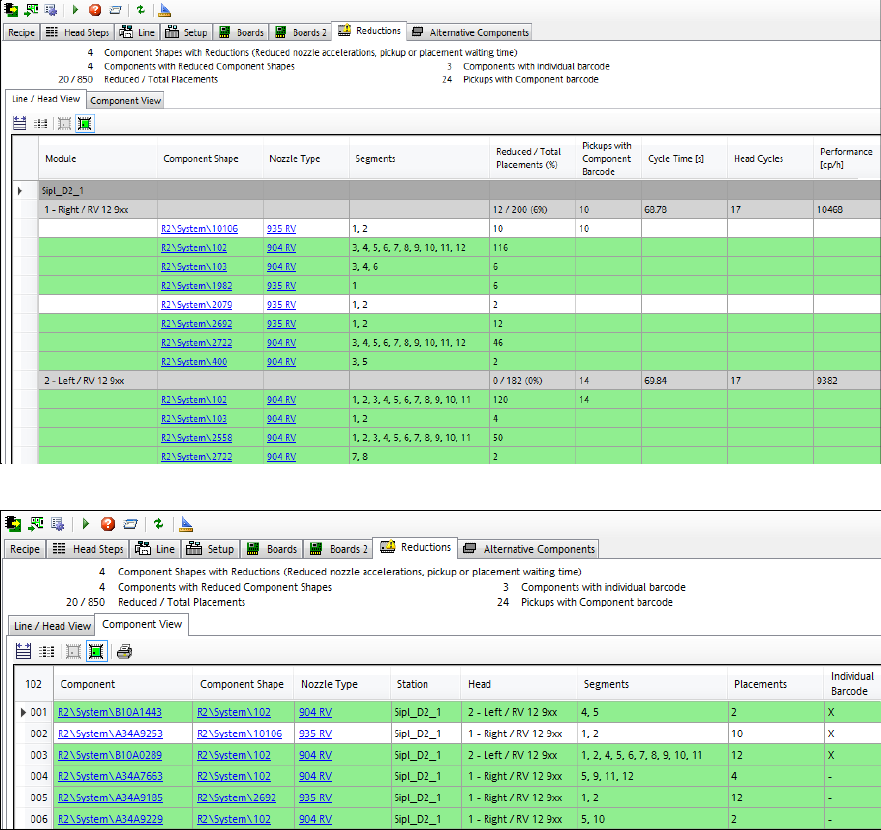
The exact number of pickups and components with individual barcode fiducials is displayed in the
Reductions tab views of the Recipe Analyzer.
Figure 4-7: Reductions – Line / Head View
Figure 4-8: Reductions – Component View
SIPLACE Pro V12.1 / Software Version Description Ausgabe 05/2015 Edition
16
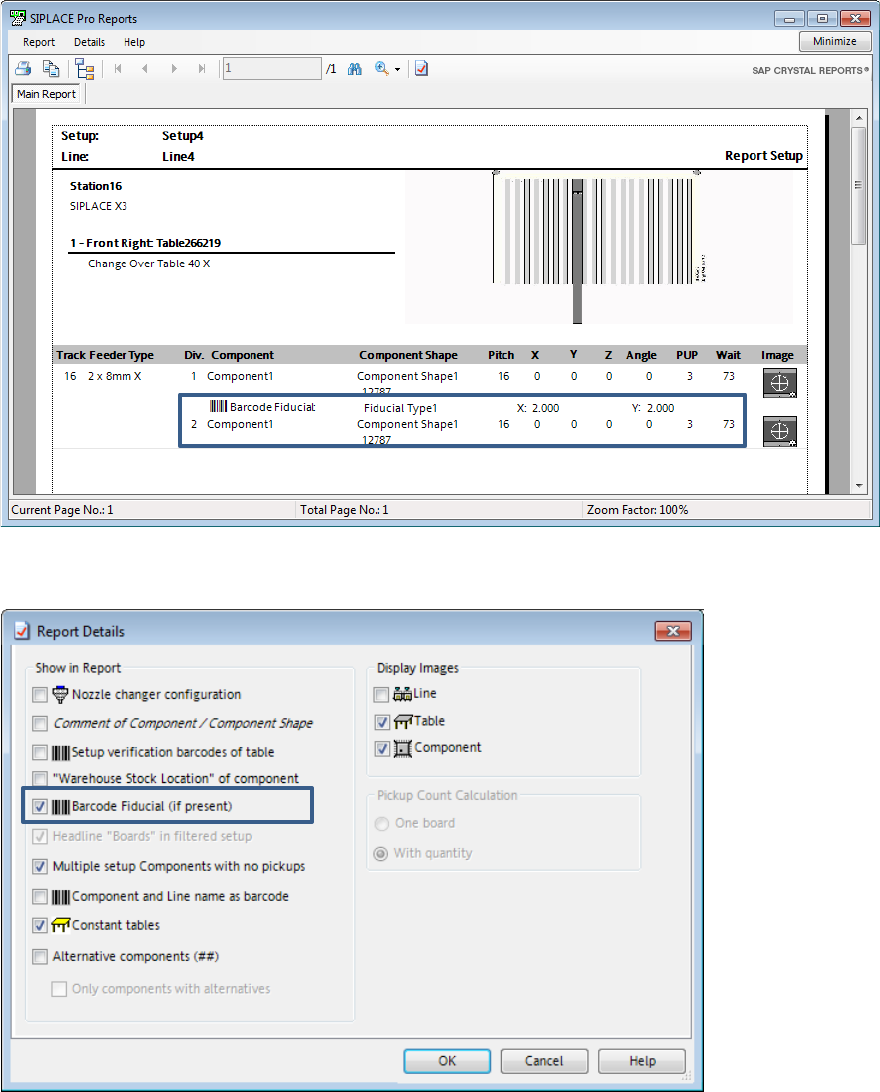
Optionally, the Report Setup displays the pickup locations for which individual barcode fiducials
have to be provided on the tape reel or on the component. Then the barcode fiducial and its offset
will be displayed for pickup locations for which a barcode fiducial has been defined.
Figure 4-9: Report Setup
This feature can be enabled and disabled in the Report Details dialog:
Figure 4-10: Report Details settings
If the option is enabled but reading the barcode fiducial fails, the component will be picked up and
rejected in the respective reject bin. As soon as the defined number of repicks has been reached,
the feeder gets disabled and a detailed error message is displayed on the station GUI. The
operator is prompted to perform an additional teaching.