M3plus_MaintenanceManual_e.pdf - 第36页
2- 7 Daily maintenance items 2 5. Cleaning the camera lighting unit Dirt or dust particles sticking to the camera lighting unit can cause recognition errors. Periodic inspection and cleaning are recommended to prevent th…
2-6
Daily maintenance items
2
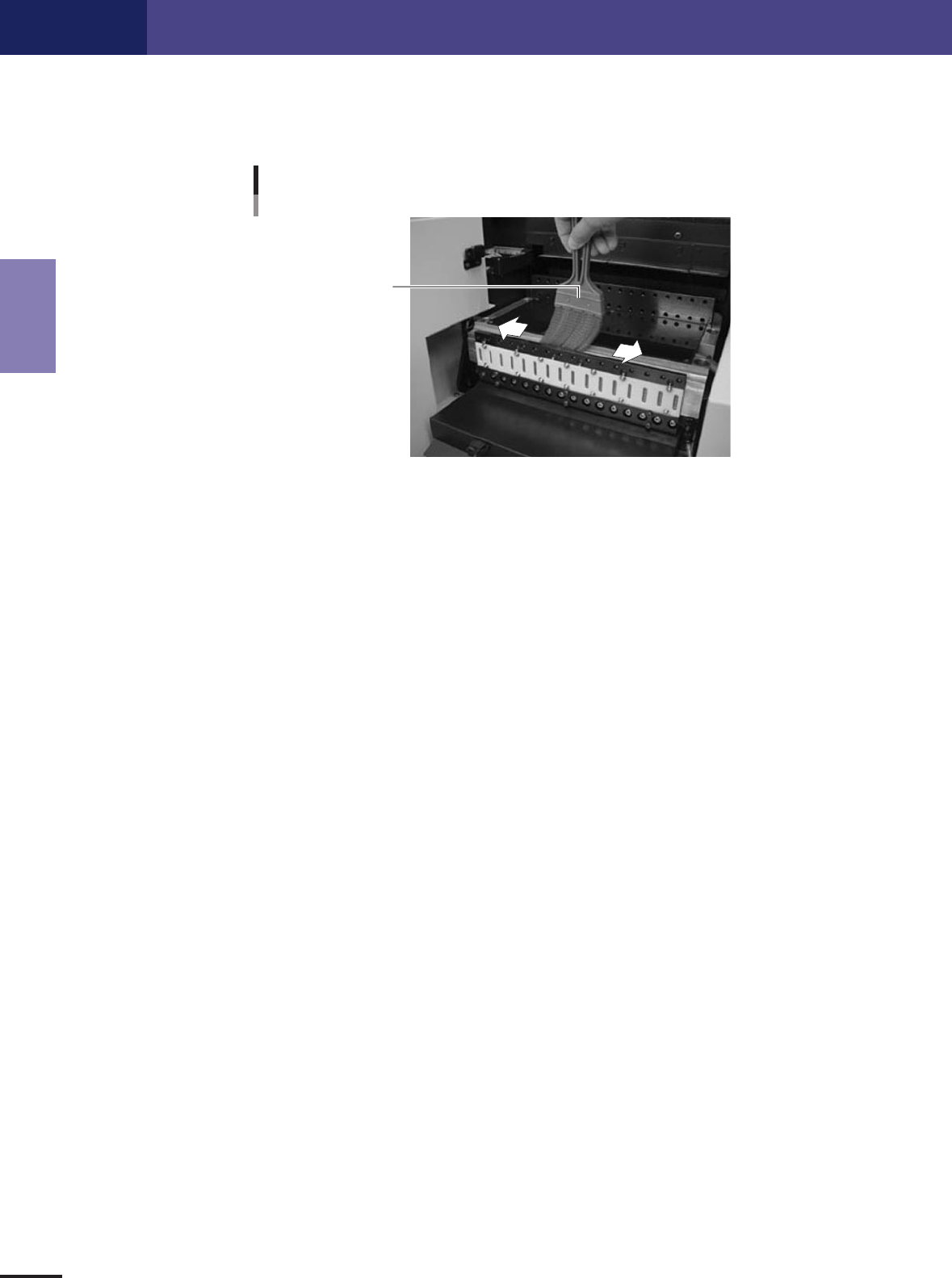
4. Cleaning the feeder plate
Clean the feeder plate by using the brush . Chips or foreign matter falling on the feeder plate might bite
into the surface during feeder setting and cause the pickup position to deviate. Periodic inspection and
cleaning are recommended to prevent this problem.
Cleaning the feeder plate
Cleaning brush
43206-5E-20
2-7
Daily maintenance items
2
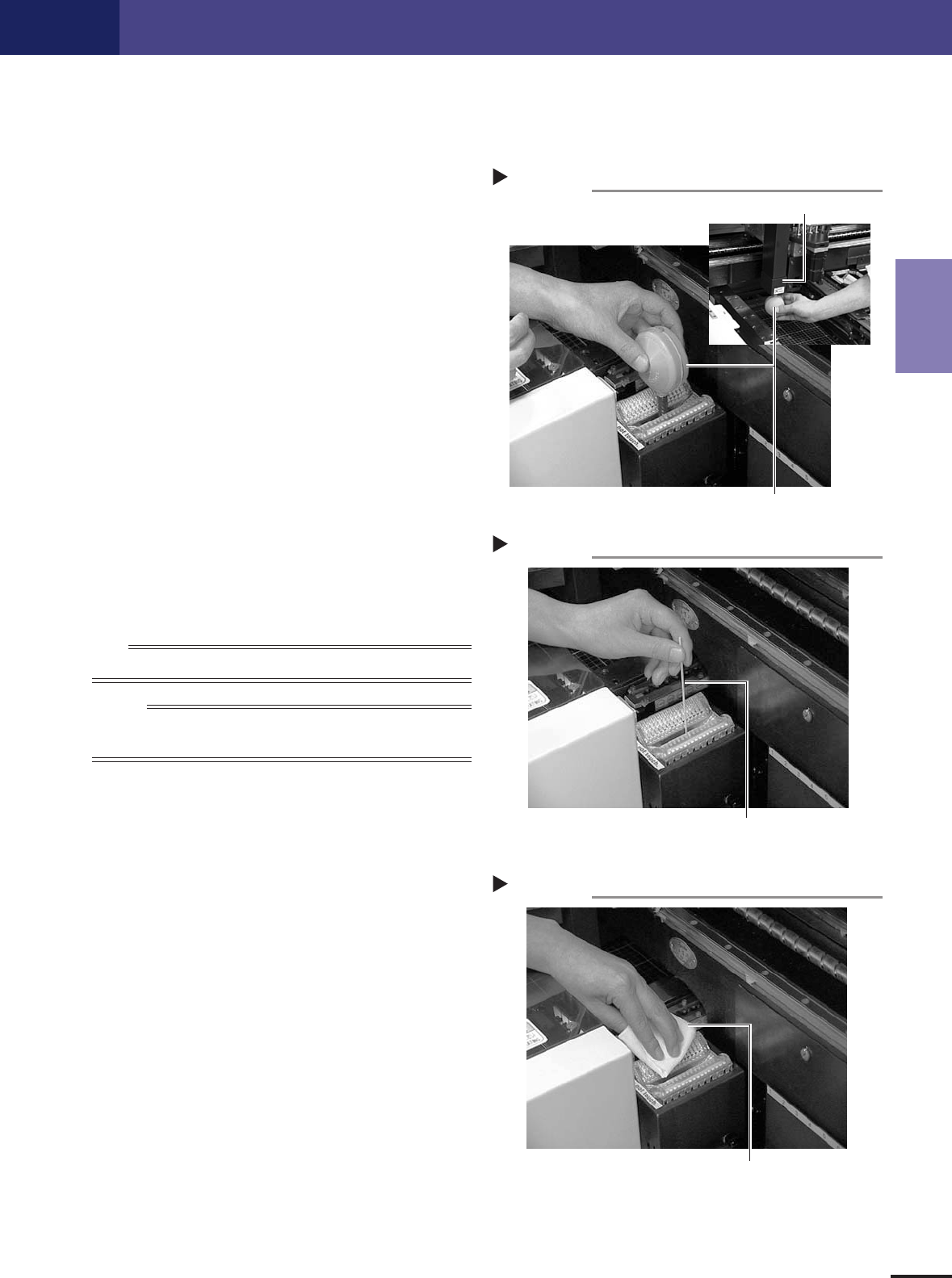
5. Cleaning the camera lighting unit
Dirt or dust particles sticking to the camera lighting unit can cause recognition errors. Periodic inspection
and cleaning are recommended to prevent this problem.
1
Remove dust by using the lens blow
brush.
Use this blow brush to remove dust from the
camera lighting unit and half mirror.
43207-5E-20
2
Wipe off the half mirror using a cotton
swab stick.
Apply several drops of lens cleaner to a cotton
swab and wipe off the half mirror.
43208-5E-20
3
Wipe off the camera lighting unit with a
cleaning paper or cloth.
Apply several drops of lens cleaner to a cleaning
paper or cloth and wipe off the camera lighting
unit.
43209-5E-20
n
NOTE
Use a cleaning paper or cloth that does not leave dust, grit or residue.
Reference
When cleaning the camera lighting unit with side illumination (option),
use the same cleaning method.
Cotton swab stick
Step 2
Cotton swab stick with lens cleaner applied
Lens blow brush
Step 1
Lens blow brush
Fiducial mark light
Cleaning paper or cloth
Step 3
Use cleaning paper or cloth that does not
leave dust or residue.