M3plus_MaintenanceManual_e.pdf - 第48页
3- 9 3 Periodic maintenance items 2.5 Cleaning the camera lens The camera lens may become dirty sue to dust and dirt, we recommend periodic cleaning as explained below. 1 Press the emergency stop button. e The machine mu…
3-8
3
Periodic maintenance items
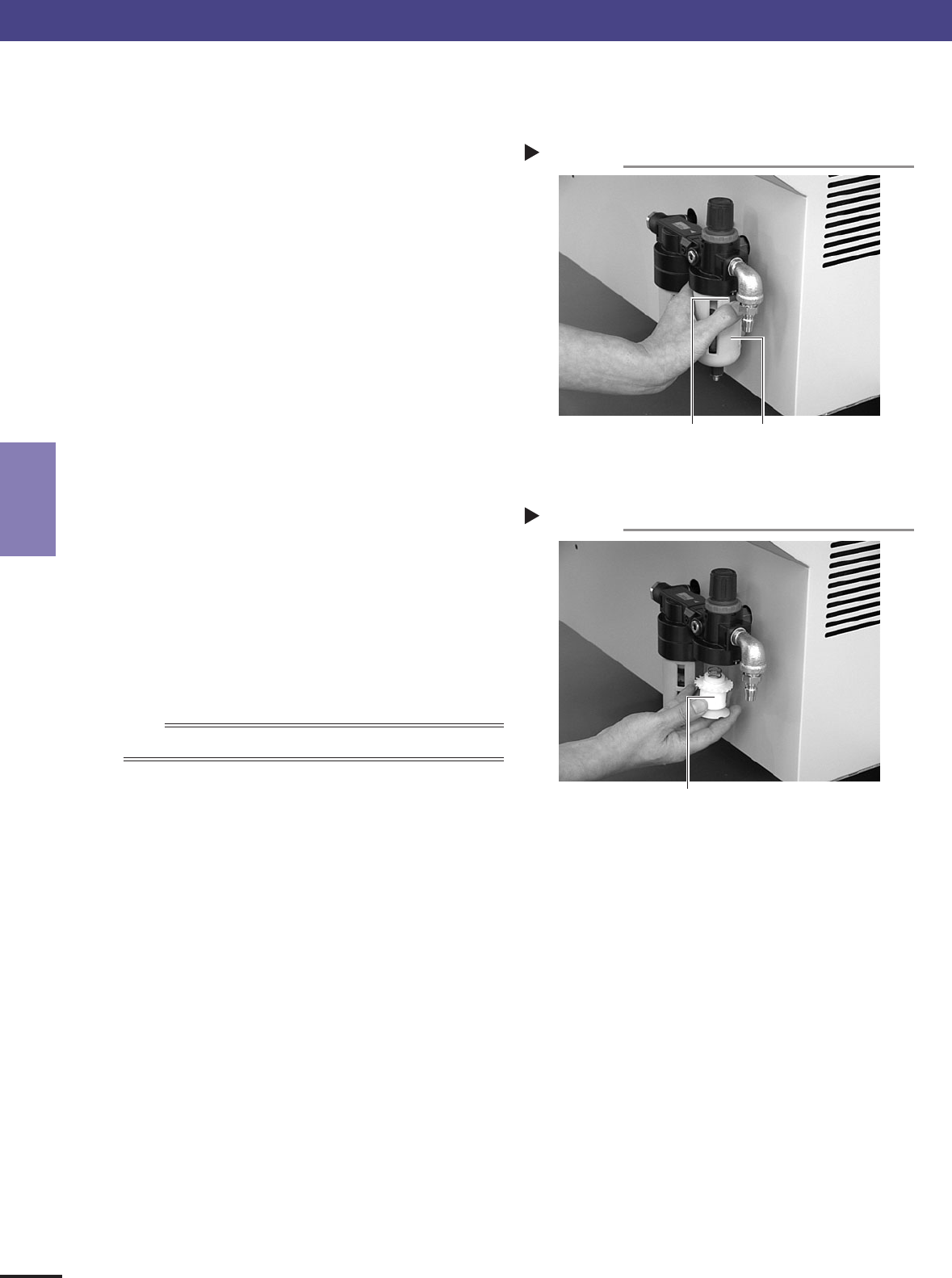
■ Cleaning the air filter
1
Remove the filter cup.
See the previous procedure in “Cleaning the filter
cup”.
2
Remove the air filter.
Rotate the white disk clockwise as viewed from the
top and take out the air filter.
43323-5E-20
3
Clean the air filter.
Use an air blow gun to blow away dust and
impurities trapped by the air filter. If the filter is
excessively dirty and cannot be cleaned, replace it
with a new filter.
4
Reattach the air filter.
Screw the white disk back in to attach the air filter
to the original position.
43324-5E-20
5
Reattach the filter cup.
n
NOTE
When cleaning the mist filter, use the same procedure.
Removing the filter cup
Step 1
Filter cup
Red button
Reattaching the air filter
Step 4
Air filter
2. Monthly or bimonthly inspection
3-9
3
Periodic maintenance items
2.5 Cleaning the camera lens
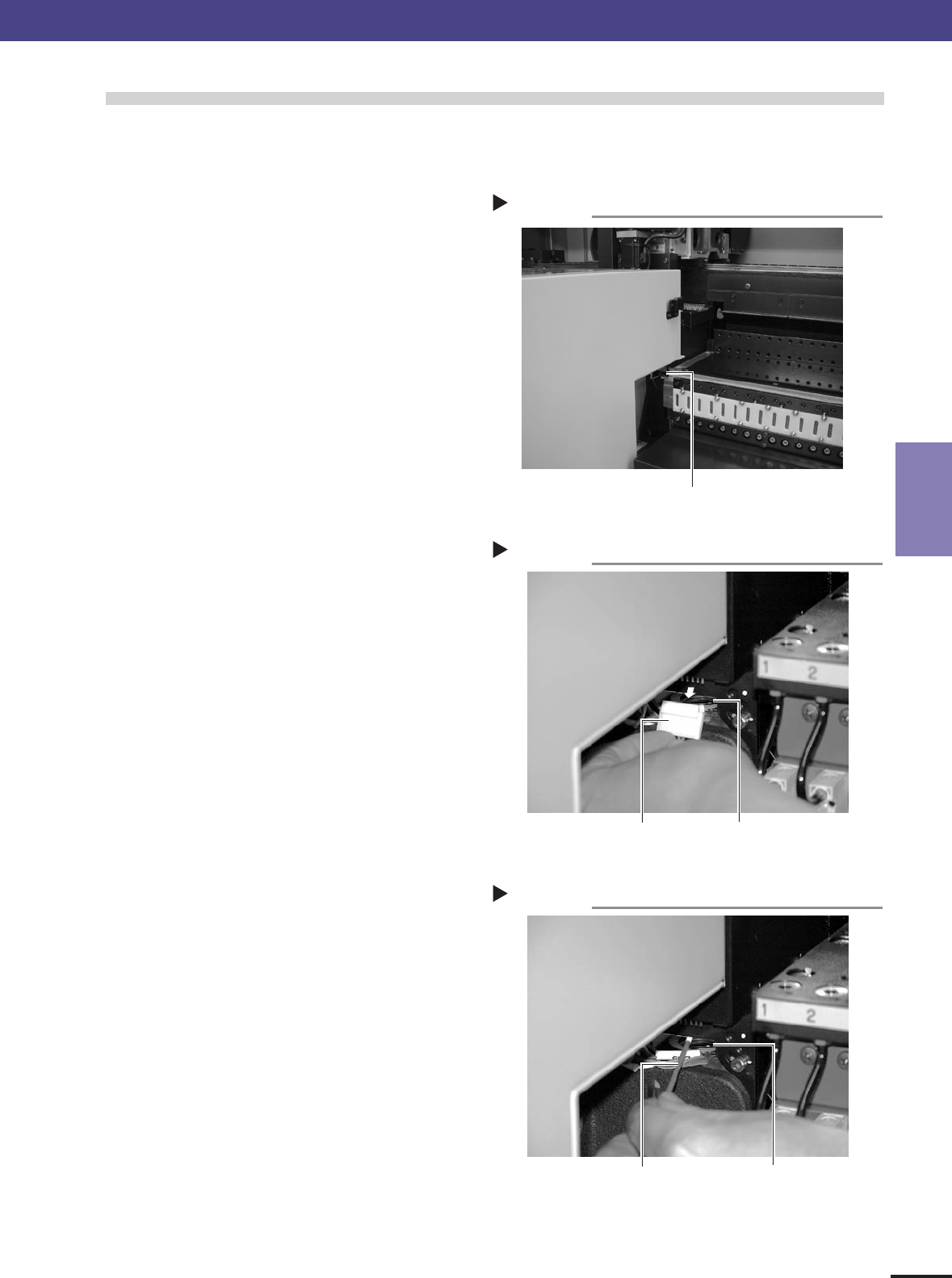
The camera lens may become dirty sue to dust and dirt, we recommend periodic cleaning as explained below.
1
Press the emergency stop button.
e
The machine must be in emergency stop to ensure
safety during work.
2
Remove all feeders from the feeder plate.
The camera lens cannot be cleaned while feeders
are installed on the feeder plate. Remove all
feeders from the feeder plate.
43340-5E-20
3
Detach the connector and check the lens.
Detach the connector (CN7) located at the front
right of the camera unit. Illuminate the camera
from the top with a pen light or flashlight. You will
see the camera lens.
43341-5E-20
4
Clean the camera lens.
1. Use a blow brush to blow air onto the lens to
remove dust buildups.
2. Apply several drops of lens cleaner to a cotton
swab and wipe off the lens.
43342-5E-20
5
Reattach the connector.
Reattach the connector (CN7) to the original
position.
2. Monthly or bimonthly inspection
Cleaning the lens
Step 4
Camera lensCotton swab stick
applied with lens cleaner liquid
Removing the connector
Step 3
Camera lensConnector (CN7)
Removing the feeders
Step 2
Camera unit
3-10
3
Periodic maintenance items
2. Monthly or bimonthly inspection
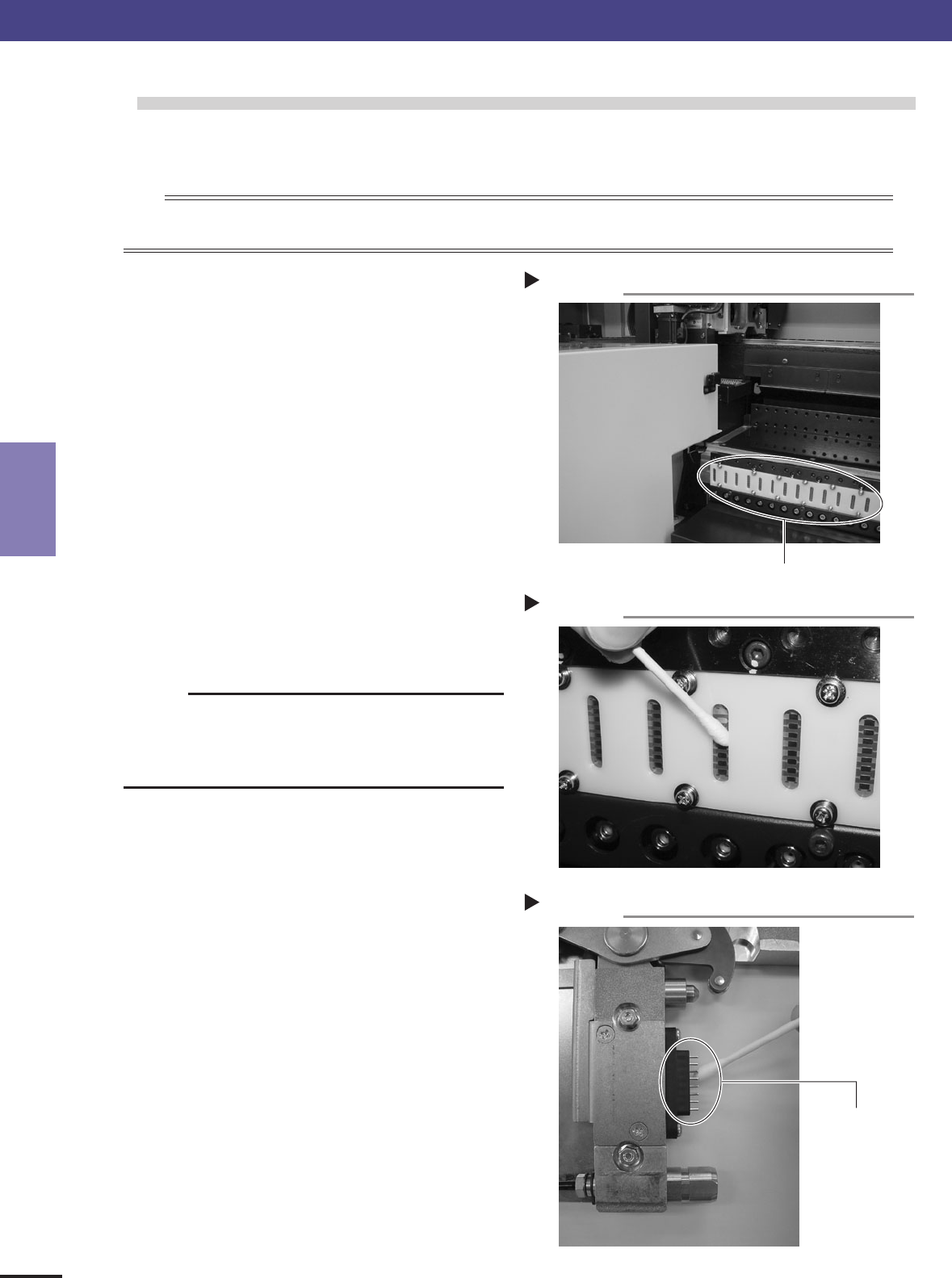
2.6 Cleaning the signal contact point.
Since signal contact point of feeder plate may become dirty from adhesion of dust,oil,etc., we recommend you
periodical cleaning.
n
NOTE
Since it may cause loose connection even if dirt is not visible when signal contact point of feeder plate or feeder is touched with a hand or
something, as for such a case, we recommend you cleaning each time.
1
Turn off the power supply of the
machine.
In order to work safely, please be sure to turn off
the power supply of a machine.
2
Remove the feeder from feeder plate.
Since you cannot work unless the feeders are
removed, please remove all feeders.
43343-5E-20
3
Clean the signal contact point of feeder
plate.
Please clean dust and dirt gently by the dry swab
or nonwoven wiper etc.
c
CAUTION
Please do not use organic solvent, such as thinner, benzine
and acetone, or alchol, aqueous detergent, etc. Moreover, be
careful not to damage a contact surface with sharp things,
sandpaper,etc., such as a knife and a driver.
43344-5E-20
4
Signal contact point of feeder should be
cleaned if needed.
Please clean feeder which faults, such as
abnormalities in communicatiion by loose
connection, owing to dirt,etc. by the same method
as feeder plate.
43345-5E-20
Signal Contact Point 2
Step 3
Signal Contact Point 1
Step 2
Signal Contact Point
Signal Contact Point of Feeder
Step 4
Signal Contact Point