M3plus_MaintenanceManual_e.pdf - 第47页
3- 8 3 Periodic maintenance items ■ Cleaning the air filter 1 Remove the filter cup. See the previous procedure in “Cleaning the filter cup”. 2 Remove the air filter. Rotate the white disk clockwise as viewed from the to…
3-7
3
Periodic maintenance items
2.4 Air/mist filters
Air/mist filters are used to prevent oil, mist and other impurities in the air compressor from penetrating into the
machine. These filters should be inspected and cleaned periodically as instructed below. (The filter closer to the
air coupler is the air filter and the other one is the mist filter.)
■ Cleaning the filter cup
1
Check the inside of the filer cup.
Check for oil or water deposits in the filter cup
through the window. If the window is dirty, follow
the steps below to clean the filter cup.
Reference
The drain cock at the bottom of the filter cup is an auto-drain type. It
automatically drains the oil or water when deposited in the cup. We
recommend connecting a hose to this drain cock.
2
Disconnect the air hose from the air
coupler.
c
CAUTION
When disconnecting the air hose, be careful not to allow oil,
water or impurities to splash out.
3
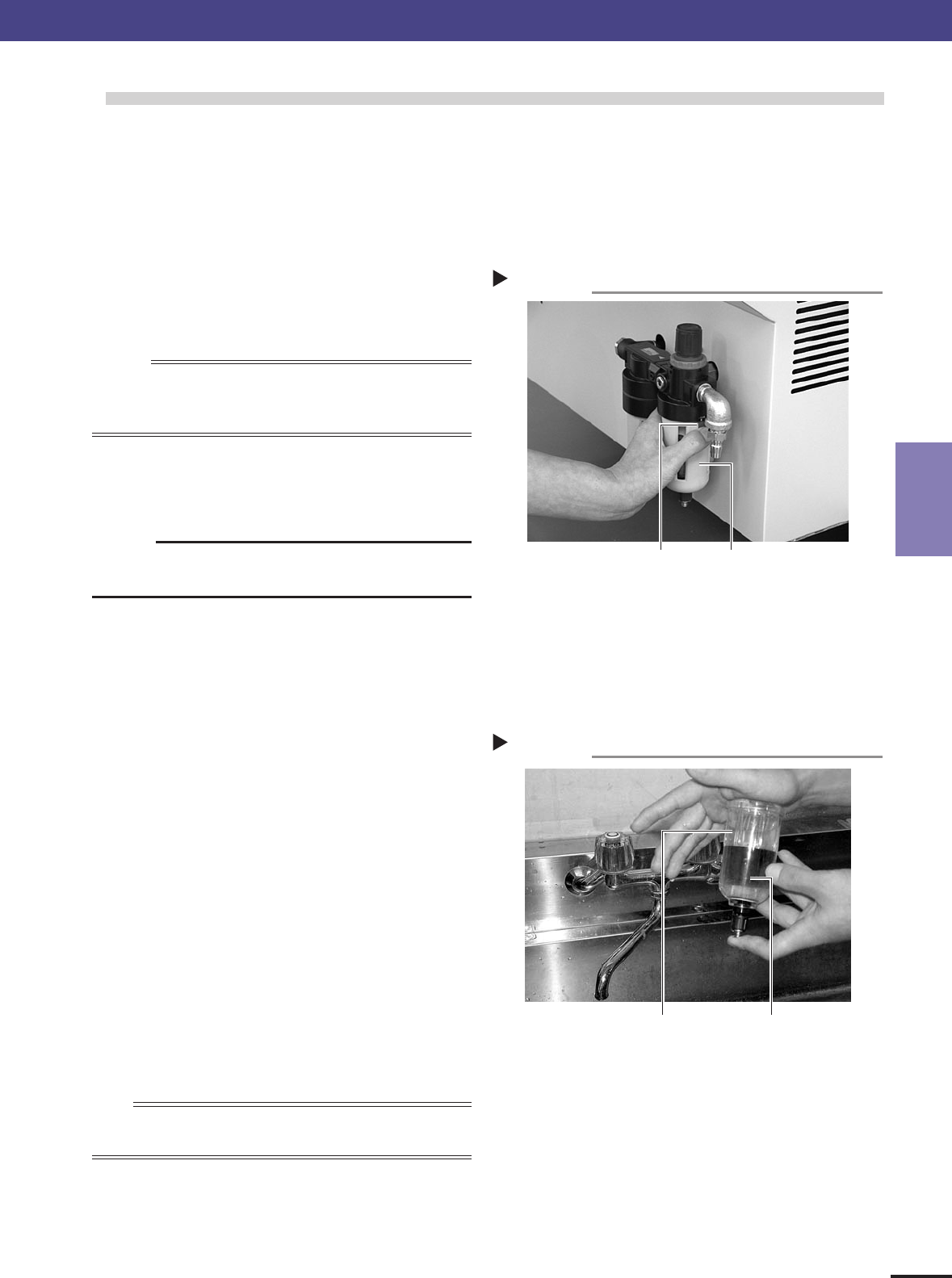
Remove the filter cup.
While pressing the red button on the side of the
filter cup, turn it fully towards "IN", and pull the
filter cup downwards.
43321-5E-20
4
Clean the inside of the filter cup.
1. Lightly clean the filter cup with water.
2. Then, pour water-diluted neutral detergent into
the filter cup and clean the inside while shaking
it.
3. Air blow the filter cup and wipe away any
moisture with clean cloth or paper.
43322-5E-20
5
Reattach the filter cup.
1. Align the red button on the side of the cup with
the "IN" position and push the cup upwards.
2. Turn the cup towards "LOCK" until you hear a
click.
n
NOTE
Leave the filter cup removed to clean the air filter as explained in the
next procedure.
6
Reconnect the air hose to the air coupler.
After connecting the air hose, check that no air is
leaking.
Cleaning the filter cup
Step 4
Filter cup
Water or water-diluted
neutral detergent
Removing the filter cup
Step 3
Filter cup
Red button
2. Monthly or bimonthly inspection
3-8
3
Periodic maintenance items
■ Cleaning the air filter
1
Remove the filter cup.
See the previous procedure in “Cleaning the filter
cup”.
2
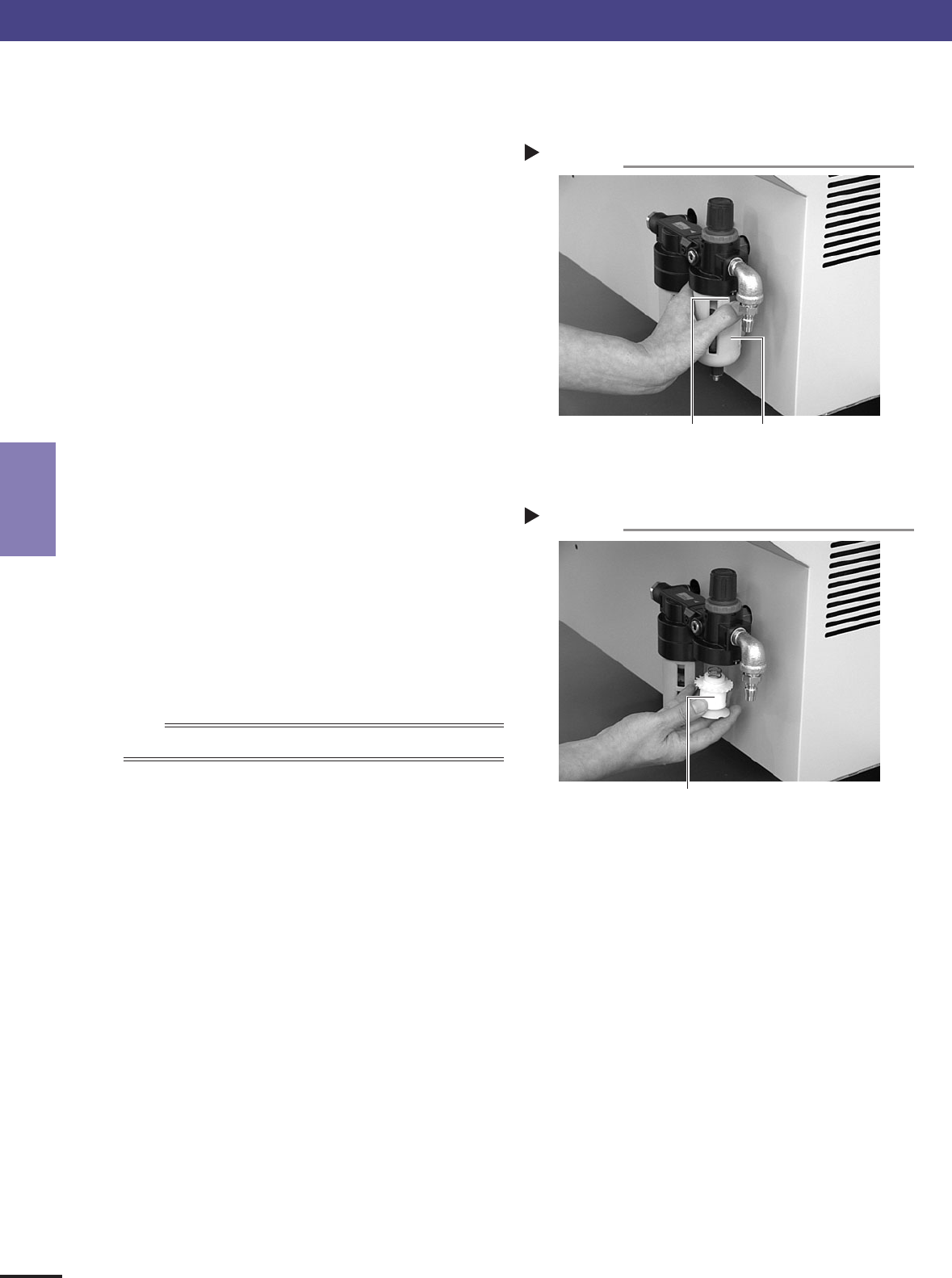
Remove the air filter.
Rotate the white disk clockwise as viewed from the
top and take out the air filter.
43323-5E-20
3
Clean the air filter.
Use an air blow gun to blow away dust and
impurities trapped by the air filter. If the filter is
excessively dirty and cannot be cleaned, replace it
with a new filter.
4
Reattach the air filter.
Screw the white disk back in to attach the air filter
to the original position.
43324-5E-20
5
Reattach the filter cup.
n
NOTE
When cleaning the mist filter, use the same procedure.
Removing the filter cup
Step 1
Filter cup
Red button
Reattaching the air filter
Step 4
Air filter
2. Monthly or bimonthly inspection
3-9
3
Periodic maintenance items
2.5 Cleaning the camera lens
The camera lens may become dirty sue to dust and dirt, we recommend periodic cleaning as explained below.
1
Press the emergency stop button.
e
The machine must be in emergency stop to ensure
safety during work.
2
Remove all feeders from the feeder plate.
The camera lens cannot be cleaned while feeders
are installed on the feeder plate. Remove all
feeders from the feeder plate.
43340-5E-20
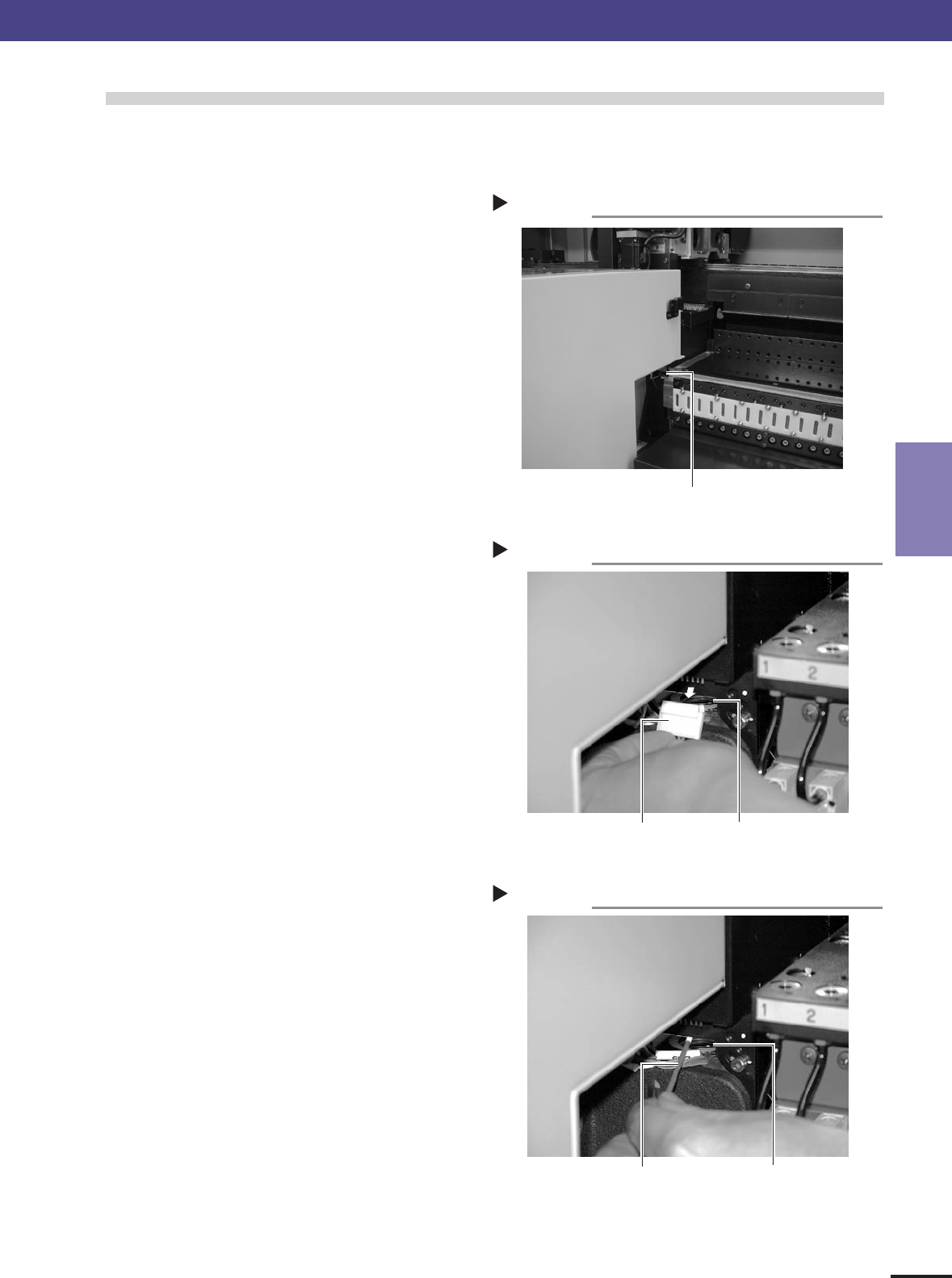
3
Detach the connector and check the lens.
Detach the connector (CN7) located at the front
right of the camera unit. Illuminate the camera
from the top with a pen light or flashlight. You will
see the camera lens.
43341-5E-20
4
Clean the camera lens.
1. Use a blow brush to blow air onto the lens to
remove dust buildups.
2. Apply several drops of lens cleaner to a cotton
swab and wipe off the lens.
43342-5E-20
5
Reattach the connector.
Reattach the connector (CN7) to the original
position.
2. Monthly or bimonthly inspection
Cleaning the lens
Step 4
Camera lensCotton swab stick
applied with lens cleaner liquid
Removing the connector
Step 3
Camera lensConnector (CN7)
Removing the feeders
Step 2
Camera unit