00198271-02_UM_ShuttleExtensionTX_EN.pdf - 第44页
3 Assembly Instruct ion Assembly and User Manual 3.3 Installation Shuttle Extension Edition 06/2017 42 Shuttle Extension to SIPLACE TX Alignment 3 Fig. 3.3 - 7 Alignment position for Shuttle Extension Shuttle conveyor …
Assembly and User Manual 3 Assembly Instruction
Shuttle Extension Edition 06/2017 3.3 Installation
41
Adjustment 3
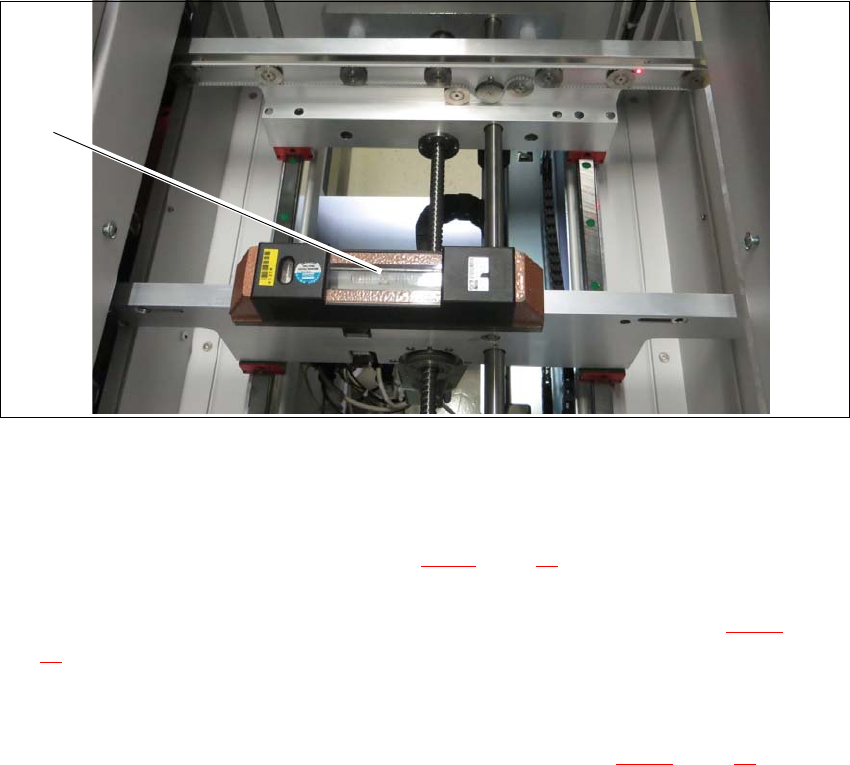
Place a machine spirit level (measuring accuracy of 0.02 mm) against the edge of the Shuttle
Extension PCB conveyor.
Fig. 3.3 - 6 Machine spirit level measuring accuracy of 0.02 mm) on conveyor rail
Use the machine spirit level (1) to align the Shuttle Extension in the X and Y direction, at the
four machine feet.
Loosen the top screw nut (item 1 in see fig. 3.3 - 5, page 40) with the help of a s open-ended
wrench.
Use the open-ended wrench to adjust the buttom screw nut (item 2 in see fig. 3.3 - 5, page
40
) of all four Shuttle Extension feet, so that the fluid in the machine spirit level does not de
-
viate from its zero point at the required conveyor height.
Check the required board conveyor height.
Use the torque wrench to tighten top screw nut (item 1 in see fig. 3.3 - 5, page 40) to clamp
all Shuttle Extension feet.
(1)
3 Assembly Instruction Assembly and User Manual
3.3 Installation Shuttle Extension Edition 06/2017
42
Shuttle Extension to SIPLACE TX Alignment 3
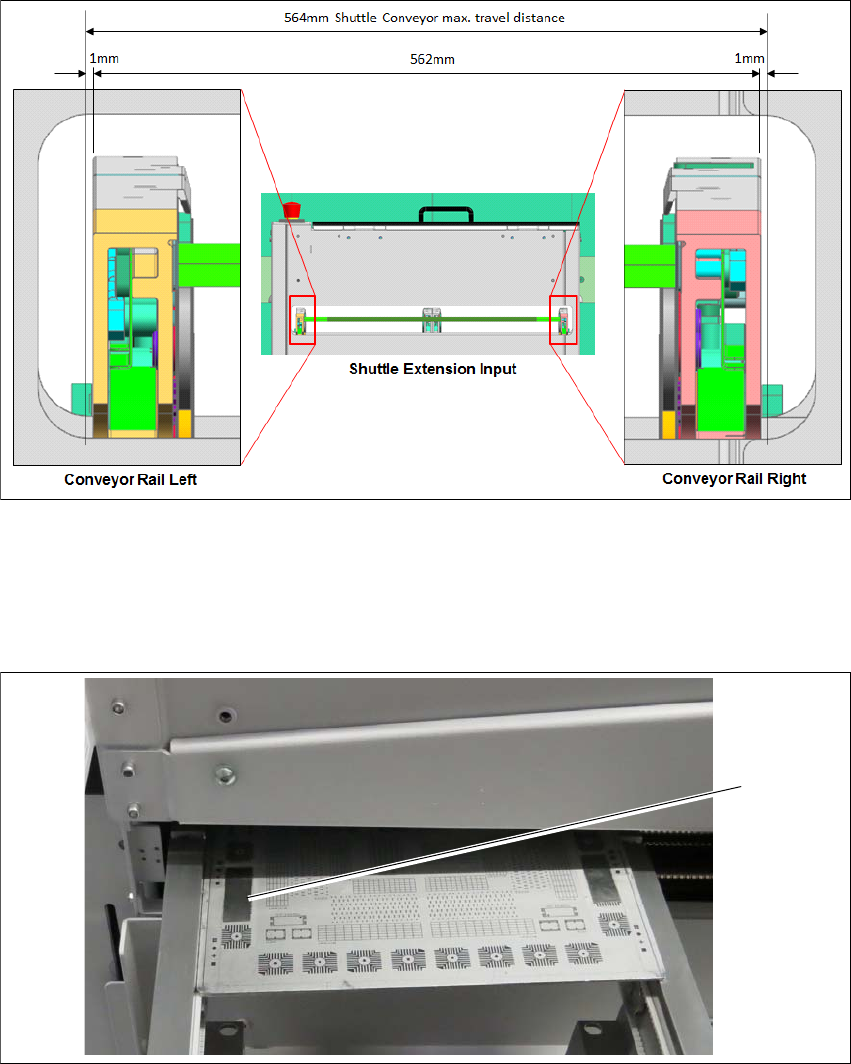
Fig. 3.3 - 7 Alignment position for Shuttle Extension
Shuttle conveyor rails to be positioned at 281 (1mm gap on each extreme end) and fixed with
motor brake.
Align one of the Shuttle conveyor rails (either left or right) to TX conveyor rail.
Fig. 3.3 - 8 Check PCB
Check rail position with the calibrated PCB.
Push a board through the PCB conveyor and check the transition point between the Shuttle
Extension and the SIPLACE TX.
It must be possible to push the board through easily and with no resistance.
Screw the Shuttle Extension onto TX machine via interface brackets to secure in place.
(1)
Assembly and User Manual 3 Assembly Instruction
Shuttle Extension Edition 06/2017 3.3 Installation
43
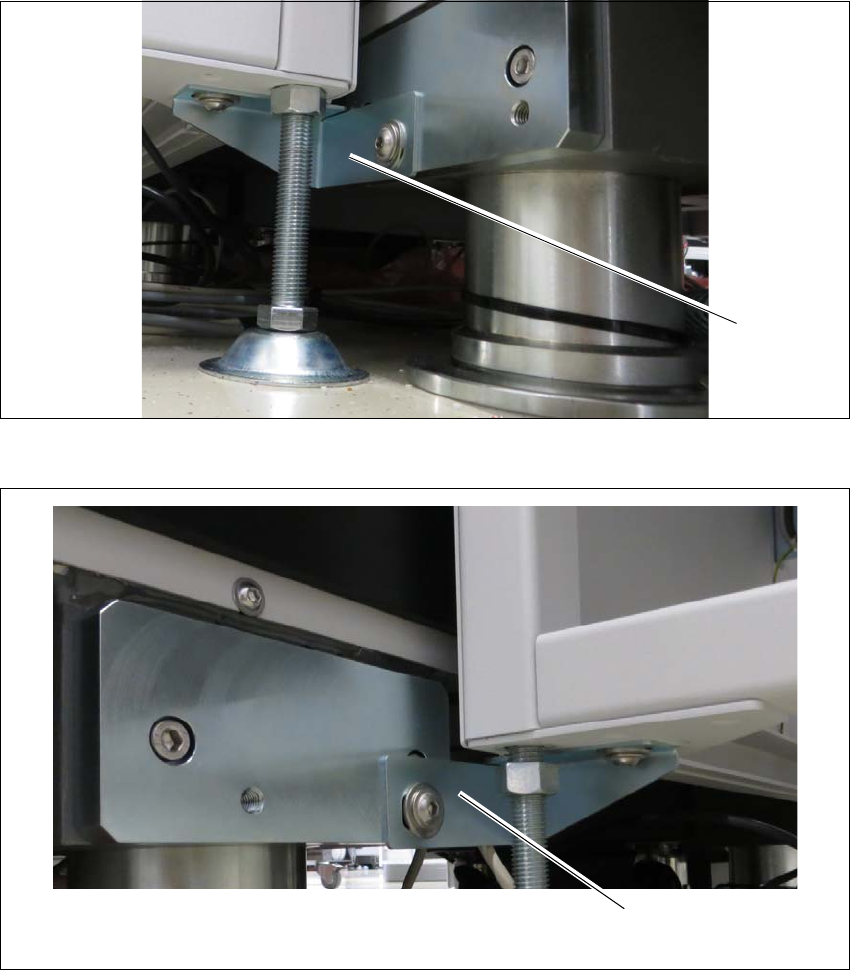
Interface brackets on input Shuttle Extension side 3
Fig. 3.3 - 9 Interface bracket on input conveyor - right side
Fig. 3.3 - 10 Interface bracket on input conveyor - left side
(1) Interface bracket input conveyor - right side
(2) Interface bracket input conveyor - left side
(1)
(2)