00198271-02_UM_ShuttleExtensionTX_EN.pdf - 第77页
Assembly and User Manual 6 Barcode Reader Extension Shuttle Extension Edition 06/2017 6.4 Assembly Instruction 75 6.4.9 Step 9 Insert (1) the p re-ass embled b arcode rea der extens ion kit and s lide (2) to the r ight…
6 Barcode Reader Extension Assembly and User Manual
6.4 Assembly Instruction Shuttle Extension Edition 06/2017
74
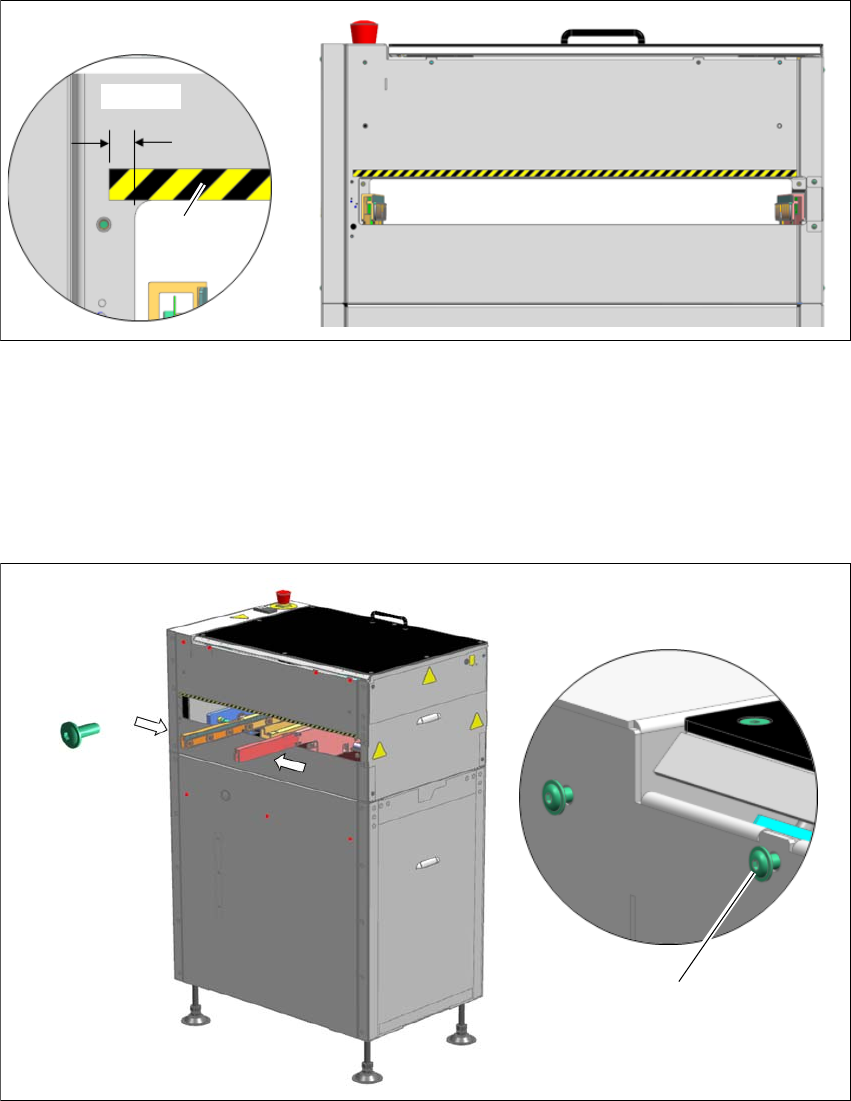
6.4.7 Step 7
Place 03153427- safety mark 9x600mm onto the shuttle machine frame on the input side
only.
Fig. 6.4 - 7 Step 7
6.4.8 Step 8
Mount 7x button head screws 03099579- ISO7380-2 M4x10-A2-70 onto the machine frame
and fasten them loosely so that barcode reader cover can slide through the key holes.
Move the conveyor rails towards the center of the Shuttle Extension for easier cover insertion.
Fig. 6.4 - 8 Step 8
Aligned flush
7.5 mm
Fasten screws loosley to allow
cover insertion
7x 03099579
ISO7380-2 M4x10
Assembly and User Manual 6 Barcode Reader Extension
Shuttle Extension Edition 06/2017 6.4 Assembly Instruction
75
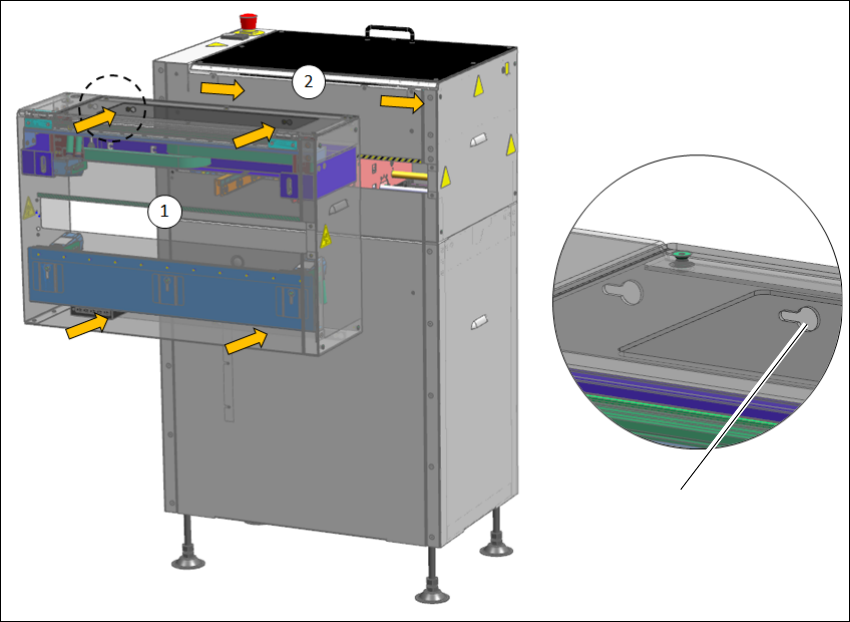
6.4.9 Step 9
Insert (1) the pre-assembled barcode reader extension kit and slide (2) to the right through
the 7x key holes.
Fasten the 7x button head screws.
6
Fig. 6.4 - 9 Step 9
7x Key holes
6 Barcode Reader Extension Assembly and User Manual
6.4 Assembly Instruction Shuttle Extension Edition 06/2017
76
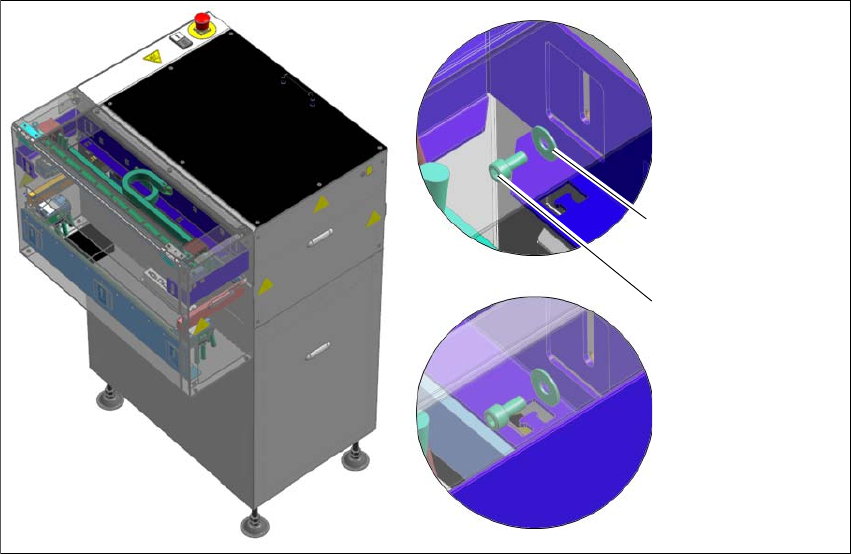
6.4.10 Step 10
Fasten 2x cap screws 03042560- ISO4762-M5x10 and 2x 03042560- ISO7093-1 M5 washer
to secure 03130795- Assembly kit PCB barcode top in place.
6
Fig. 6.4 - 10 Step 10
2x 03022708
ISO7093-1 M5 washer
2x 03042560
ISO4762-M5x10