00198271-02_UM_ShuttleExtensionTX_EN.pdf - 第66页
5 Operate the Shuttle Extension Assembly and User Manual 5.2 Shuttle Extension TX on Stat ion GUI Shuttle Extension Edition 06/2017 64
Assembly and User Manual 5 Operate the Shuttle Extension
Shuttle Extension Edition 06/2017 5.2 Shuttle Extension TX on Station GUI
63
5
6
If there is a board in the Shuttle Extension, a board symbol will be shown as a button.
Click the board symbol and the dialog box Board options appears.
Cancelling the board
The selected board will no longer be processed.
Once you have cancelled the placement of a board, the board will be marked red in
the display
7
Shuttle Extension TX setup view is selected.
Key Description
5 Operate the Shuttle Extension Assembly and User Manual
5.2 Shuttle Extension TX on Station GUI Shuttle Extension Edition 06/2017
64
Assembly and User Manual 6 Barcode Reader Extension
Shuttle Extension Edition 06/2017 6.1 Description and Overview
65
6 Barcode Reader Extension
6.1 Description and Overview
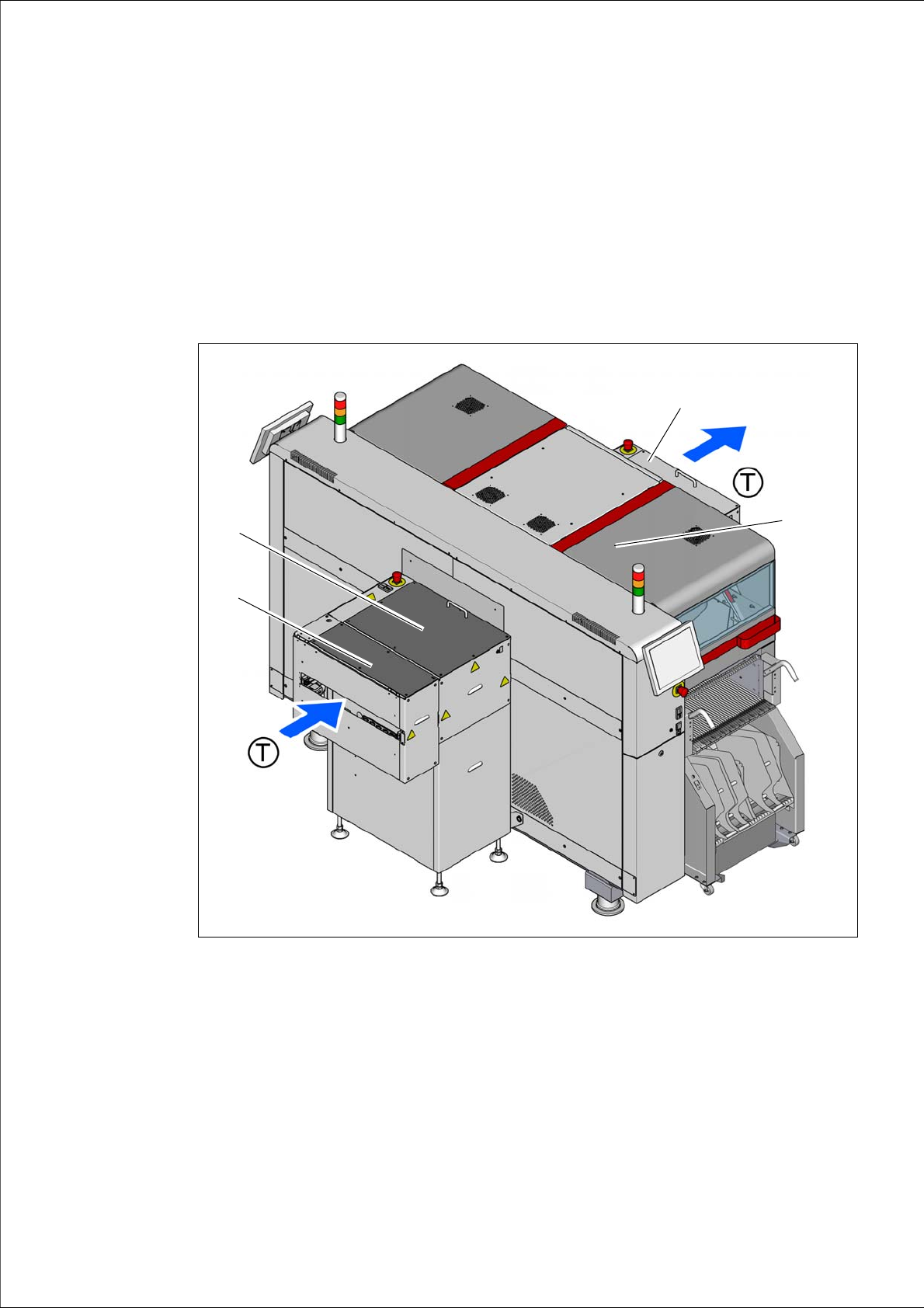
The Barcode Reader Extension is an option to read PCB labels. The Barcode Reader Extension
is mounted on the Shuttle Extension of the SIPLACE TX input conveyor side.
6
Fig. 6.1 - 1 Shuttle Extension with Barcode Reader Extension - Configuration Example
(1) Barcode Reader Extension on Shuttle Extension
(2) Shuttle Extension on SIPLACE TX input conveyor
(3) Shuttle Extension on SIPLACE TX output conveyor
(4) SIPLACE TX placement machine
(1)
(3)
(4)
(2)