00198271-02_UM_ShuttleExtensionTX_EN.pdf - 第54页
4 Calibration Assembly and User Manual 4.1 Machine Configuration Shuttle Extension Edition 06/2017 52 Fig. 4.1 - 2 Station Software - Machine configuration Click Machine configuration icon ( 2). –E x a m p l e : Input …
Assembly and User Manual 4 Calibration
Shuttle Extension Edition 06/2017 4.1 Machine Configuration
51
4 Calibration
4.1 Machine Configuration
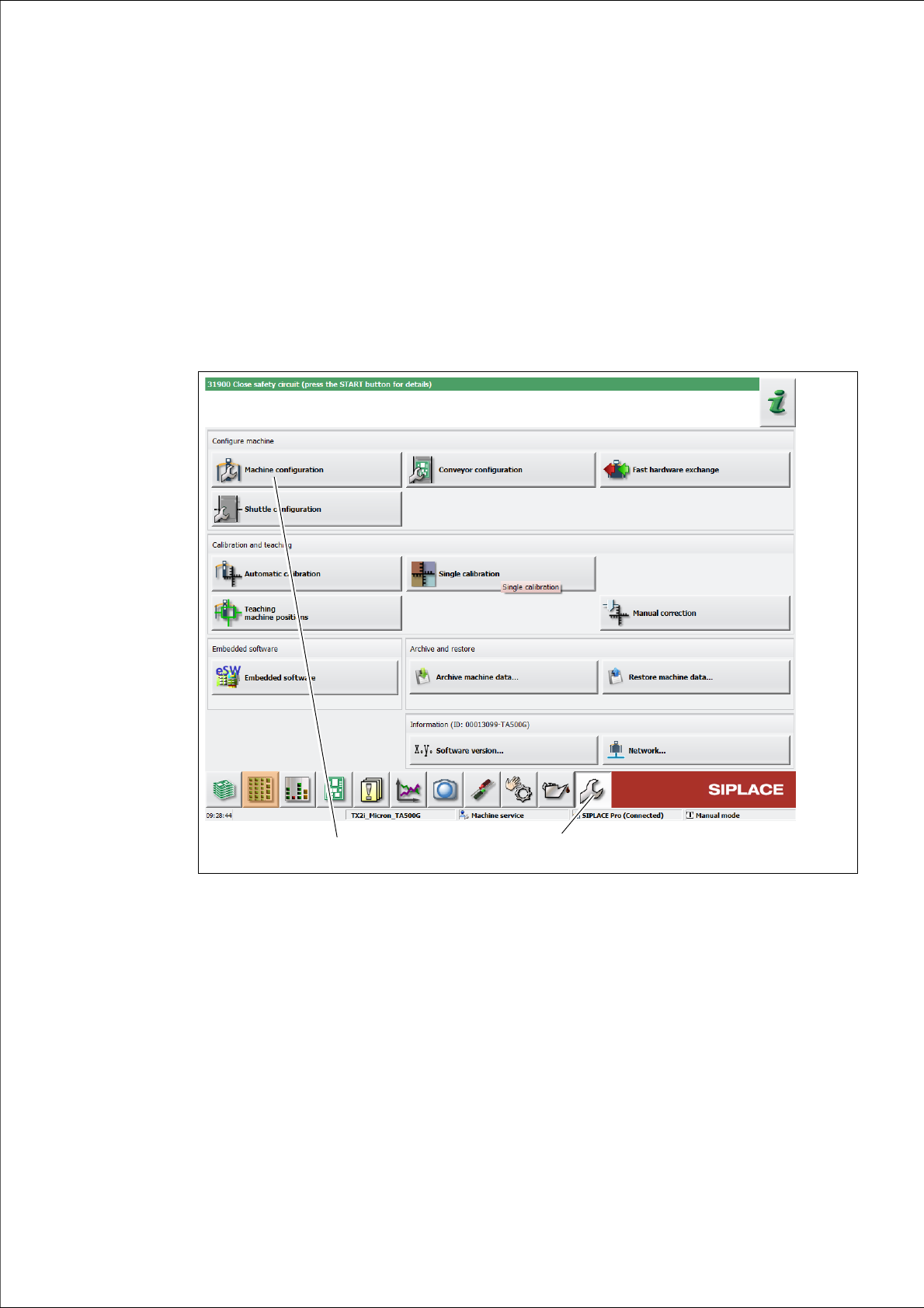
After successful installation, the shuttle is shown in the machine configuration of the station soft
-
ware.
Click Service (1) icon from the station GUI tool bar.
Fig. 4.1 - 1 Station Software - "Service" view
Click Machine configuration icon (2).
The Machine configuration view is shown: 4
(1)
(2)
4 Calibration Assembly and User Manual
4.1 Machine Configuration Shuttle Extension Edition 06/2017
52
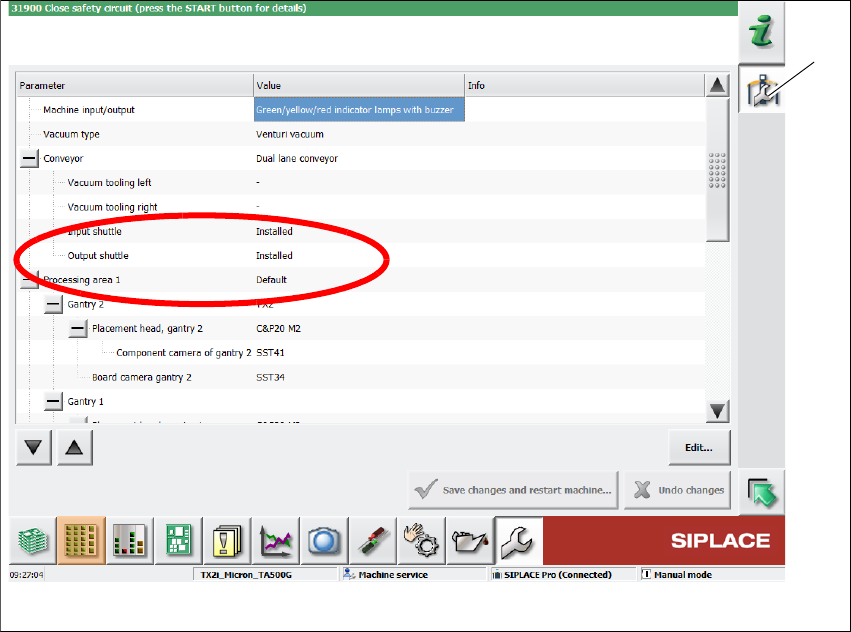
Fig. 4.1 - 2 Station Software - Machine configuration
Click Machine configuration icon (2).
–Example: Input Shuttle and Output Shuttle are installed.
(1)
Assembly and User Manual 4 Calibration
Shuttle Extension Edition 06/2017 4.1 Machine Configuration
53
4.1.1 Update the embedded software
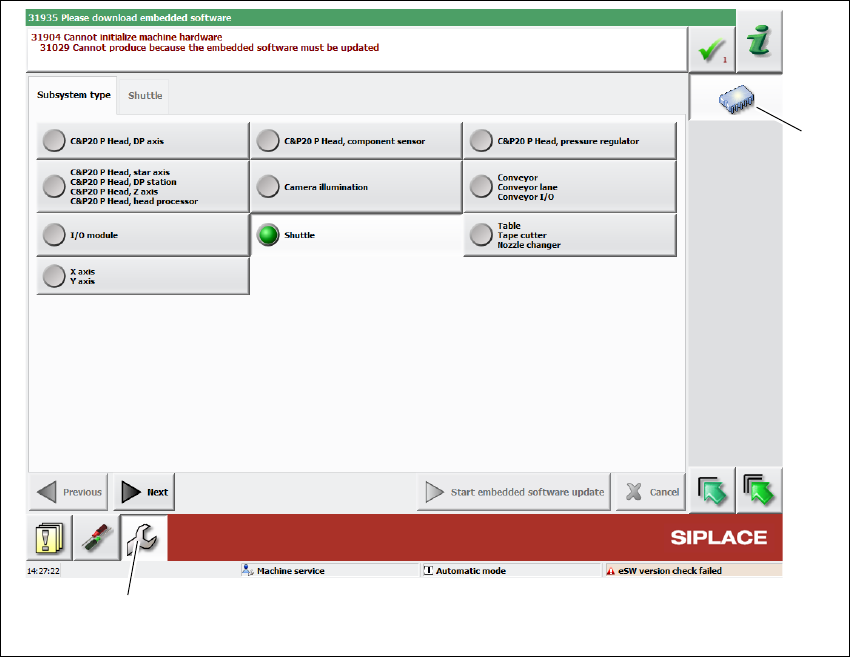
If necessary, you have to update the embedded software of the Shuttle Extension.
Click Service (1) icon from the station GUI tool bar.
Click Update subsystem icon (2).
Fig. 4.1 - 3 Station Software - Update the embedded software of the Shuttle Extension
Select the Subsystem Type => Shuttle.
Click Start embedded software update and follows the installation steps.
(1)
(1)