00198761-01_SM_Head_Care_Station_II_EN.pdf - 第48页
4 Service work – HCSII Head Unit 4.17 Replacing the GigE Board 48 Service Manual SIPLACE Head Care Station II 11/2019 4.17 Replacing the GigE Board Parts Fig.67: GigE Board ● VTS board head camera GigE [03104448‑xx] Pr…
4 Service work – HCSII Head Unit
4.16 Replacing the Vision Hotlink Adapter
Service Manual SIPLACE Head Care Station II 11/2019 47
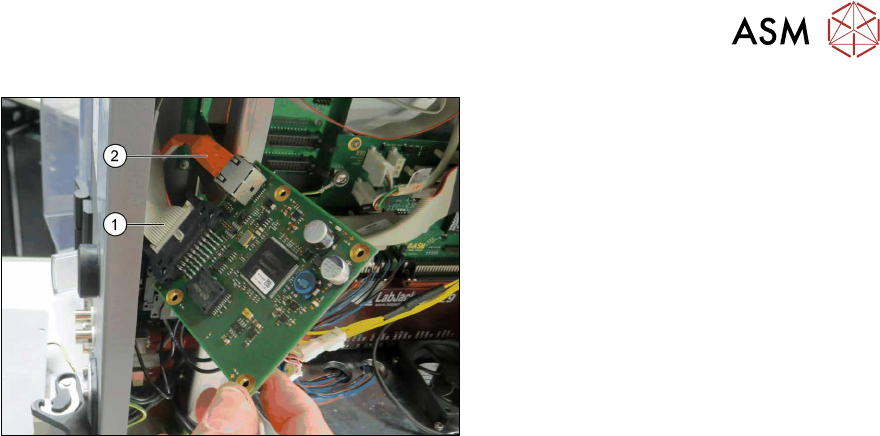
Fig.66: Removal Cables
► Carefuly pull the Vision Hotlink Adapter
VHA out of the frame.
► You may want to mark the positions of
the relevant connections to make clear
assignment easier later on.
► Unplug the flat ribbon cable(1).
► Unplug the orange hot link cable(2).
► Carefully remove the Vision Hotlink
Adapter VHA.
Installation
► Follow the removal instructions in reverse order for installation.
► Replace any cable ties which you have removed.
4 Service work – HCSII Head Unit
4.17 Replacing the GigE Board
48 Service Manual SIPLACE Head Care Station II 11/2019
4.17 Replacing the GigE Board
Parts
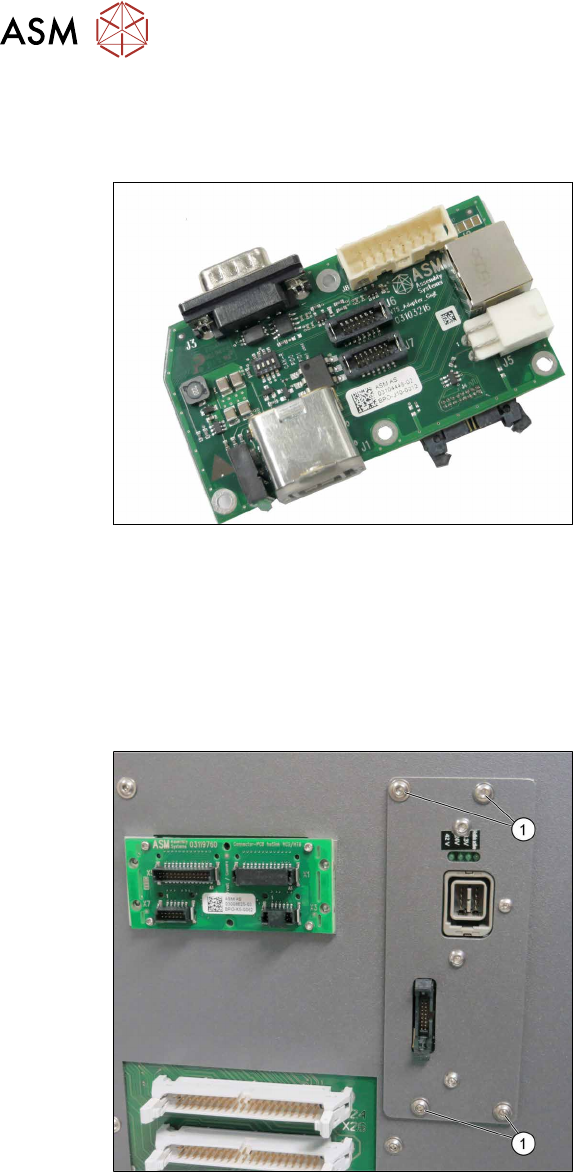
Fig.67: GigE Board
●
VTS board head camera GigE
[03104448‑xx]
Preparatory work...
► Turn off and disconnect the HCS II. See 3.1 "Turn off and disconnect the HCS II" [}19].
► Perform the steps described in section 3.3 "Access to the spare parts of the HCS II Head
Unit" [}20].
Removal
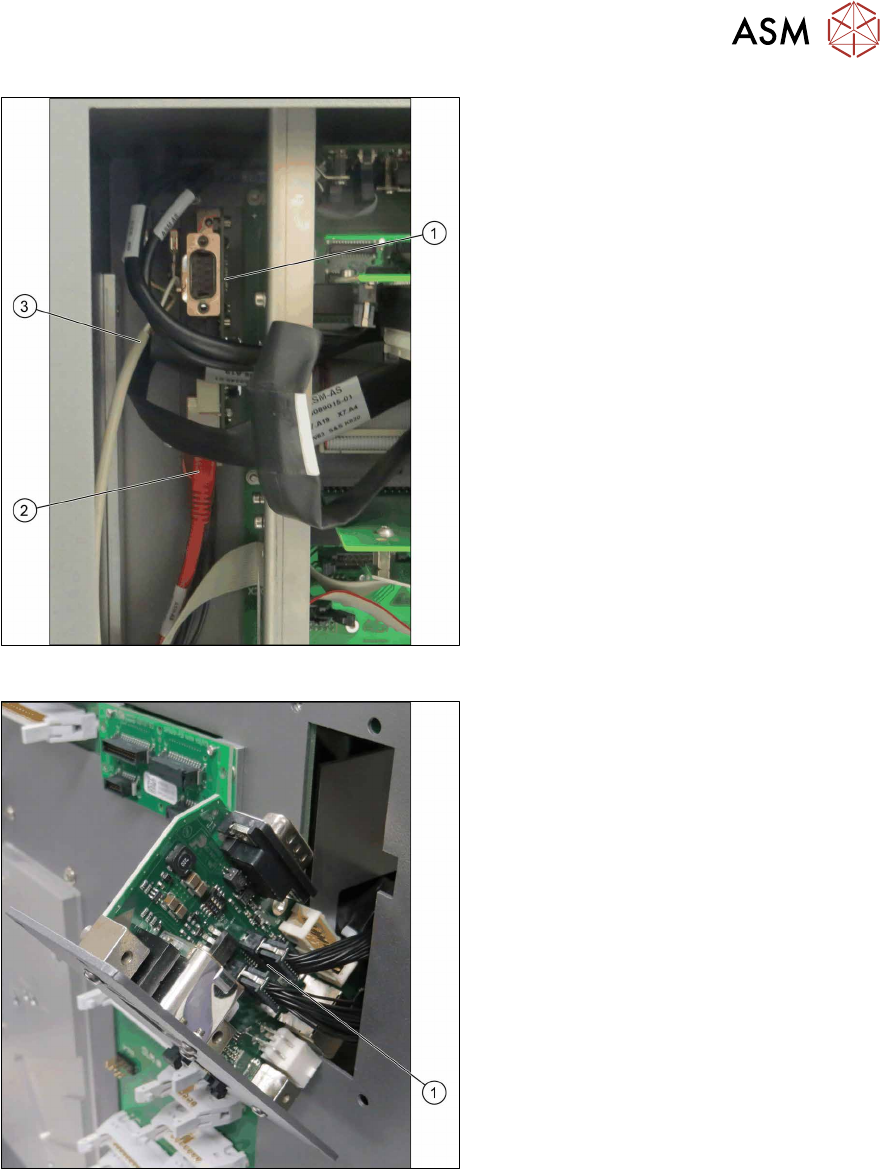
Fig.68: Removal 1
► Carefully remove the four screws(1)
fastening the GigE Board on the frame.
Hold the screw nuts from behind.
► Make sure that the screws are not lost.
4 Service work – HCSII Head Unit
4.17 Replacing the GigE Board
Service Manual SIPLACE Head Care Station II 11/2019 49
Fig.69: Removal 2
GigE Board – rear view(1)
► Open any cable ties where necessary.
► You may want to mark the positions of
the relevant connections to make clear
assignment easier later on.
► Unplug the red GigE cable J2(2).
► Unplug the cable J5(3).
Fig.70: Removal 3
► Pull the GigE Board forward out of the
frame.
► Unplug the cables J6 und J7(1). Be
sure not to mix up these two cables.
► Carefully remove the GigE Board.