00198761-01_SM_Head_Care_Station_II_EN.pdf - 第59页
5 Service work – HCSII Control Box 5.6 Replacing the BoxPC ABP402-A (iBase) Service Manual SIPLACE Head Care Station II 11/2019 59 5.6 Replacing the BoxPC ABP402-A (iBase) Parts Fig.86: BoxPC ABP402-A CPU1020E 2xPCI SS…
5 Service work – HCSII Control Box
5.5 Replacing the AC/DC converter (PS1)
58 Service Manual SIPLACE Head Care Station II 11/2019
Removal
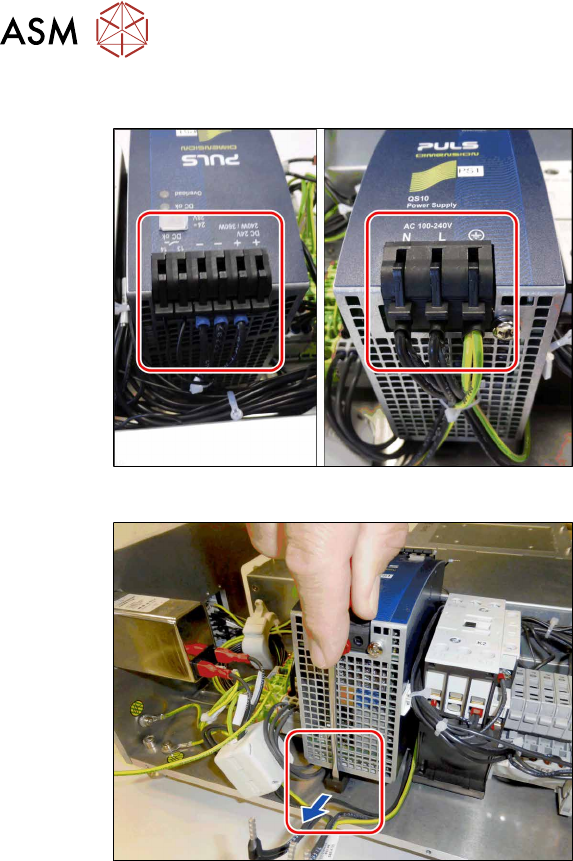
Fig.84: PS1 – cables
► Open any cable ties where necessary.
You may want to mark the positions of
the relevant connections to make clear
assignment easier later on.
► Carefully unplug all cables on both
sides.
Fig.85: PS1 – open the lock
► Open the lock and carefully pull the
PS1 off the rail.
Installation
► Follow the removal instructions in reverse order for installation.
► Replace any cable ties which you have removed.
5 Service work – HCSII Control Box
5.6 Replacing the BoxPC ABP402-A (iBase)
Service Manual SIPLACE Head Care Station II 11/2019 59
5.6 Replacing the BoxPC ABP402-A (iBase)
Parts
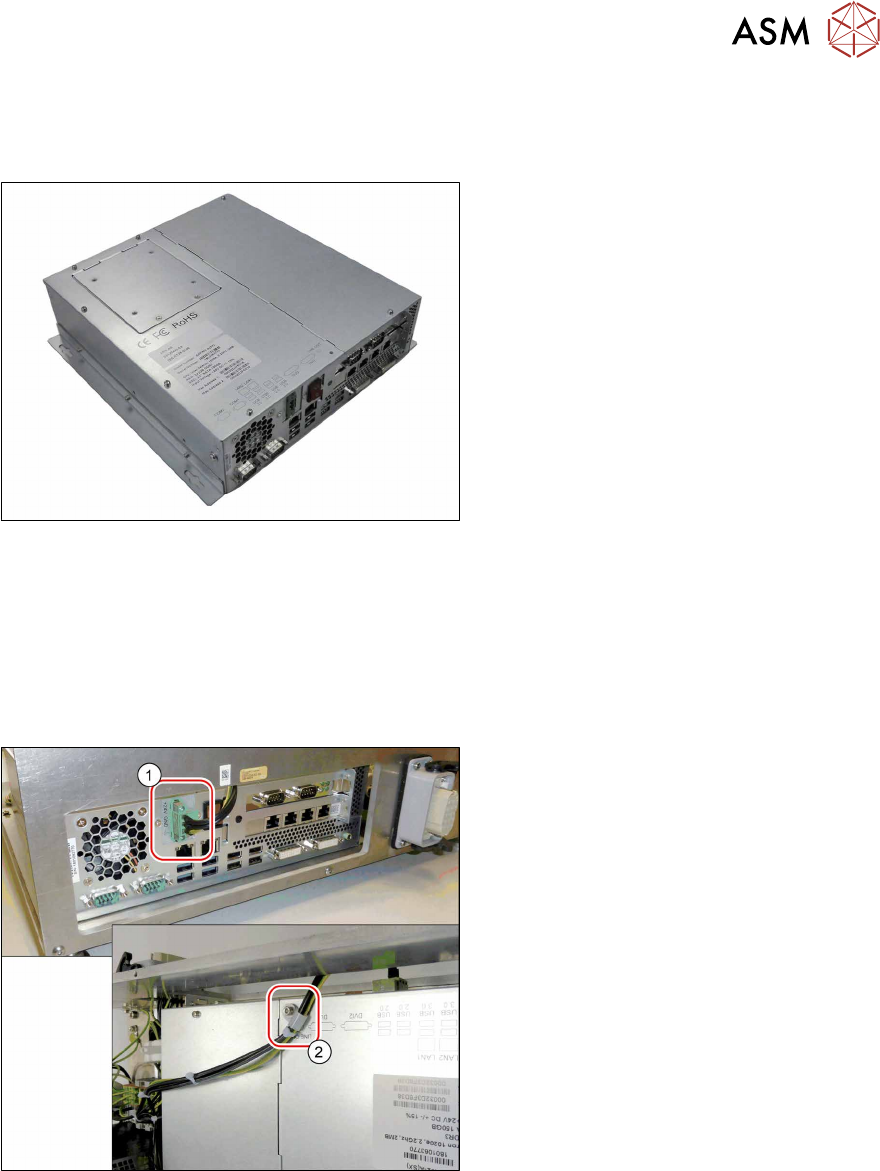
Fig.86: BoxPC ABP402-A CPU1020E 2xPCI SSD (iBase)
●
BoxPC ABP402-A CPU1020E 2xPCI
SSD (iBase) [03120423‑xx]
This newer version replaces the following
older versions:
Control Computer BoxPC 627B complete
[03055280‑xx]
Control Computer BoxPC 627C
[03094731‑xx]
Preparatory work...
► Turn off and disconnect the HCS II. See 3.1 "Turn off and disconnect the HCS II" [}19].
► Perform the steps described in section 3.4 "Access to the spare parts of the HCS II Control
Box" [}21].
Removal
Fig.87: Removal 1
► Carefully unplug the power cable(1)
(screwed) on the rear side.
► Remove the cable clamp(2) on the up-
per side.
5 Service work – HCSII Control Box
5.6 Replacing the BoxPC ABP402-A (iBase)
60 Service Manual SIPLACE Head Care Station II 11/2019
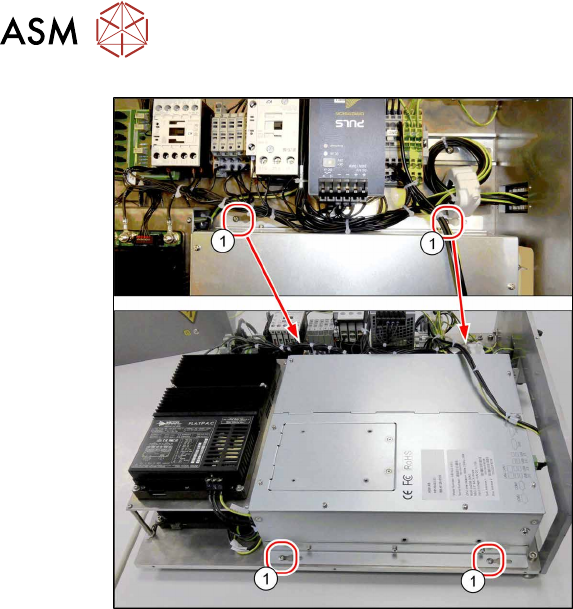
Fig.88: Removal 2
► Remove the four screws(1).
► Carefully remove the BoxPC.
Installation
► Follow the removal instructions in reverse order for installation.
► The BoxPC is supplied without cards. If required, these must be removed from the old BoxPC
and fitted in the new one or ordered as new parts.
5.7 "Replacing the CAN card" [}61]
5.8 "Replacing the Hotlink Interface" [}63]
► Replace any cable ties which you have removed.
► For software installation (newest operating system and HCS software) please read the corres-
ponding installation manual.