JO-116-001_w.pdf - 第73页
3-24 JO-1 16 1 105-001 6.1 Accuracy Measurement T able Description of Displayed Items [1] [6] [3] [5] [2] [4] Fig. C19 [1] Narrowing Serial No. and Narrowing by Inspection Date. [2] Print Setting The displayed print opti…
3-23
JO-116
1105-001
6.1 Accuracy Measurement Table
6.1 Accuracy Measurement Table
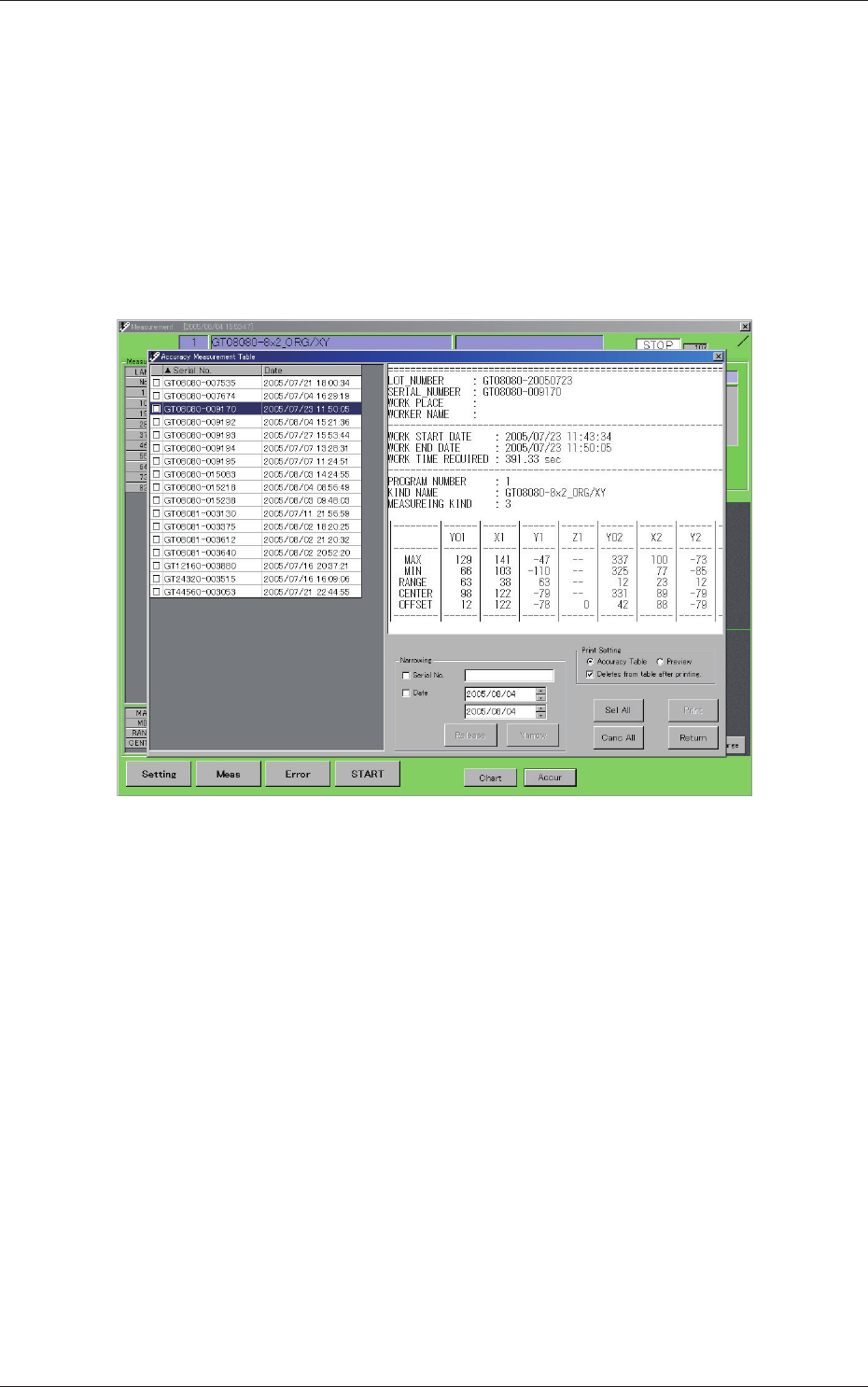
When the [Accur] button (located on the bottom of the "Measurement"
window) is pressed, the "Accuracy Measurement Table" window opens.
A list of les saved according to each serial No. are displayed in the accuracy
measurement table. Each le contains the results (those passed by the
inspection) of the feeder inspection.
By selecting an "Msd" le (Path: D:\MeasureData), the results of the
inspection can be conrmed and/or printed.
Fig. C18 Accuracy Measurement Table
3-24
JO-116
1105-001
6.1 Accuracy Measurement Table
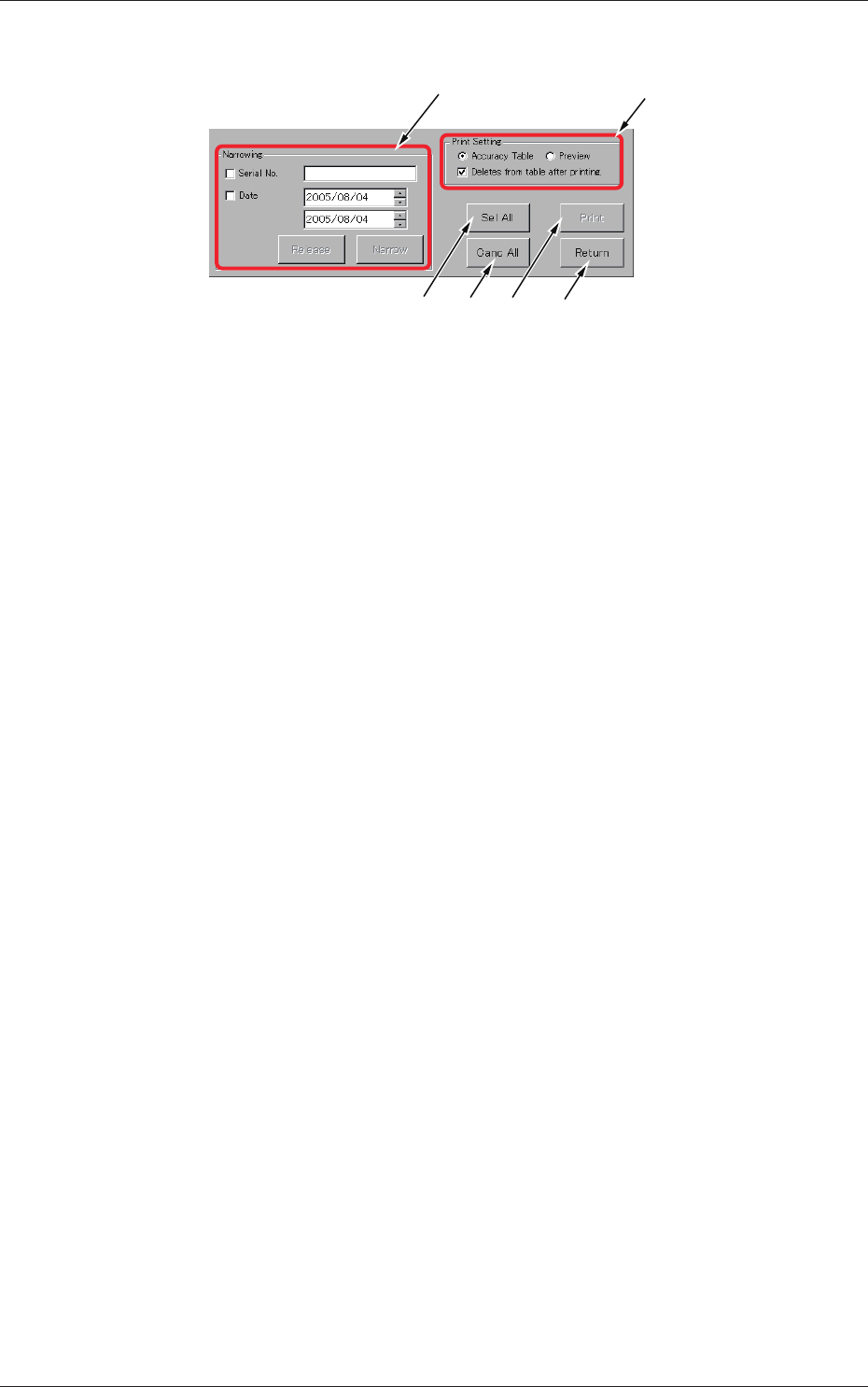
Description of Displayed Items
[1]
[6][3] [5]
[2]
[4]
Fig. C19
[1] Narrowing
Serial No. and Narrowing by Inspection Date.
[2] Print Setting
The displayed print options can be selected.
[3] [Sel All] button
When pressed, this button selects all types displayed in the table.
[4] [Canc All] button
When pressed, this button cancels the selection (all selected types).
[5] [Print] button
Printing is executed according to the print setting in [2].
[6] [Return] button
When pressed, this button opens the previous window (window for
automatic execution).
3-25
JO-116
1105-001
6.1 Accuracy Measurement Table
Description of Displayed Contents
[1]
[2]
[3]
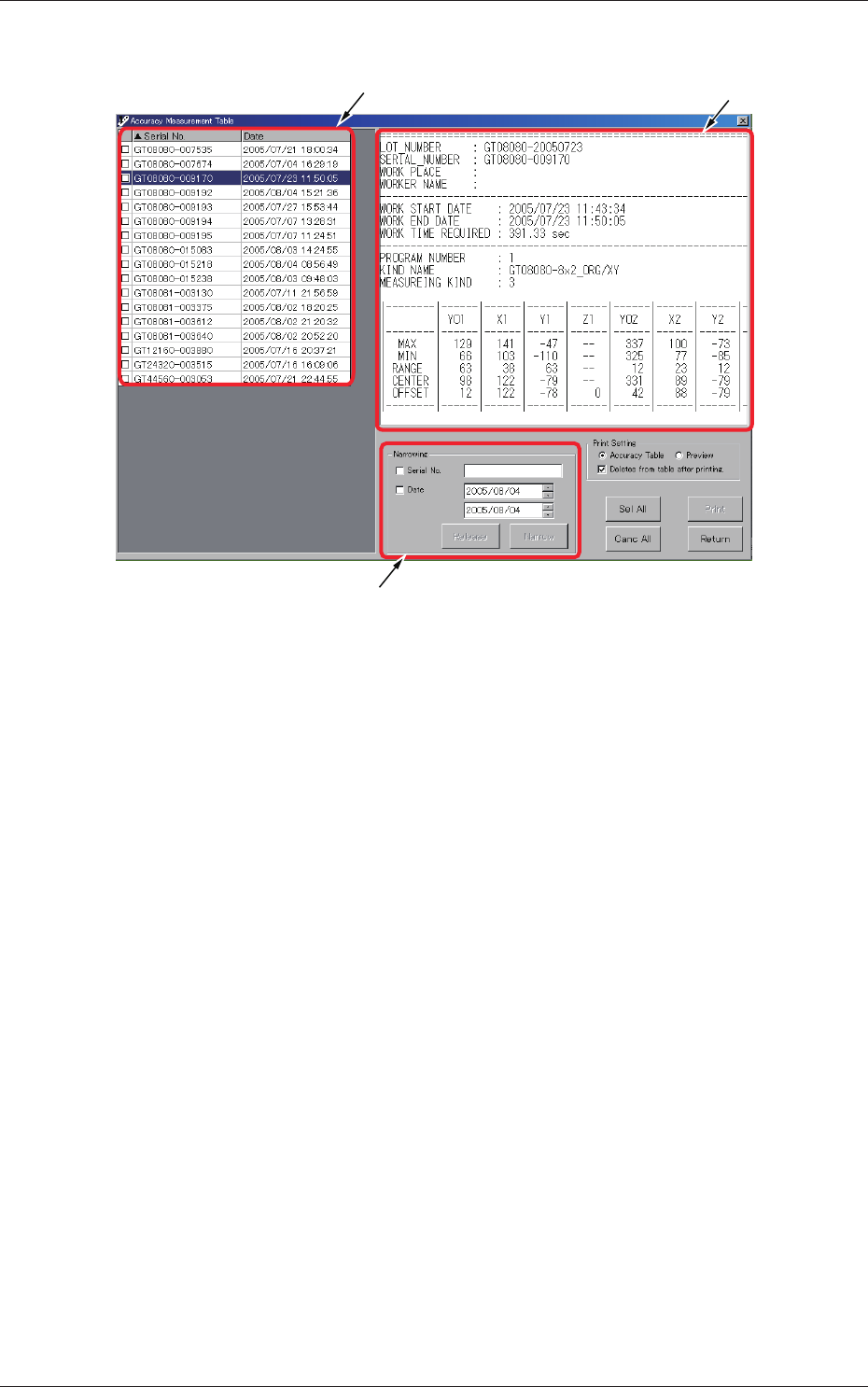
Fig. C20
[1] Inspection Result List
This is a list of inspection results that were passed by the inspection.
[2] Inspection Result Preview
This is a preview window that shows the results of the feeder inspection
related to the serial No. selected by the cursor in [1].
[3] Narrowing
The results of inspection to be displayed in the list can be narrowed by
the designated condition.
Serial No.
: Serial Nos. can be narrowed (text-based narrowing).
Date
: The date of inspection can be specied and narrowing can
be made based on the specied date.
Tick either one of the check boxes and then press the [Narrow] button.
Pressing the [Release] button cancels the narrowing.