Operating Manual.pdf - 第16页
4022 591 960 62 Operating Manual 02.0 2 FCM Mu ltif lex 14 General Mach ine Informatio n 2. W ait unti l th e main s cre en appear s SCREEN 2 3. SCREEN 3 4. Conn ect feeder tr olley t o loa ding unit. FIGURE 18 5. SCREEN…
4022 591 96062 Operating Manual
02.02 FCM Multiflex 13
General Machine Information
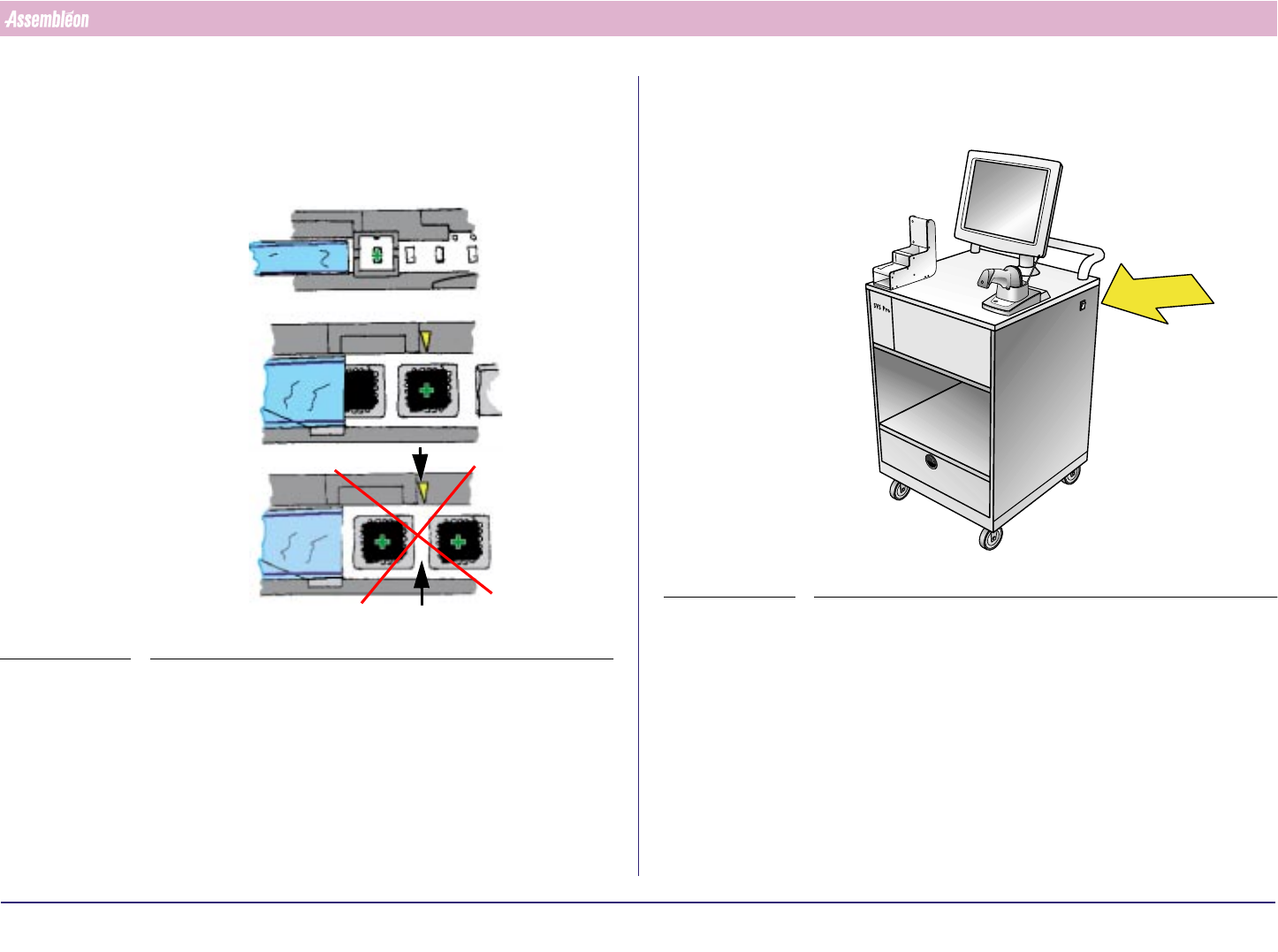
4. If the feeder is placed correctly into the feeder trolley, the green LED
blinks approximately 3 seconds where after it will remain ON contin-
uously.
5. Check and make sure that the first component is on the pick-up
position.
FIGURE 16
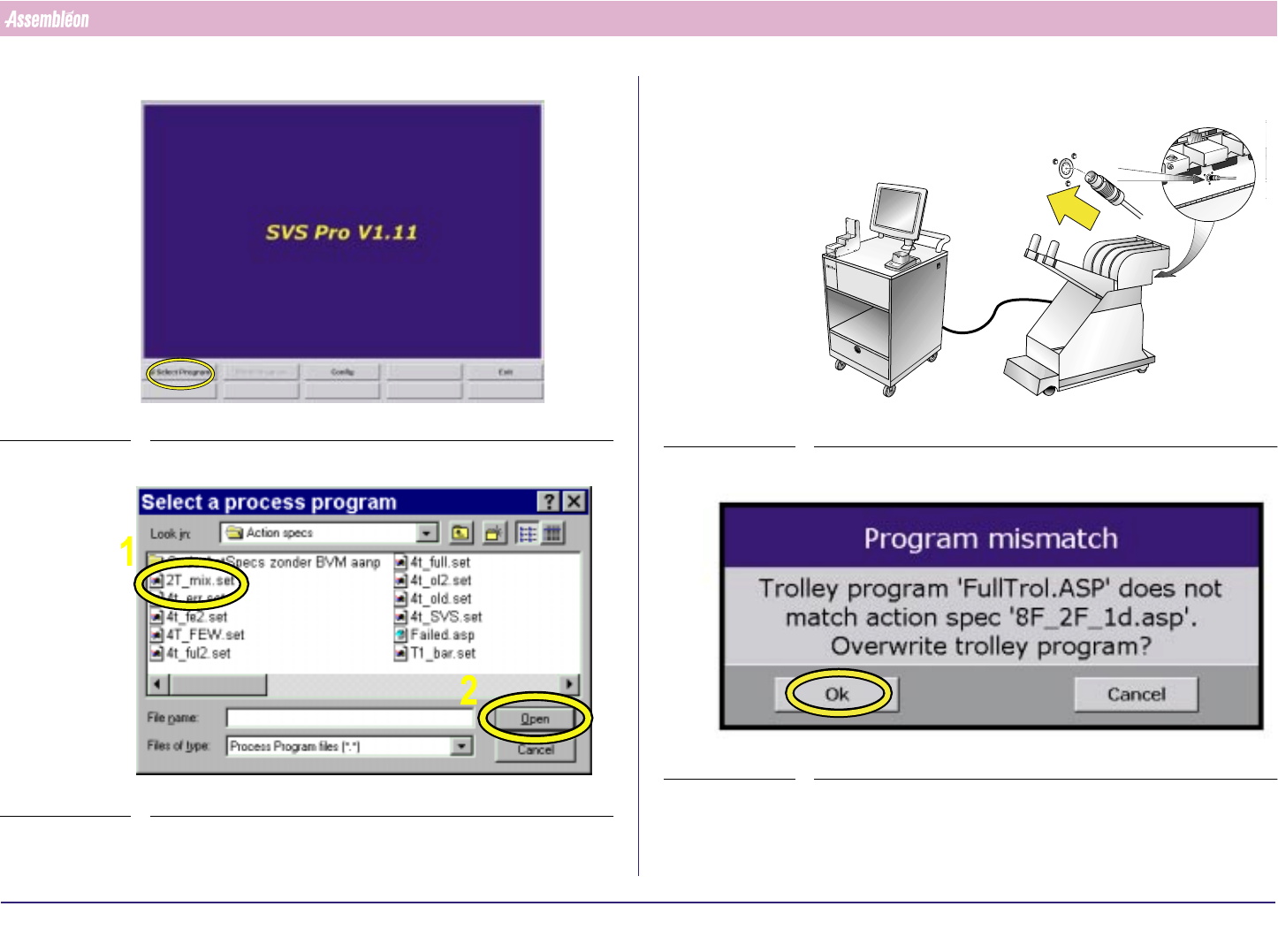
2.7.3.2 Feeder and Feeder Trolley Loading with SVS Pro
1. Switch on loading unit.
FIGURE 17
4022 591 96062 Operating Manual
02.02 FCM Multiflex 14
General Machine Information
2. Wait until the main screen appears
SCREEN 2
3.
SCREEN 3
4. Connect feeder trolley to loading unit.
FIGURE 18
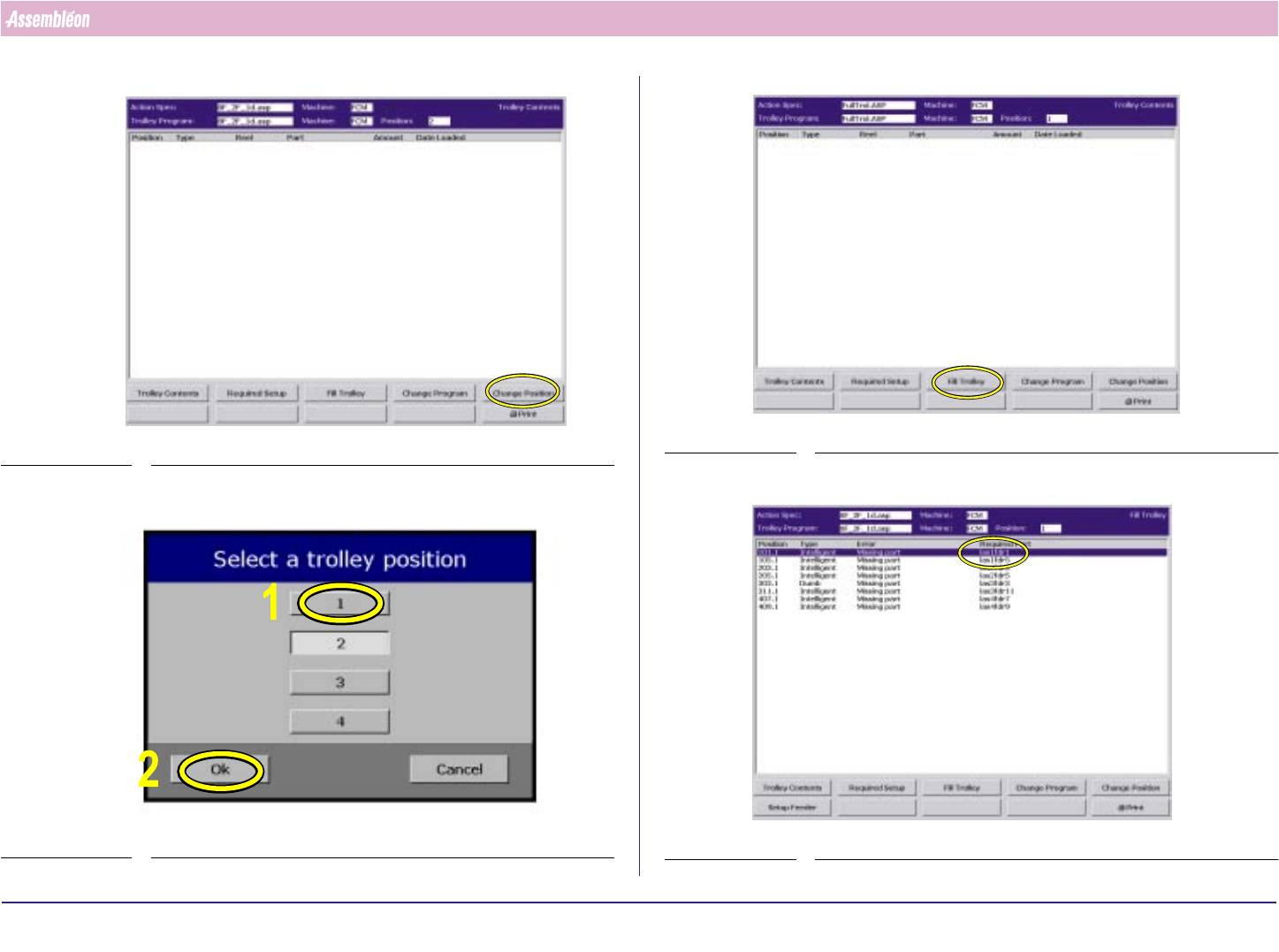
5.
SCREEN 4
4022 591 96062 Operating Manual
02.02 FCM Multiflex 15
General Machine Information
6.
SCREEN 5
7.
SCREEN 6
8.
SCREEN 7
9. Find component with first partnumber.
SCREEN 8