Operating Manual.pdf - 第43页
4022 591 960 62 Operating Manual 02.0 2 FCM Mu ltif lex 41 New Progr am Selection 8.2 Exchange MBS Carrier s and Set T r ansport Width 1. Re mo ve tr oll eys FIGURE 63 2. Open al l pla cemen t modul es, Ru n-in an d R un…
4022 591 96062 Operating Manual
02.02 FCM Multiflex 40
New Program Selection
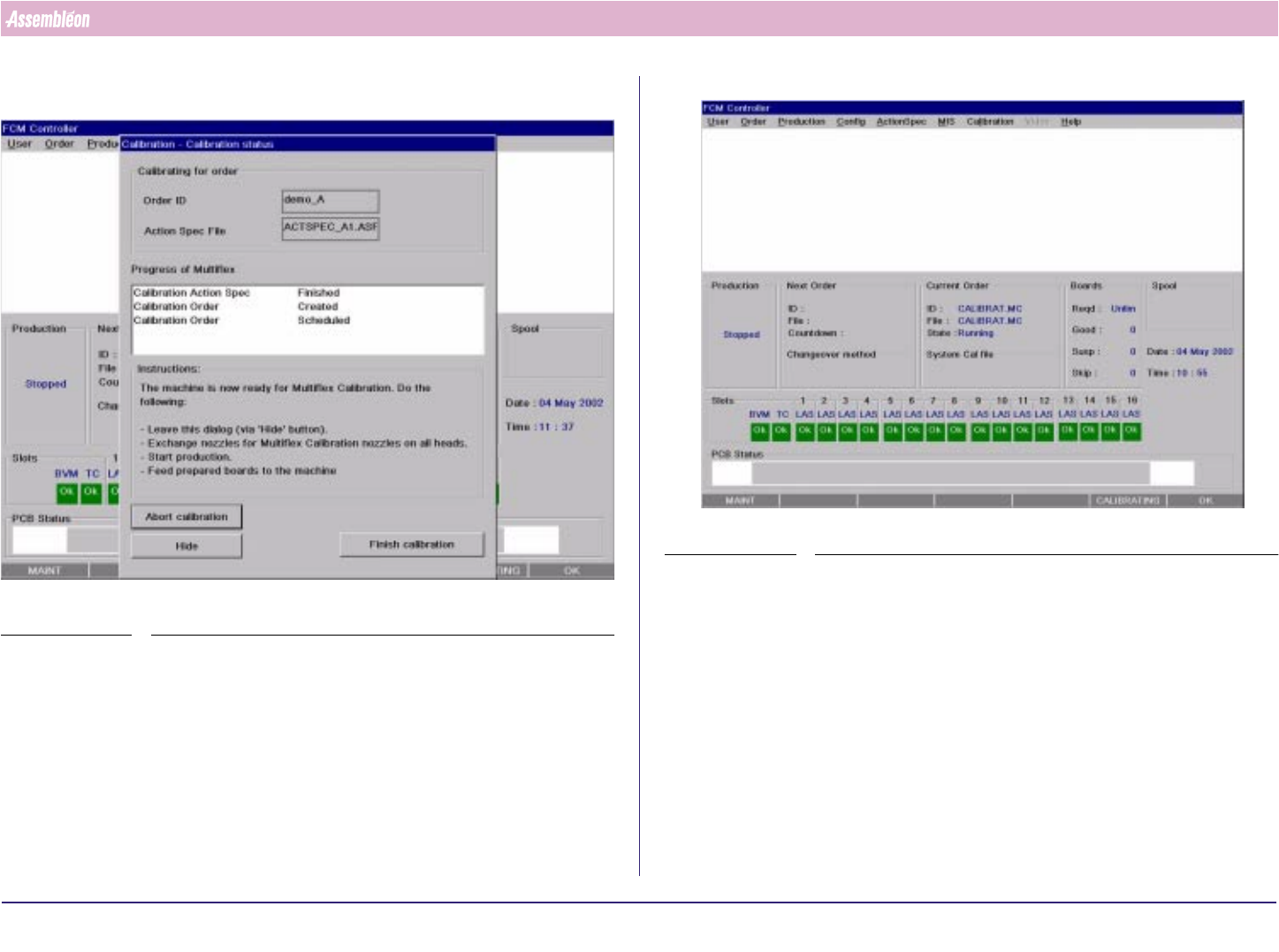
9. Select “Hide”and system is loaded with calibration actionspec.
SCREEN 25
SCREEN 26
4022 591 96062 Operating Manual
02.02 FCM Multiflex 41
New Program Selection
8.2 Exchange MBS Carriers and Set Transport Width
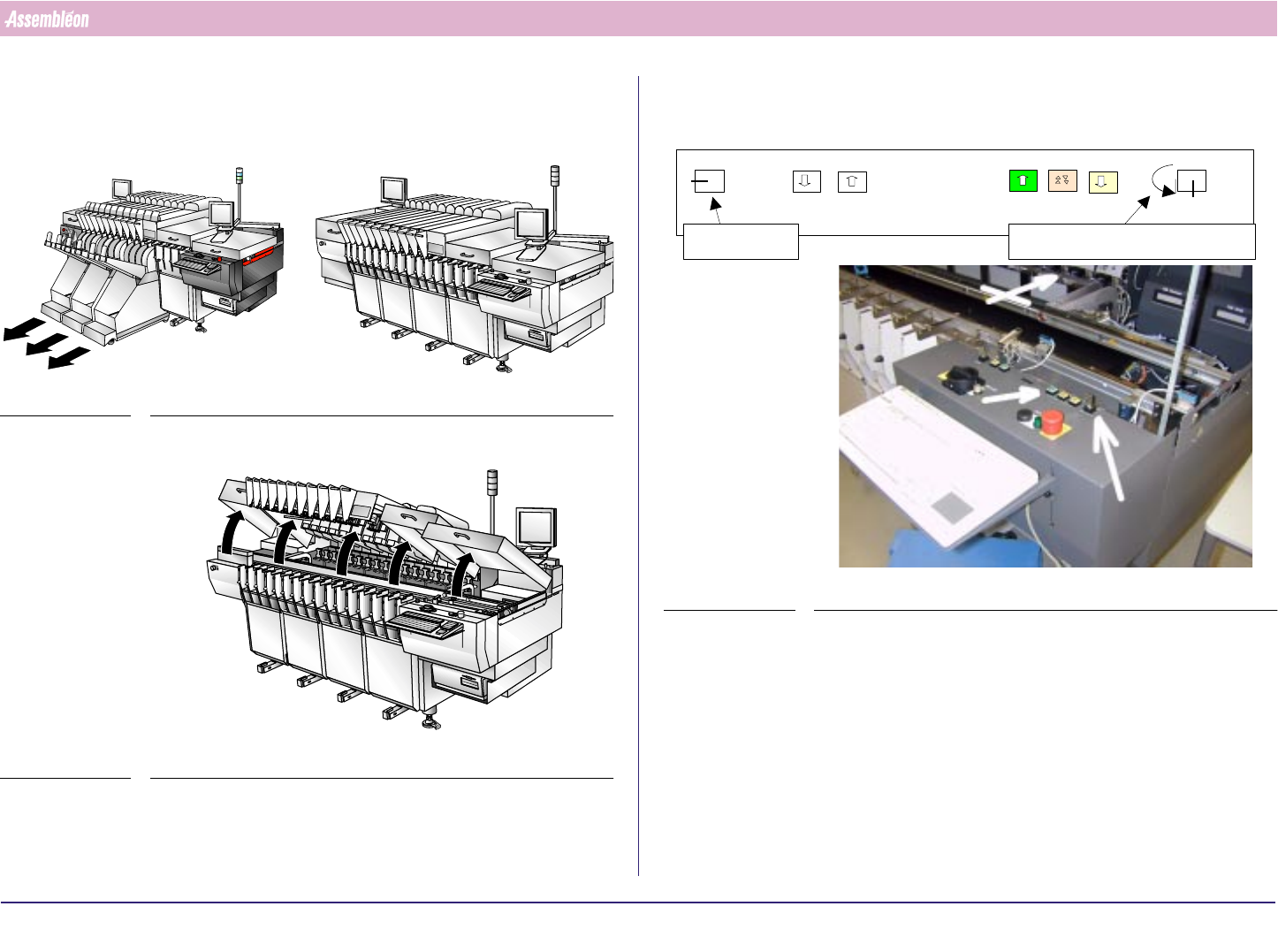
1. Remove trolleys
FIGURE 63
2. Open all placement modules, Run-in and Run-out covers
FIGURE 64
3. Move the transport all the way to the rear end using the push button
FIGURE 65
0
1
Off situation
Service key Width/Height adjustment key
Height
Width
Off
Height
Width
4022 591 96062 Operating Manual
02.02 FCM Multiflex 42
New Program Selection
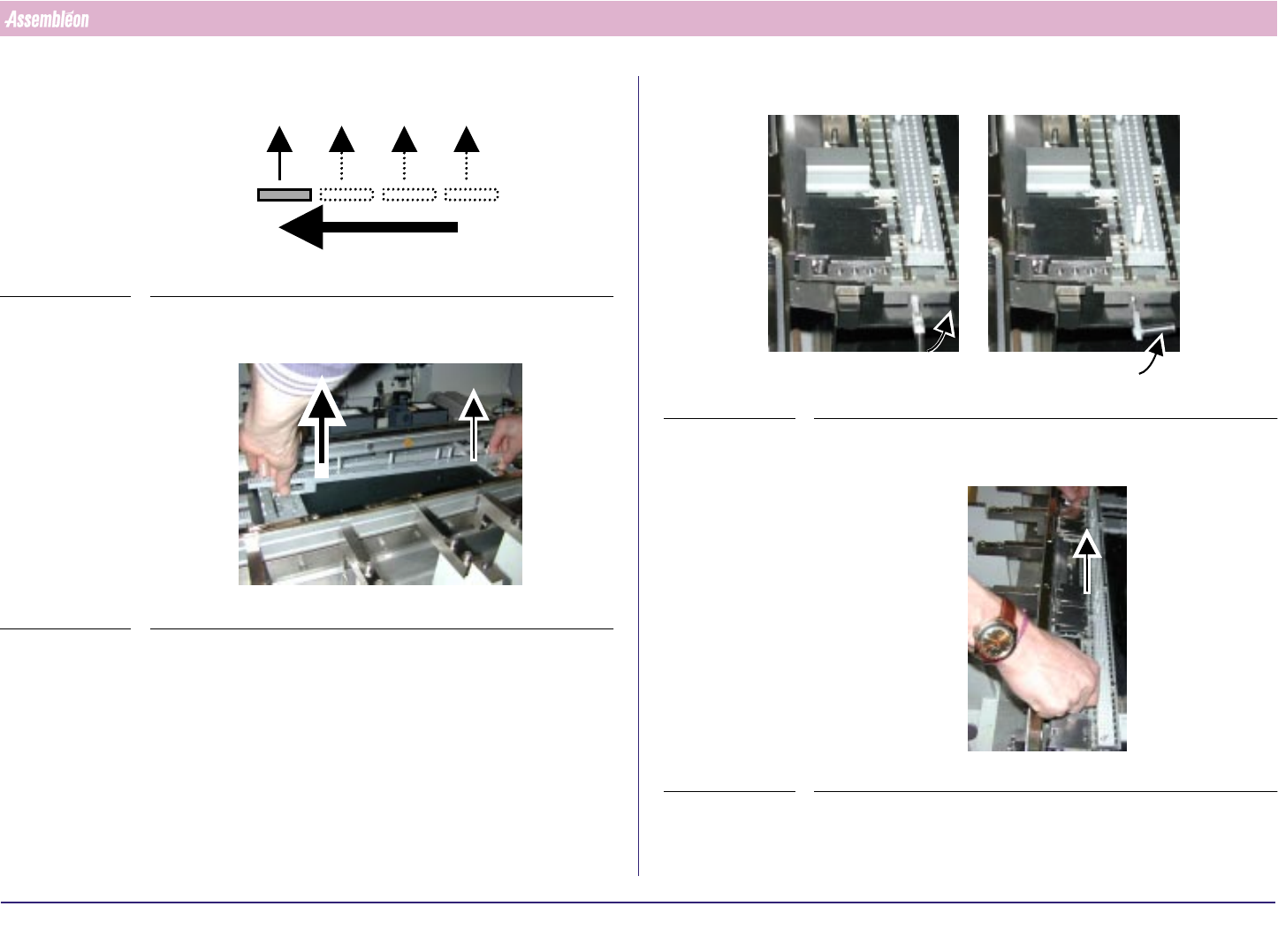
4. The sequence for removing the MBS is from Run out side to Run in side
FIGURE 66
5. Remove the support strips and place it in its storage case
FIGURE 67
6. Lift the quick lock handle(s) of the last (section 4) base interface
FIGURE 68
7. Remove the positioning strip(s) and place it in its storage case
FIGURE 69