Operating Manual.pdf - 第29页
4022 591 960 62 Operating Manual 02.0 2 FCM Mu ltif lex 27 Switch-On Procedure 10. FIGURE 44 11.Pu sh the serv o butt on. FIGURE 45 12.Check if ser vo p ow er indicat or is on. (If not check if the run-in and run-ou t co…
4022 591 96062 Operating Manual
02.02 FCM Multiflex 26
Switch-On Procedure
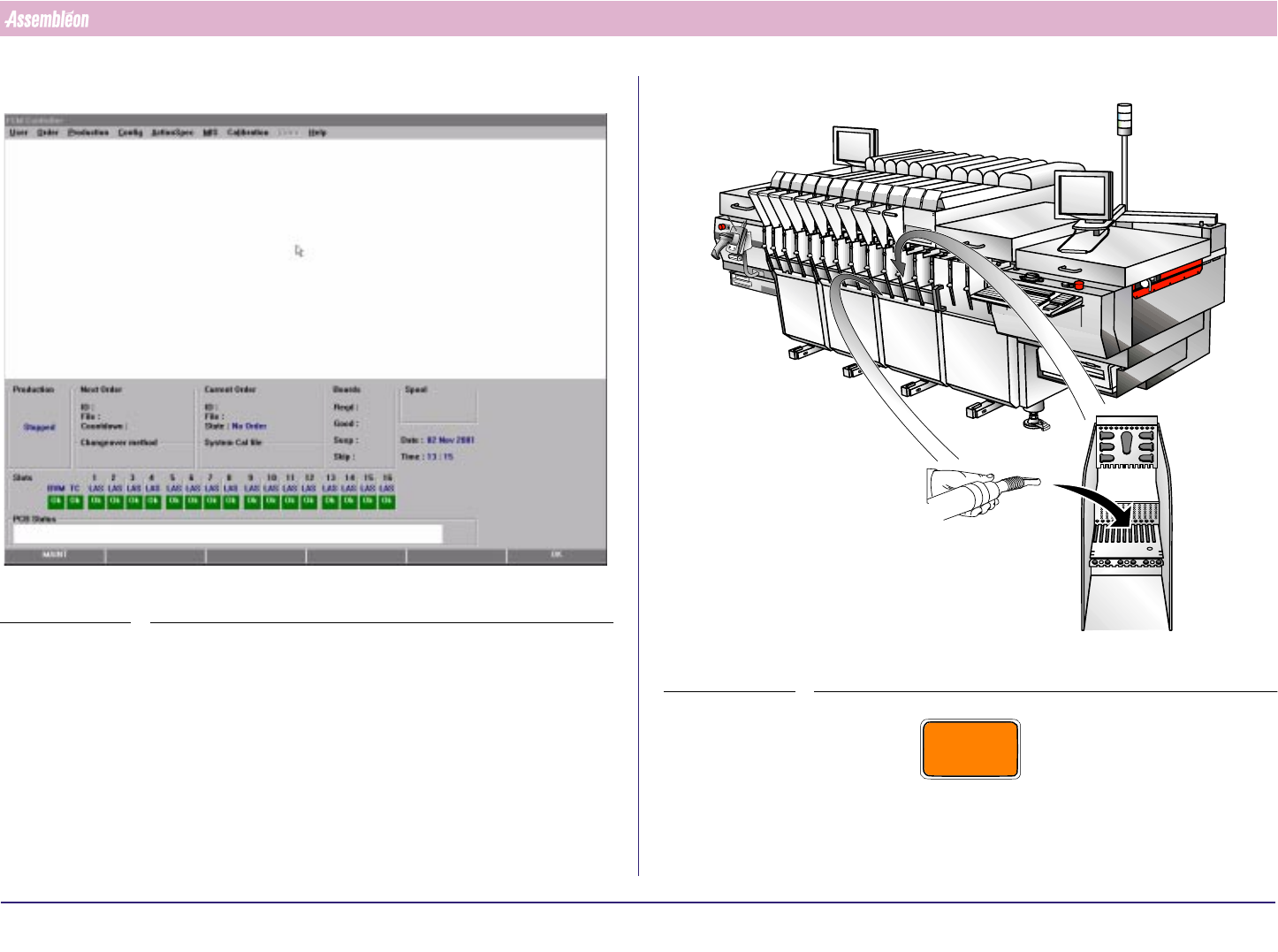
8. Wait until the main screen appears.
SCREEN 19
9.
FIGURE 43
CAUTION
NEVER USE COMPRESSED AIR FOR CLEANING. (WASTE WOULD BE
BLOWN INTO FINE MECHANICAL PARTS, CAUSING DAMAGE AND
MALFUNCTIONING OF THE FCM.)
4022 591 96062 Operating Manual
02.02 FCM Multiflex 27
Switch-On Procedure
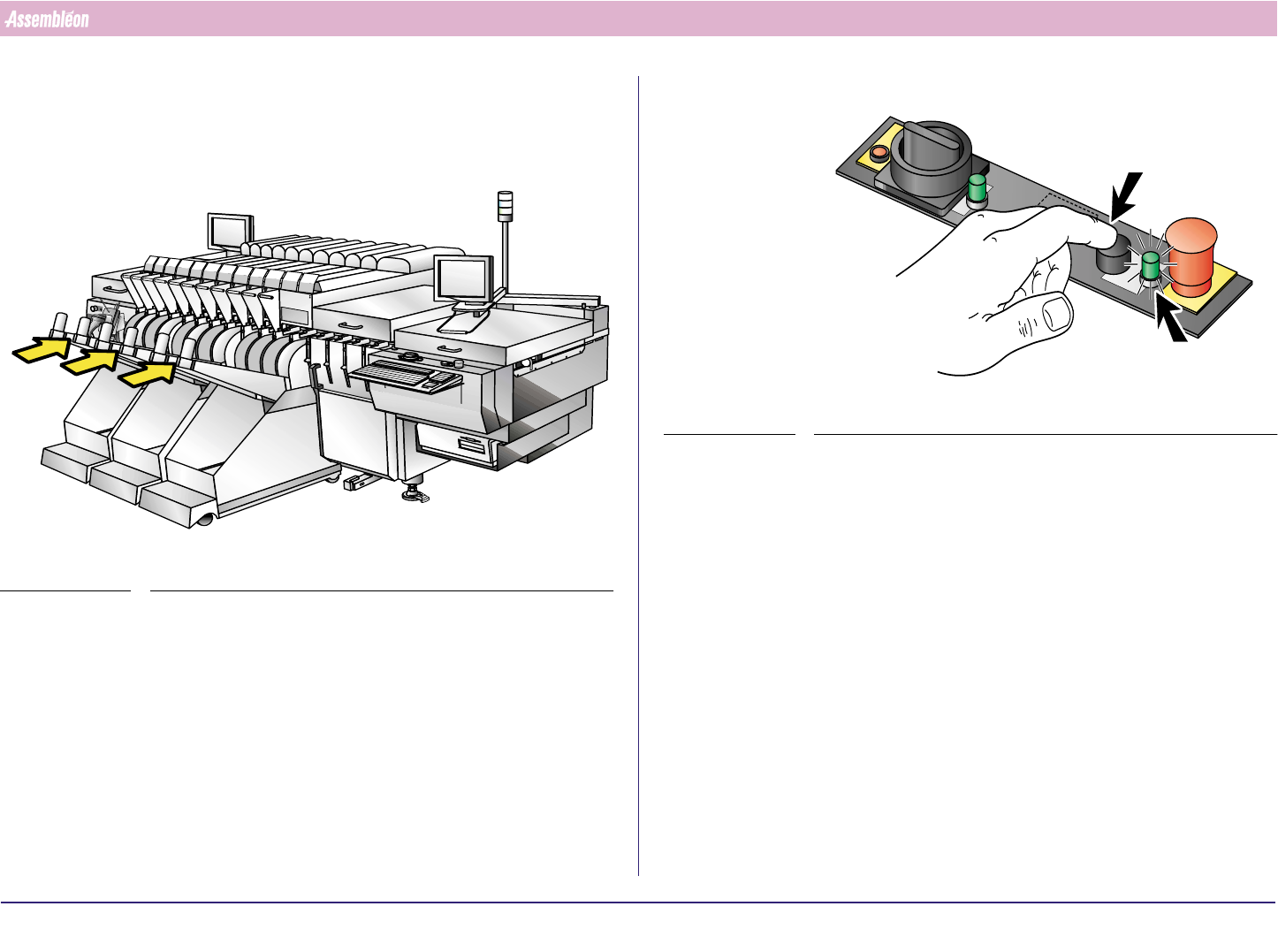
10.
FIGURE 44
11.Push the servo button.
FIGURE 45
12.Check if servo power indicator is on.
(If not check if the run-in and run-out cover, all placement modules and
safety caps are closed and feeder trolleys and safety covers placed on the
FCM.)
CHECK
2
1
4022 591 96062 Operating Manual
02.02 FCM Multiflex 28
Switch-On Procedure
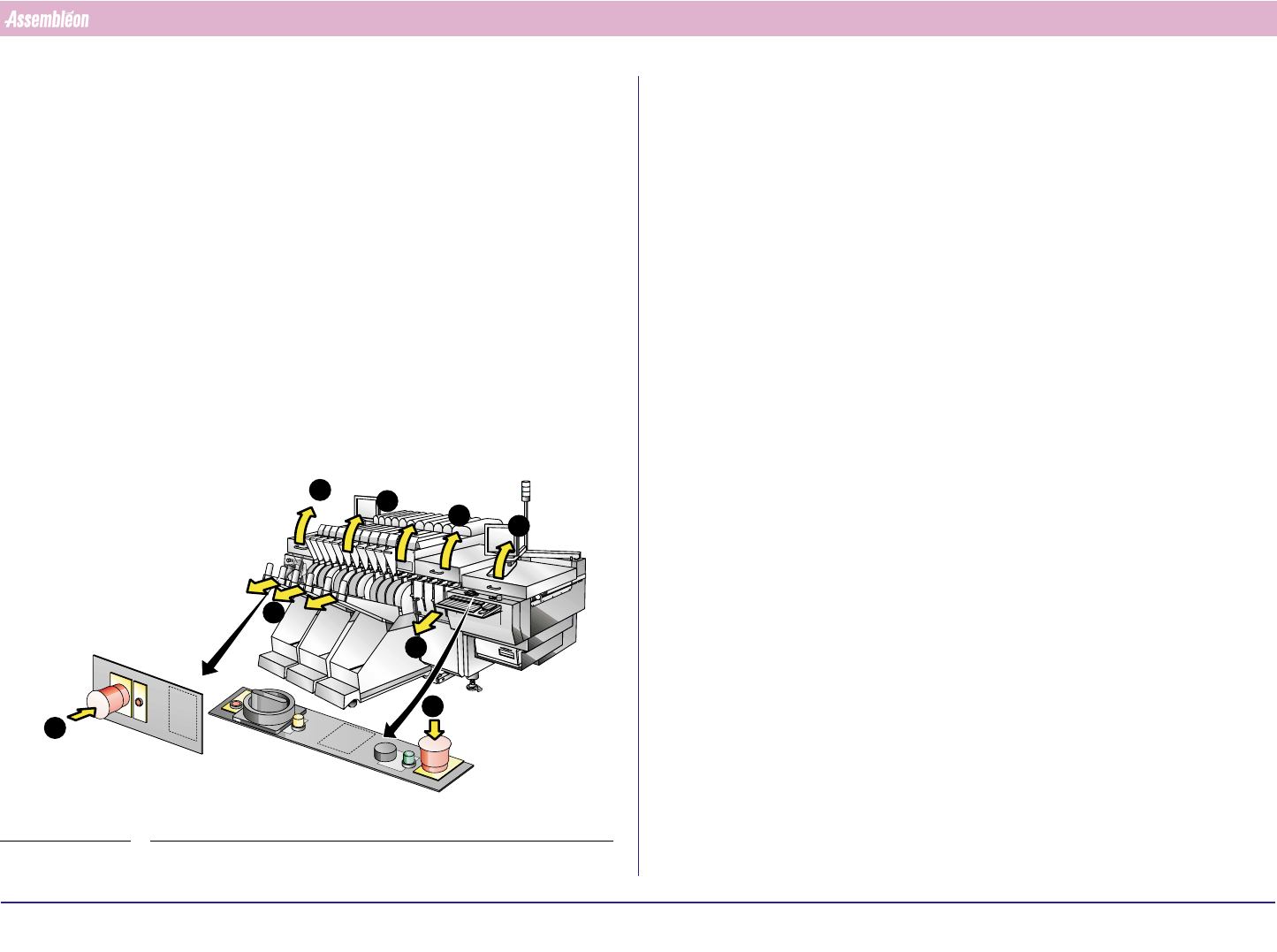
13.Safety switches check
■ Check if the servo power indicator turns off after:
1. Pushing each individual emergency stop button.
2. Removing each individual feeder trolley.
3. Opening each individual placement module.
4. Opening the run-in cover.
5. Opening the run-out cover.
6. Opening each individual safety cap (if present).
7. Removing each individual safety cover (if present).
Push the servo power button after each check.
FIGURE 46
7
6
55
4
3
2
1
1