Operating Manual.pdf - 第53页
4022 591 960 62 Operating Manual 02.0 2 FCM Mu ltif lex 51 New Progr am Selection 8.4.2 Run-Out Section and Anti Collision Sensor 1. Sele ct “ Us er ” - “ Main tenance/ Service fun ction s ”-“ TC ” SCREEN 30 2. Sel ect “…
4022 591 96062 Operating Manual
02.02 FCM Multiflex 50
New Program Selection
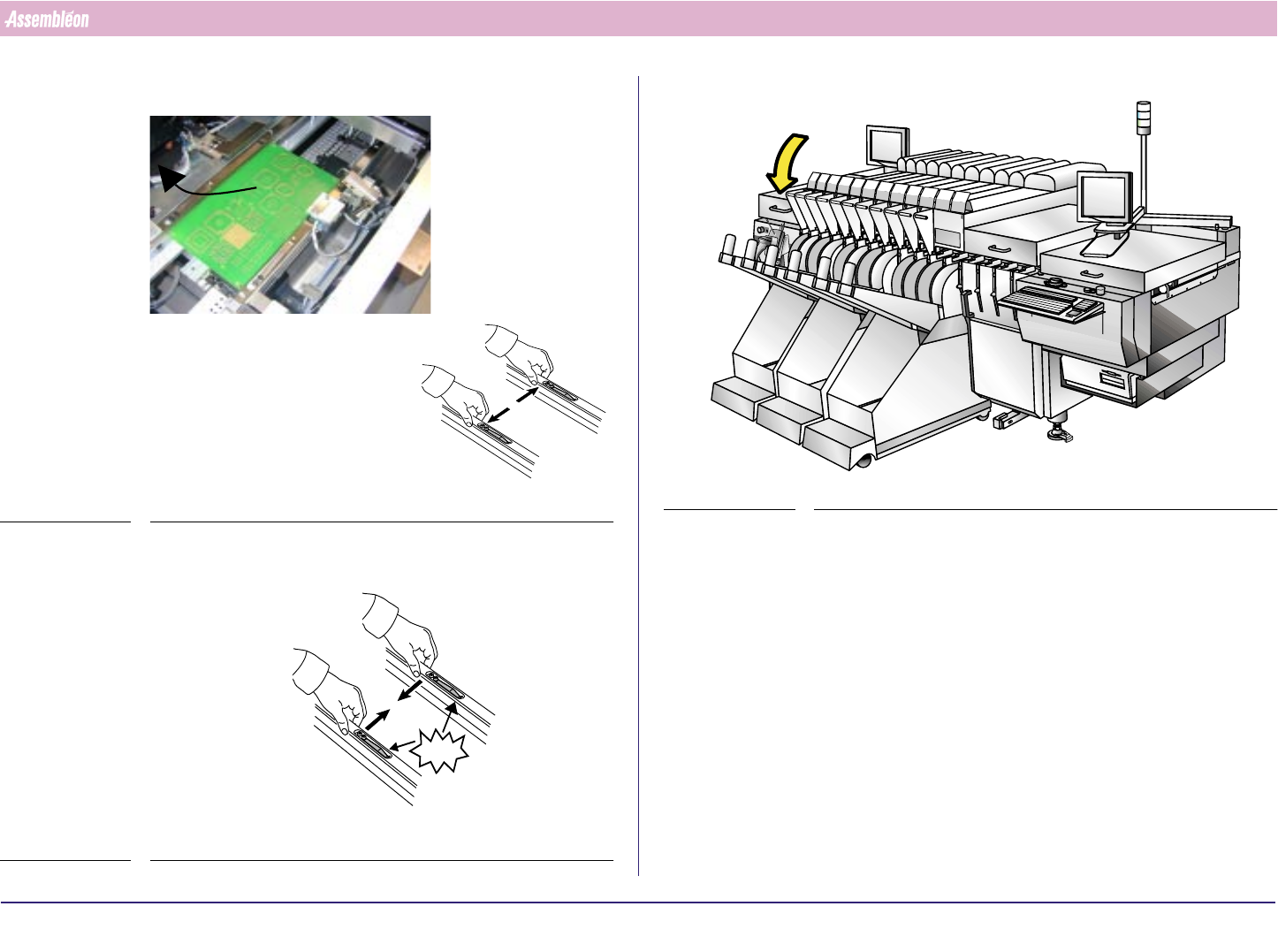
11.Remove the board by pushing the strips outwards
FIGURE 87
12.Push the strips back
FIGURE 88
CLICK!CLICK!
13.Close the Run-in Cover
FIGURE 89
4022 591 96062 Operating Manual
02.02 FCM Multiflex 51
New Program Selection
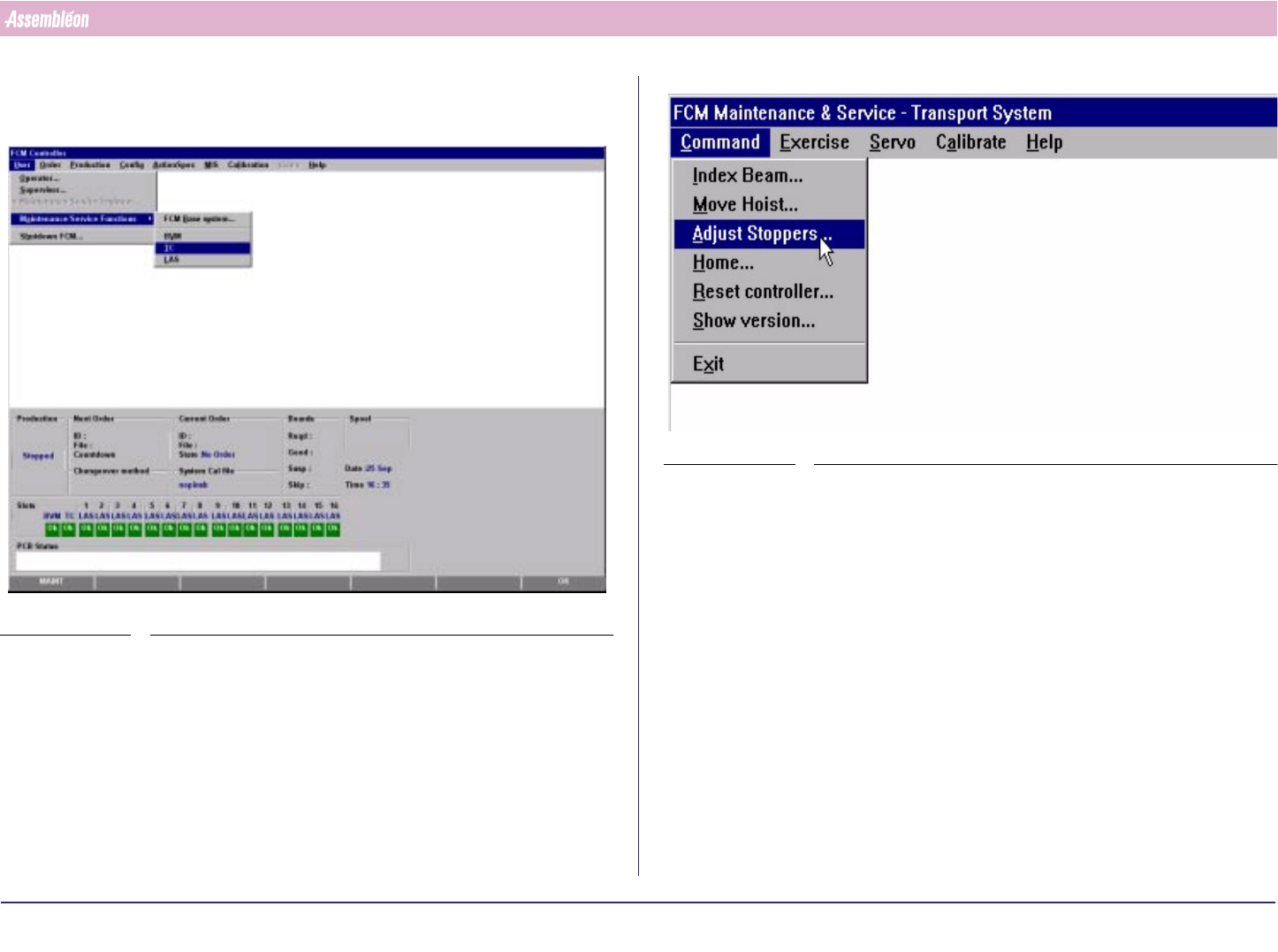
8.4.2 Run-Out Section and Anti Collision Sensor
1. Select “User” - “Maintenance/Service functions”-“TC”
SCREEN 30
2. Select “Command” - “Adjust stopper”
SCREEN 31
4022 591 96062 Operating Manual
02.02 FCM Multiflex 52
New Program Selection
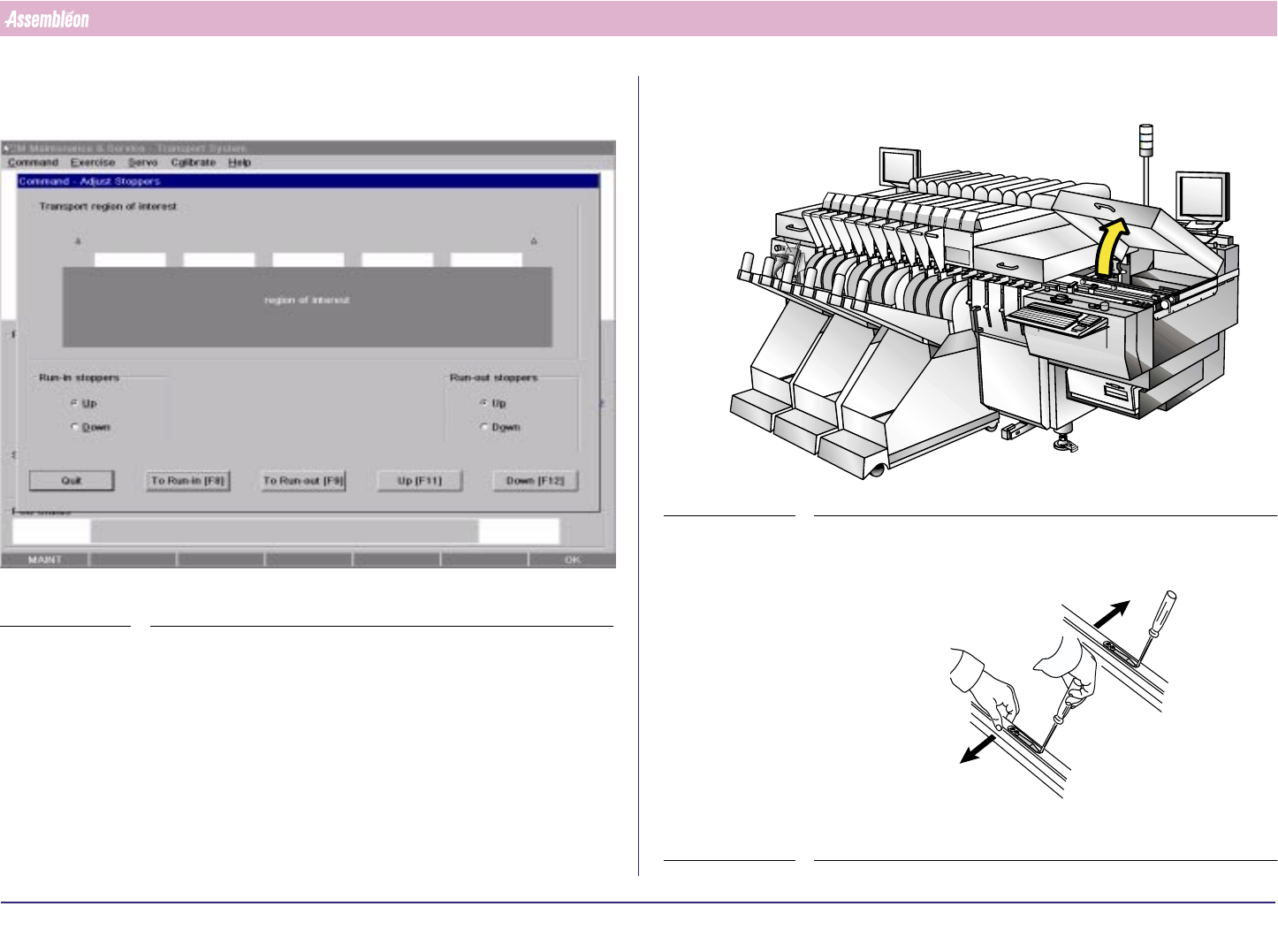
3. Select Run-out F9 and hoist in “up” position (F11) (attention: transport
starts moving)
SCREEN 32
4. Open the Run-out cover
FIGURE 90
5. Unlock the guide strips
FIGURE 91