Operating Manual.pdf - 第24页
4022 591 960 62 Operating Manual 02.0 2 FCM Mu ltif lex 22 General Mach ine Informatio n 3. If con figured: sca n operator ID . SCREEN 17 4. SCREEN 18 5. Con tin ue with 2.7.3.5. 2.7.3.5 F eeder Unloading with Conv entio…
4022 591 96062 Operating Manual
02.02 FCM Multiflex 21
General Machine Information
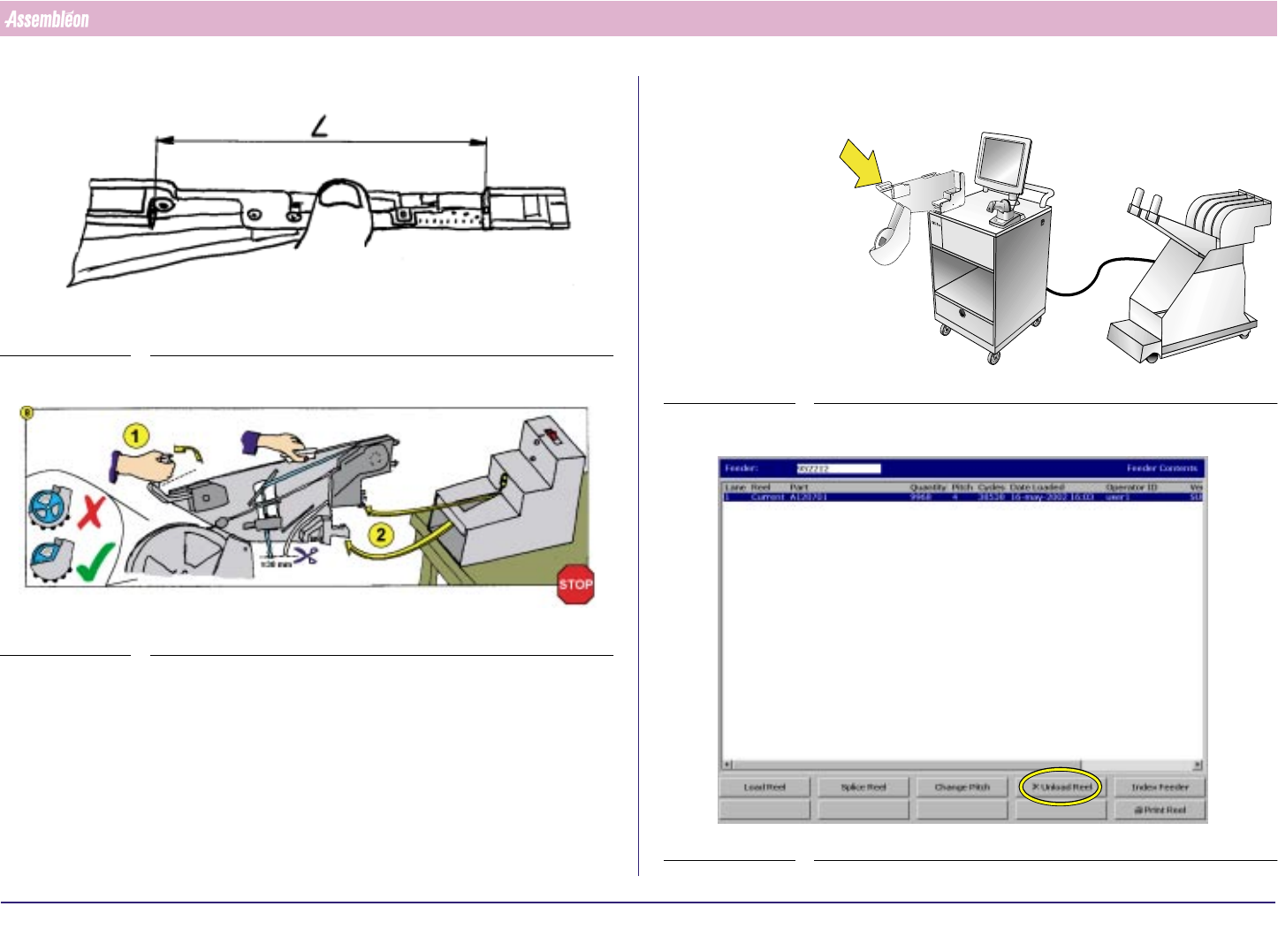
7.
FIGURE 31
8.
FIGURE 32
2.7.3.4 Feeder Unloading with SVS Pro
1. Place feeder on feeder loading position.
FIGURE 33
2.
SCREEN 16
4022 591 96062 Operating Manual
02.02 FCM Multiflex 22
General Machine Information
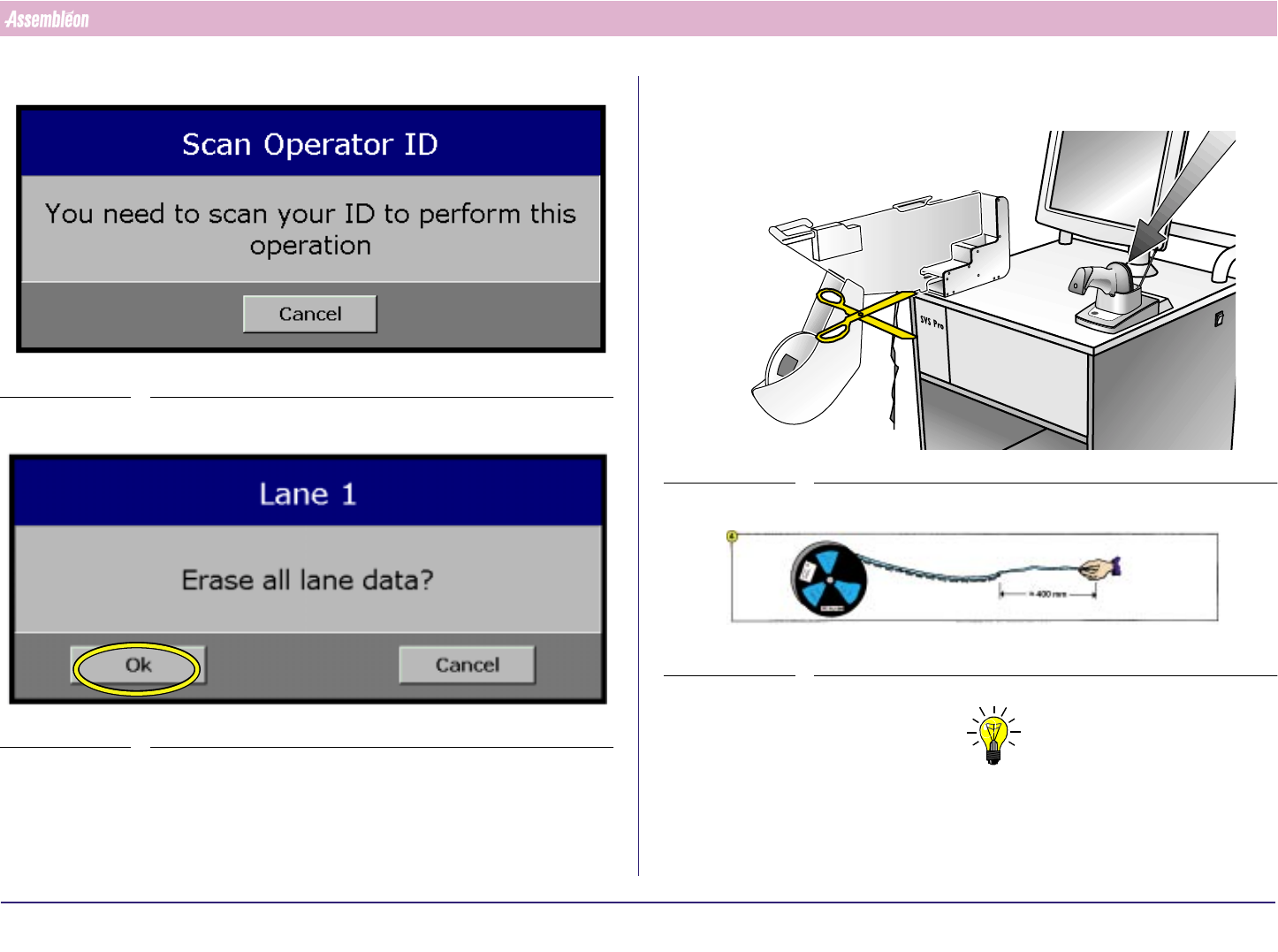
3. If configured: scan operator ID.
SCREEN 17
4.
SCREEN 18
5. Continue with 2.7.3.5.
2.7.3.5 Feeder Unloading with Conventional Loading Unit
1. General: feeder unloading is done in the reverse order of feeder loading.
FIGURE 34
FIGURE 35
NOTE
Losing large components costs much money. To save as much
components as possible, leave at least 400 mm empty tape.
4022 591 96062 Operating Manual
02.02 FCM Multiflex 23
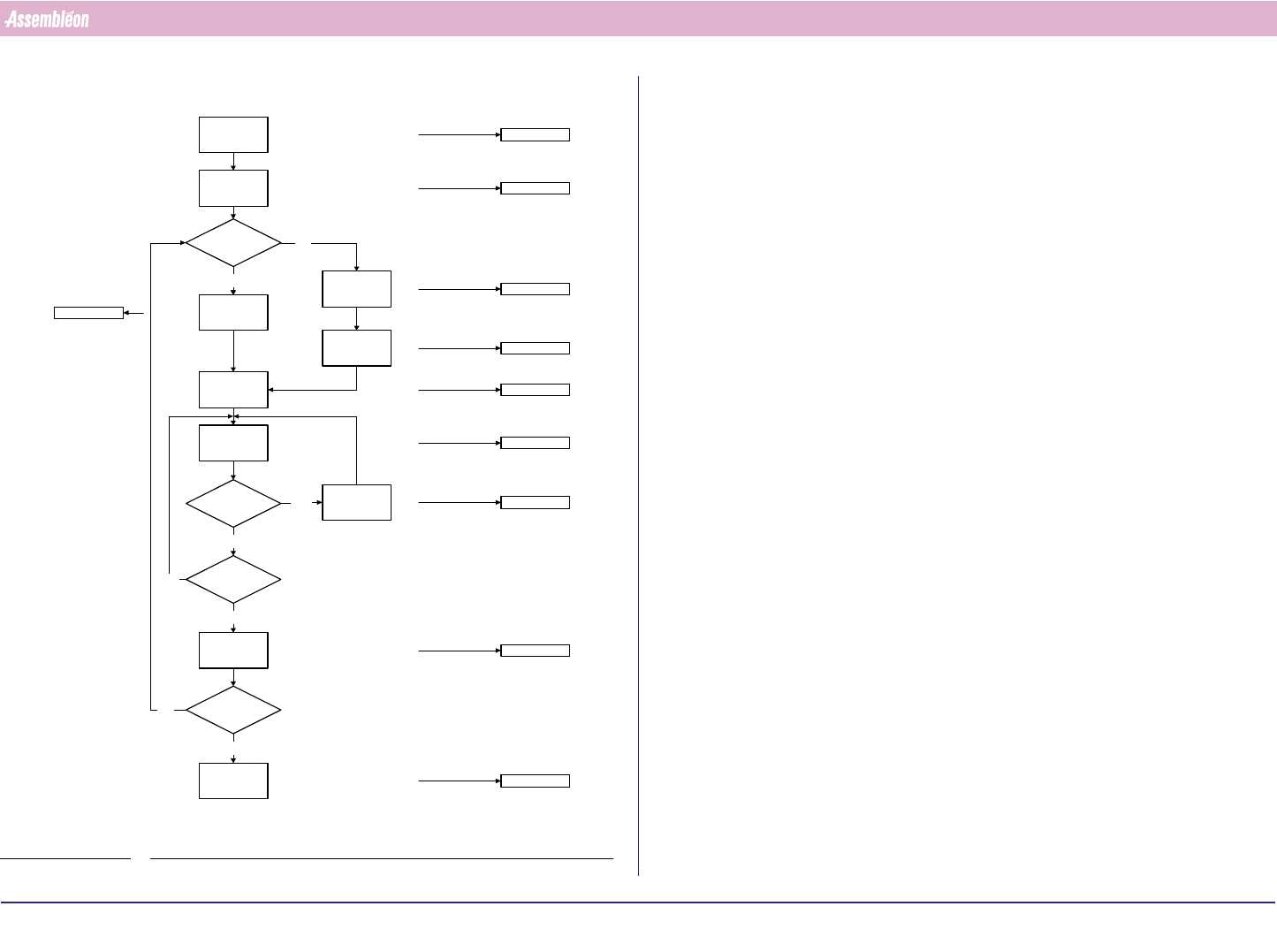
Work-Flow Overview
CHAPTER 3 Work-Flow Overview
FIGURE 36
Switch-On
Procedure
Running
Production
Error
Handling
Start
Production
Procedure
Off Line
Preparation
New
Program
Selection
Current
Program
Selection
Pre-Start
Inspections
Same
Production?
Error?
Shut-Down
Procedure
Yes
Yes
No
Yes
No
No
Chapter 4
Chapter 5
Chapter 7
Chapter 8
Chapter 9
Chapter 10
Chapter 11
Chapter 12
Chapter 6
Chapter 13
Stop
Production?
Stop
Production
Shut down?
Yes
No