Operating Manual.pdf - 第41页
4022 591 960 62 Operating Manual 02.0 2 FCM Mu ltif lex 39 New Progr am Selection 4. If “ calibr ation re quir ed = Y es ” than pres s “ Qu it ” and con tinue with step 8 else contin ue with parag raph 8.2 SCREEN 23 5. S…
4022 591 96062 Operating Manual
02.02 FCM Multiflex 38
New Program Selection
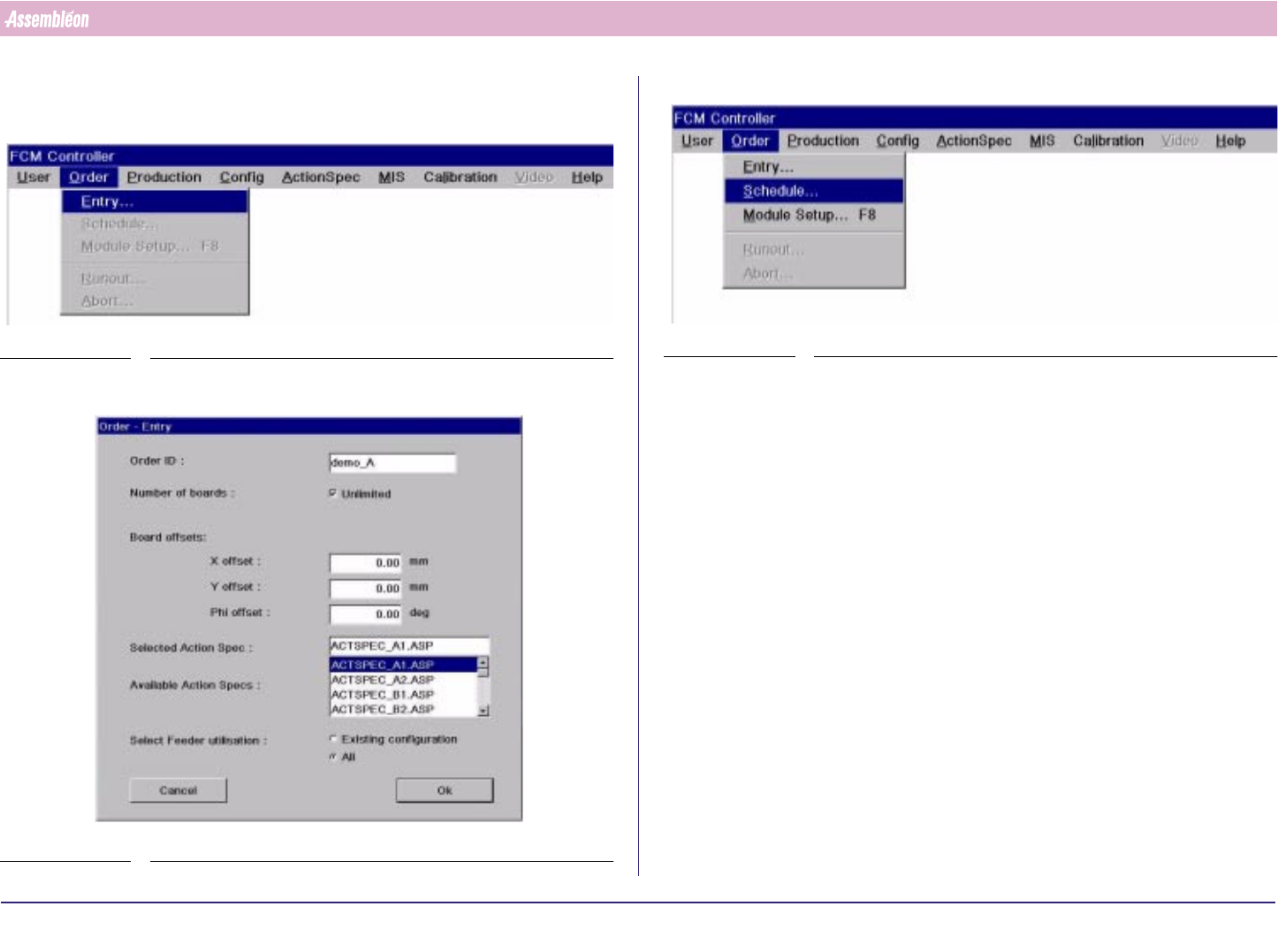
8.1.1 Order Entry & Scheduling
1. Select “Order” - “Entry”
SCREEN 20
2. Type “Order ID”, select “Action spec” and select “OK”.
SCREEN 21
3. Select “Order” - “Schedule”
SCREEN 22
4022 591 96062 Operating Manual
02.02 FCM Multiflex 39
New Program Selection
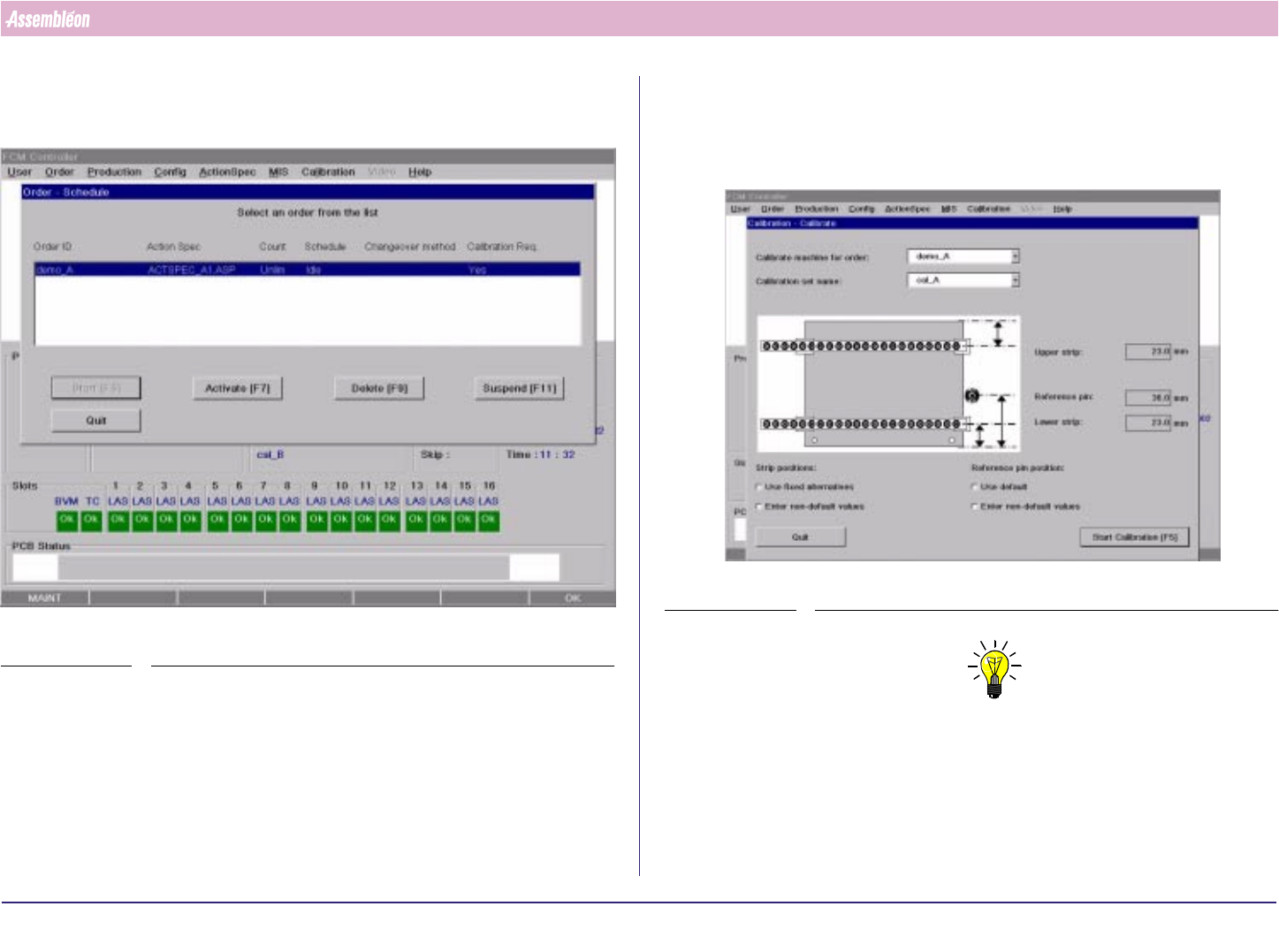
4. If “calibration required = Yes” than press “Quit” and continue with step 8
else continue with paragraph 8.2
SCREEN 23
5. Select “Calibration” from menubar.
6. Select Order ID at “Calibrate machine for order”
7. Type “Calibration set name “
8. Select “Start Calibration”
SCREEN 24
NOTE
The following menu items are described in the User Reference Manual:
1. Strip positions:
- Use fixed alternatives
- Enter non-default values
2. Reference pin position:
- Use default
- Enter non-default values
4022 591 96062 Operating Manual
02.02 FCM Multiflex 40
New Program Selection
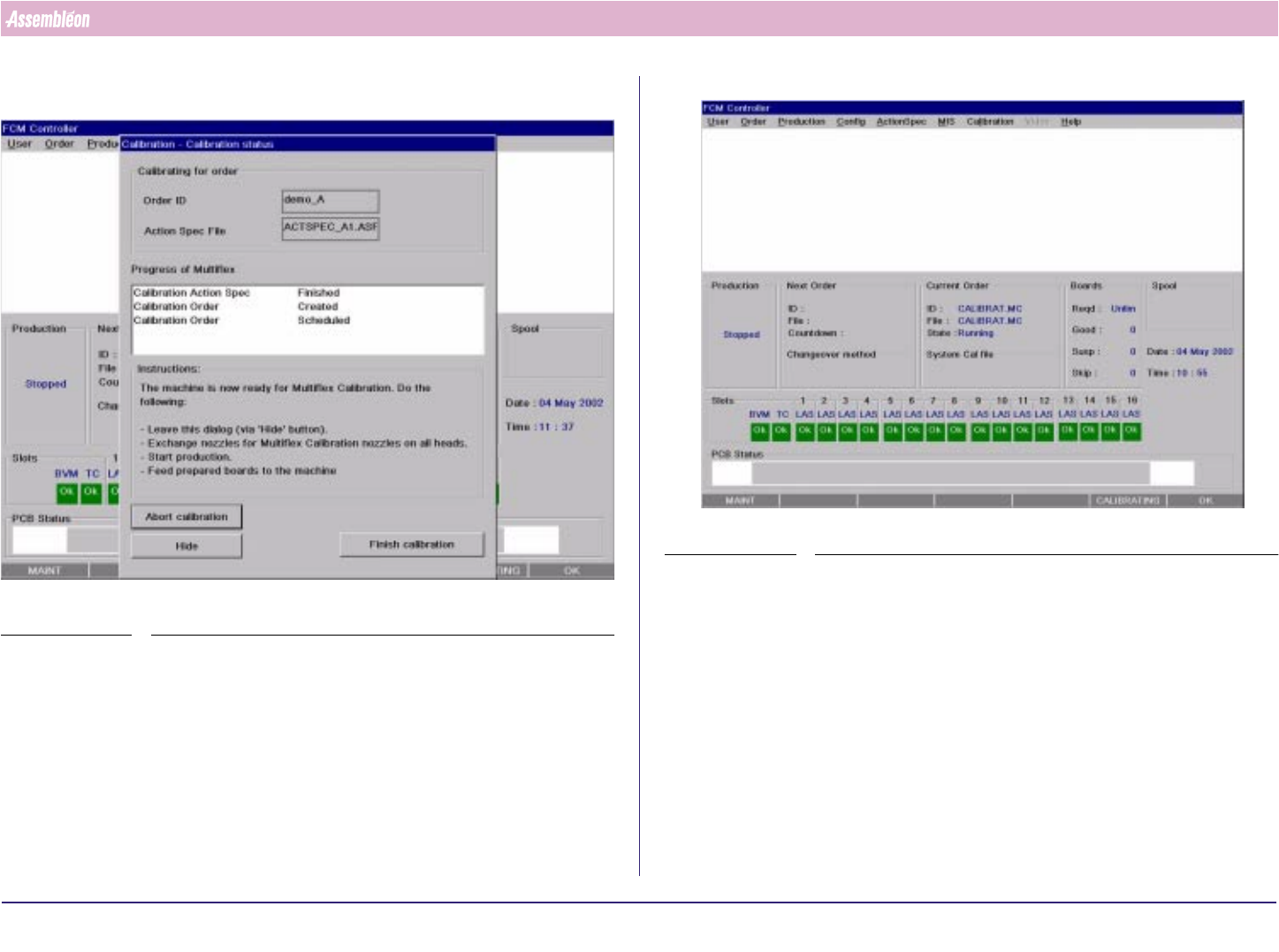
9. Select “Hide”and system is loaded with calibration actionspec.
SCREEN 25
SCREEN 26