'操作说明 Hotflow THREE_26_zh.pdf - 第504页
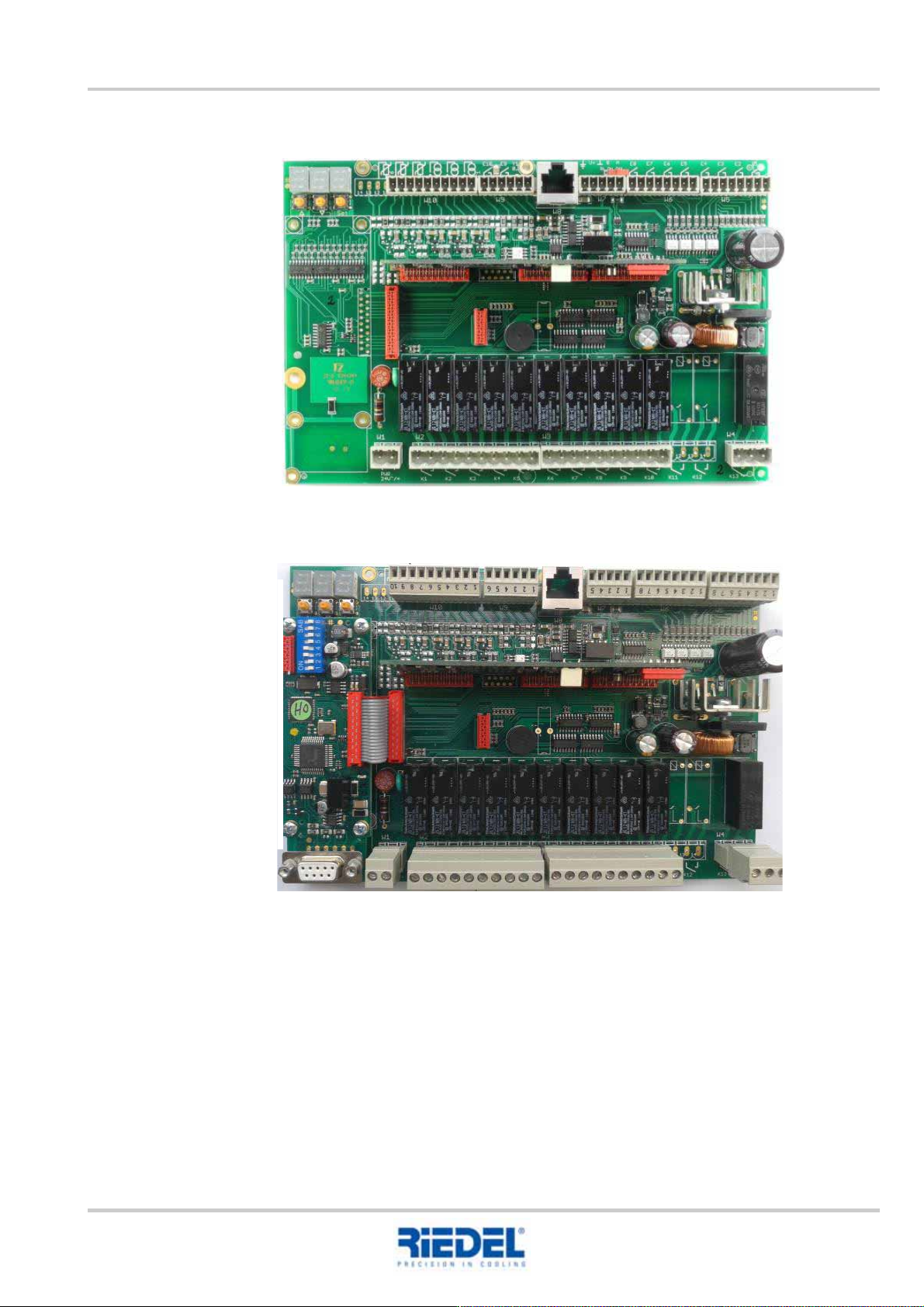
T ranslation of the original ENGLISH 1 1. OPERA TION 451820.66.03_EN 2020-05-05 47 1 1.3 RCB circuit board/display RCB – without Profibus RCB – with Profibus
11. OPERATION ENGLISH Translation of the original
46
451820.66.03_EN
2020-05-05
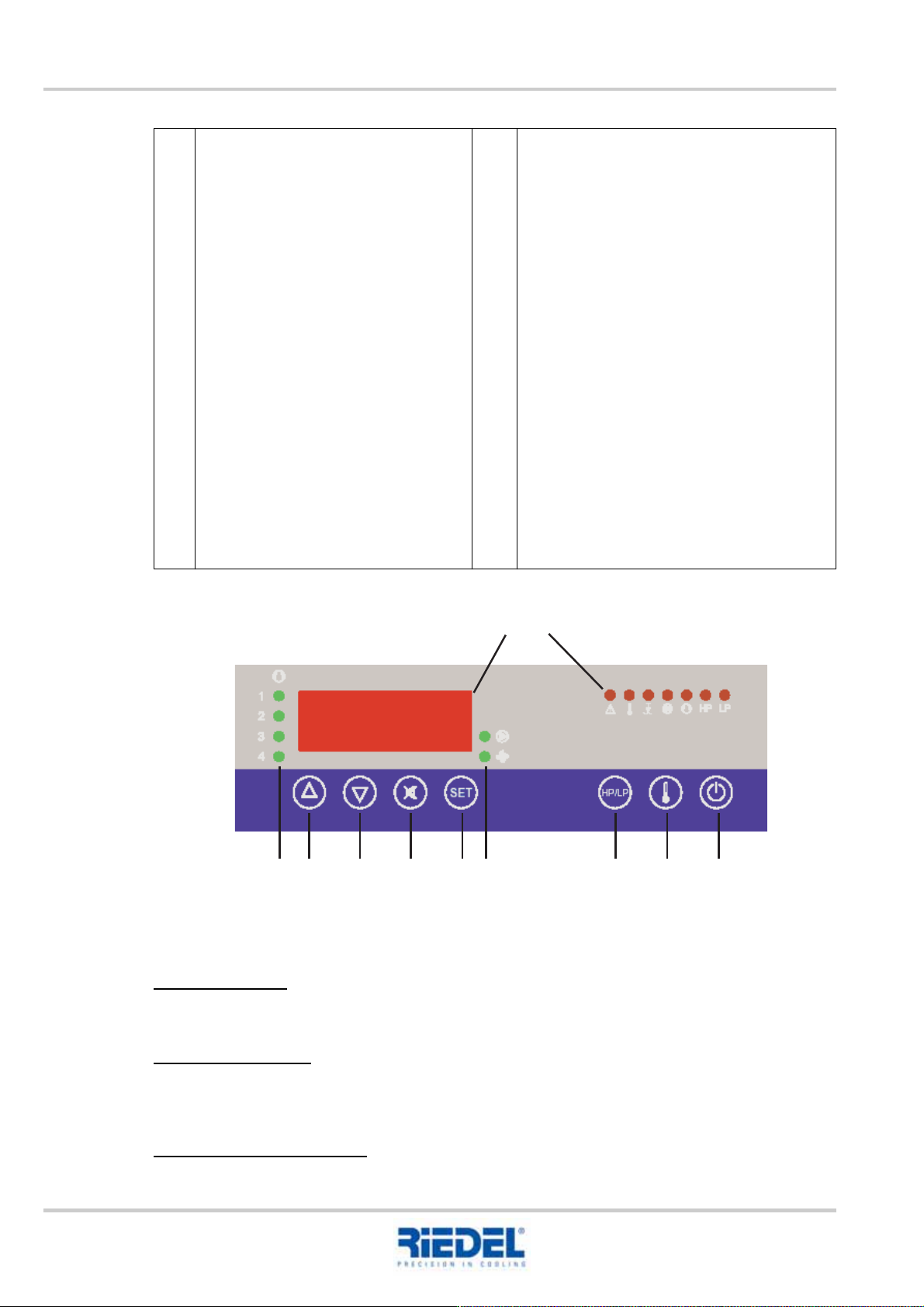
11.2 Control and operating unit ST 181
Control and operating unit ST 181
Actual values
Version with tank:
In the basic state, the flow temperature of the water circuit is shown in the display.
Version without tank:
In the basic state, the return temperature of the water circuit is shown in the display.
The "Temperature" key (item 10) can be used to display the flow temperature.
Adjusting the setpoint value:
To configure the setpoint value, press the SET key as well as the UP or DOWN key.
1
2
3
4
5
6
Display
Status displays alarm
Collective alarm
Temperature alarm
Water shortage
Pump
Cooling
High pressure HP
Low pressure LP
Control stages
1 Control stage 1 on
2 Control stage 2 on
3 Control stage 3 on
4 Control stage 4 on
UP key
Increase setpoint value or parameter
value
DOWN key
Decrease setpoint value or parameter
value
Horn key
Press once horn off
Press twice acknowledge alarm
7
8
9
10
11
SET call up the setpoint value
S1 (compressor control)
S2 (PID setpoint value)
Status displays
Pump
Fan
HP/LP key
Measured value HP sensor -> hold down
HP/LP key
Measured value LP sensor -> hold down
HP/LP + DOWN key
Temperature key
Measured value sensor F5 -> hold down
"Temperature" key
Measured value guide value sensor -> hold
down "Temperature" key + DOWN key
Measured value flow sensor -> hold down
"Temperature" key + UP key
Stand by key
Controller on/off
12
345678 91011
Translation of the original ENGLISH 11. OPERATION
451820.66.03_EN
2020-05-05
47
11.3 RCB circuit board/display
RCB – without Profibus
RCB – with Profibus
11. OPERATION ENGLISH Translation of the original
48
451820.66.03_EN
2020-05-05
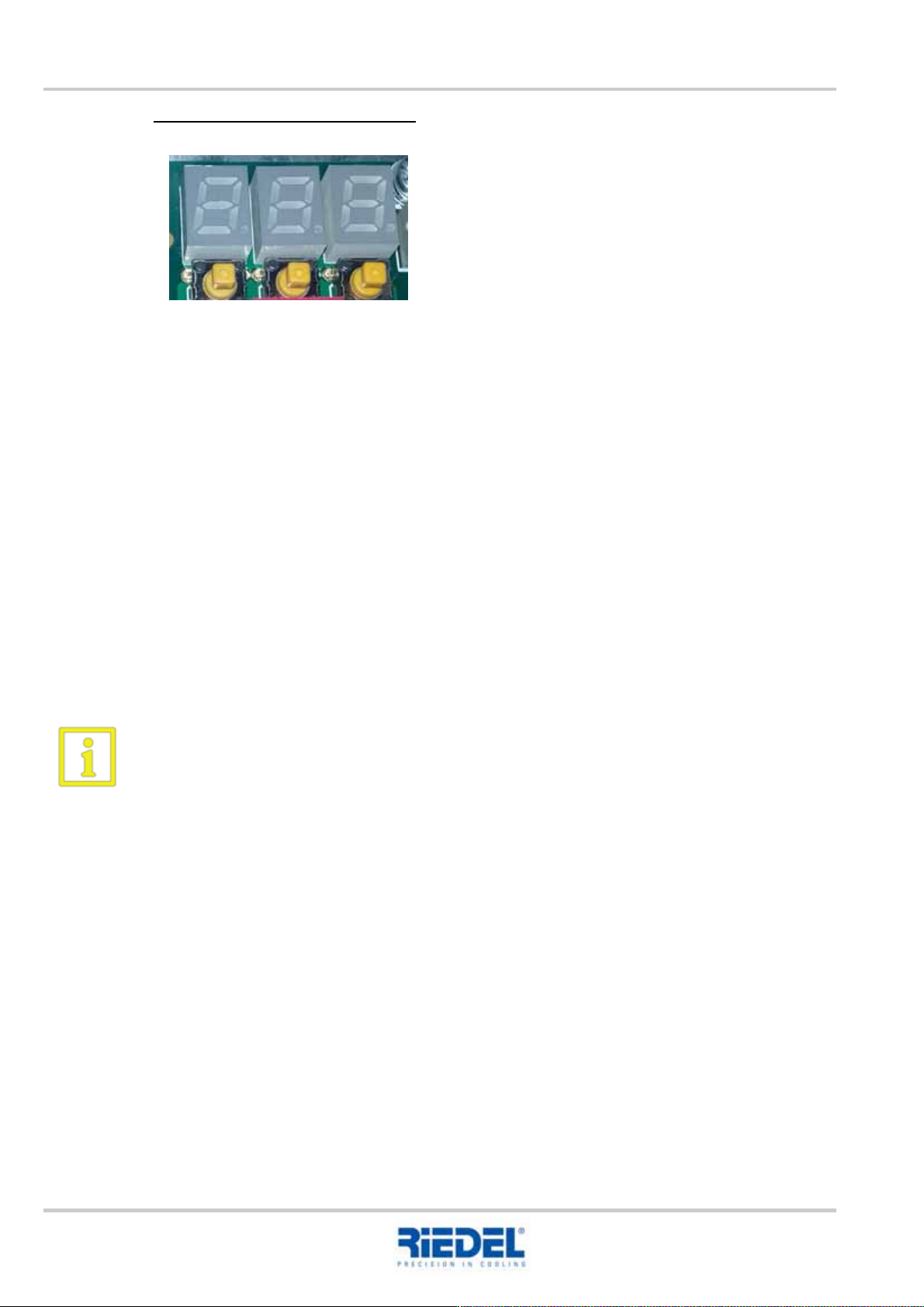
Setting options on the circuit board
Button 1: UP
Increase the accessed setpoint or parameter value
Select the next parameter in the parameter list
Button 2: DOWN
Acknowledge the diagnostic message
Reduce the accessed setpoint or parameter value
Select the previous parameter in the parameter list
Button 3: SET
Access a target or parameter value
Set in conjunction with the UP or DOWN button
Unauthorised changes to the control parameters are prohibited since these can result in
dangerous alterations to the controller function.
1 2 3