00198268-02_GS_SIPLACE-Pro-14.1-R17-1_EN.pdf - 第14页
2 Program Overview Getting S tarted SIPLACE Pro 14.1 (R17-1) 2.2 The User Interface 05/2017 Edition 14 2 Symbol Product object Component Component Shape Fiducials Placement L ists Boards T ables Setups Printer Setups Rec…
Getting Started SIPLACE Pro 14.1 (R17-1) 2 Program Overview
05/2017 Edition 2.2 The User Interface
13
2.2.3 The Tree Views
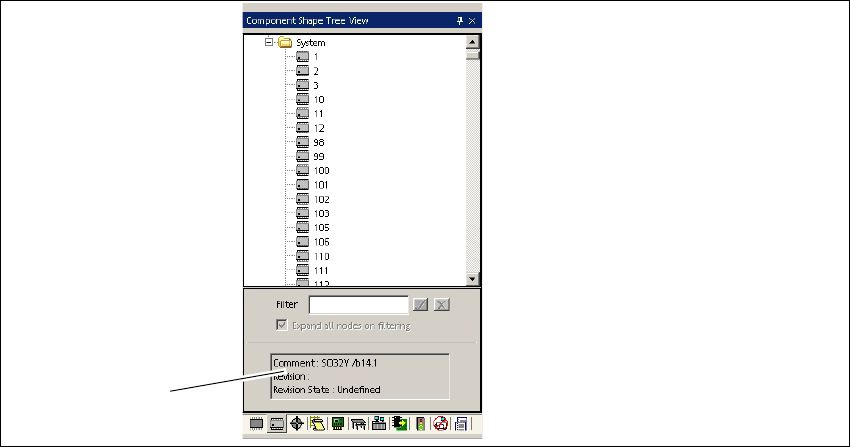
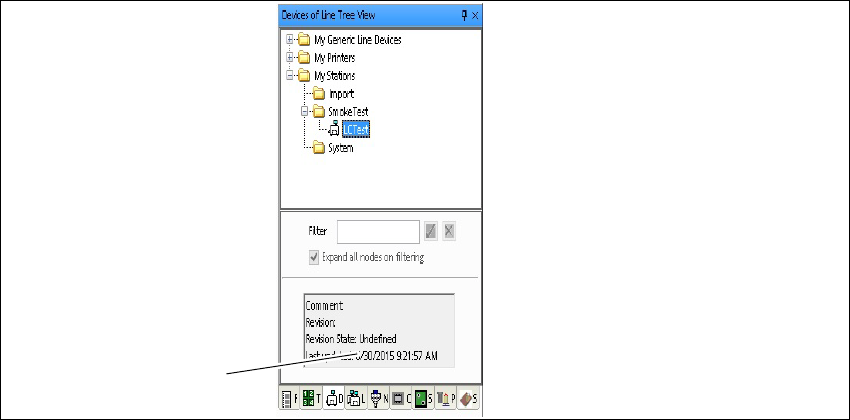
The tree views show the directories and directory structures for all objects present on the server.
SIPLACE Pro has tree views for product objects and equipment. If Comments have been entered
for individual objects and if the Revision State has been assigned, this information will be dis-
played. 2
Each object type has its own tree view. These can be displayed or hidden as required. 2
2.2.3.1 Product Objects
2
Fig. 2 - 7 Product objects - example: Tree view - Component Shapes
Key
2
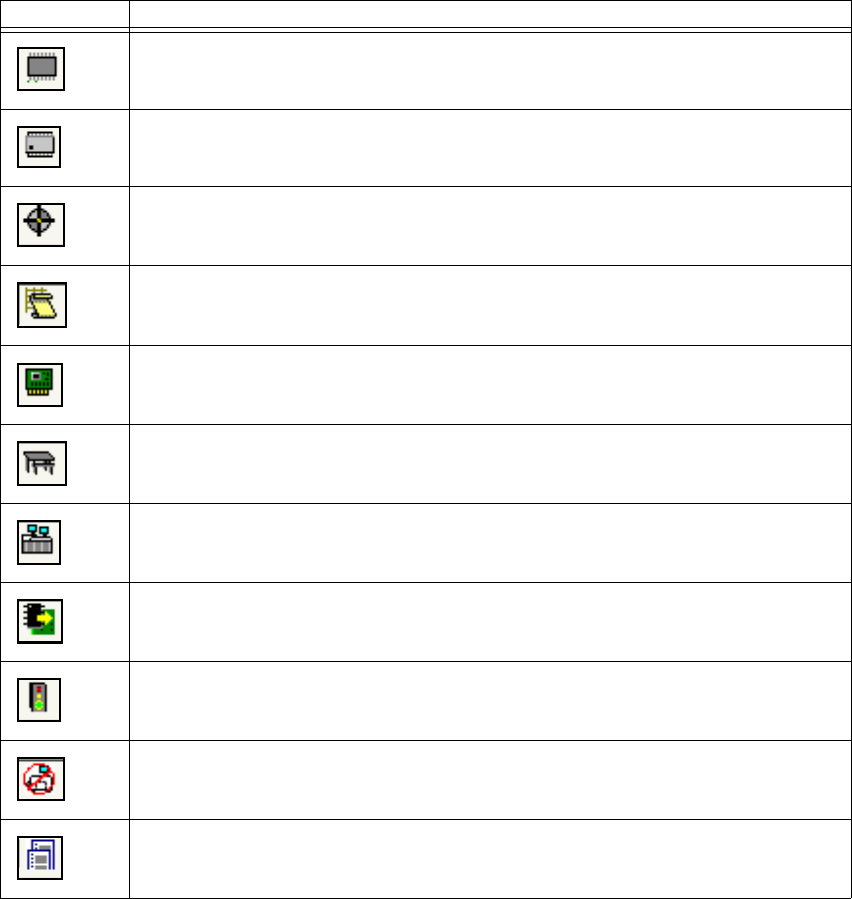
Click on the icons to reach the required product type. 2
(1) Display area for comments and revision
state.
2
1
2 Program Overview Getting Started SIPLACE Pro 14.1 (R17-1)
2.2 The User Interface 05/2017 Edition
14
2
Symbol Product object
Component
Component Shape
Fiducials
Placement Lists
Boards
Tables
Setups
Printer Setups
Recipes
Jobs
Restrictions
Feeder Inventory
Getting Started SIPLACE Pro 14.1 (R17-1) 2 Program Overview
05/2017 Edition 2.2 The User Interface
15
2.2.3.2 Equipment
2
Fig. 2 - 8 Equpments - example: Tree view - Devices of Line
Key
Click on the icons to reach the required equipment object. 2
(1) Display area for comments and revision
state.
2
1