00198268-02_GS_SIPLACE-Pro-14.1-R17-1_EN.pdf - 第51页
Getting S tarted SIPLACE Pro 14.1 (R17-1) 3 T utorial 05/2017 Edition 3.7 Exercise 6: Optimizing the Job 51 Select the Report button to view the result s in the Report Manager . 3 Fig. 3 - 17 Result: "Report Manag…
3 Tutorial Getting Started SIPLACE Pro 14.1 (R17-1)
3.7 Exercise 6: Optimizing the Job 05/2017 Edition
50
3
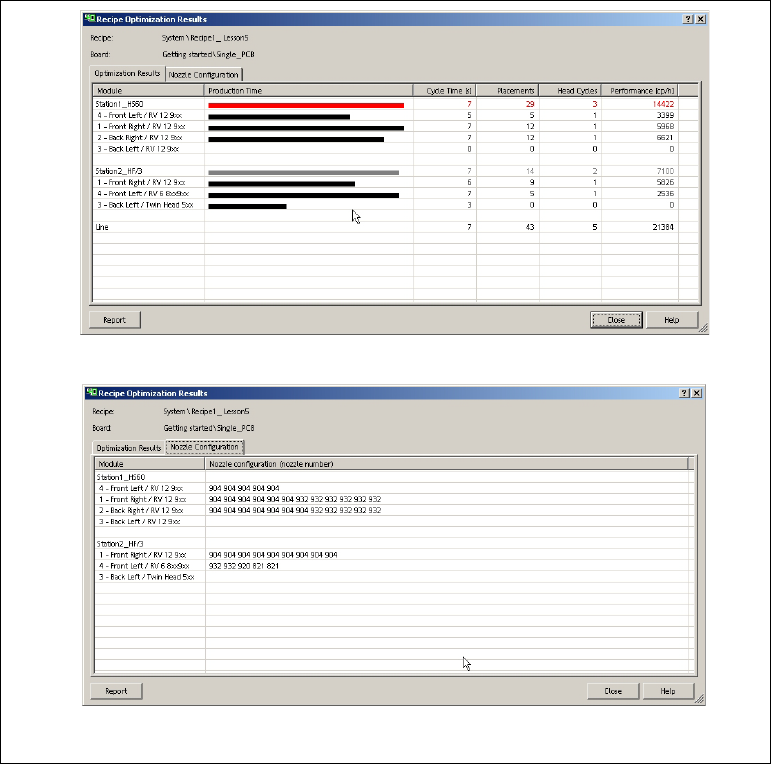
Fig. 3 - 16 Optimization Results for the Recipe (Placement Heads and Nozzle Configuration)
Getting Started SIPLACE Pro 14.1 (R17-1) 3 Tutorial
05/2017 Edition 3.7 Exercise 6: Optimizing the Job
51
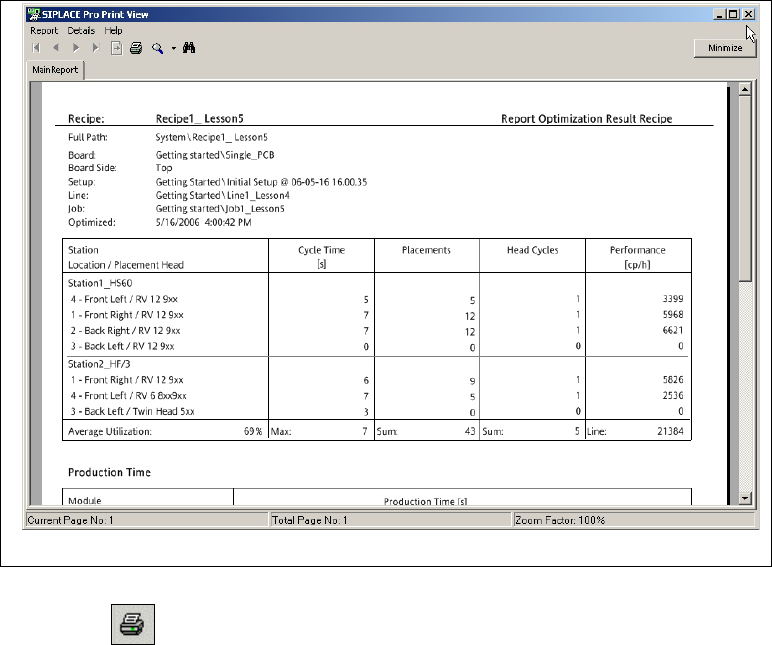
Select the Report button to view the results in the Report Manager.
3
Fig. 3 - 17 Result: "Report Manager" screen
Click on the icon in the toolbar to print the result setup.
Close the Report Manager with Report => Exit.
3 Tutorial Getting Started SIPLACE Pro 14.1 (R17-1)
3.7 Exercise 6: Optimizing the Job 05/2017 Edition
52
3.7.4 Create and Print Changeover Instructions
The setup modification generator is needed to print changeover instructions from an existing
setup with feeder and nozzles, for use with a new setup. 3
Start the setup modification generator by
– selecting Start => Programs => SIPLACE Pro => Setup modification generator from
your Windows Start menu.
– selecting Options => external Programs => Setup modification generator
3
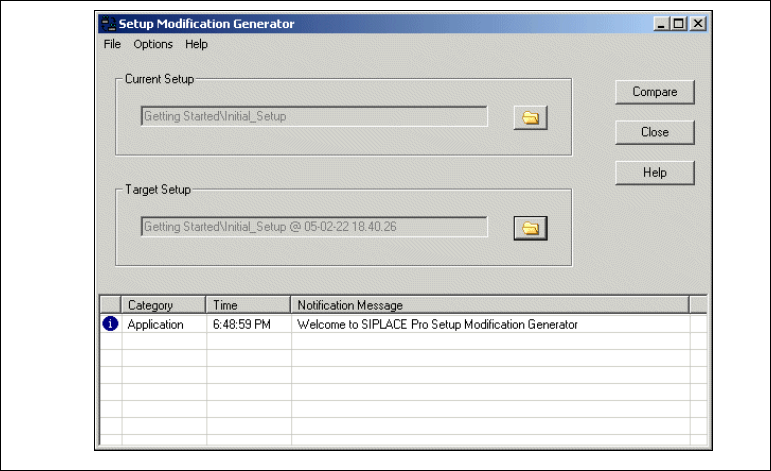
Fig. 3 - 18 Setup Modification Generator
Select the Current setup and the Target setup.
Start the setup modification generator with the Compare button. The Report Manager will open
with the changeover instructions.