00198268-02_GS_SIPLACE-Pro-14.1-R17-1_EN.pdf - 第16页
2 Program Overview Getting S tarted SIPLACE Pro 14.1 (R17-1) 2.2 The User Interface 05/2017 Edition 16 2 Symbol Equipment Feeders W affle Pack T rays Devices of Line (S tations, Printers and Generic Line Devices) Lines N…
Getting Started SIPLACE Pro 14.1 (R17-1) 2 Program Overview
05/2017 Edition 2.2 The User Interface
15
2.2.3.2 Equipment
2
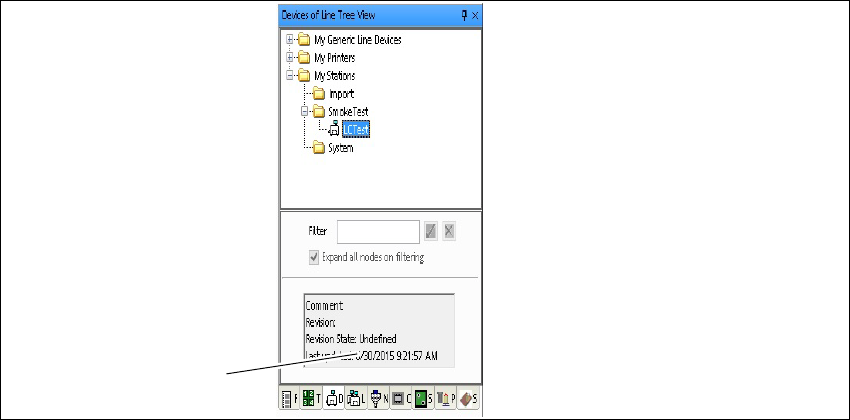
Fig. 2 - 8 Equpments - example: Tree view - Devices of Line
Key
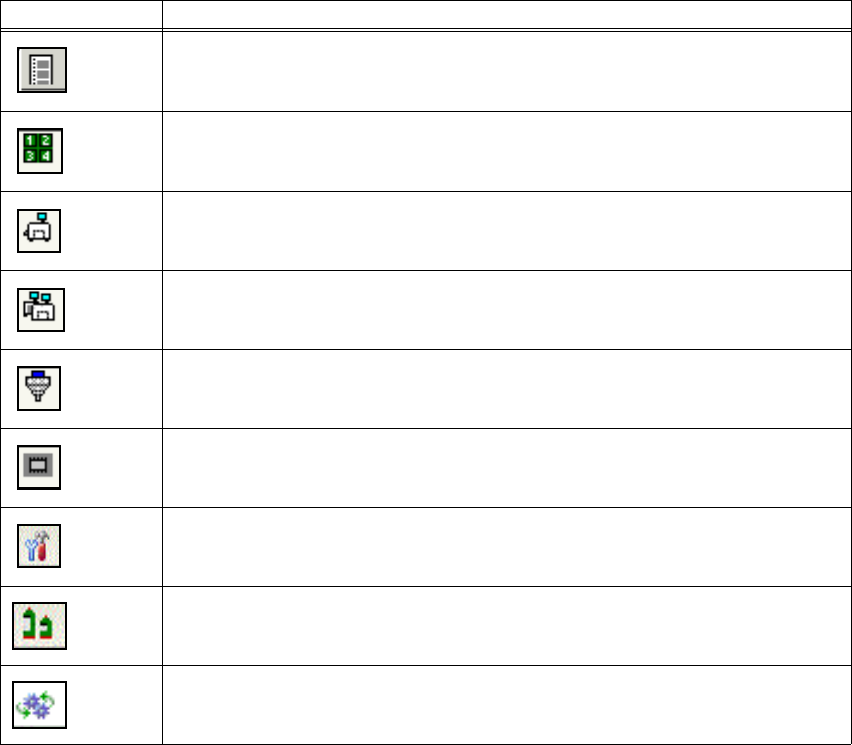
Click on the icons to reach the required equipment object. 2
(1) Display area for comments and revision
state.
2
1
2 Program Overview Getting Started SIPLACE Pro 14.1 (R17-1)
2.2 The User Interface 05/2017 Edition
16
2
Symbol Equipment
Feeders
Waffle Pack Trays
Devices of Line (Stations, Printers and Generic Line Devices)
Lines
Nozzles
Component Packages
Tools (Vacuum Tool Types, Support Pin Lists)
Materials (Process Materials)
Processes (Printer Processes)
Getting Started SIPLACE Pro 14.1 (R17-1) 2 Program Overview
05/2017 Edition 2.2 The User Interface
17
2.2.4 Auto-Hide for Tree Views
2
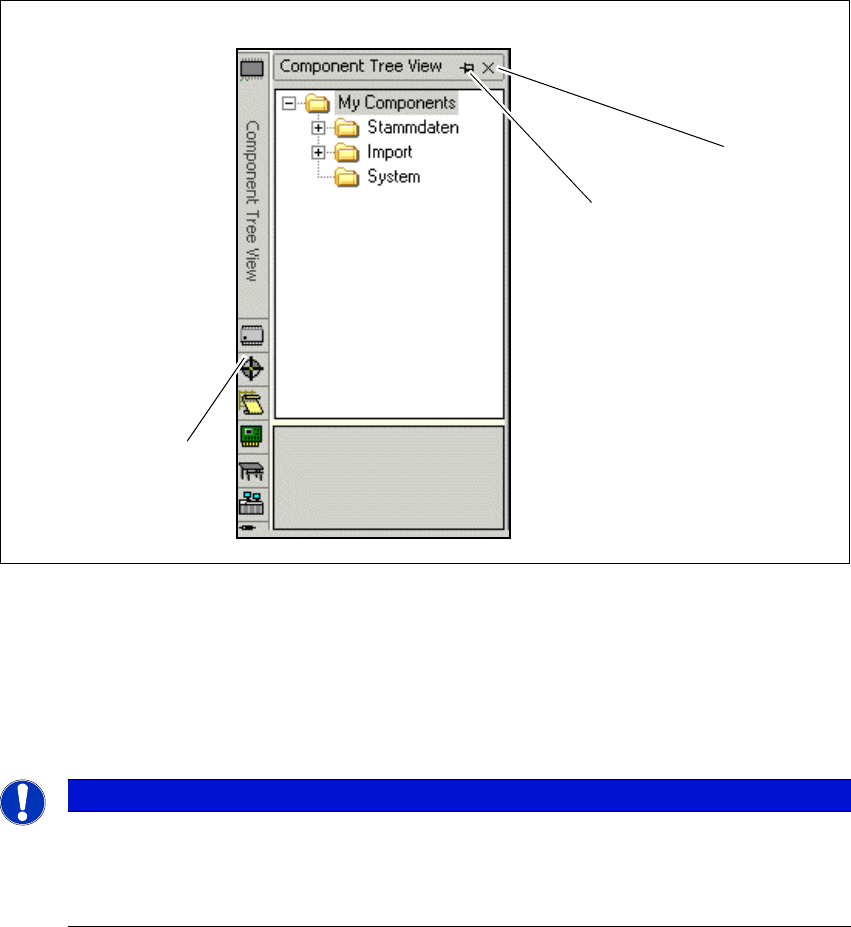
Fig. 2 - 9 Auto-Hide - example: Tree view - Component Shapes
Key
2
(1) Hide tree view (2) Enable/disable auto-hide
(3) Tree views accessible via buttons 2
Note
Doubleclick the blue bar above the tree view to undock the dialog box from the desk ar-
rangement. Then you can disarrange the dialog box. Doubleclick again the blue bar to
dock the dialog box at the original desk position.
3
2
1