00196351-06_UM_ACT_DE_EN.pdf - 第154页
ACT - Accurac y Check Tool / User Manual 09/2015 Edition 64 Figure 4-43: Service Tools view ► Change to the Service view. (1). ► Click the Accuracy Check button (2). Figure 4-44: Preparing for the ac curacy check ► Now c…
ACT - Accuracy Check Tool / User Manual 09/2015 Edition
63
4.2.6 Working with the ACT under Station Software 703.xx and Higher
NOTICE
It is not
necessary to install any additional software on the station computer on machines
running version 703.xx and higher of the station software.
Requirements:
● You have already sent a placement/measurement program to the station as described in
section 4.1.
● You have set up the station as described in section 4.2.1.
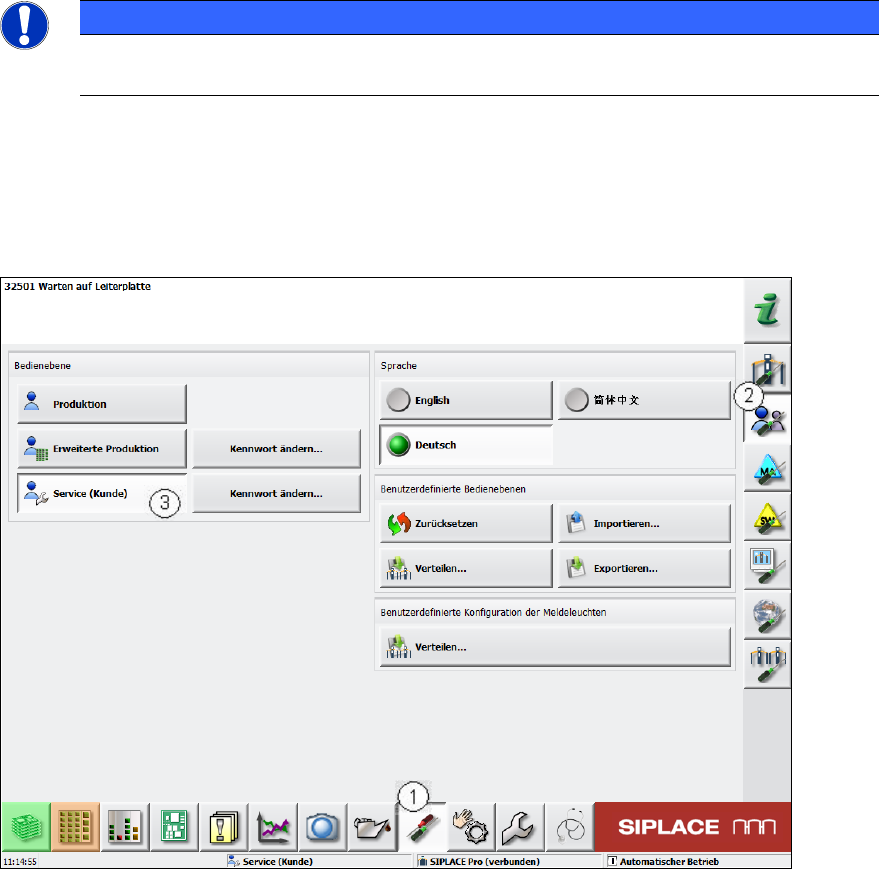
Figure 4-42: Switching the user level
► Switch to the Einstellungen (Settings) view (1).
► Switch to Benutzereinstellungen (User settings) (2).
► Switch to the Service (Kunde) (Machine service) user level (3).
► To do so, enter the Service Passwort (Service password).
ACT - Accuracy Check Tool / User Manual 09/2015 Edition
64
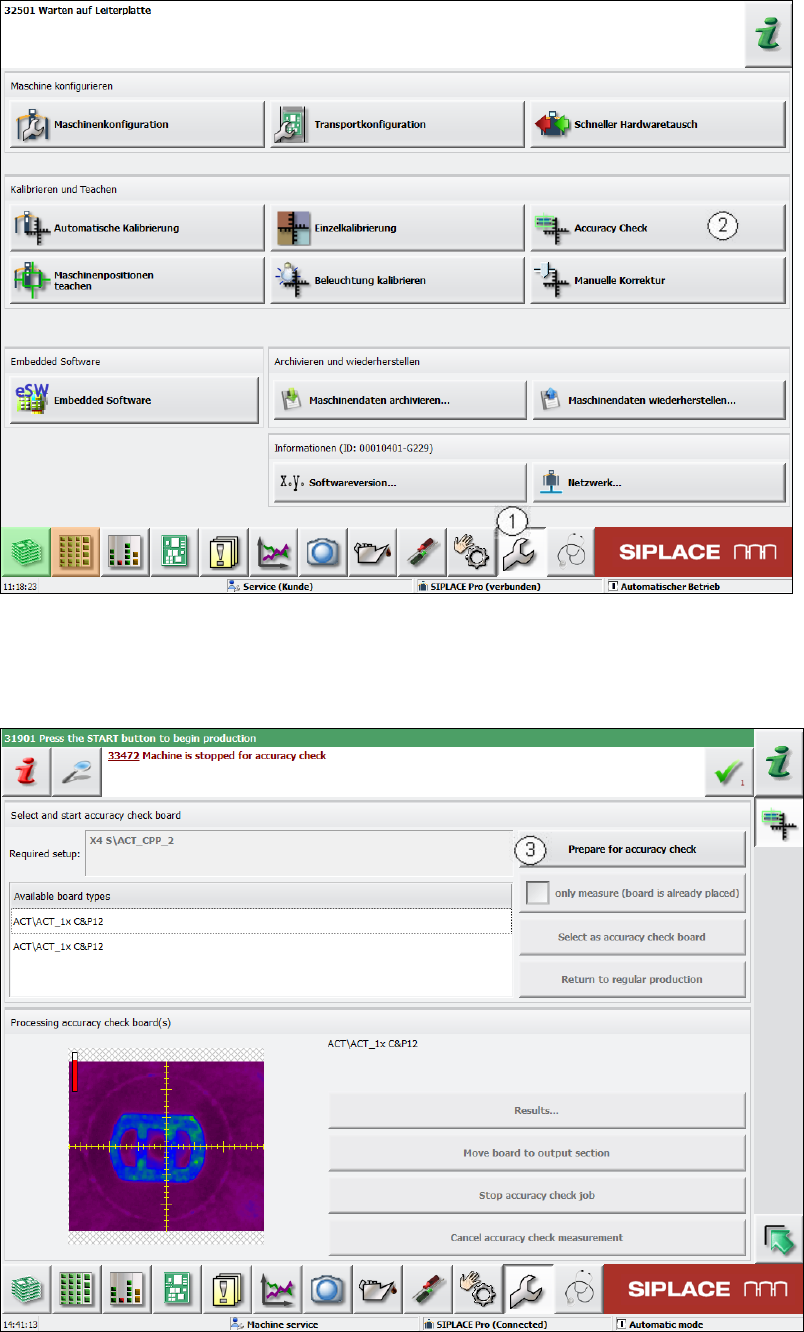
Figure 4-43: Service Tools view
► Change to the Service view. (1).
► Click the Accuracy Check button (2).
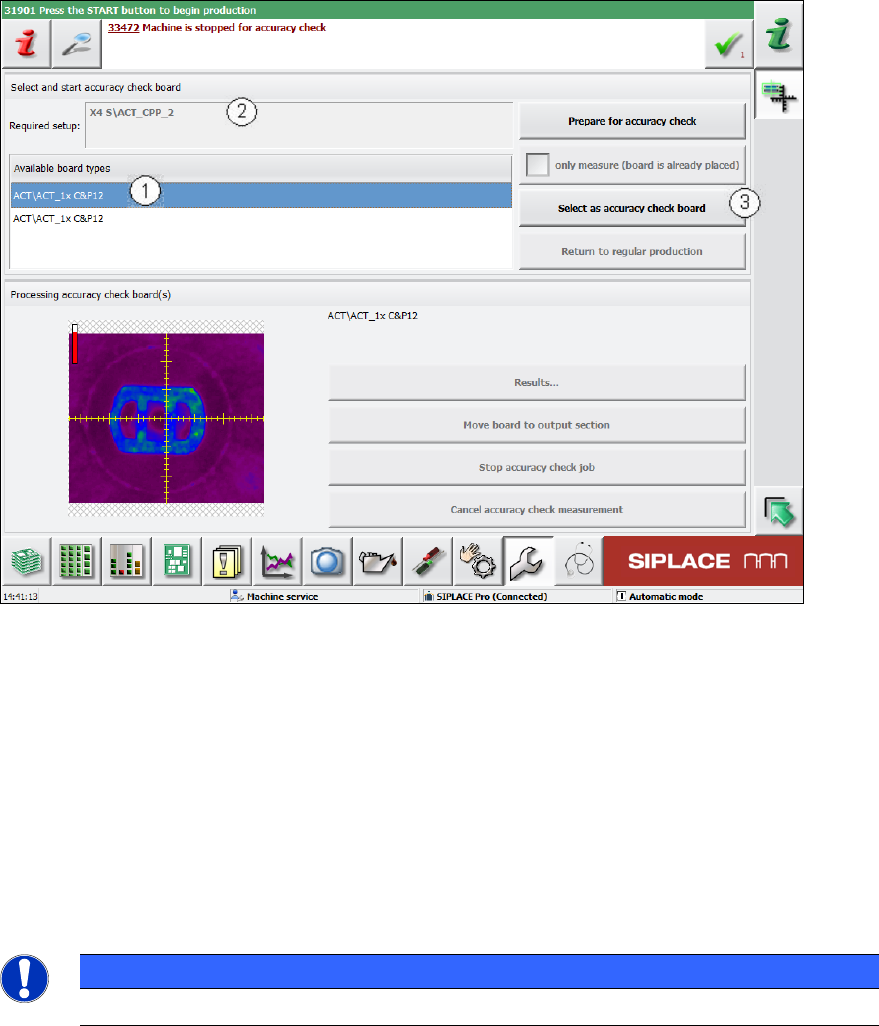
Figure 4-44: Preparing for the accuracy check
► Now click the Prepare for accuracy check button (3).
ACT - Accuracy Check Tool / User Manual 09/2015 Edition
65
The machine automatically switches to standalone mode.
Figure 4-45: Selecting board
► Select the required board (1). The board most recently specified is always at the top of the list.
When you have selected a board, the corresponding setup appears at this point (2).
► Confirm the selection of the board and click the Select as accuracy-check-board button (3).
► Press the Start key before you insert the board (otherwise it will not be placed but immediately
be moved to the output section).
► Push the board into the input section in order to start placement (see also section 4.2.2 and
section 4.2.4.2).
The board gets placed and then the measurement starts automatically.
NOTICE
The machine should not be operated during the measurement!
A dialog box opens in which the current measurement operation is displayed.
The fiducials which are currently being measured will be displayed.