00196351-06_UM_ACT_DE_EN.pdf - 第176页
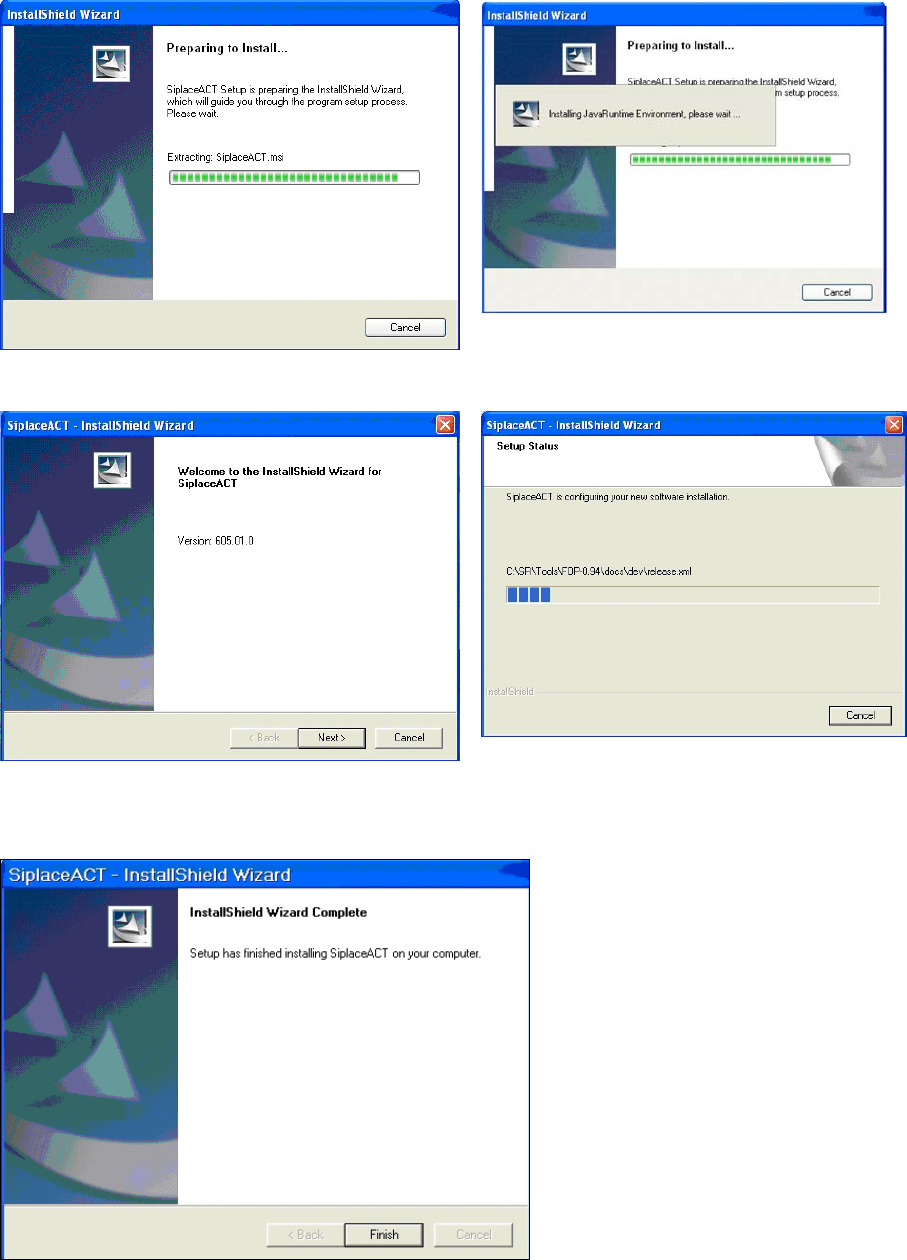
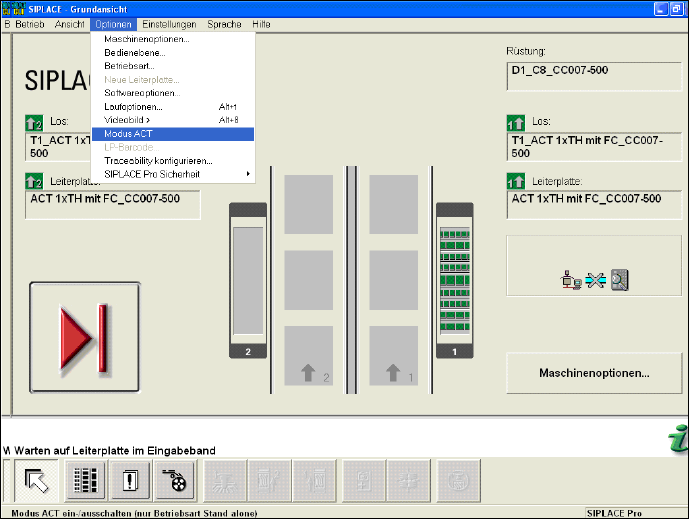
ACT - Accurac y Check Tool / User Manual 09/2015 Edition 86 ► Click Finish to complete the installat ion of the ACT. ► Reboot the machine. The station comput er GUI display s the Modus ACT ( ACT mode ) under Optione n ( …
ACT - Accuracy Check Tool / User Manual 09/2015 Edition
85
► Enter the required language (German or English).
The installation is prepared.
Figure 6-4: Preparing to install ACT
Figure 6-5: Installation: Clicking Next
► Click Next.
Figure 6-6: Completing the ACT installation
ACT - Accuracy Check Tool / User Manual 09/2015 Edition
87
7 Troubleshooting
7.1 Update to SIPLACE Pro 11.x ff but no Update of the Station
Software to 707.1 SP1 HF2 ff
With SIPLACE Pro 11.x ff and 707.1 SP1 HF2 and the compatible 706.2.SP1 HF2 version, all
heads with P&P functionality have been united into a new ACT placement program. For this with
ACT import 11.x in SIPLACE Pro, the SST 33 / 36 camera types and the 518 nozzle have been
removed from the CC02-05 and the CC02-05_CPP has been canceled.
Furthermore, the CC07-500 has been replaced by a CC02-05_FC.
If an update has been performed to SIPLACE Pro 11.x ff but no update of the station software to
707.1 SP1 HF2 ff, the corresponding components fail in the station software.
Recommended solution: Update to 707.1 SP1 HF2 (or higher)
Alternative solution: (if no software update can be installed)
► In this case, select the ACT_CC02-05_CPP_TH board in SIPLACE Pro. See Table 4-2.
7.2 Specification of False Placement Programs
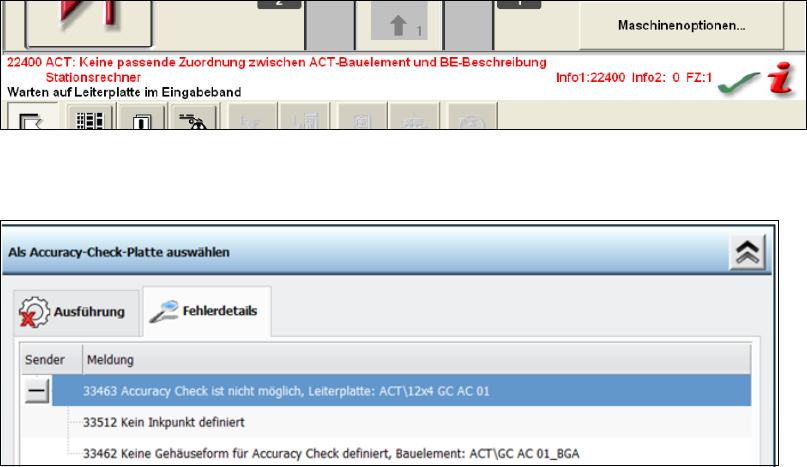
If other data is specified by SIPLACE Pro or changes on the ACT objects are performed in
SIPLACE Pro (directory names and object names of components), the following error messages
occur at the station.
ACT in station software 605.x
ACT in station software 707.x