3OM-1208-011_w.pdf - 第122页
3-35 AIVEDT -ID (C01_01) Fdr No. Shown are the feeder Nos. in the placement feeder location data. The numbers in ( ) indicate the feeder Nos. that will actually be loaded with components. Feeder Base #1 : 101 to 150 Feed…
3-34
AIVEDT-ID
1.4 Placement Feeder Location Data
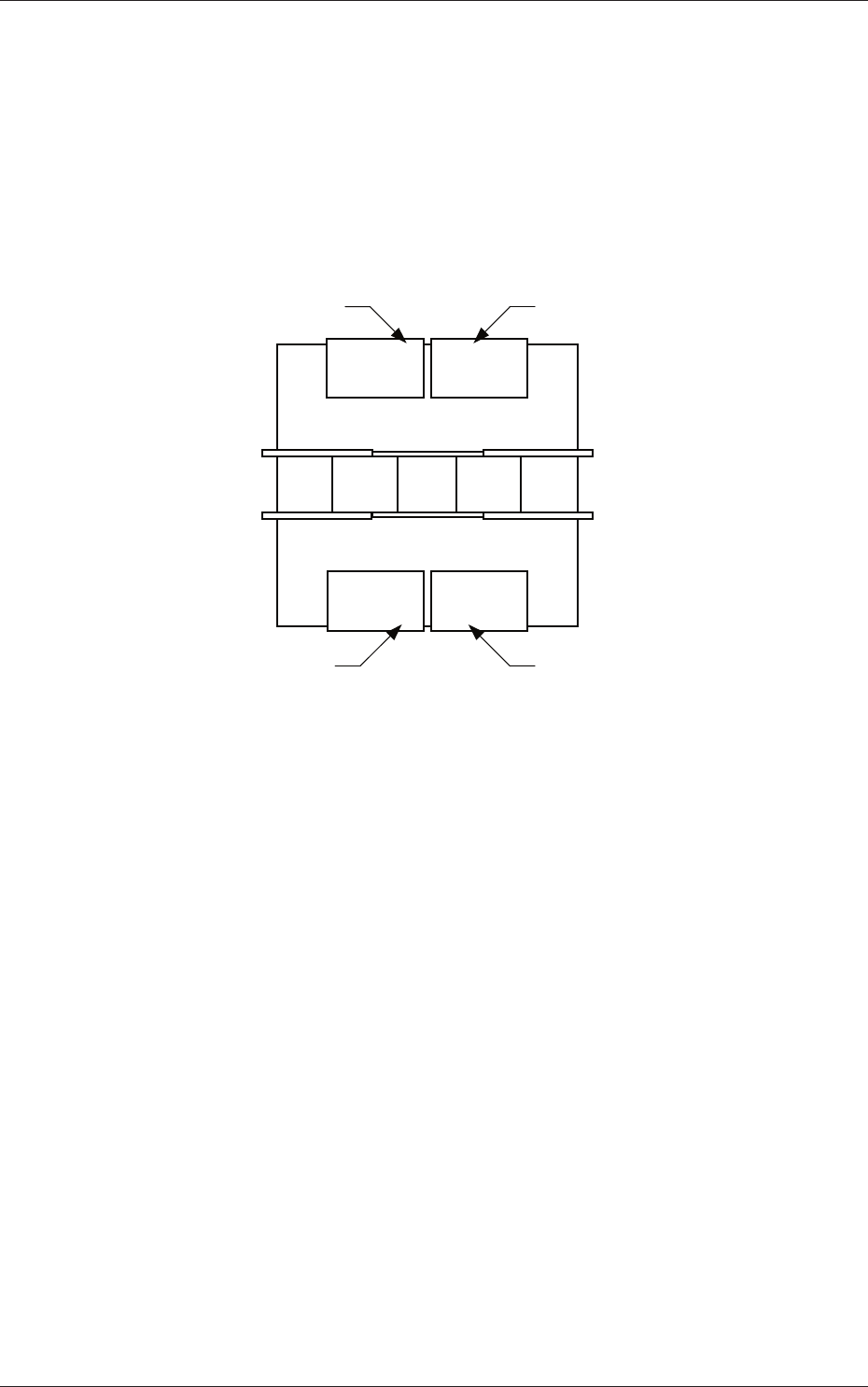
(C01) Feeder Bases #1, #2, #3, #4, and Work Area
It can be determined which components must be used and which feeder
base (Fdr No.) must be loaded with the selected components.
The tape feeders can be installed on the feeder bases.
Front Side of Machine
Rear Side of Machine
Feeder Base #1
Feeder Base #2
Feeder Base #3
Feeder Base #4
Fig. 3C26 Positional Relation between Feeder Bases
Work Area
The work area is the place where the data is stored temporarily.
This area is something like a virtual feeder base in which the data can
be stored temporarily and can be used to temporarily keep the data
overfl
owing after data conversion, pattern program creation, etc.
0606-009
1.4 Placement Feeder Location Data
3-35
AIVEDT-ID
(C01_01)
Fdr No.
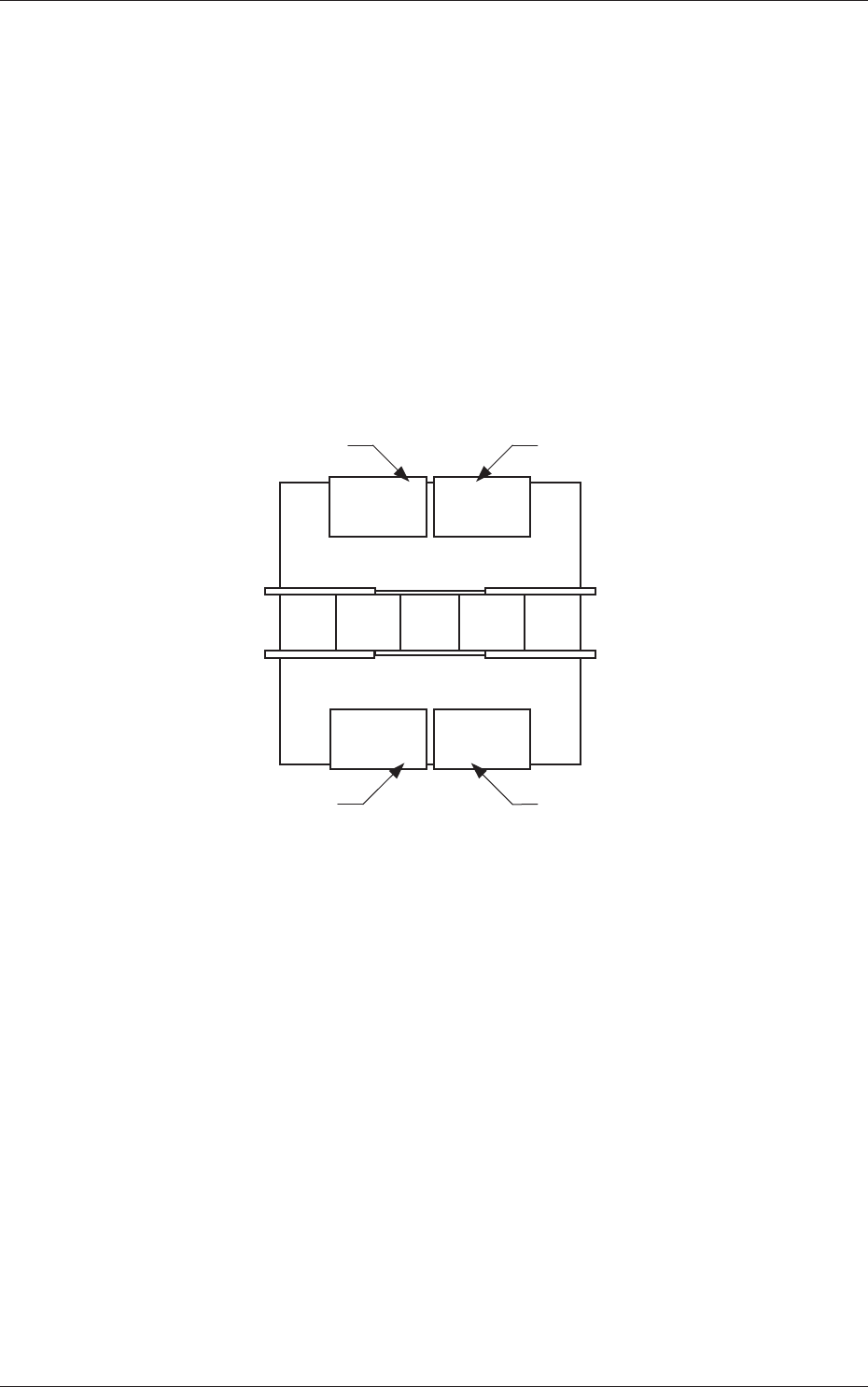
Shown are the feeder Nos. in the placement feeder location data.
The numbers in ( ) indicate the feeder Nos. that will actually be loaded
with components.
Feeder Base #1 :
101 to 150
Feeder Base #2 :
201 to 250
Feeder Base #3
:
301 to 350
Feeder Base #4 :
401 to 450
Work Area :
001 to 099
101 to 150 301 to 350
201 to 250 401 to 450
Front Side of Machine
Rear Side of Machine
Feeder Base #1
Feeder Base #2
Feeder Base #3
Feeder Base #4
Fig. 3C27
(C01_02)
Component ID
Set component IDs in the text boxes.
0606-009
1.4 Placement Feeder Location Data
3-36
AIVEDT-ID
(C01_03)
C
Set control commands in the text boxes.
Notice
If a control command other than the following ones is used, the step
becomes invalid.
- (hyphen) :
This command handles the steps as those for the
placement feeder location data.
E :
This command shows the end of the placement
feeder location data.
The step where "E" is set is valid.
S
:
This command invalidates the steps specified as
placement feeder location data.
X :
This command invalidates the steps specified as
placement feeder location data and shows the end
of the data.
(C01_04)
Comment
Set a comment for each Fdr No.
Up to 32 characters (alphanumerics and symbols) can be used.
Alphanumeric characters and symbols can be used.
Note
(a) The performance of the machine is not affected by these commands.
In other words, it has nothing to do with or without these comments.
(b) It is recommended to set helpful information on components related
to the feeder Nos. (Fdr No.).
(C01_05)
Feeder Fixed
Select "Enable" or "Disable" to determine whether or not the feeder
positions should be fixed in place.
When "Enable" is selected, the feeder Nos. (Fdr No.) and the
component ID are not affected by any insert and delete operations of a
component.
Disable :
The feeder position is not fixed.
Enable :
The feeder position is fixed.
0606-009
1.4 Placement Feeder Location Data