3OM-1208-011_w.pdf - 第179页
4-10 AKFEDT -ID 0606-009 1.2.6 Merging the Component ID (1) Select the desired root component ID. The selected component ID turns blue, indicating that it is selected. (2) Press the [Merge...] button. The "Merge&quo…
4-9
AKFEDT-ID
1.2.5 Creating the Link ID
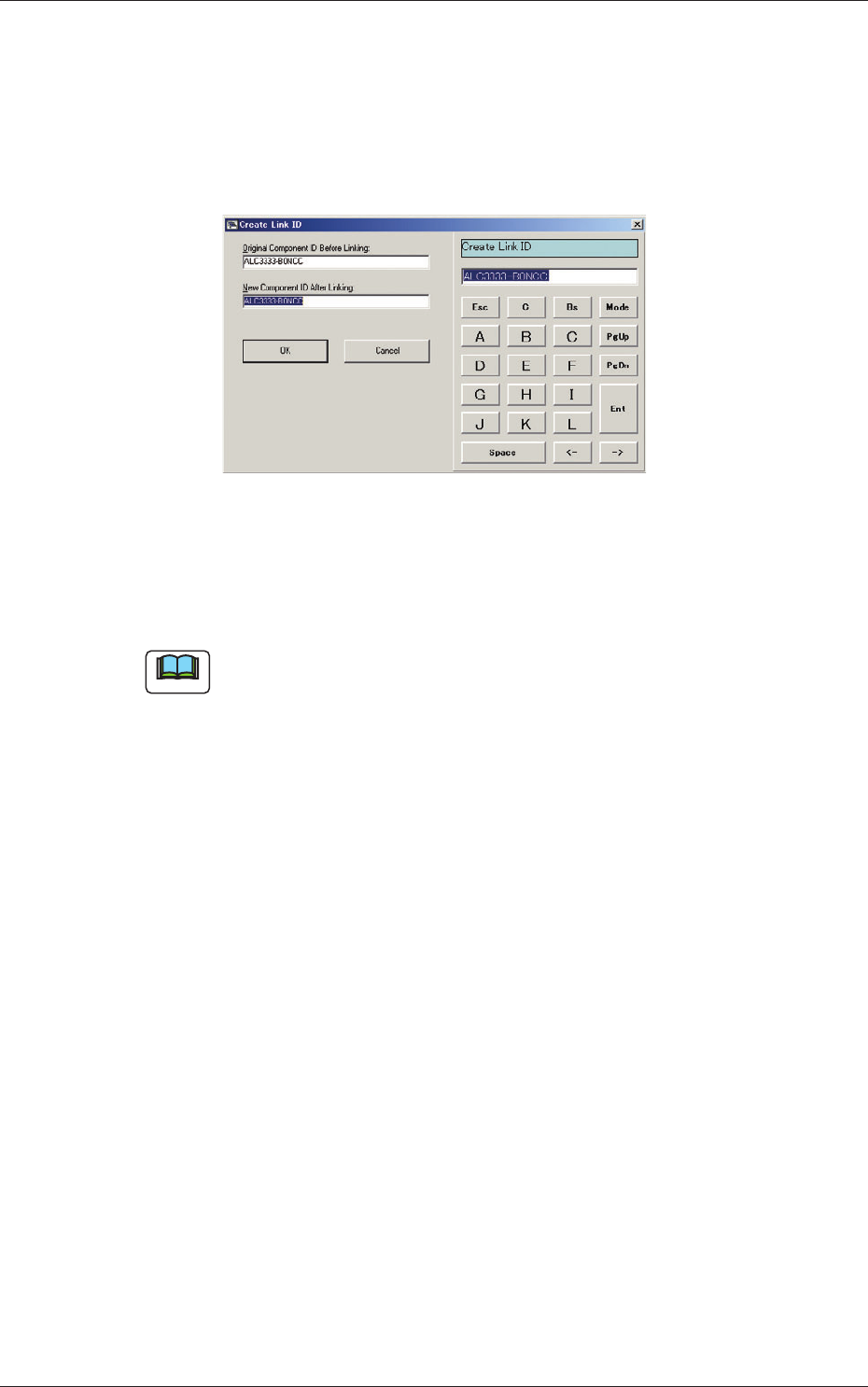
(1) Select the component ID as an original component ID before linking.
The selected component ID turns blue, indicating that it is selected.
(2) Press the [Create Link ID] button.
The "Create Link ID" dialog box opens.
Fig. 3D6
(3) Enter a new link ID name in the "New Component ID After Linking"
text box and press the [OK] button.
A new link ID is created.
Note
Creating Link ID means giving a new name to the original component ID
before linking while keeping the data of the original component ID as it is.
For application, it can be used for a capacitor of the same shape as other
one but of different capacity.
0606-009
1.2 Basic Operations in "Selection of component ID" Window
4-10
AKFEDT-ID
0606-009
1.2.6 Merging the Component ID
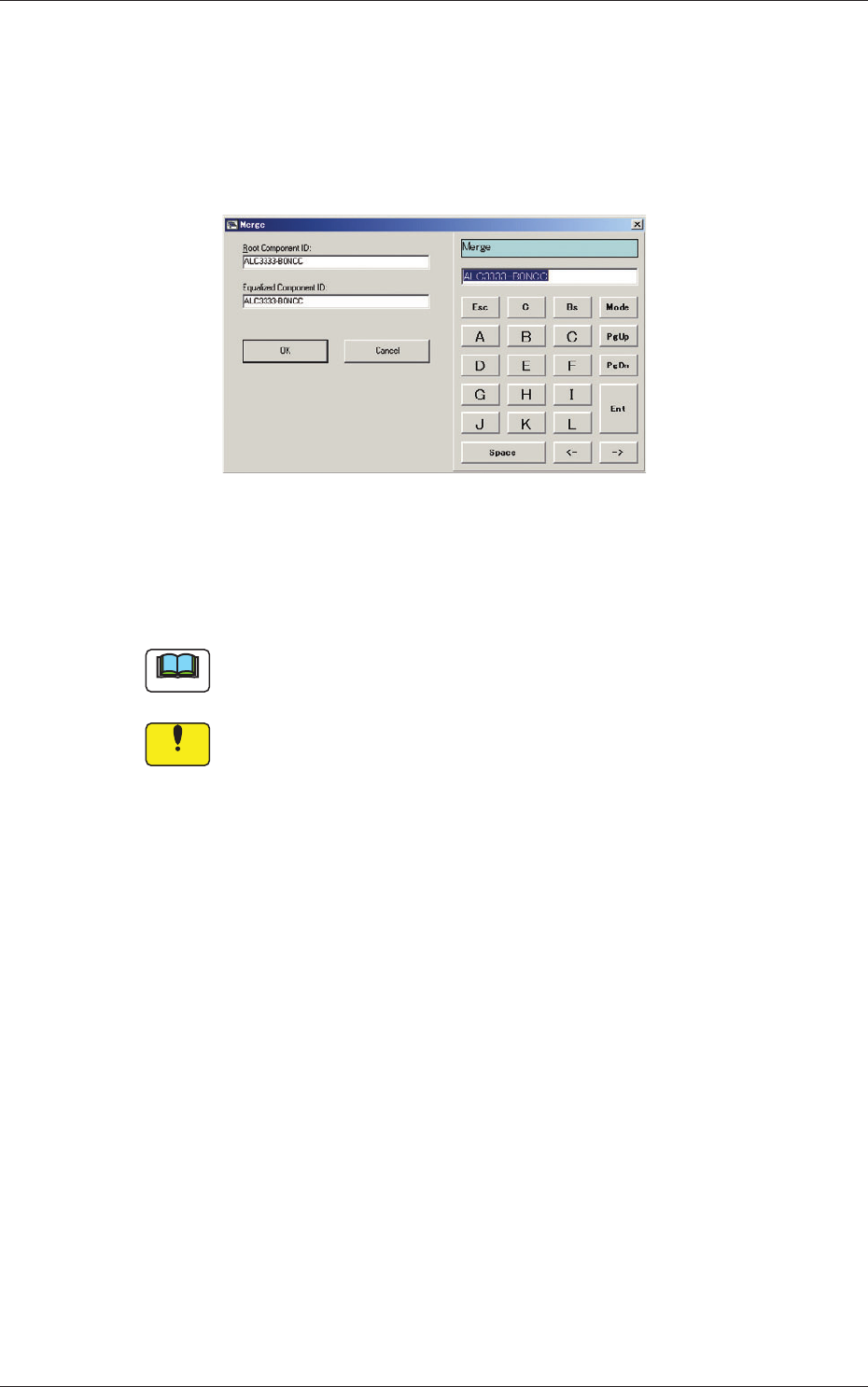
(1) Select the desired root component ID.
The selected component ID turns blue, indicating that it is selected.
(2) Press the [Merge...] button.
The "Merge" dialog box opens.
Fig. 3D7
(3) Enter the component ID name to be merged in the "Equalized
Component ID:" text box and press the [OK] button.
The component ID is merged.
Note
The merging function makes it possible to set a registered component ID
as a link ID for another root component.
Notice
The information on the component ID (component library data)
to be merged becomes the same as the information on the root
component ID (component library data).
1.2 Basic Operations in "Selection of component ID" Window
4-11
AKFEDT-ID
1.2.7 Property of Component ID
(1) Select the component ID to view its property.
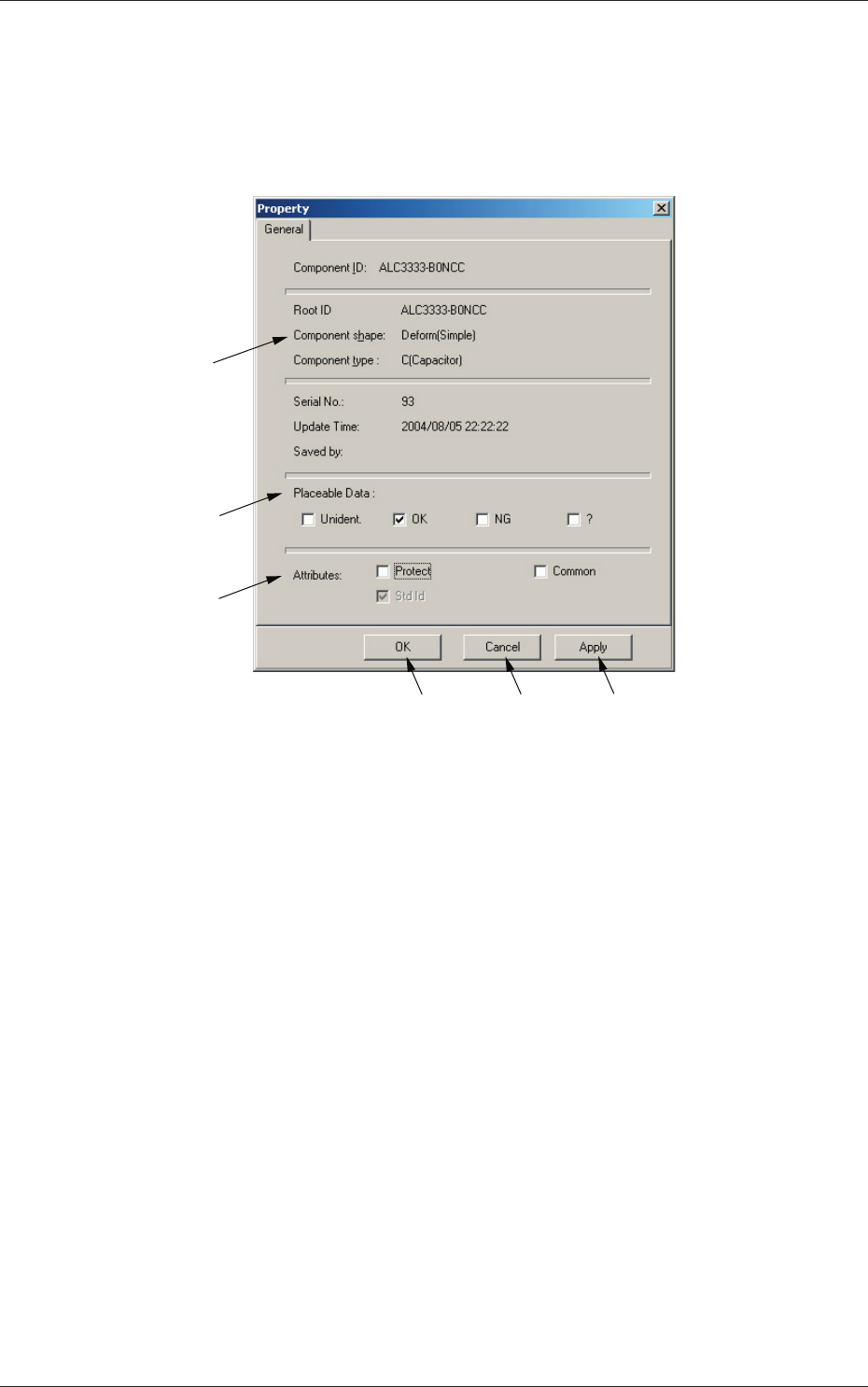
(2) Press the [Property...] button.
The "Property" sheet opens.
[1]
[2]
[4]
[5]
[6]
[3]
Fig. 3D8 "Property" Sheet
[1] "Component ID", "Root ID", "Component shape", "Component
type", "Serial No.", "Update Time", and "Saved by"
Displayed is the property of the selected component ID.
[2]
Placeable Data (Unident., OK, NG, ?)
It can be displayed as log data to be checked if the machine (GXH
series) can place this component or not.
The check boxes can be used to change the function.
0606-009
1.2 Basic Operations in "Selection of component ID" Window