00197712-01_IM_SUPPORT_MEDIA_2.0_EN.pdf - 第23页
Support Media 2.0 12/2014 Edition 23 The SIPLACE In staller applicatio n opens. Figure 4- 10 : Selecting Missing Pre requisite s Downloader in SIPLAC E Installer app lication ► Select the option “Missi ng Prerequisites D…
Support Media 2.0 12/2014 Edition
22
4.4.5 Downloading for multiple configurations
If you plan to prepare multiple (different) computer configurations, you may want to
download all missing required software packages in advance.
To do this, you have to perform the following steps.
► Insert the Support Media DVD / mount the ISO file of Support Media and execute the
file Autorun.cmd, if no auto run dialog appears.
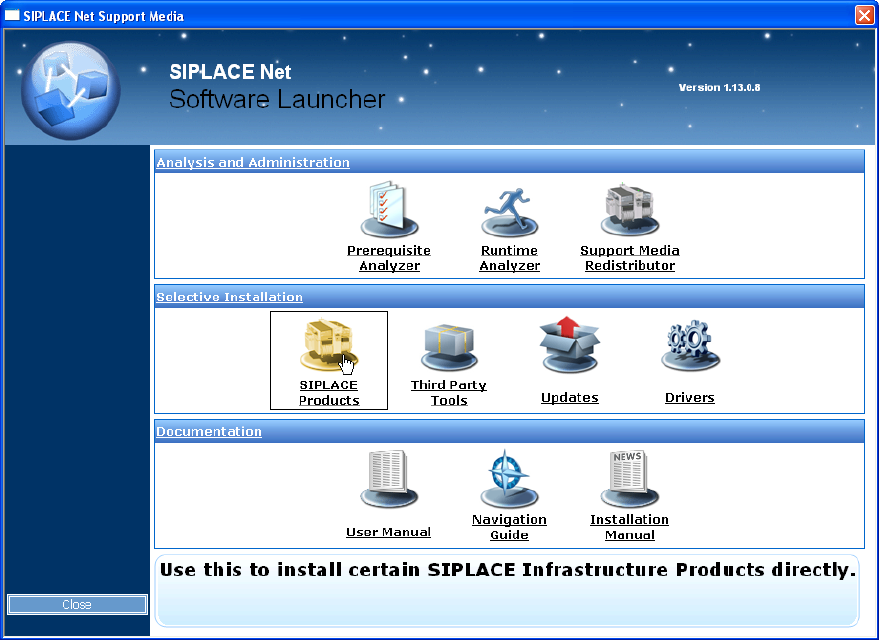
The Software Launcher application opens.
Figure 4-9: Selecting SIPLACE Products in Software Launcher
► In the Software Launcher application, select SIPLACE Products.
Support Media 2.0 12/2014 Edition
23
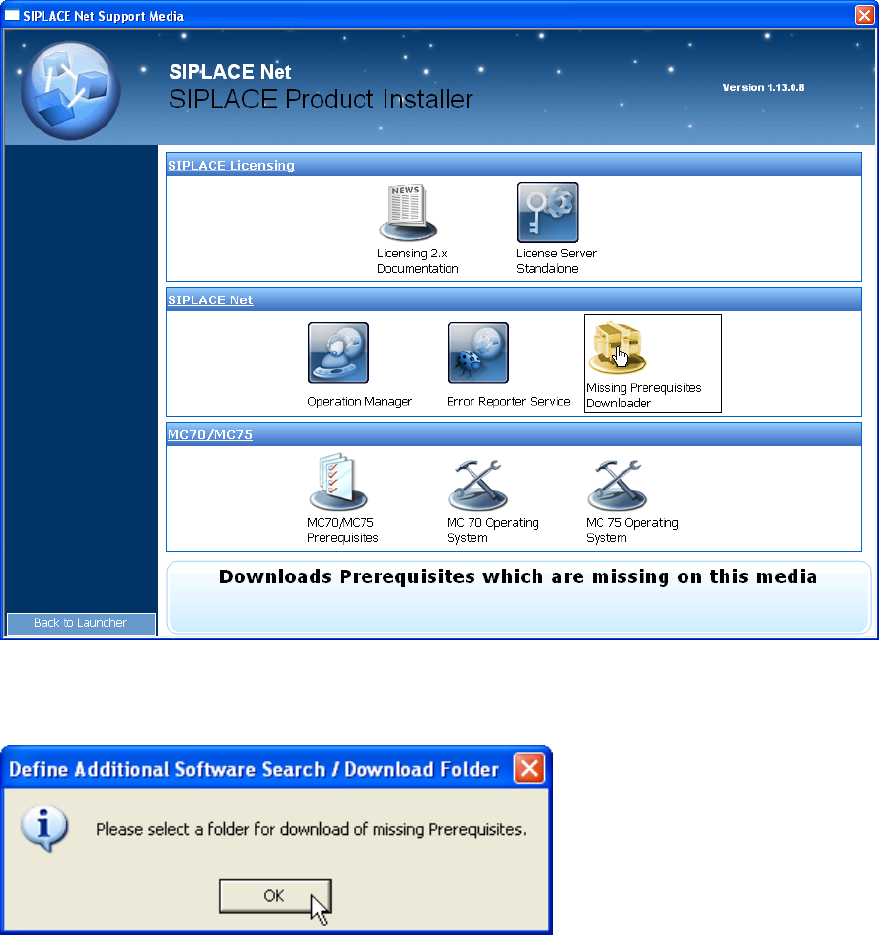
The SIPLACE Installer application opens.
Figure 4-10: Selecting Missing Prerequisites Downloader in SIPLACE Installer application
► Select the option “Missing Prerequisites Downloader”
Figure 4-11: Hint message
► Click OK.
Support Media 2.0 12/2014 Edition
24
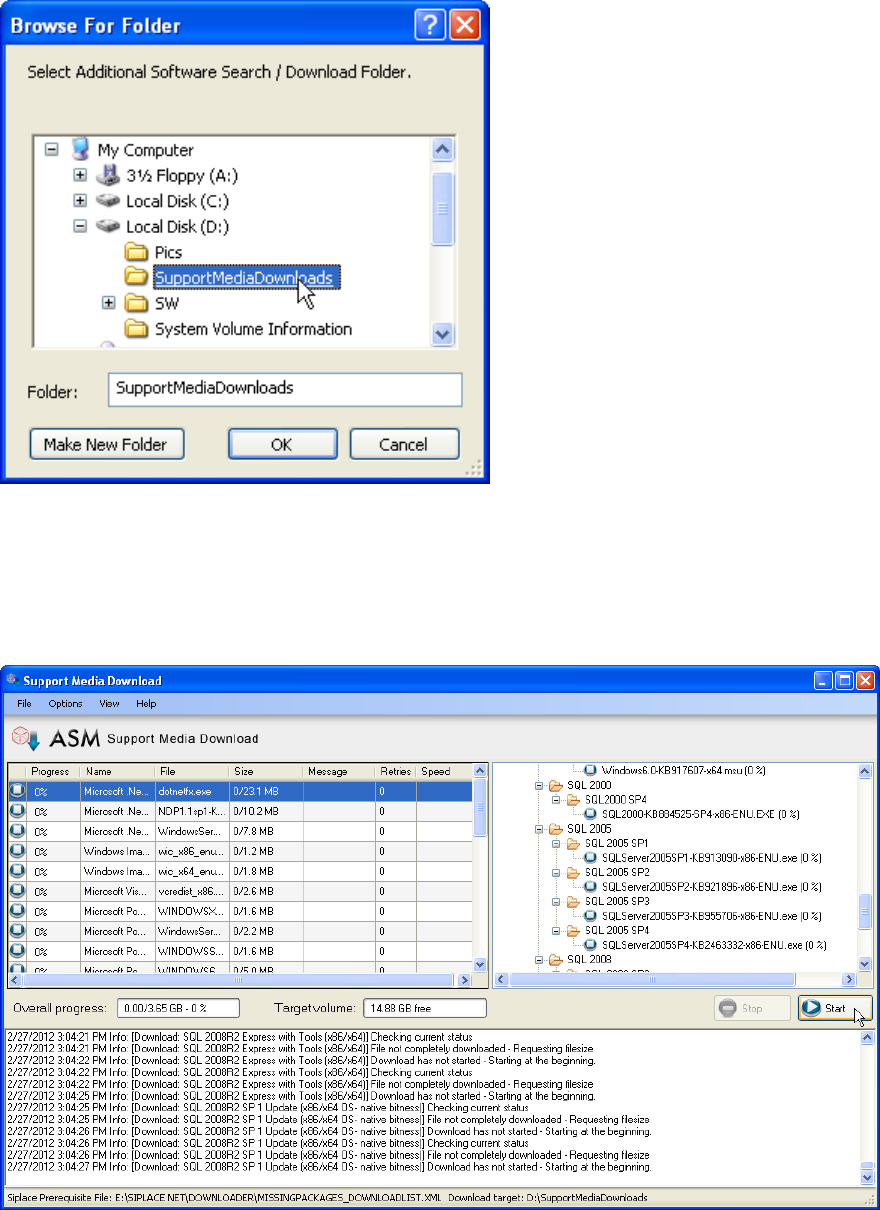
Figure 4-12: Folder Selection dialog window
► In the new folder selection dialog window, select or create the Download Folder.
► Click OK to accept the choice
The Support Media Download Tool will be started.
Figure 4-13: Support Media Download Tool
► Click the Start button to start the download.
► After the download completes, click the “Done” button to close the Download Tool.
► In Prerequisite Analyzer, select this new directory structure as Additional Software
Search Folder, as described in the chapters above.