ASM_Guide To Adhesive Dot Dispensing_Stinger_en_0321_online.pdf - 第25页
2 STINGER, A GUIDE TO ADHESIVE DOT DISPENSING 2.3 SOFTWARE INTERFACE GUIDE TO ADHESIVE DOT DISPENSING STINGER 03/2021 25 2.3.3 Product Setup Functionality Parameter settings on the options page ( Setup Product\Options\St…
2 STINGER, A GUIDE TO ADHESIVE DOT DISPENSING
2.3 SOFTWARE INTERFACE
24 GUIDE TO ADHESIVE DOT DISPENSING STINGER 03/2021
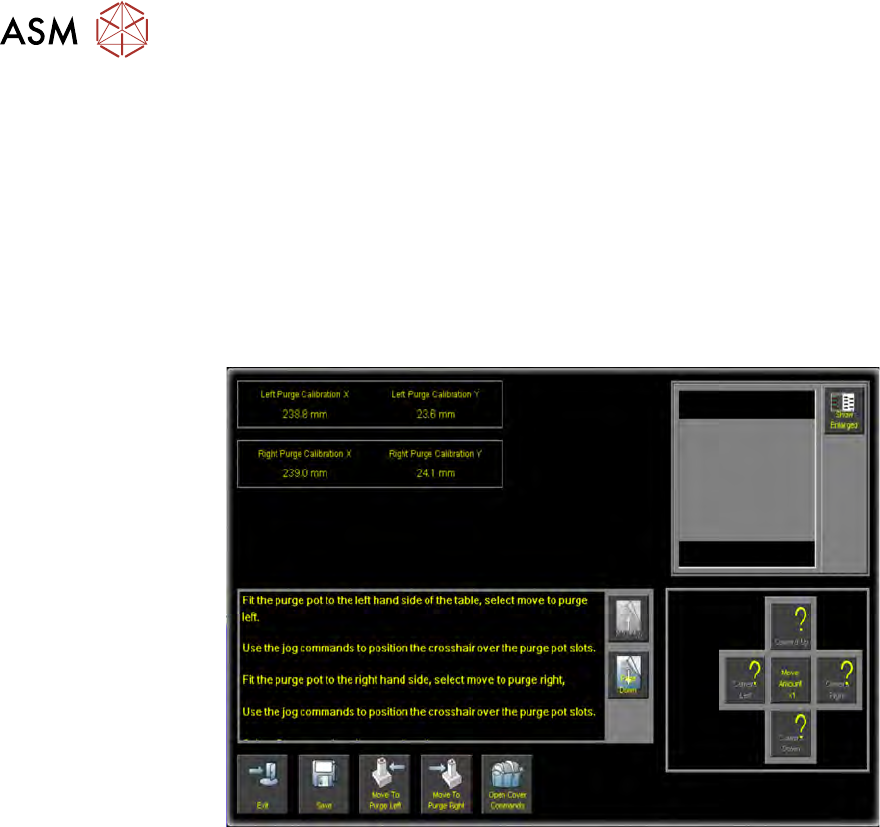
2.3.2.5 Calibrate Purge Pot Locations
Calibrate Purge Pot Locations allows the precise position of the purge station wiper target to be
programmed. Physically, its mechanical constraints and those of the table and the transport rails
determine the purge station placement. To enable the nozzle to be precisely placed, in the wiper
target, the station is placed correctly on the rising table front edge. The target location is measured
and programmed, from the centre of the wiper target cross to the centre of the camera reference
dot on the front rail.
1. Select Calibrate Purge Pot Locations.
A window with command buttons, a camera view vision window and set of nudge/move
amount (x1, x 10, x100) control buttons is displayed.
2. Select Open Cover Commands.
NOTE
The purge station must be seated correctly, fully down on the corner of the rising table, with
its barriers snugly fitting the front and side edges of the table.
3. Follow the on-screen instruction to, in turn, place the purge station in both the left hand side
front and right hand side front locations.
4. With the purge station in the left location; select Move To Purge Left. The camera moves
over the purge station in left hand location; the vision window displays an alignment crosshair.
5. If required, use the nudge/move buttons to align the crosshair over the purge station slots.
6. Select Open Cover Commands.
7. Fit the purge station to the right hand side.
8. Select Move To Purge Right.
9. Align the crosshair over the purge station slots.
NOTE
Use the Show Enlarged button to enlarge the vision window image for higher precision.
10. Select Save.
11. Select Exit.
12. Select Back.
13. Select Back.
14. Select Back.
2 STINGER, A GUIDE TO ADHESIVE DOT DISPENSING
2.3 SOFTWARE INTERFACE
GUIDE TO ADHESIVE DOT DISPENSING STINGER 03/2021 25
2.3.3 Product Setup Functionality
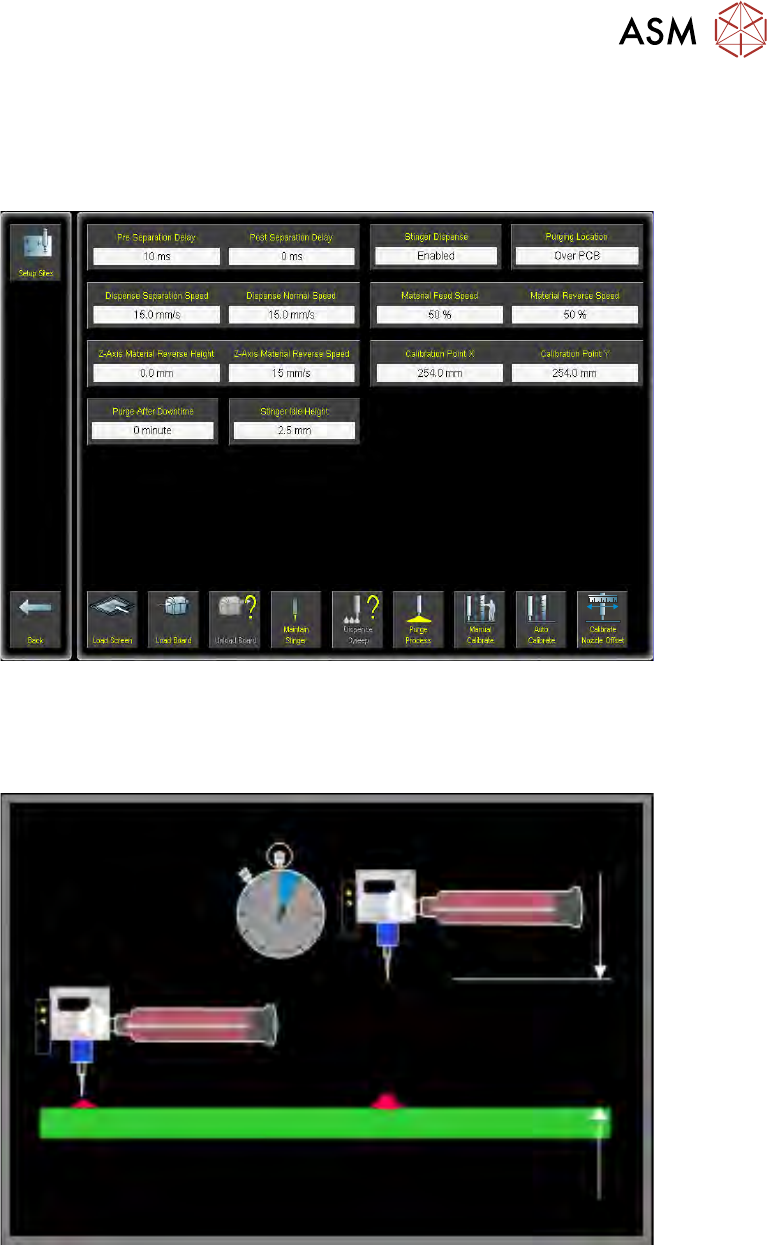
Parameter settings on the options page (Setup Product\Options\Stinger Dispenser) are derived
by trial and testing products prior to a production run. The user is provided with default values;
these are good for pre-production trials but may need modifying to suit a particular process.
2.3.3.1 Pre Separation Delay/Post Separation Delay
Pre Separation Delay/Post Separation Delay sets the time in milliseconds from when the dispense
valve is closed, to when the dispense nozzle moves back to idle height.
Pre Separation Delay sets the time taken when the dispenser auger valve stops rotating and the
dispenser rising to the idle position.
Post Separation Delay allows the user to set the time taken between the dispenser rising to the
idle position and when the camera moves.
This delay can be used to reduce adhesive stringing.
2 STINGER, A GUIDE TO ADHESIVE DOT DISPENSING
2.3 SOFTWARE INTERFACE
26 GUIDE TO ADHESIVE DOT DISPENSING STINGER 03/2021
2.3.3.2 Dispense Separation Speed/Dispense Normal Speed
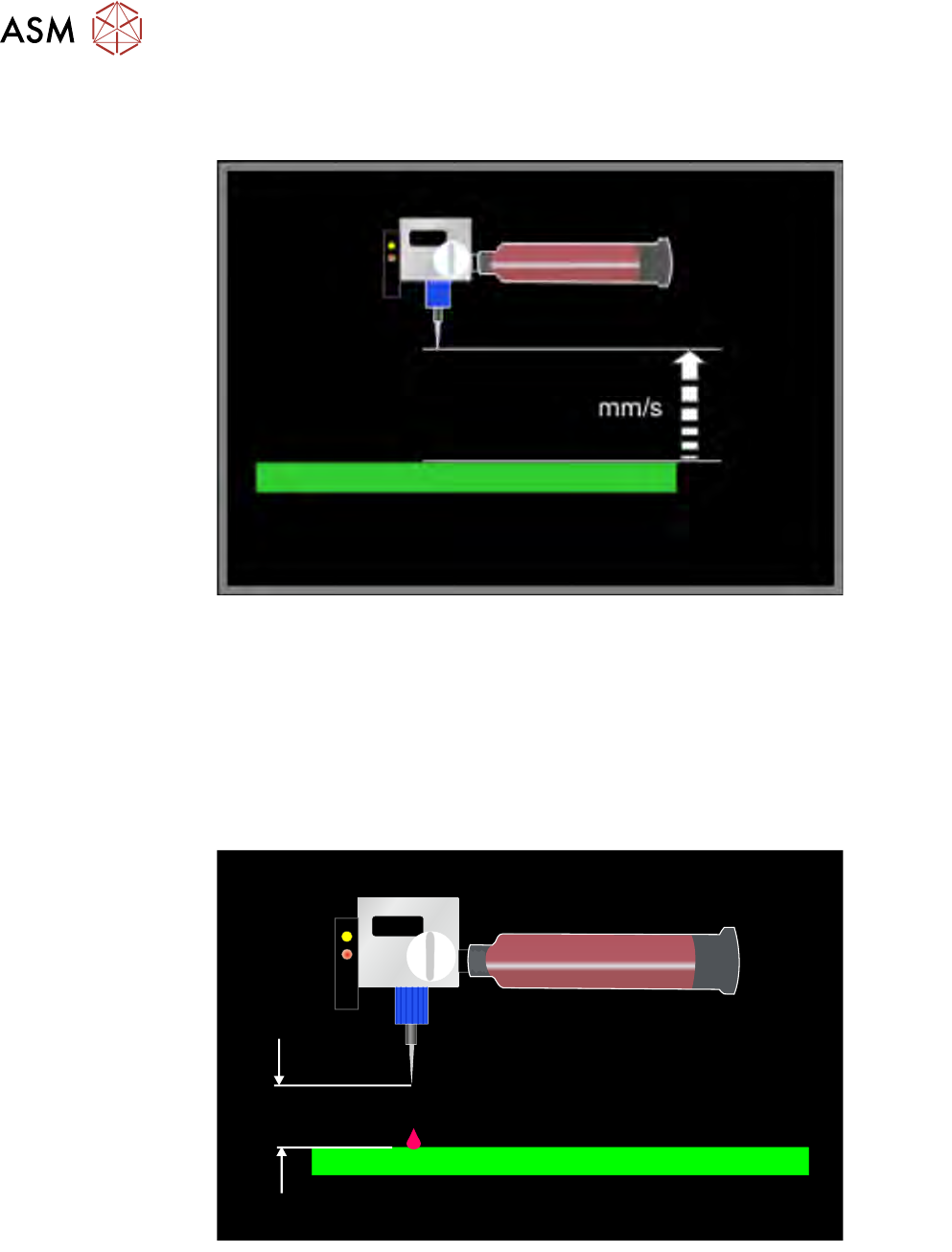
Dispense Separation Speed/Dispense Normal Speed sets the speed of the dispense lift actions.
Dispense Separation Speed during lift-off, following the dispense separation delay, the Z Axis
motor controller moves the nozzle from the dispense height to idle height. This can be any value
between 0.1mm/s and 20mm/s.
Dispense Normal Speed sets the speed of the Z Axis during all other movements.
2.3.3.3 Z-Axis Material Reverse Height/Z-Axis Material Reverse Speed
Z-Axis Material Reverse Height/Z-Axis Material Reverse Speed is used to set up the height and
speed of the dispense nozzle reverse movements. These movements occur sequentially. To dis-
able simultaneous lift and rotate set the parameters to zero.
mm
Z-Axis Material Reverse Height sets the z-axis/auger movement. If this value is greater than zero
there is a simultaneous lift movement combined with a rotation of the auger in the reverse direction.
Z-Axis Material Reverse Speed sets the speed of the reverse lift.